
1. Introduction and Safety Information
This manual provides essential instructions for the safe and efficient operation, setup, and maintenance of your Global Industrial Low Profile Scale Pallet Jack Truck, Model 988941. Please read this manual thoroughly before operating the equipment to ensure proper use and to prevent injury or damage.
1.1 General Safety Warnings
- Always operate the pallet jack on level, stable surfaces.
- Do not exceed the maximum load capacity of 5000 lbs (2268 kg).
- Ensure the load is centered and stable on the forks before lifting or moving.
- Keep hands and feet clear of moving parts.
- Do not use the pallet jack as a personnel lift.
- Regularly inspect the equipment for damage or wear before each use.
- The scale component is a precision instrument; handle with care.
- Do not move the pallet jack when the scale is actively weighing a load.

Figure 1: Global Industrial Low Profile Scale Pallet Jack Truck, Model 988941. This image shows the complete pallet jack with its integrated scale display unit and handle.
2. Setup
2.1 Unpacking
Carefully remove the pallet jack from its packaging. Inspect for any visible damage that may have occurred during transit. Retain all packaging materials until you have confirmed the unit is in working order.
2.2 Powering the Scale Unit
The integrated Mettler-Toledo HAWK scale operates using either (6) AA batteries or the included 7-foot AC power cord.
- Battery Installation: Locate the battery compartment on the scale unit. Insert six (6) AA batteries, ensuring correct polarity.
- AC Power Connection: Alternatively, connect the provided 7-foot AC power cord to the designated port on the scale unit and plug it into a standard electrical outlet.
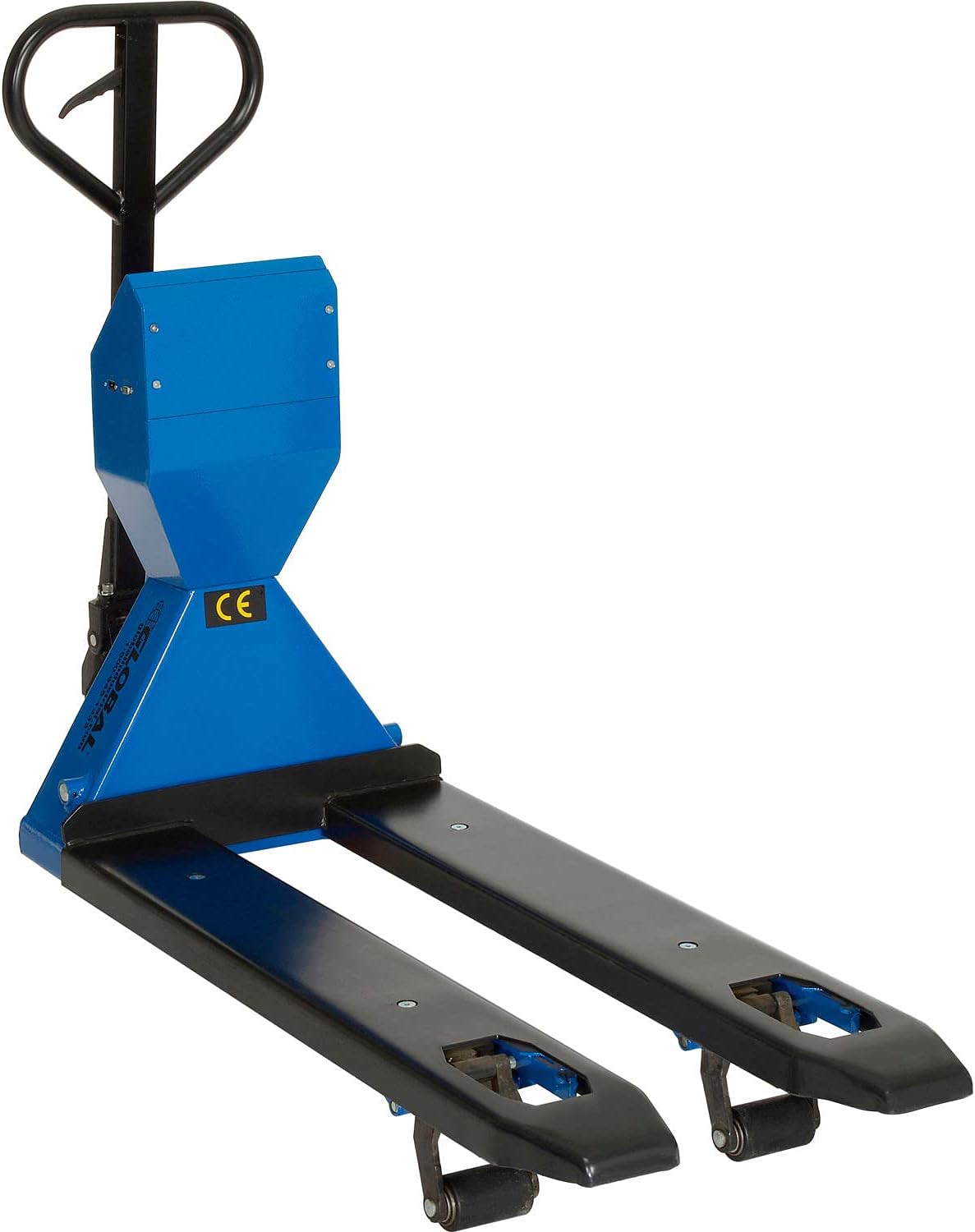
Figure 2: Side view of the pallet jack, showing the scale unit housing. The battery compartment and AC power port are located on the scale unit.
3. Operating Instructions
3.1 Pallet Jack Operation
The pallet jack features a standard three-position control lever on the handle for lifting, lowering, and neutral positions.

Figure 3: Close-up of the pallet jack handle, illustrating the control lever positions for Lower, Neutral Gear, and Ascent (Lift).
- Lifting: Pull the control lever upwards (Ascent position) and pump the handle to raise the forks. The forks can be raised from 2.5 inches (lowered) to 7.75 inches (raised).
- Lowering: Push the control lever downwards (Lower position) to slowly lower the forks.
- Neutral: Place the control lever in the middle position (Neutral Gear) for easy maneuvering of the pallet jack without lifting or lowering the forks.
- Moving Loads: Once the load is lifted, ensure the control lever is in the Neutral position before moving the pallet jack.
3.2 Scale Operation
The Mettler-Toledo HAWK scale features a backlit LCD display and four color-coded, tactile-feel keys for various functions.
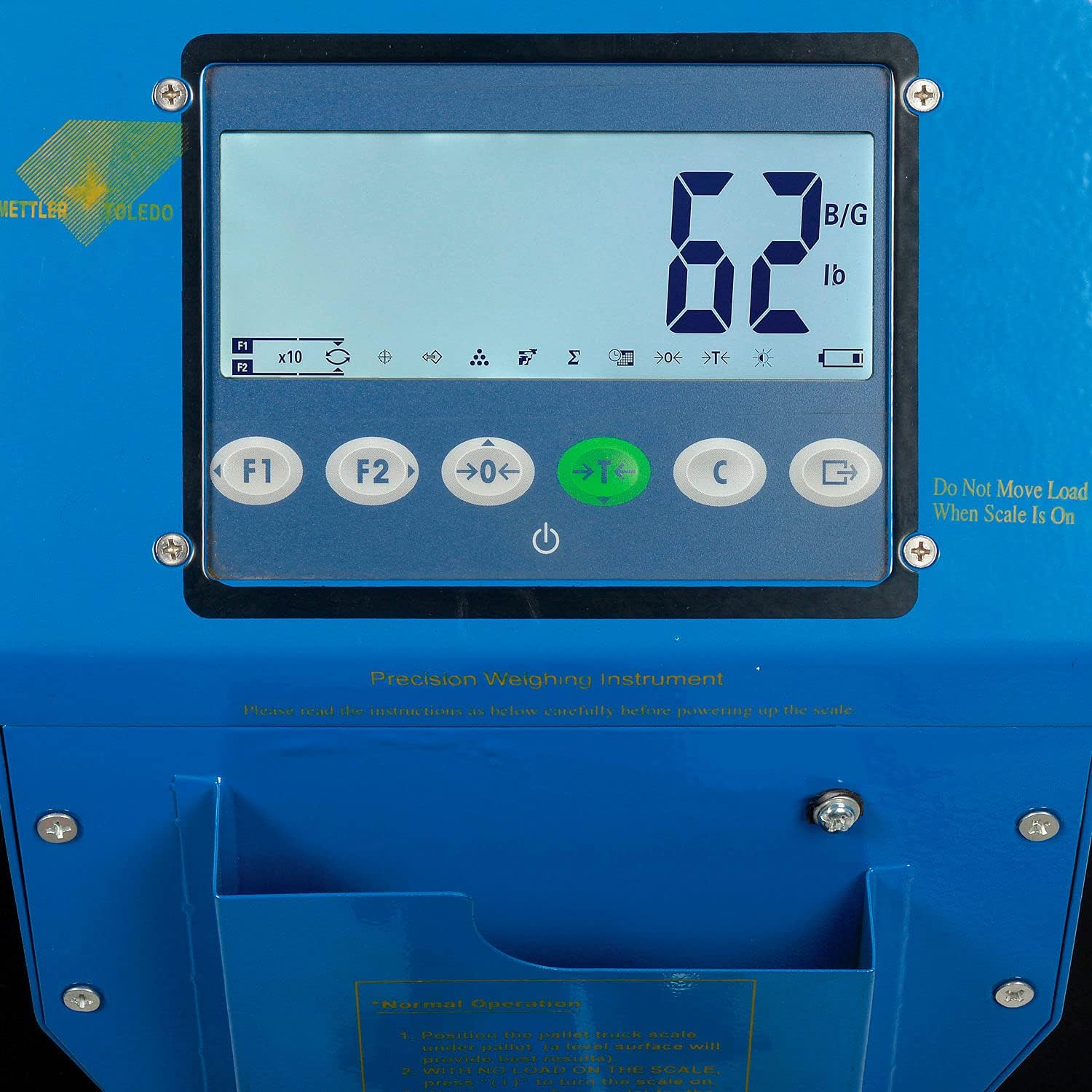
Figure 4: Close-up of the Mettler-Toledo HAWK scale's backlit LCD display and control buttons. The display shows a weight reading and various icons, while the buttons are labeled F1, F2, ZERO, TARE, FUNCTION, and PRINT.
- Power On/Off: Press the green power button (often labeled with a circle and vertical line) to turn the scale on or off.
- ZERO: Press the ZERO button to set the current weight reading to zero. This is typically used when the forks are empty to ensure accurate measurements.
- TARE: Press the TARE button to subtract the weight of a container or pallet, allowing you to measure only the net weight of the contents. Place the empty container on the forks, press TARE, then add the items to be weighed.
- FUNCTION: The FUNCTION button (often labeled with an 'F' or similar) accesses additional features or settings. Refer to the specific Mettler-Toledo HAWK scale manual for detailed function descriptions.
- PRINT: Press the PRINT button to send the current weight data via the integrated RS-232 port to a connected serial device (e.g., printer, computer).
- LCD Display: The backlit LCD display shows weight readings in 1-pound increments, up to 5000 lbs, with 1-inch high characters for clear visibility. It also displays various icons indicating scale status, battery level, and active functions.
4. Maintenance
Regular maintenance ensures the longevity and reliable operation of your pallet jack and scale unit.
- Cleaning: Keep the scale display and pallet jack clean. Use a damp cloth for the scale unit and avoid harsh chemicals. For the pallet jack, remove debris from wheels and forks.
- Battery Replacement: Replace the (6) AA batteries in the scale unit when the low battery indicator appears on the LCD display.
- Hydraulic Fluid Check: Periodically check the hydraulic fluid level. The handle includes an indicator for "Fill Oil." Refer to the hydraulic system's specific instructions for fluid type and filling procedure.
- Wheel Inspection: Inspect the solid wheels for wear, damage, or obstructions. Clear any debris that may hinder smooth movement.
- General Inspection: Regularly check all bolts, nuts, and moving parts for tightness and proper function. Tighten as necessary.
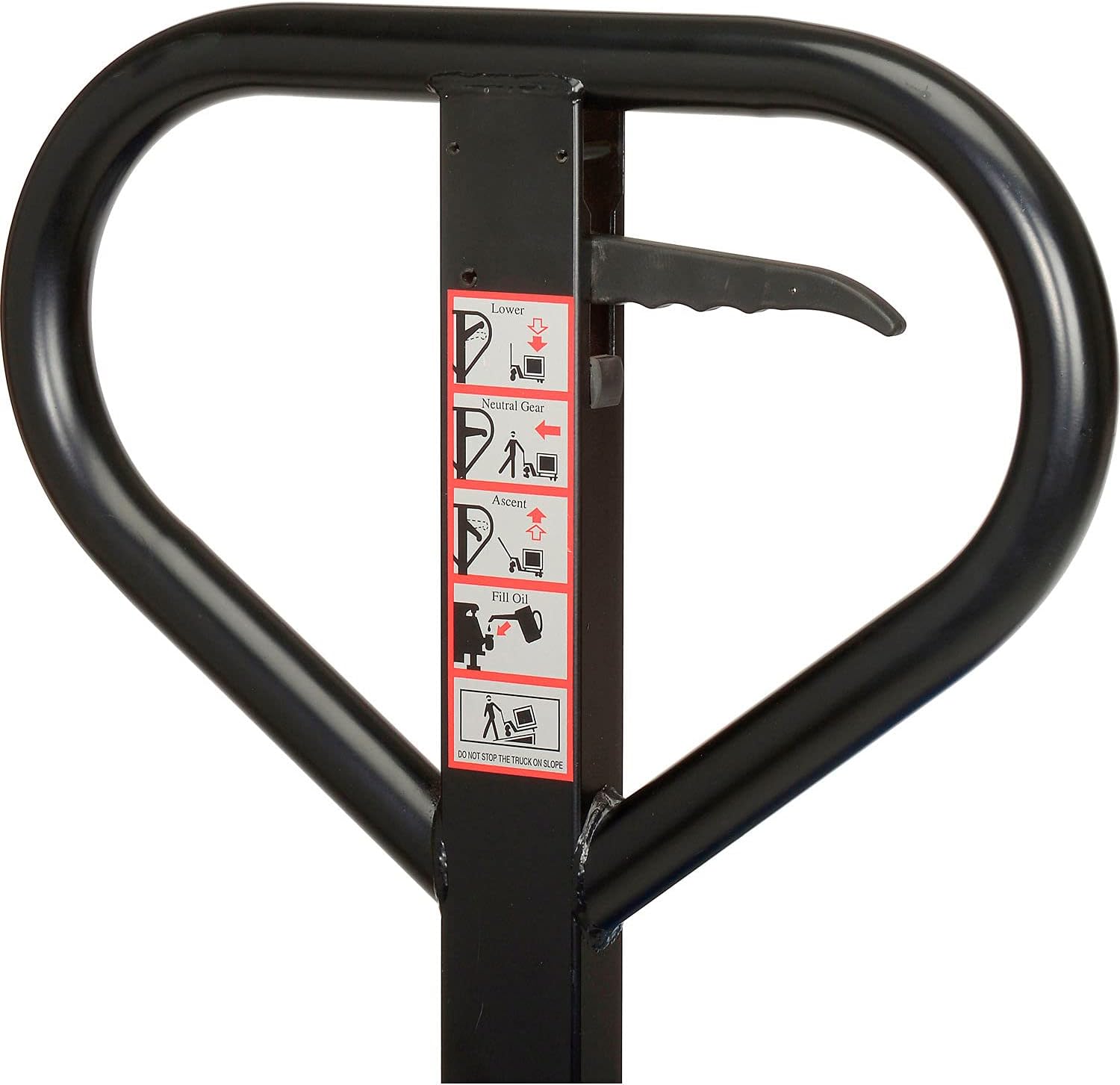
Figure 5: Close-up view of the pallet jack's red solid wheels and the hydraulic pump mechanism. Regular inspection of these components is crucial for safe operation.
5. Troubleshooting
This section addresses common issues you might encounter with your pallet jack and scale unit.
| Problem | Possible Cause | Solution |
|---|---|---|
| Pallet jack does not lift. | Hydraulic fluid low; control lever not in Ascent position; overload. | Check hydraulic fluid level and refill if necessary; ensure lever is pulled up; reduce load to within capacity. |
| Forks lower too quickly or not at all. | Control lever not in Lower position; hydraulic system issue. | Ensure lever is pushed down; consult a qualified technician for hydraulic system repair. |
| Scale display is blank. | No power; dead batteries; AC cord disconnected. | Press power button; replace AA batteries; ensure AC cord is securely connected. |
| Inaccurate weight readings. | Scale not zeroed; load not stable; environmental factors (vibration). | Press ZERO button before weighing; ensure load is stable and centered; operate in a stable environment. |
| RS-232 data transmission failure. | Incorrect cable connection; device not configured correctly. | Verify RS-232 cable connection; check settings on connected serial device. |
6. Specifications
- Model: 988941
- Brand: Global Industrial
- Load Capacity: 5000 lbs (2268 kg)
- Fork Dimensions: 22 inches (Width) x 48 inches (Length)
- Fork Height (Lowered): 2.5 inches
- Fork Height (Raised): 7.75 inches
- Overall Product Dimensions: 43.25"L x 22"W x 43.2"H
- Item Weight: 328 lbs (148.78 kg)
- Material: Alloy Steel
- Color: Blue
- Wheel Type: Solid
- Scale Type: Mettler-Toledo HAWK, UL approved
- Scale Power: (6) AA batteries (included) or 7' AC power cord (included)
- Scale Display: Backlit LCD, 1"H characters, 1 lb increments
- Connectivity: Integrated RS-232 port
- UPC: 707022340922
7. Warranty and Support
For information regarding warranty coverage, technical support, or replacement parts for your Global Industrial Low Profile Scale Pallet Jack Truck, please contact Global Industrial customer service directly. Refer to your purchase documentation or the Global Industrial website for current contact details.
Online Resources: You may find additional support and product information by visiting the official Global Industrial Store on Amazon.