
1. Introduction
The OMRON HEM 6232T wrist blood pressure monitor is a compact and portable device designed for convenient and accurate blood pressure measurement. This manual provides essential information for the safe and effective use of your monitor, including setup, operation, maintenance, and troubleshooting.
It features advanced algorithms for accurate readings, one-touch operation, a clear display, and memory storage to track blood pressure trends. The device is travel-friendly and suitable for individuals who need to monitor their blood pressure on the go.
2. Safety Information
Please read all instructions thoroughly before using the device. Keep this manual for future reference.
- Consult your physician before using this device if you have any medical conditions.
- Do not self-diagnose or self-treat based on measurements from this device. Always consult a healthcare professional.
- Keep the device out of reach of infants and children.
- Do not use the device for any purpose other than measuring blood pressure.
- Avoid strong electromagnetic fields (e.g., mobile phones, microwave ovens) near the device during measurement.
- Use only specified batteries. Do not mix old and new batteries or different types of batteries.
3. Package Contents
Verify that all components are present in the package:
- Omron HEM 6232T Device
- Wrist Cuff
- 4 AAA Batteries
- User Manual

Image: Retail packaging of the Omron HEM 6232T Wrist Blood Pressure Monitor, showing the device and key features.
4. Product Overview
The Omron HEM 6232T is a wrist-type blood pressure monitor designed for ease of use and portability. Key features include:
- Omron Connect App Compatibility: Easily transfer measurements to your smartphone for trend analysis.
- Correct Wrist Positioning Indicator: Guides you to the optimal wrist height for accurate readings.
- Cuff Wrap Guide: Ensures the cuff is wrapped correctly for reliable measurements.
- Irregular Heartbeat Detection: Alerts you if an irregular heart rhythm is detected during measurement.
- Morning Hypertension Indicator: Helps identify morning hypertension.
- Memory Storage: Stores up to 100 measurements with date and time for two users.
- Large Digit Display: Provides clear and easy-to-read measurement results.

Image: The Omron HEM 6232T Wrist Blood Pressure Monitor, showing the main unit with the cuff attached.

Image: A close-up view of the Omron HEM 6232T's digital display, showing blood pressure readings and various indicators.
5. Setup
5.1. Installing Batteries
- Open the battery compartment cover on the back of the monitor.
- Insert the four AAA alkaline batteries, ensuring correct polarity (+/-).
- Close the battery compartment cover securely.
5.2. Pairing with Omron Connect App (Optional)
The Omron HEM 6232T can connect to your smartphone via Bluetooth for easy data transfer and tracking. This feature allows you to maintain a health history on an intuitive dashboard with insightful graphs.
- Download the "Omron Connect" app from the App Store (for iOS) or Google Play Store (for Android).
- Enable Bluetooth on your smartphone.
- Follow the in-app instructions to pair your Omron HEM 6232T monitor. You may need to enable location services on Android 11 or higher for initial connection.

Image: Screenshot of the Omron Connect app interface, demonstrating how blood pressure readings are displayed and tracked.
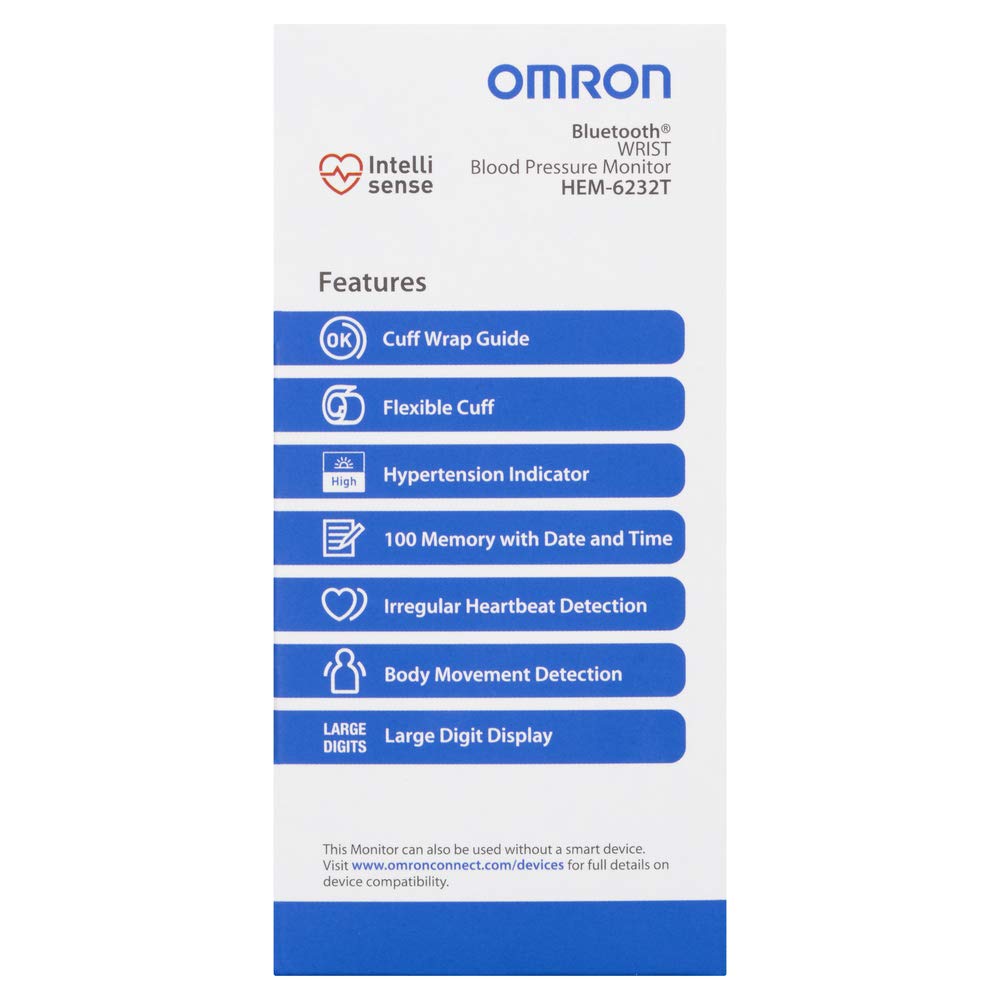
Image: Back of the product box detailing the Omron Connect app, including QR codes or links for App Store and Google Play downloads.
6. Operating Instructions
6.1. Before Taking a Measurement
- Avoid eating, drinking alcohol, smoking, exercising, and bathing for 30 minutes before measurement.
- Rest for at least 5 minutes before taking a measurement.
- Sit in a chair with your feet flat on the floor and your back supported.
6.2. Applying the Wrist Cuff
- Place the monitor on your left wrist with the display facing upwards. The cuff should be positioned approximately 1 to 2 cm from the bottom of your palm.
- Wrap the cuff snugly around your wrist. Ensure it is not too tight or too loose. The Cuff Wrap Guide function will indicate if the cuff is applied correctly.

Image: A person wearing the Omron HEM 6232T on their wrist, demonstrating the correct placement of the cuff.
6.3. Taking a Measurement
- Raise your wrist to heart level. The Correct Wrist Positioning Indicator will help you find the ideal height.
- Press the START/STOP button. The cuff will begin to inflate.
- Remain still and silent during the measurement.
- Once the measurement is complete, your systolic pressure, diastolic pressure, and pulse rate will be displayed.
- Press the START/STOP button again to turn off the monitor. If you do not turn it off, the monitor will automatically shut down after 2 minutes.
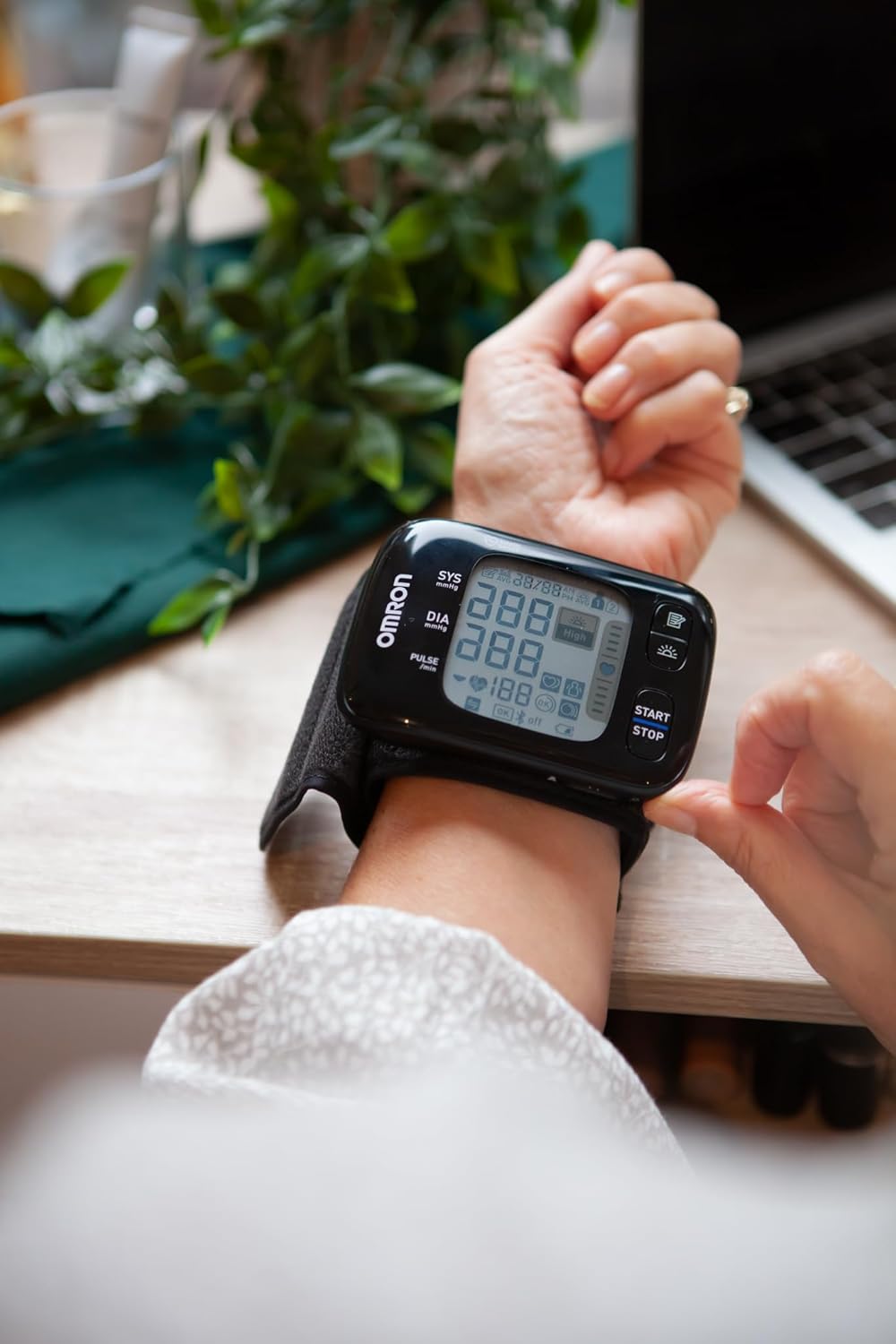
Image: A person actively taking a blood pressure reading with the Omron HEM 6232T, showing the device positioned at heart level.
7. Maintenance and Care
- Cleaning: Wipe the monitor and cuff with a soft, dry cloth. Do not use abrasive or volatile cleaners.
- Storage: Store the device in a clean, dry place, away from direct sunlight, extreme temperatures, and humidity.
- Battery Replacement: Replace all four AAA batteries when the low battery indicator appears on the display.
- Do not attempt to repair the device yourself. Contact Omron customer support for assistance.
8. Troubleshooting
| Problem | Possible Cause | Solution |
|---|---|---|
| No display when powered on | Batteries are dead or incorrectly inserted. | Replace batteries or reinsert them with correct polarity. |
| Inaccurate readings | Incorrect wrist positioning, improper cuff wrap, or movement during measurement. | Ensure correct wrist height (heart level), re-wrap cuff snugly, remain still and silent. |
| Bluetooth pairing issues | Bluetooth is off, app not installed, or location services disabled (Android 11+). | Ensure Bluetooth is on, install Omron Connect app, enable location services if necessary. |
| Irregular Heartbeat Symbol appears | Device detected an irregular heart rhythm. | Take the measurement again. If the symbol persists, consult your physician. |
9. Specifications
| Specification | Detail |
|---|---|
| Model | HEM 6232T |
| Measurement Method | Oscillometric Method |
| Measurement Range | SYS: 60 to 260 mmHg; DIA: 40 to 215 mmHg; Pulse: 40 to 180 beats/min |
| Accuracy | Pressure: ±3 mmHg; Pulse: ±5% of display reading |
| Power Source | 2 "AAA" alkaline batteries 1.5V |
| Battery Life | Approximately 300 measurements (using new alkaline batteries) |
| Console Weight | Approximately 90g without batteries |
| Dimensions (W x H x L) | Approximately 91.0mm (W) x 63.4mm (H) x 13.4mm (L) (not including the wrist cuff) |
| Measurable Wrist Circumference | 13.5 to 21.5cm |
| Country of Origin | Vietnam |
| Item Weight | 183 g |
10. Warranty and Support
The Omron HEM 6232T Wrist Blood Pressure Monitor comes with a 3-year warranty from the date of purchase. Please retain your purchase receipt as proof of warranty.
For product support, technical assistance, or warranty claims, please contact Omron customer service. You can also visit the official Omron store on Amazon for more information and products:
Visit the Omron Store on Amazon
For general information about Omron products, you may also visit their global healthcare website: www.omronhealthcare-ap.com