1. Introduction
This manual provides essential information for the safe and effective use, installation, and maintenance of your new XSPLENDOR replacement battery. Please read these instructions carefully before using the battery to ensure optimal performance and longevity.
2. Compatibility
This replacement battery (Model: CS-MTK446TW) is designed for use with the following Motorola radio models and part numbers:
- Compatible Radio Models: APX2000, APX-2000, APX3000, APX-3000, APX4000, APX4000Li, XPR 3300, XPR 3500, XPR 7350, XPR 7380, XPR 7550, XPR 7580.
- Compatible Battery Part Numbers: NNTN8129AR, NTN8128A, PMNN4406AR, PMNN4406BR, PMNN4424.
Important: Before purchasing or installing, ensure both your radio model and the original battery part number match the compatibility list. Refer to the label on your existing battery for verification.
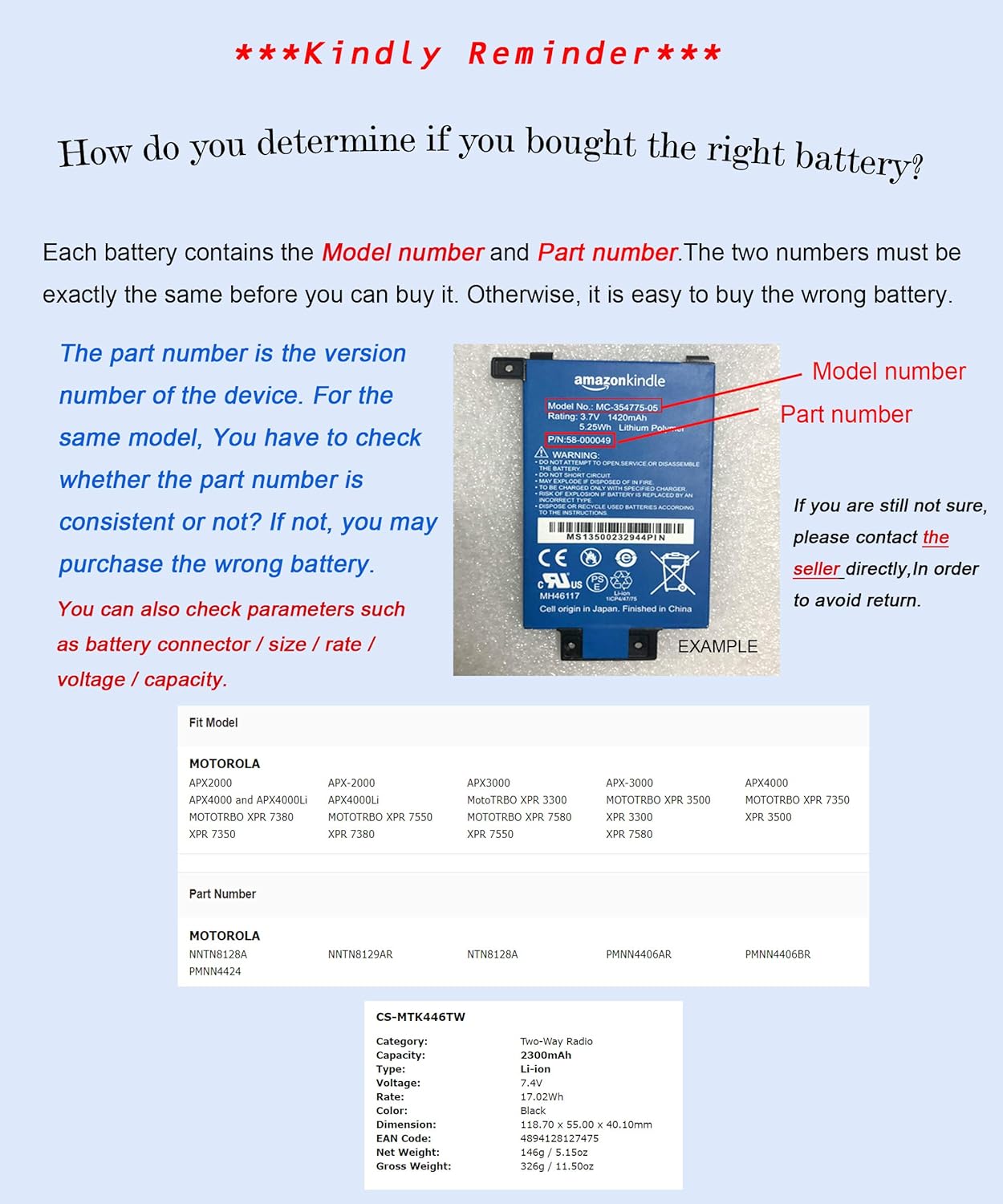
Image: Example of a battery label, highlighting where to find model and part numbers for compatibility verification.
3. Safety Information
WARNING: To reduce the risk of fire or burns, read all instructions and warnings before use.
- Do not attempt to disassemble, open, or service the battery pack.
- Do not crush, puncture, short external contacts, or dispose of in fire or water.
- Do not store above 60°C (140°F).
- Use only with the battery pack designed for this product.
- Recycle or dispose of used batteries according to local regulations.
4. Setup: Battery Installation
Follow these general steps to install the replacement battery into your compatible Motorola radio:
- Ensure the radio is powered off before attempting to remove or install the battery.
- Locate the battery release latch on the back of your radio.
- Slide the latch to unlock the old battery, then carefully remove it.
- Align the new XSPLENDOR battery with the battery compartment on the radio.
- Gently slide the battery into place until it clicks securely. Ensure the release latch returns to its locked position.
- Verify that the battery is firmly attached and does not wobble.

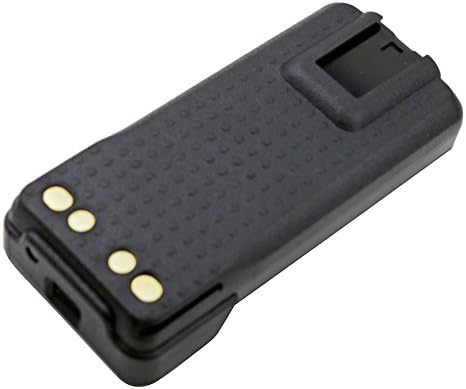
Image: Various views of the XSPLENDOR replacement battery, illustrating its form factor and connection points for proper installation.
5. Operating: Initial Charge and Usage
For optimal performance, it is recommended to fully charge the new battery before its first use.
- Place the radio with the newly installed battery into its compatible charging cradle or connect it to the appropriate charging cable.
- Allow the battery to charge uninterrupted until the charger's indicator light shows a full charge (refer to your radio's charger manual for specific indicator meanings).
- Once fully charged, the battery is ready for normal operation.
- For best battery life, avoid frequently recharging a partially discharged battery. It is generally better to allow the battery to discharge significantly before recharging.
6. Maintenance and Storage
- Keep battery contacts clean. Use a clean, dry cloth to wipe off any dirt or debris.
- Store the battery in a cool, dry place away from direct sunlight and extreme temperatures.
- If storing the battery for an extended period, charge it to approximately 50% capacity. Recharge every 3-6 months to prevent deep discharge.
- Avoid dropping the battery or subjecting it to strong impacts.
7. Troubleshooting
If you experience issues with your battery, consider the following:
- Battery not charging: Ensure the battery is correctly seated in the radio and the charger. Check the charger and power source for proper connection. Verify the charger is compatible with your radio and battery type.
- Short operating time: The battery may not be fully charged, or it might be nearing the end of its service life. Ensure proper charging cycles are followed.
- Radio not powering on: Confirm the battery is securely installed and charged. If issues persist, consult your radio's user manual or contact support.
8. Specifications
| Model Number | CS-MTK446TW |
| Battery Type | Li-ion (Lithium-ion) |
| Capacity | 2300 mAh |
| Voltage | 7.4 V |
| Energy Rate | 17.02 Wh |
| Product Dimensions | 4.67 x 2.17 x 1.58 inches |
| Manufacturer | Cameron Sino |
9. Warranty and Support
This XSPLENDOR replacement battery comes with a 1-Year Warranty from the date of purchase, covering manufacturing defects. Please retain your proof of purchase for warranty claims.

Image: The XSPLENDOR battery displaying a '1 Year Warranty' sticker.
For technical support or warranty inquiries, please contact your retailer or the manufacturer, Cameron Sino, directly. You can find more information on their official website: www.cameronsino.com