
KLARSTEIN ACO14-905000-Wonderw360
Klarstein Wonderwall Infrared Heater User Manual
Model: ACO14-905000-Wonderw360
Product Overview
The Klarstein Wonderwall Infrared Heater is a modern, energy-efficient heating solution designed for homes. This 360W wall-mounted panel heater provides comfortable, CO2-free warmth, utilizing infrared technology to heat objects and surfaces directly, similar to natural sunlight. Its slim design and integrated features like a thermostat and open window detection make it a practical and space-saving addition to any room.

Figure 1: Front view of the Klarstein Wonderwall Infrared Heater, showcasing its minimalist white panel design.

Figure 2: The heater's high efficiency, converting up to 95% of supplied energy into thermal radiation, providing warmth in a living room setting.

Figure 3: Experience pleasant, sun-like warmth as IR ComfortHeat technology directly warms you, furniture, and walls with healthy infrared rays.
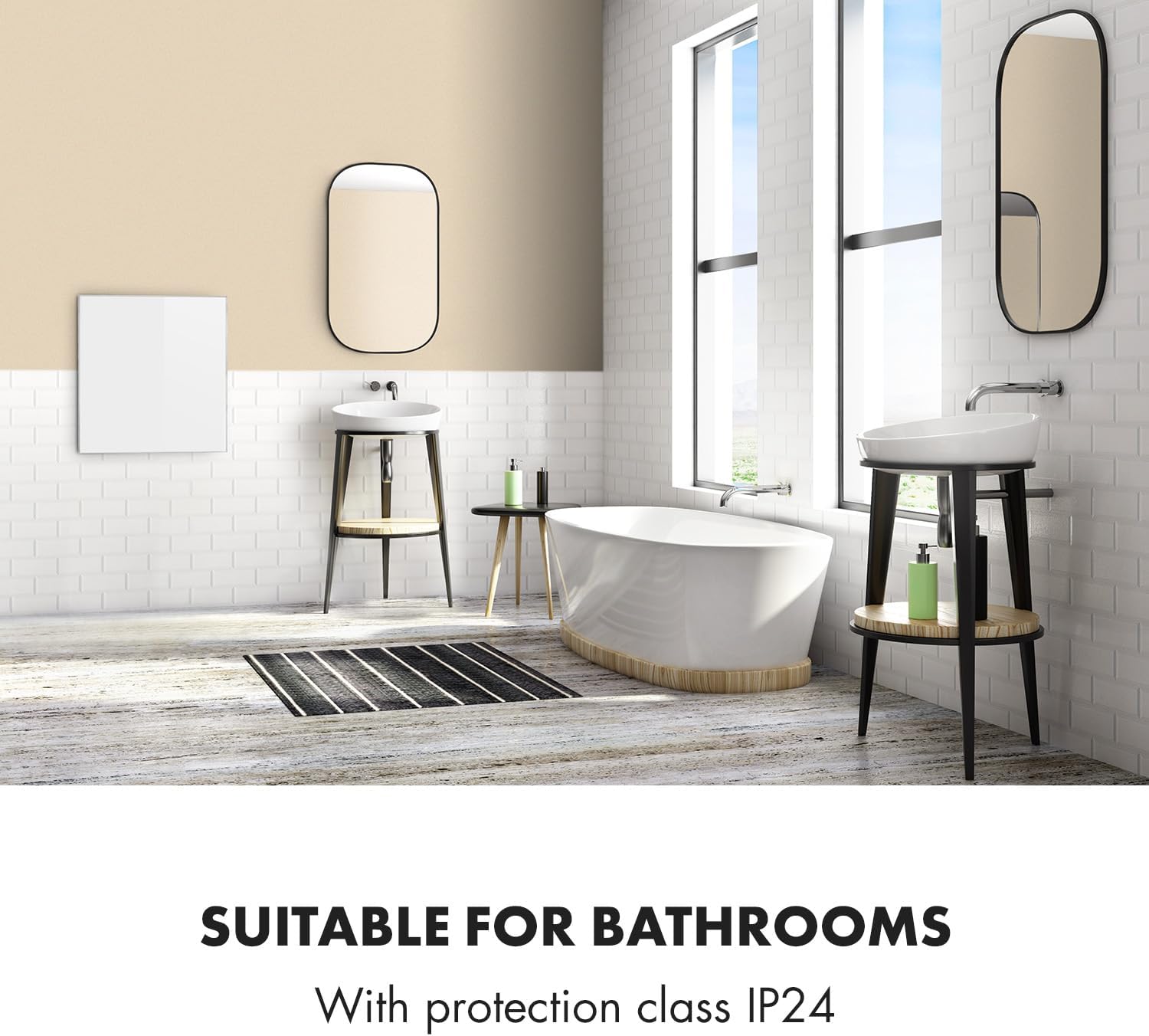
Figure 4: With an IP24 protection class, the heater is suitable for use in bathrooms, offering splash water resistance.

Figure 5: Ideal for allergy sufferers, the fan-less operation prevents dust from being whirled up, ensuring cleaner air.
Important Safety Instructions
Please read all instructions carefully before using the appliance and retain them for future reference. Failure to follow these instructions may result in electric shock, fire, or serious injury.
- Ensure the voltage indicated on the rating label corresponds to your mains voltage before connecting the appliance.
- Do not cover the heater. Covering the heater can cause overheating and a fire risk.
- Do not use this heater in the immediate surroundings of a bath, a shower or a swimming pool. Its IP24 rating provides protection against splashing water, making it suitable for bathrooms, but direct water exposure should be avoided.
- Keep combustible materials such as furniture, curtains, and other flammable items at least 1 meter (3.3 feet) away from the front and sides of the heater.
- This appliance is not intended for use by persons (including children) with reduced physical, sensory or mental capabilities, or lack of experience and knowledge, unless they have been given supervision or instruction concerning use of the appliance by a person responsible for their safety.
- Children should be supervised to ensure that they do not play with the appliance.
- If the supply cord is damaged, it must be replaced by the manufacturer, its service agent or similarly qualified persons in order to avoid a hazard.
- Always unplug the heater when not in use.
Setup and Installation
The Klarstein Wonderwall Infrared Heater is designed for easy wall mounting. All necessary components for installation are included.
1. Unpacking
Carefully remove the heater and all accessories from the packaging. Inspect the unit for any signs of damage. Retain the packaging for future storage or transport if needed.
2. Choosing a Location
Select a suitable wall location, ensuring it is free from obstructions and at least 1 meter away from flammable materials. The heater should be mounted at a height that allows for optimal heat distribution. Consider the dimensions of the unit (60 x 60 cm) when choosing a spot.
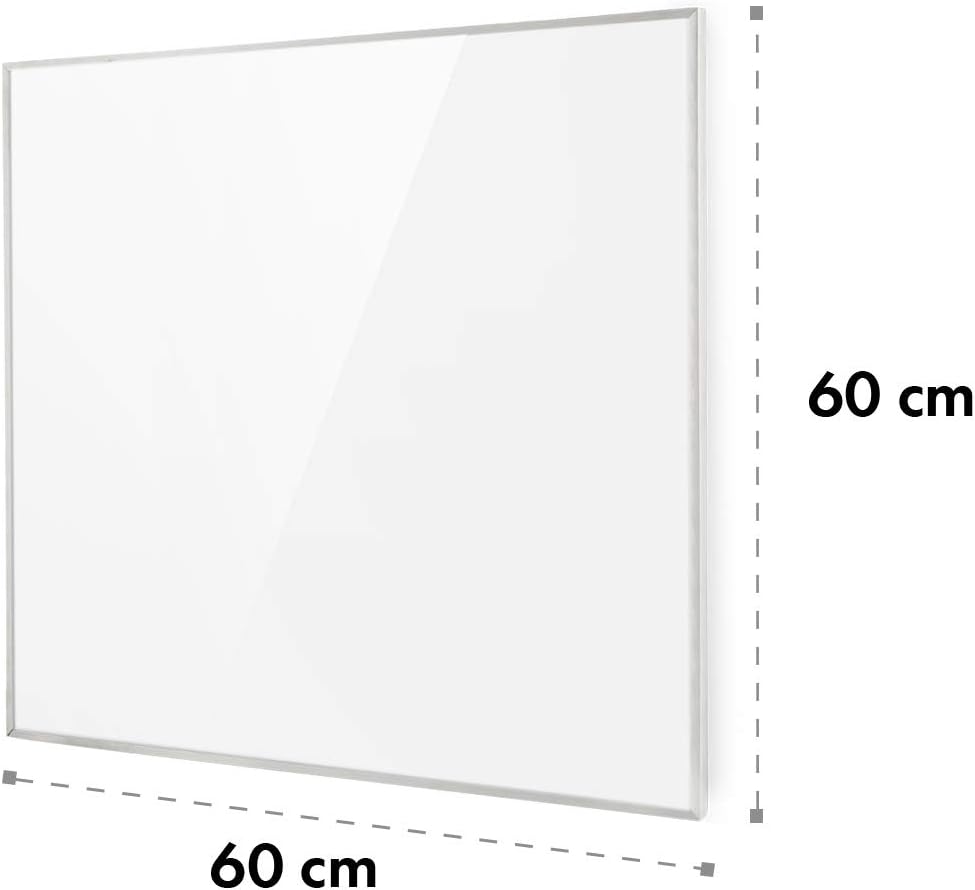
Figure 6: The Klarstein Wonderwall Infrared Heater measures 60 cm by 60 cm, indicating its compact size for wall mounting.
3. Wall Mounting
- Mark the drilling points on the wall according to the mounting bracket.
- Drill holes and insert wall plugs.
- Secure the mounting bracket to the wall using the provided screws.
- Carefully hang the infrared heater onto the mounted bracket, ensuring it is securely seated.
- Connect the power cord to a suitable electrical outlet. The power cord can be routed to be less visible behind the heater.
Operating Instructions
The Klarstein Wonderwall Infrared Heater offers intuitive controls for comfortable heating.
1. Powering On/Off
Plug the heater into a power outlet. Use the power button on the control panel or the remote control to turn the unit on or off.
2. Setting the Thermostat
The integrated thermostat allows you to set your desired room temperature. The heater will automatically adjust its operation to maintain this temperature, optimizing energy consumption.

Figure 7: The remote control and digital display for setting temperature, time, and weekly timer functions.
3. Weekly Timer Function
Program the heater to operate at specific times and temperatures throughout the week using the weekly timer function. Refer to the remote control instructions for detailed programming steps.
4. Open Window Detection
The heater is equipped with an open window detection feature. If a sudden drop in temperature is detected, indicating an open window, the heater will temporarily pause operation to prevent energy waste. It will resume normal operation once the temperature stabilizes or the window is closed.

Figure 8: The heater's intelligent open window detection system, which adjusts heating to save energy.
5. Smart App Control (If Applicable)
Some models may support control via a dedicated smartphone application. Download the app from your device's app store and follow the in-app instructions for pairing and control. This allows for remote management of the heater's settings.
Maintenance
Regular maintenance ensures the longevity and efficient operation of your infrared heater.
1. Cleaning
- Always unplug the heater and allow it to cool completely before cleaning.
- Wipe the exterior surface with a soft, damp cloth. Do not use abrasive cleaners or solvents, as these may damage the surface.
- Ensure no water enters the internal components.
2. Storage
If storing the heater for an extended period, unplug it and clean it thoroughly. Store it in a cool, dry place, preferably in its original packaging, to protect it from dust and damage.
Troubleshooting
If you encounter issues with your Klarstein Wonderwall Infrared Heater, refer to the following common problems and solutions:
| Problem | Possible Cause | Solution |
|---|---|---|
| Heater does not turn on. | No power supply; power button not pressed; thermostat set too low. | Check power connection and wall outlet. Press the power button. Increase the thermostat setting. |
| Heater is on but not emitting heat. | Thermostat set too low; open window detection activated. | Increase the thermostat setting. Close any open windows or doors. |
| Unusual smell or noise. | New unit burning off manufacturing residues (normal for first few uses); internal malfunction. | Ensure adequate ventilation during initial use. If smell persists or is strong/burning, immediately unplug the unit and contact customer support. A slight ticking noise as the panel heats and cools is normal. |
| Remote control not working. | Batteries depleted; remote out of range; remote malfunction. | Replace batteries. Ensure clear line of sight to the heater's receiver. If issues persist, contact customer support. |
If the problem persists after attempting these solutions, please contact Klarstein customer support for further assistance.
Specifications
| Feature | Detail |
|---|---|
| Brand | KLARSTEIN |
| Model Number | ACO14-905000-Wonderw360 |
| Colour | White |
| Product Dimensions | 4 x 60 x 60 cm |
| Item Weight | 2.9 kg |
| Power / Wattage | 360 watts |
| Voltage | 220 Volts |
| Special Features | Easy to use, Thermostat, Open Window Detection |
| IP Rating | IP24 (Water and dust protection) |
| Indoor/Outdoor Usage | Indoor |
Warranty and Support
For warranty information, product support, or to purchase replacement parts, please visit the official Klarstein website or contact their customer service department. Keep your purchase receipt as proof of purchase for warranty claims.
You can find more information and contact details on the KLARSTEIN Store on Amazon.