1. Introduction
This manual provides detailed instructions for the installation, operation, and maintenance of your EZVIZ CB2 1080p WiFi Security Camera. Please read this manual carefully before using the product to ensure proper functionality and safety.
Key Features:
- 1080p IR Night Vision: Delivers crisp 1080p video quality with clear night vision up to 5 meters (16 feet) in complete darkness.
- Battery Powered: Equipped with a 2,000 mAh rechargeable battery, providing up to 50 days of operation on a full charge. Ensures continuous recording during power outages.
- Smart Human Motion Detection: Utilizes a PIR sensor and human-shape detection algorithm to accurately identify human movement, reducing false alarms.
- Easy Installation: Features a magnetic base for flexible and secure placement on metallic surfaces without drilling or adhesive.
- Two-Way Talk: Allows real-time communication through the camera via your mobile phone.
- Flexible Storage Options: Supports local storage on a microSD card (up to 512 GB) and encrypted cloud storage via EZVIZ CloudPlay.
2. Product Overview
The EZVIZ CB2 is a compact and versatile security camera designed for indoor use. Its small form factor and magnetic base allow for discreet and flexible placement.

The EZVIZ CB2 camera is compact and designed for easy monitoring, allowing users to view live footage directly on their smartphone.
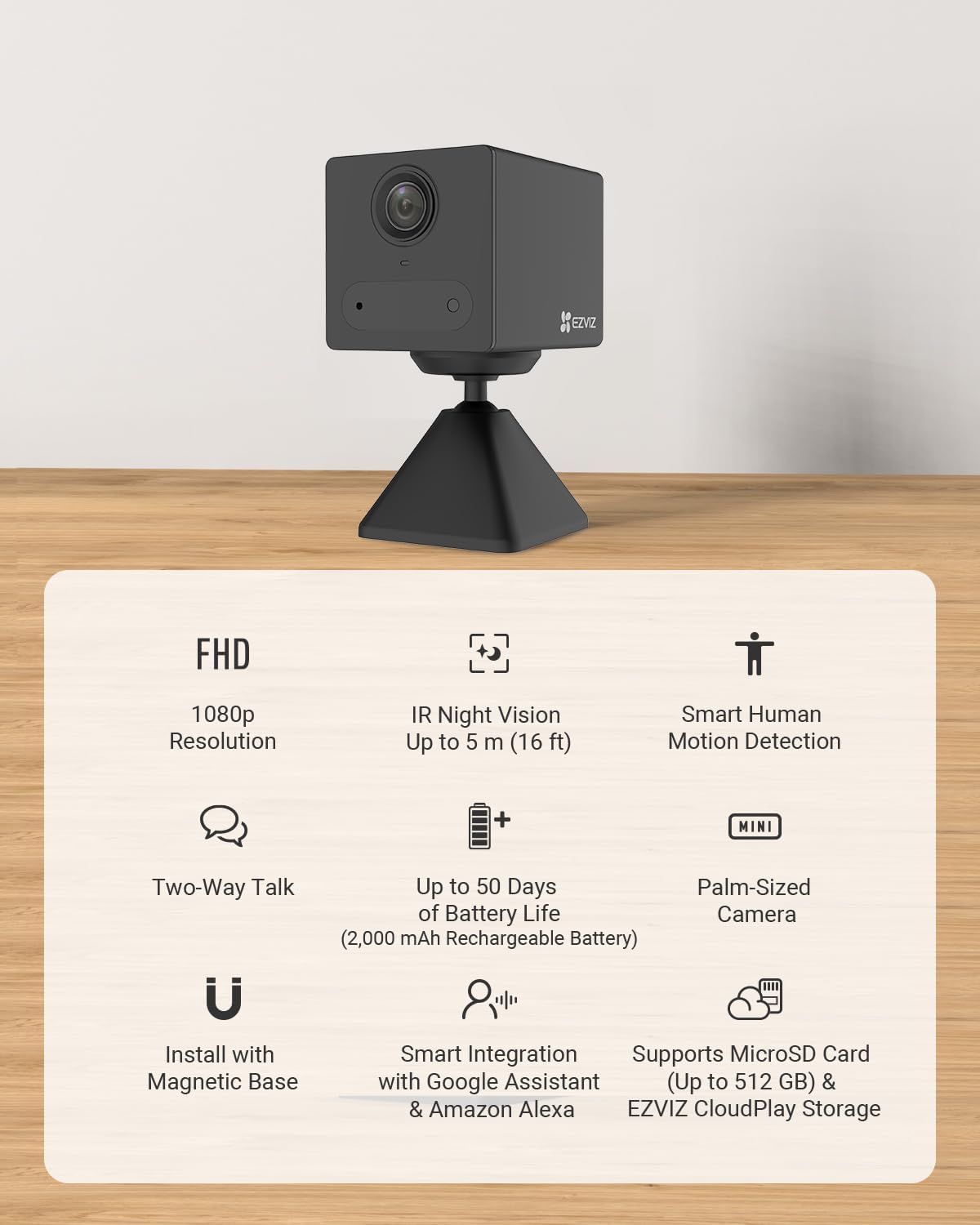
Key features of the EZVIZ CB2 camera include high-definition video, extended battery life, and smart detection capabilities, all in a compact design.
Components:
- Camera Lens
- PIR Motion Sensor
- Microphone
- Speaker
- Status Indicator LED
- USB Charging Port
- MicroSD Card Slot
- Magnetic Base
3. Setup
3.1 Charging the Camera
Before initial use, fully charge the camera using the provided USB cable and a standard 5V/1A power adapter (not included). The status indicator LED will show charging status.

The camera is powered by a long-lasting rechargeable battery, offering extended operation without constant recharging.
3.2 Downloading the EZVIZ App
Download the EZVIZ app from the App Store (iOS) or Google Play Store (Android). Create an account or log in if you already have one.
3.3 Adding the Camera to the App
- Open the EZVIZ app and tap the '+' icon to add a new device.
- Scan the QR code located on the camera or its packaging.
- Follow the on-screen prompts to connect the camera to your 2.4 GHz Wi-Fi network. Ensure your Wi-Fi password is correct.
- Once connected, the camera's status indicator will turn solid blue.
3.4 Mounting the Camera
The EZVIZ CB2 features a magnetic base for easy installation. Choose a clean, flat metallic surface for optimal adhesion. You can also use the included metal plate with adhesive if no metallic surface is available.

The camera's magnetic base allows for flexible and secure placement on various metallic surfaces, ensuring stable positioning.
4. Operating the Camera
4.1 Live View
From the EZVIZ app, tap on your camera to access the live view. You can monitor your space in real-time.
4.2 Two-Way Talk
While in live view, tap the microphone icon to initiate two-way communication. Speak into your phone, and your voice will be transmitted through the camera's speaker. Release the icon to listen.

The two-way talk feature enables real-time communication through the camera, allowing interaction with individuals in the monitored area.
4.3 Motion Detection and Alerts
The camera's smart human motion detection feature will send notifications to your smartphone when human activity is detected. You can customize detection sensitivity and notification settings within the EZVIZ app.

The camera's smart human motion detection sends instant alerts to your smartphone when activity is detected, keeping you informed.
4.4 Night Vision
The camera automatically switches to infrared (IR) night vision in low-light conditions, providing clear black-and-white video. This ensures continuous monitoring even in complete darkness.

The camera provides clear 1080p video both during the day and in complete darkness, ensuring continuous monitoring.
4.5 Recording and Storage
The camera supports two primary storage methods:
- MicroSD Card: Insert a microSD card (up to 512 GB) into the designated slot for local storage of recorded events.
- EZVIZ CloudPlay: Subscribe to EZVIZ CloudPlay for encrypted cloud storage, providing an additional layer of security and accessibility for your recordings.
5. Maintenance
5.1 Cleaning the Camera
Use a soft, dry cloth to clean the camera lens and body. Avoid using harsh chemicals or abrasive cleaners, as they may damage the device.
5.2 Battery Care
To maximize battery life, avoid exposing the camera to extreme temperatures. Recharge the battery when the low battery indicator appears in the app. Regular full charges are recommended.
5.3 Firmware Updates
Periodically check for firmware updates through the EZVIZ app. Keeping your camera's firmware up-to-date ensures optimal performance, security, and access to new features.
6. Troubleshooting
6.1 Camera Not Connecting to Wi-Fi
- Ensure your Wi-Fi network is 2.4 GHz. The camera does not support 5 GHz networks.
- Verify the Wi-Fi password entered in the app is correct.
- Move the camera closer to your Wi-Fi router to improve signal strength.
- Restart your router and the camera.
6.2 Poor Video Quality
- Check your Wi-Fi signal strength. A weak signal can affect video quality.
- Ensure the camera lens is clean and free from dust or smudges.
- Adjust the video resolution settings in the EZVIZ app if your network bandwidth is limited.
6.3 Motion Detection Issues
- Adjust the motion detection sensitivity in the EZVIZ app.
- Ensure there are no obstructions blocking the camera's view or the PIR sensor.
- Check the detection zone settings in the app to ensure the desired areas are covered.
6.4 Short Battery Life
- Frequent motion detection events and live view usage can reduce battery life.
- Ensure the camera is operating within recommended temperature ranges.
- Check for excessive background activity or poor Wi-Fi signal, which can cause the camera to work harder.
7. Specifications
| Model Name | CS-CB2(1080P,BK) |
| Item Model Number | CS-CB2-R100-2D2WF-BK |
| Resolution | 1080p Full HD |
| Night Vision Range | Up to 5 meters (16 feet) |
| Battery | 2,000 mAh Lithium Ion (included) |
| Connectivity Technology | Wireless (Wi-Fi 2.4 GHz) |
| Storage Options | MicroSD card (up to 512 GB), EZVIZ CloudPlay |
| Special Features | 2-Way Audio, Motion Sensor, Night Vision, Smart Human Detection |
| Indoor/Outdoor Usage | Indoor |
| Compatible Devices | Smartphone, Tablet |
| Power Source | Battery Powered |
| Mounting Type | Wall, Ceiling Mount (Magnetic Base) |
| Product Dimensions | 5.05 x 3.91 x 3.91 cm |
| Weight | 1.25 kg |
| Manufacturer | EZVIZ |
8. Warranty and Support
8.1 Product Warranty
The EZVIZ CB2 camera comes with a standard manufacturer's warranty. Please refer to the warranty card included in your product packaging or visit the official EZVIZ website for detailed warranty terms and conditions specific to your region.
8.2 Customer Support
For technical assistance, troubleshooting, or any product-related inquiries, please contact EZVIZ customer support. You can find contact information on the official EZVIZ website or within the EZVIZ app.
Online Resources:
- Official EZVIZ Website: www.ezviz.com
- EZVIZ App: Available on App Store and Google Play Store