
1. Product Overview
This manual provides essential information for the safe and efficient use of your Panasonic NR-B17BW-W 168L 2-Door Refrigerator. Please read it thoroughly before operating the appliance and keep it for future reference.
The NR-B17BW-W refrigerator features a modern matte texture design, intended to blend seamlessly with your home interior. It includes a spacious freezer compartment for convenient storage of frozen goods, bright LED interior lighting for clear visibility, and easy-to-clean glass trays.

Figure 1: Front view of the Panasonic NR-B17BW-W 168L 2-Door Refrigerator in Matte Vanilla White.
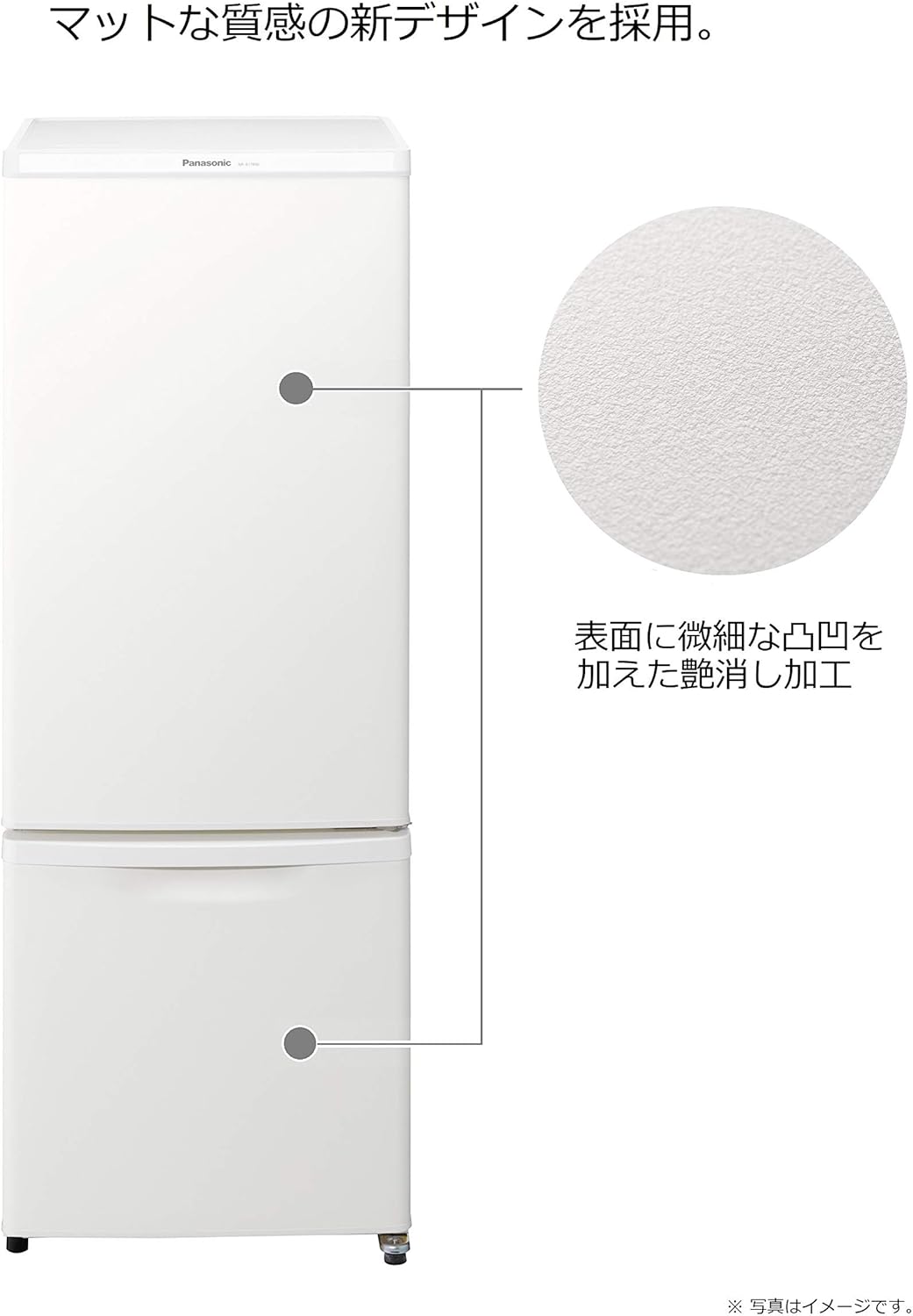
Figure 2: Detail of the matte texture finish on the refrigerator door, designed to reduce gloss and harmonize with interiors.
2. Important Safety Information
To prevent injury to the user or other people and property damage, the following instructions must be followed. Incorrect operation due to ignoring instructions may cause harm or damage.
2.1 General Safety Precautions
- Do not allow children to play with the refrigerator.
- Keep ventilation openings in the appliance enclosure or in the built-in structure clear of obstruction.
- Do not use mechanical devices or other means to accelerate the defrosting process, other than those recommended by the manufacturer.
- Do not damage the refrigerant circuit.
- Do not use electrical appliances inside the food storage compartments of the appliance, unless they are of the type recommended by the manufacturer.
2.2 Electrical Safety
- Ensure the power plug is firmly inserted into the wall socket.
- Do not use multiple adapters or extension cords.
- Do not touch the power plug with wet hands.
- Unplug the appliance before cleaning or performing any maintenance.
3. Setup and Installation
3.1 Unpacking
Carefully remove all packaging materials. Keep packaging out of reach of children. Inspect the refrigerator for any damage incurred during transit.
3.2 Placement
- Place the refrigerator on a firm, level floor. Adjust the leveling feet to ensure stability.
- Allow adequate space around the refrigerator for proper ventilation (refer to dimensions diagram for minimum required installation space). Avoid placing it in direct sunlight or near heat sources like stoves or heaters.
- Ensure the ambient temperature is suitable for the appliance's operation.

Figure 3: Interior view highlighting LED lighting and glass trays. The diagram illustrates product dimensions (Depth: 58.6 cm, Width: 48 cm, Height: 129.3 cm) and minimum installation space requirements.
3.3 Power Connection
Connect the power cord to a dedicated wall outlet. Do not share the outlet with other appliances.
3.4 Initial Operation
After installation, allow the refrigerator to stand for at least 2-3 hours before plugging it in. Once plugged in, allow it to operate for several hours (e.g., 4-6 hours) to reach optimal cooling temperatures before storing food.
4. Operating Instructions
4.1 Temperature Control
The refrigerator and freezer compartments have separate temperature controls. Adjust settings according to your needs and the amount of food stored. Note that setting the refrigerator too cold may cause some items, particularly vegetables in the crisper drawer, to freeze. Adjust the temperature to prevent this if necessary.
4.2 Food Storage
- Refrigerator Compartment (124L): Ideal for fresh foods, dairy products, and beverages. Utilize the glass shelves and door pockets for organized storage.
- Freezer Compartment (44L): Designed for long-term storage of frozen foods. The drawer-type design allows for easy access and organization.

Figure 4: Interior layout of the refrigerator, indicating the 124L refrigerator compartment and 44L freezer compartment. The usable storage capacity for the freezer is 34L.
4.3 Door Operation
Ensure the doors close completely after each use to maintain optimal temperature and energy efficiency. The door seals are designed to be soft; avoid overfilling door pockets, especially with heavy items, as this may prevent proper sealing.
5. Care and Maintenance
Regular cleaning and maintenance will ensure the longevity and efficient operation of your refrigerator.
5.1 Cleaning the Interior
- Always unplug the refrigerator before cleaning.
- Wipe the interior surfaces, including glass trays, with a soft cloth dampened with a mild detergent solution.
- The glass trays are easy to remove and clean. Ensure they are completely dry before placing them back.
- Do not use abrasive cleaners, solvents, or hot water, as these can damage surfaces.
5.2 Cleaning the Exterior
- Wipe the exterior with a soft, damp cloth. For the matte finish, avoid harsh chemicals that could alter its appearance.
- Clean the door seals regularly to ensure they remain flexible and maintain a tight seal.
5.3 Defrosting
This refrigerator features an automatic defrost system for the refrigerator compartment. The freezer compartment may require manual defrosting if excessive ice buildup occurs. Refer to the full user manual for detailed defrosting instructions.
6. Troubleshooting
Before contacting service, please check the following common issues:
| Problem | Possible Cause | Solution |
|---|---|---|
| Refrigerator does not operate | Power cord unplugged; circuit breaker tripped. | Ensure power cord is securely plugged in; check circuit breaker. |
| Refrigerator is not cold enough | Temperature setting too high; door opened frequently; excessive food load. | Adjust temperature setting; minimize door openings; do not overload. |
| Unusual noise | Refrigerator not level; items vibrating inside; normal operating sounds. | Level the refrigerator; rearrange items; operating sound is typically 23 dB. |
| Door does not close properly | Food packages obstructing; door gasket dirty or damaged; refrigerator not level. | Rearrange food; clean or inspect gasket; level the refrigerator. |
| Vegetables freezing in crisper | Refrigerator temperature set too low. | Increase refrigerator temperature setting. Consider storing meat in this drawer if vegetables consistently freeze. |
If the problem persists after checking these points, please contact Panasonic customer support.
7. Product Specifications
| Feature | Specification |
|---|---|
| Brand Name | Panasonic |
| Model | NR-B17BW-W |
| Total Rated Capacity | 168 Liters |
| Refrigerator Compartment Capacity | 124 Liters |
| Freezer Compartment Capacity | 44 Liters (Usable storage: 34 Liters) |
| Product Dimensions (D x W x H) | 58.6 x 48 x 129.3 cm |
| Product Weight | 36 Kilograms |
| Operating Sound | 23 Decibels |
| Number of Doors | 2 |
| Door Opening Direction | Right-opening |
| Shelf Type | Glass |
| Special Features | Non-slip, Resistant, Heat-resistant top table (100°C) |
| Color | Matte Vanilla White |
| Installation Type | Freestanding |
8. Warranty Information
Warranty details for your Panasonic NR-B17BW-W refrigerator are typically provided with your purchase documents. Please refer to the warranty card or receipt for specific terms, conditions, and duration of coverage. Keep your proof of purchase in a safe place.
9. Customer Support
For inquiries regarding repairs or technical assistance for your Panasonic product, please contact the Panasonic Repair Consultation Desk:
- Telephone: 0120-878-554
- Reception Hours: 9:00 AM - 7:00 PM (Weekdays)
- Reception Hours: 9:00 AM - 5:30 PM (Sundays, holidays, and year-end/new year period)
- Online: Search for "Panasonic Repair" on the internet.


