
1. Introduction
This manual provides detailed instructions for the safe and effective use of your GLIDiC Sound Air TW-7000 SB-WS72-MRTW wireless earbuds. Please read this manual thoroughly before using the product and keep it for future reference.
2. Safety Information
To ensure safe operation and prevent damage, observe the following precautions:
- Do not disassemble, repair, or modify the product.
- Keep the product away from water, moisture, and extreme temperatures.
- Avoid dropping or subjecting the product to strong impacts.
- Do not expose the charging case or earbuds to open flames or direct sunlight for extended periods.
- Use only the specified charging cable and power adapter.
- Prolonged exposure to loud sounds may cause hearing damage. Adjust volume to a safe level.
3. Package Contents
Verify that all items are present in the package:
- GLIDiC Sound Air TW-7000 Earbuds (Left and Right)
- Charging Case
- USB Charging Cable
- Eartips (various sizes)
- User Manual (this document)
4. Product Overview
Familiarize yourself with the components of your GLIDiC Sound Air TW-7000 earbuds and charging case.
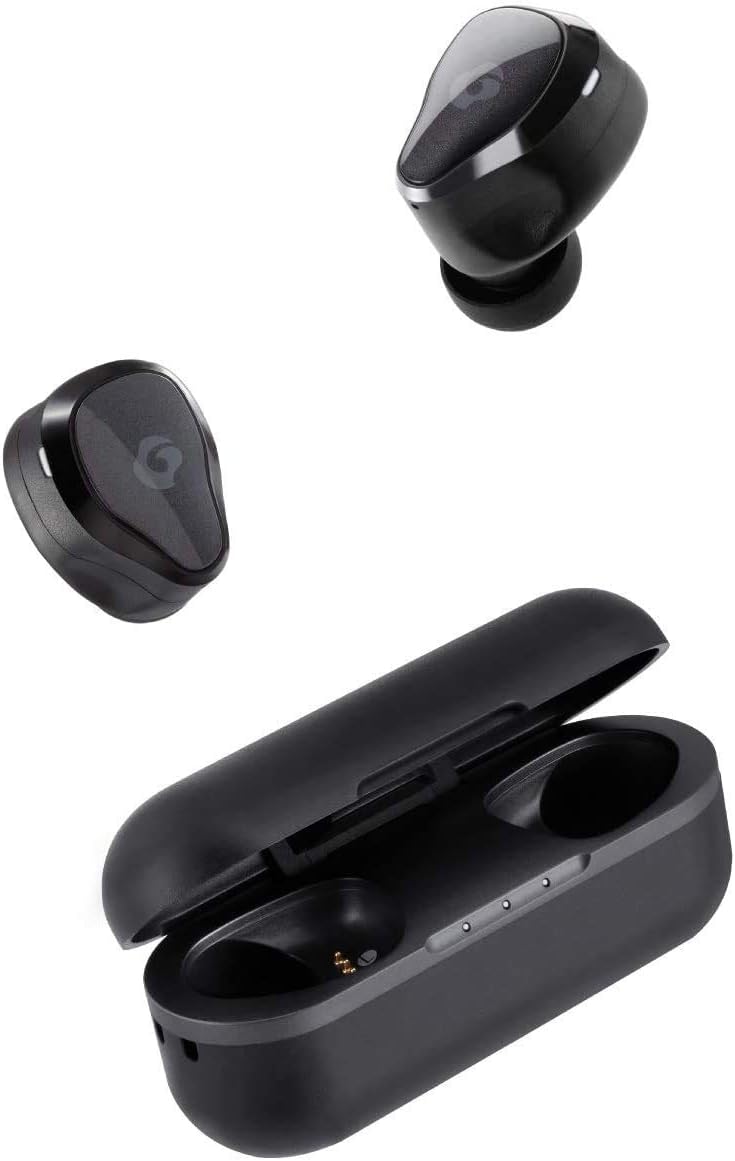
Image: GLIDiC Sound Air TW-7000 earbuds and their charging case. The earbuds are shown both inside and outside the case, highlighting their compact design.

Image: A close-up view of a single GLIDiC Sound Air TW-7000 earbud, emphasizing its ergonomic 'Just Fit' design for comfortable wear. This design is supervised by Canal Works.
5. Setup
5.1 Charging the Earbuds and Case
Before first use, fully charge the earbuds and charging case.
- Place both earbuds into the charging case.
- Connect the USB charging cable to the charging port on the case and a power source.
- The indicator lights on the case will show charging status.

Image: Illustration of the Fast Charge feature. Charging the earbuds in the case for 10 minutes provides up to 2 hours of playback time. The image shows the earbuds in their charging case next to a coffee setup.
5.2 Power On/Off
The earbuds automatically power on and off when removed from or placed into the charging case.
- Power On: Remove the earbuds from the charging case. They will automatically power on and enter pairing mode.
- Power Off: Place the earbuds back into the charging case. They will automatically power off and begin charging.
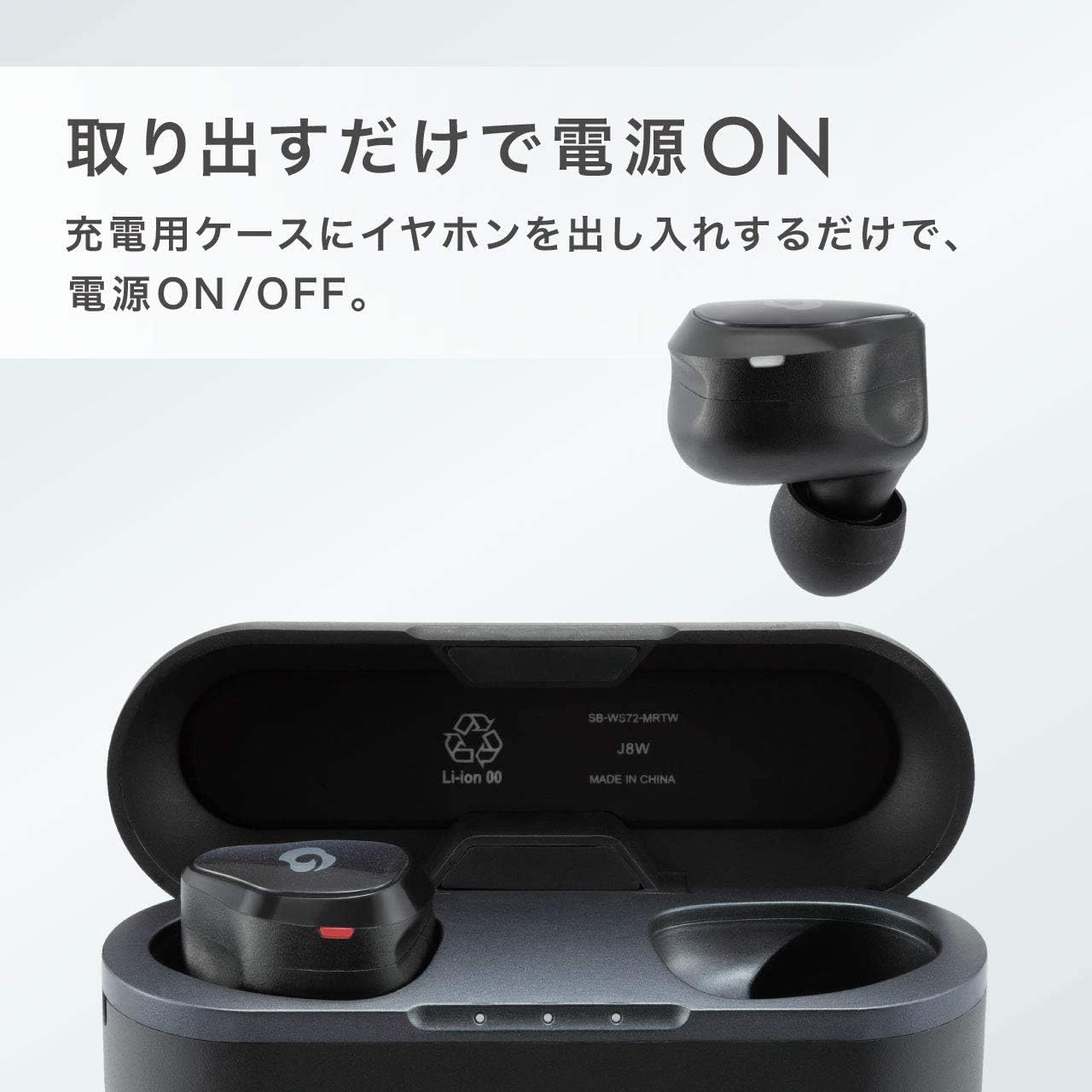
Image: Demonstrates the automatic power on/off function. The earbuds power on simply by being taken out of the charging case, and power off when returned to the case.
5.3 Bluetooth Pairing
To connect your earbuds to a device:
- Ensure the earbuds are charged and removed from the case. They will enter pairing mode (indicator light will flash).
- On your device (smartphone, tablet, etc.), enable Bluetooth.
- Search for available Bluetooth devices and select "GLIDiC Sound Air TW-7000" from the list.
- Once connected, the indicator light on the earbuds will change, and you will hear a confirmation tone.
6. Operating Instructions
6.1 Audio Playback
Control music and other audio playback using the touch sensors on the earbuds:
- Play/Pause: Single tap on either earbud.
- Next Track: Double tap on the right earbud.
- Previous Track: Double tap on the left earbud.
- Volume Up: Triple tap on the right earbud.
- Volume Down: Triple tap on the left earbud.
6.2 Call Management
Manage phone calls with the earbud controls:
- Answer/End Call: Single tap on either earbud during an incoming call or active call.
- Reject Call: Press and hold either earbud for 2 seconds during an incoming call.
6.3 Multi-communication Mode
The Multi-communication Mode allows you to hear ambient sounds while listening to music, enabling conversations without removing your earbuds.
- Activate/Deactivate: Press and hold the touch sensor on the left earbud for 2 seconds.

Image: A man wearing the GLIDiC Sound Air TW-7000 earbuds, demonstrating the 'External Sound Capture Function' or 'Multi-communication Mode', which allows users to converse while listening to music.
6.4 Battery Life
The earbuds offer extended playback time on a single charge.

Image: A person sitting in an airport lounge, illustrating the long-lasting battery feature of the GLIDiC Sound Air TW-7000, which provides a maximum of 9 hours of continuous playback.
7. Maintenance
Proper maintenance ensures the longevity and performance of your earbuds:
- Cleaning: Use a soft, dry, lint-free cloth to clean the earbuds and charging case. Do not use harsh chemicals or abrasive materials.
- Eartips: Regularly remove and clean the eartips with a damp cloth. Ensure they are completely dry before reattaching.
- Storage: When not in use, store the earbuds in their charging case to protect them and keep them charged.
- Avoid Extreme Conditions: Do not expose the product to extreme temperatures, humidity, or dust.
8. Troubleshooting
If you encounter issues, refer to the following common problems and solutions:
| Problem | Solution |
|---|---|
| Earbuds do not power on. | Ensure earbuds are charged. Place them in the charging case and then remove them. |
| Earbuds do not pair with device. | Ensure Bluetooth is enabled on your device. Forget the device in your Bluetooth settings and try pairing again. Ensure earbuds are in pairing mode. |
| No sound or low volume. | Check volume levels on both earbuds and your connected device. Ensure earbuds are properly seated in your ears. |
| One earbud has no sound. | Place both earbuds back into the charging case, close the lid, wait a few seconds, then take them out again. This often re-syncs them. |
| Charging case not charging. | Check the USB cable and power adapter connection. Try a different cable or power source. |
9. Specifications
| Feature | Detail |
|---|---|
| Wireless Communication Technology | Bluetooth |
| Included Components | Wireless Charging Case |
| Target Audience | Adult |
| Product Use/Method | Personal |
| Control Type | Bluetooth |
| Cable Feature | Retractable |
| Product Weight | 280 grams |
| Color | Urban Black |
| Connector Type | Bluetooth |
| ASIN | B07KNK8XCP |
| Brand | GLIDiC |
| Ear Placement | In-Ear |
| Headphone Form Factor | In-Ear |
| Connectivity Technology | Wireless |
10. Warranty and Support
For warranty information and customer support, please refer to the warranty card included with your product or visit the official GLIDiC website. Keep your proof of purchase for warranty claims.

