
TASUMATO 4351489714
TASUMATO Wireless Charging Receiver Qi Charger Adapter User Manual
Model: 4351489714
1. Introduction
This manual provides instructions for the TASUMATO Wireless Charging Receiver, a Qi-compatible adapter designed to enable wireless charging for specific iPhone models. Please read this manual carefully before use to ensure proper installation and operation.
2. Compatibility
The TASUMATO Wireless Charging Receiver is compatible with the following Apple iPhone models:
- iPhone 7 / iPhone 7 Plus
- iPhone 6S / iPhone 6s Plus
- iPhone 6 / iPhone 6 Plus
- iPhone SE
- iPhone 5s / iPhone 5c / iPhone 5
- iPhone 4s
This receiver works seamlessly with all Qi wireless charging stations, docks, pads, external power banks, portable wireless chargers, and Qi car chargers.
3. Key Features
- Qi Standard Compatibility: Works with all Qi-enabled wireless chargers.
- Upgraded TI Chip & Copper Coil: Features an upgraded 1000mA Ti clip coil patch module for faster charging and higher conversion rates.
- Slim and Lightweight Design: Ultra-slim 0.04 inch profile allows for easy integration under most phone cases without adding significant bulk.
- Durable Connector: The charging connector is designed for repeated plugging and unplugging.
- Safety Protections: Includes Over Heat Protection, Short Circuit Protection, Over Charge Protection, Over Voltage Protection, and Over Current Protection.
- Microwave Absorbing Materials: Incorporates materials designed to absorb electromagnetic waves, enhancing safety and efficiency.

Image: Diagram illustrating the upgraded C14500 copper coil and microwave absorbing materials used in the receiver.
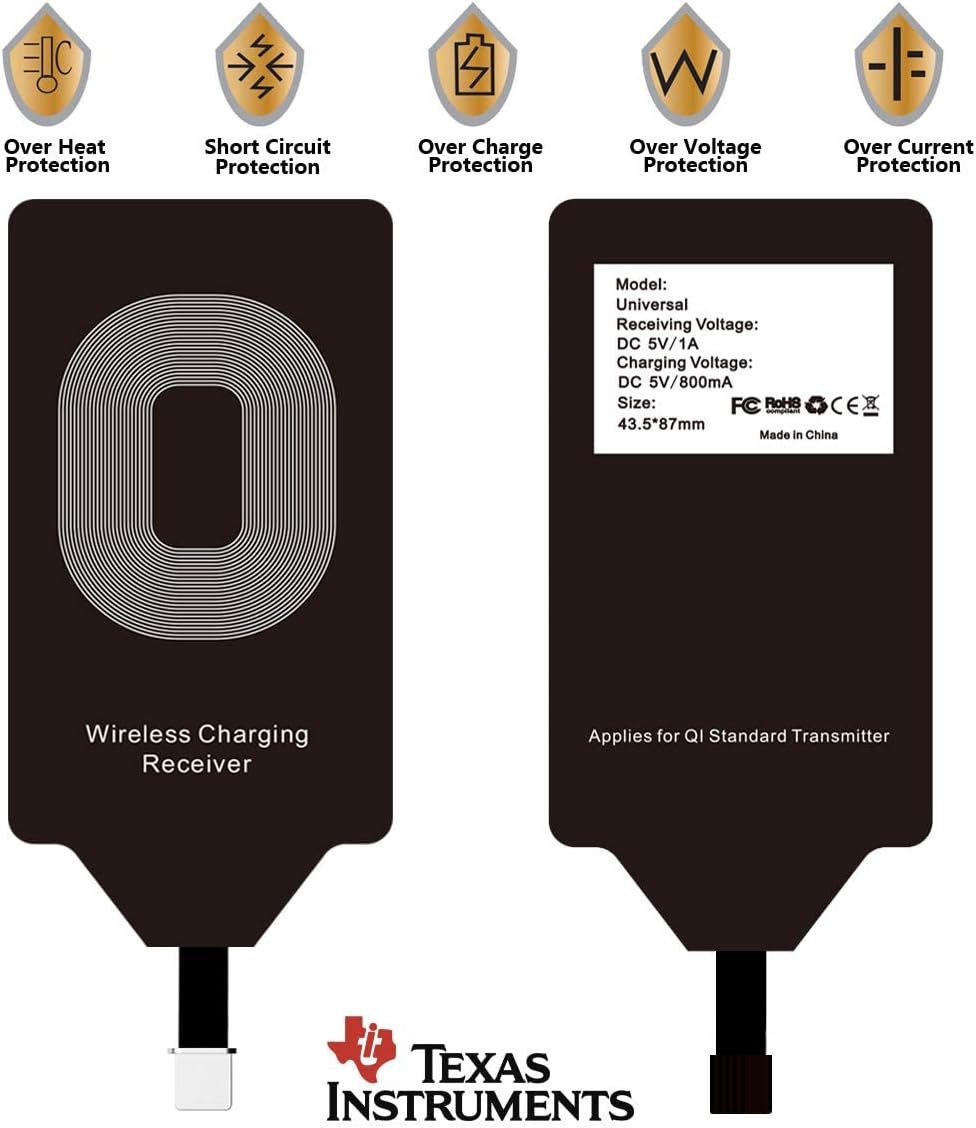
Image: Front and back view of the wireless charging receiver, highlighting safety features like over-heat, short circuit, over-charge, over-voltage, and over-current protection, along with basic specifications.
4. Setup and Installation
Follow these steps to install the wireless charging receiver on your iPhone:
- Prepare your iPhone: Ensure your iPhone is clean and free of debris around the charging port.
- Connect the Receiver: Carefully plug the receiver's lightning connector into your iPhone's charging port.
- Position the Receiver: Fold the receiver pad onto the back of your iPhone. The adhesive on the receiver helps secure it in place.
- Install Phone Case (Optional): If you use a phone case, place it over your iPhone and the installed receiver. The slim design allows it to fit under most cases.

Image: A TASUMATO wireless charging receiver shown installed on the back of an iPhone, with its lightning connector plugged into the phone's port.
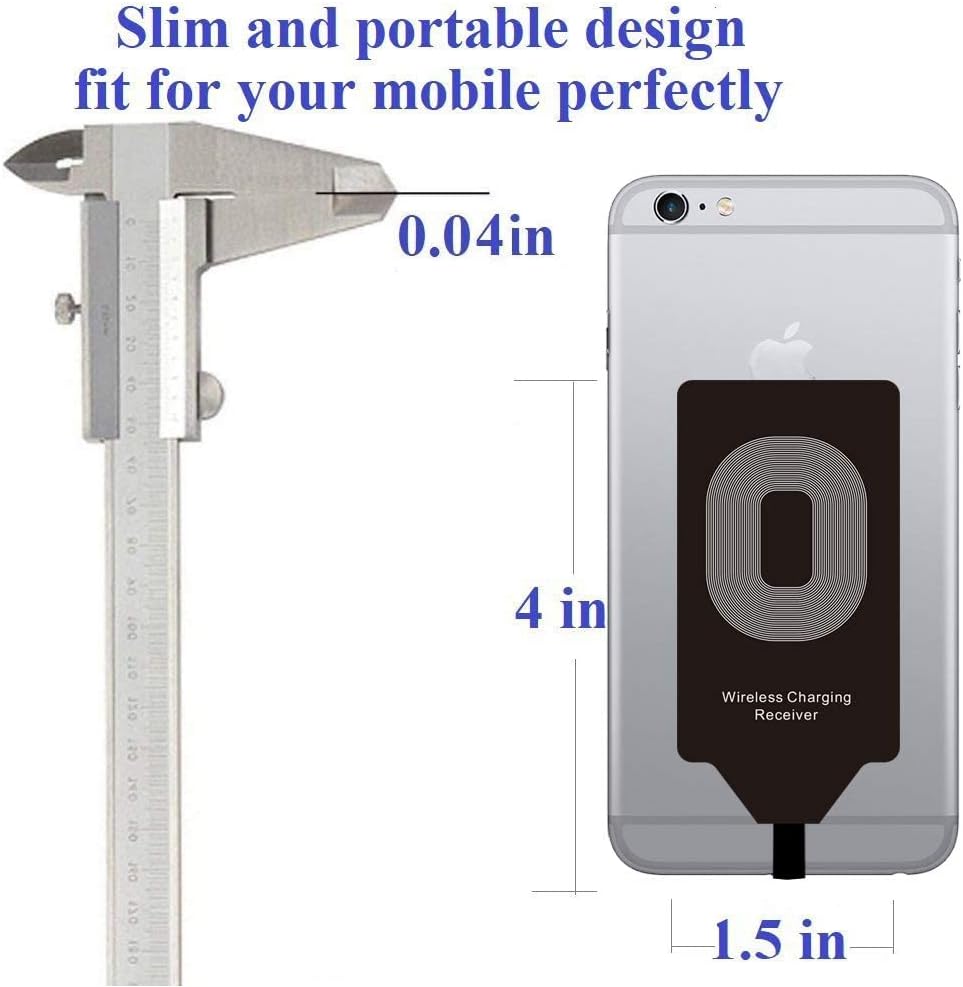
Image: A caliper measuring the slim profile of the wireless charging receiver, indicating its 0.04-inch thickness, designed to fit discreetly under a phone case.
Video: This video demonstrates the installation process of the Qi Charger Receiver Wireless Charging Adapter for iPhone 7 and 6S, showing how to connect it to the phone and place it under a case.
5. Operating Instructions
Once the receiver is installed, you can begin wireless charging:
- Place on Charging Pad: Position your iPhone (with the receiver installed) onto a Qi-compatible wireless charging pad. Ensure the receiver coil aligns with the charging pad's coil for optimal performance.
- Verify Charging: Your iPhone should display a charging indicator. If not, adjust the phone's position on the charging pad.
- Power Adapter Recommendation: For stable and efficient charging, it is recommended to use a 2A power adapter with your wireless charging pad. Using adapters with lower parameters may result in unstable or slower charging.

Image: An iPhone with the wireless charging receiver installed, placed on a wireless charging pad, demonstrating the charging process.
Video: This video demonstrates the use of the Wireless Charger Receiver, showing how to install it and place the phone on a wireless charging pad to initiate charging.
6. Maintenance
To ensure the longevity and optimal performance of your wireless charging receiver:
- Keep the receiver clean and free from dust and moisture.
- Avoid bending or creasing the receiver pad excessively, as this may damage the internal coil.
- Do not expose the receiver to extreme temperatures.
- Handle the lightning connector gently to prevent damage.
7. Troubleshooting
| Problem | Possible Cause | Solution |
|---|---|---|
| Phone not charging wirelessly. |
|
|
| Slow or unstable charging. |
|
|
| Receiver gets hot during charging. |
|
|
8. Specifications
| Feature | Detail |
|---|---|
| Product Standard | Qi Standard |
| Quality Certification | CE/FCC |
| Output | 5V/500mA-1000mA |
| Charging Distance | 4-8 mm |
| Product Color | White (Receiver pad is black) |
| Material | FPC |
| Package Dimensions | 4.8 x 2.8 x 0.31 inches (5.11 x 5.11 x 0.2 inches from description) |
| Item Weight | 0.317 ounces (0.026 lbs from description) |
| Model Number | 4351489714 |
| Brand | TASUMATO |
| Connector Type | Proprietary (Lightning) |
| Input Voltage | 5 Volts |
| Amperage | 1000 Milliamps |
| Wattage | 10 watts |
Note: Some dimensions and weights may vary slightly between packaging and product specifications.
9. What's in the Box
The product package includes:
- 1x TASUMATO Wireless Charging Receiver
- 1x User Card (this manual)
10. Warranty and Support
For warranty information or technical support, please refer to the contact details provided on the product packaging or the official TASUMATO website. Keep your purchase receipt for warranty claims.
Ask a question about this manual
Ask about setup, troubleshooting, compatibility, parts, safety, or missing instructions. Manuals+ will review the question and use this page’s manual context to help answer it.