
1. Safety Information
Please read and understand all instructions before beginning installation. Failure to do so may result in electric shock, fire, or other injuries that could be hazardous or fatal. Keep these instructions for future reference.
- WARNING: Risk of electric shock. Disconnect power at the circuit breaker or fuse box before installation or servicing.
- All electrical connections must be in accordance with local codes and the National Electric Code (NEC). If you are unfamiliar with proper electrical wiring connections, consult a qualified electrician.
- This fixture is intended for indoor use only. Do not expose to water or moisture.
- Ensure the mounting surface can support the weight of the fixture.
- Do not attempt to alter the fixture in any way.
- Handle glass components with care to prevent breakage.
2. Package Contents
Carefully unpack your new fixture and lay out all parts on a clear area. Ensure all items listed below are present before discarding packaging materials.
- Pendant Light Fixture (PD61418-CL/BK)
- Mounting Hardware Kit (includes mounting bracket, screws, wire nuts)
- Instruction Manual
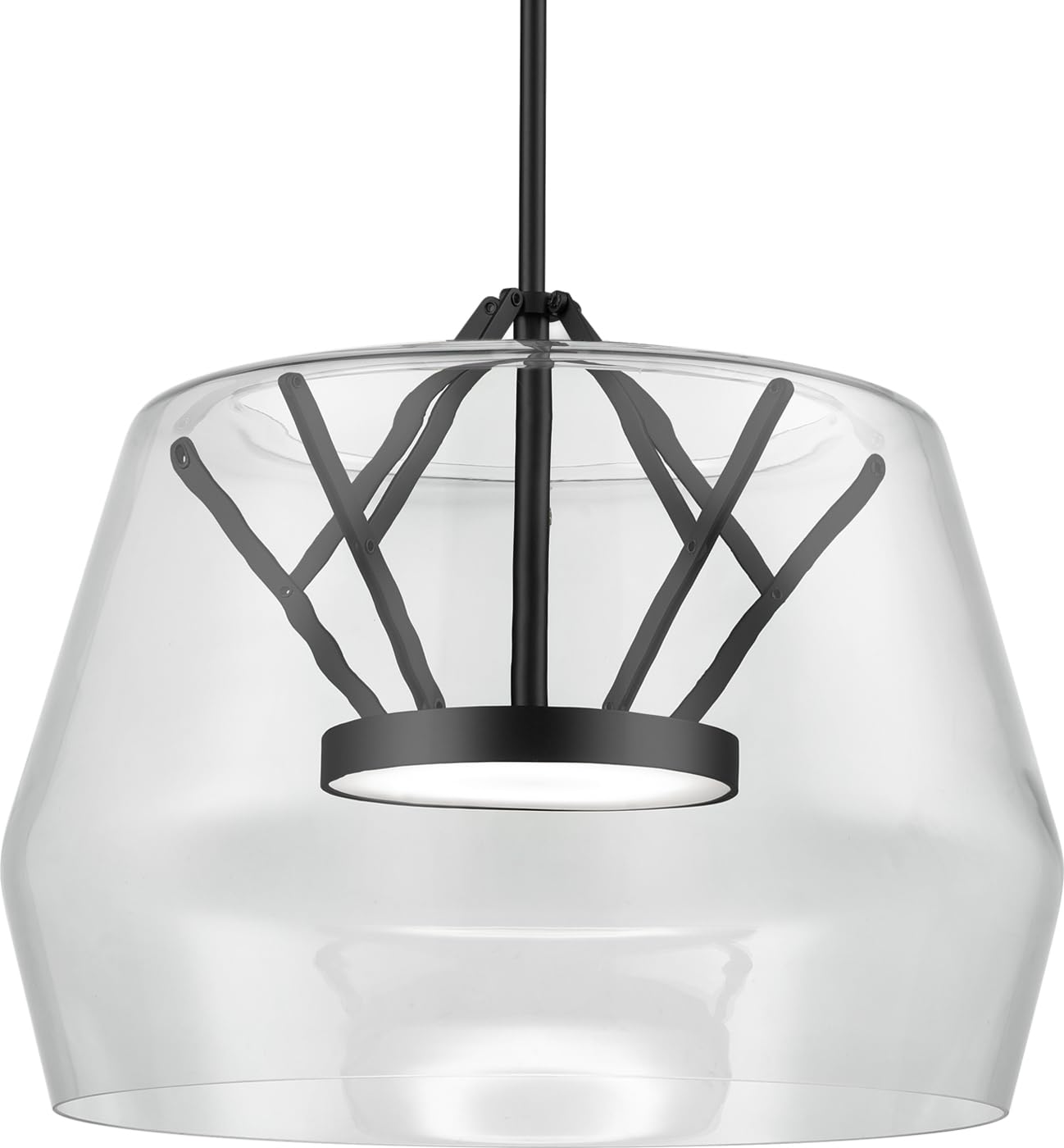
Image 1: Main components of the Kuzco Lighting PD61418-CL/BK Deco Pendant LED fixture. This image shows the pendant light with its clear glass and black metal accents, along with typical mounting hardware.
3. Setup & Installation
Professional installation is recommended for this electrical fixture. Ensure power is disconnected at the circuit breaker before proceeding.
3.1 Tools Required (Not Included)
- Phillips Head Screwdriver
- Wire Strippers
- Electrical Tape
- Ladder
3.2 Installation Steps
- Turn off Power: Locate the circuit breaker that supplies power to the light fixture outlet box and turn it off. Verify power is off using a voltage tester.
- Prepare Mounting: Attach the mounting bracket to the outlet box using the provided screws. Ensure the bracket is securely fastened.
- Adjust Cord Length: Determine the desired hanging height for the pendant. Adjust the cord length by pushing the cord through the canopy until the desired length is achieved. Secure the cord.
- Wire Connections: Connect the fixture's wires to the corresponding house wires using wire nuts:
- Connect the black fixture wire to the black (Live) house wire.
- Connect the white fixture wire to the white (Neutral) house wire.
- Connect the green or bare copper fixture wire to the green or bare copper (Ground) house wire.
- Mount Fixture: Carefully push the wired connections into the outlet box. Align the fixture canopy with the mounting bracket and secure it with the provided screws.
- Restore Power: Once the fixture is securely mounted, restore power at the circuit breaker.
4. Operating Instructions
The Kuzco Lighting PD61418-CL/BK pendant light is designed for simple operation.
4.1 Basic On/Off
Once installed and powered, the fixture can be turned on and off using a standard wall switch connected to the circuit.
4.2 Control Method
This fixture supports control via an app. Refer to the specific app instructions provided by Kuzco Lighting for pairing and advanced control features such as dimming or scheduling, if applicable to your model and setup.
5. Maintenance
Regular maintenance will help preserve the appearance and functionality of your pendant light.
5.1 Cleaning
- Always disconnect power before cleaning.
- Wipe the fixture with a soft, dry cloth.
- Do not use abrasive cleaners, solvents, or polishes as they may damage the finish.
- For glass components, a mild glass cleaner can be used, applied to a cloth first, not directly to the fixture.
5.2 LED Module
This fixture uses an integrated LED module. The LED module is designed for long life and is not user-replaceable. If the LED module fails, contact Kuzco Lighting customer support for assistance.
6. Troubleshooting
Before performing any troubleshooting, ensure power is disconnected at the circuit breaker.
| Problem | Possible Cause | Solution |
|---|---|---|
| Fixture does not light. |
|
|
| Light flickers or dims. |
|
|
| App control not working. |
|
|
7. Specifications
| Model Number | PD61418-CL/BK |
| Brand | Kuzco Lighting |
| Light Fixture Form | Pendant |
| Style | Art Deco |
| Material | Brass, Glass, Metal |
| Color | Black / Clear |
| Product Dimensions | 1"L x 1"W x 1"H |
| Item Weight | 12.2 pounds |
| Power Source | Corded Electric |
| Voltage | 120 Volts |
| Wattage | 32 Watts |
| Brightness | 2500 Lumens |
| Color Temperature | 3000 Kelvin |
| Light Source Type | Module (Integrated LED) |
| Control Method | App |
| Indoor/Outdoor Usage | Indoor |
| Assembly Required | Yes |
| Certification | ETL |
8. Warranty & Support
8.1 Manufacturer's Warranty
This Kuzco Lighting fixture is covered by a manufacturer's warranty. Please refer to the warranty documentation included with your purchase or visit the official Kuzco Lighting website for detailed terms and conditions.
8.2 Customer Support
For technical assistance, missing parts, or warranty claims, please contact Kuzco Lighting customer support. Contact information can typically be found on their official website or on the product packaging.
Website: www.kuzcolighting.com (Example link, verify actual website)