
1. Introduction
This manual provides essential instructions for the safe and effective use of your Sigma 70-200mm F2.8 Sports DG OS HSM lens, designed for Canon EF mount cameras. This high-performance telephoto zoom lens features a constant F2.8 aperture, Optical Stabilizer (OS), and a Hyper Sonic Motor (HSM) for fast and quiet autofocus. Its robust construction is dust- and splash-proof, making it suitable for various shooting conditions.
Please read this manual thoroughly before using the lens to ensure optimal performance and longevity.
2. Package Contents
Verify that all items are present in your package:
- Sigma 70-200mm F2.8 Sports DG OS HSM Lens
- Lens Hood
- Front Lens Cap
- Rear Lens Cap
- Tripod Collar
- Lens Case
- Instruction Manual (this document)
3. Setup and Installation
3.1 Attaching the Lens to the Camera
- Ensure both the camera and lens are powered off.
- Remove the rear lens cap from the lens and the body cap from the camera.
- Align the mounting index on the lens with the corresponding index on the camera body.
- Insert the lens into the camera mount and rotate it clockwise until it clicks securely into place.
- To remove the lens, press the lens release button on the camera body and rotate the lens counter-clockwise.
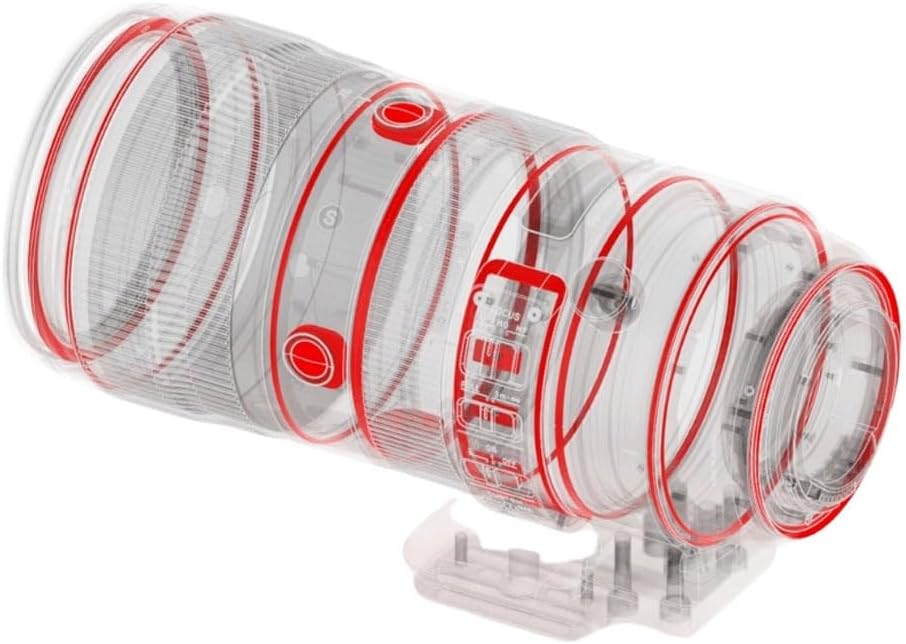
Figure 3.1: Sigma 70-200mm F2.8 Sports DG OS HSM lens attached to a camera body, illustrating proper mounting.
3.2 Attaching the Lens Hood
The included lens hood helps to block extraneous light, reducing flare and ghosting. Align the red dot on the lens hood with the red dot on the front of the lens, then rotate the hood clockwise until it locks into place. To remove, press the release button on the hood and rotate counter-clockwise.

Figure 3.2: The Sigma 70-200mm F2.8 Sports DG OS HSM lens shown with its dedicated lens hood securely attached, ready for use.
3.3 Using the Tripod Collar
The lens features an integrated tripod collar with 90-degree click stops and an Arca-Swiss type clamp. This allows for stable mounting on a tripod or monopod, balancing the camera and lens assembly. The collar can be rotated to switch between horizontal and vertical orientations without removing the camera from the tripod. To rotate, loosen the locking knob, adjust to the desired position (indicated by click stops), and tighten the knob securely.
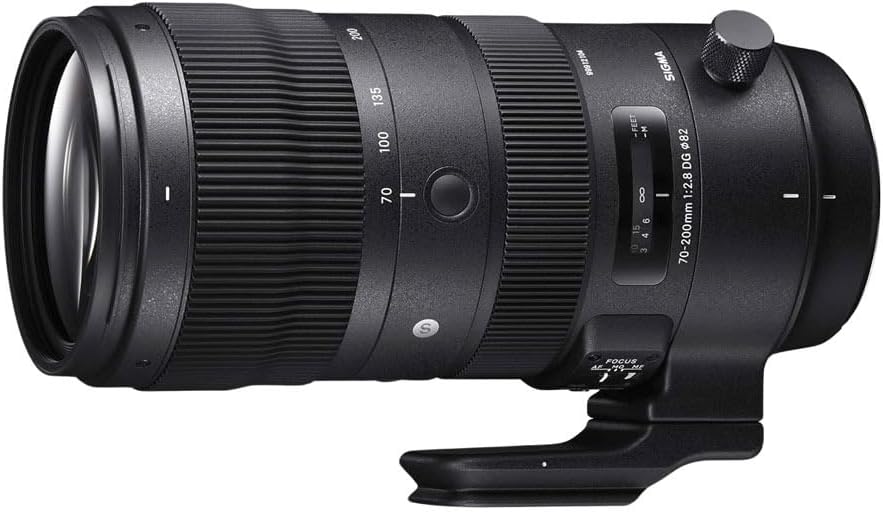
Figure 3.3: A detailed view of the Sigma 70-200mm F2.8 Sports DG OS HSM lens, highlighting the integrated tripod collar and its locking mechanism.
4. Operating the Lens
4.1 Focus Mode Switch (AF/MF)
Locate the AF/MF switch on the side of the lens barrel. Set it to:
- AF (Autofocus): For automatic focusing. The Hyper Sonic Motor (HSM) provides fast and quiet autofocus performance.
- MF (Manual Focus): For manual focusing. Rotate the focus ring to adjust focus.
4.2 Optical Stabilizer (OS) Switch
The Optical Stabilizer (OS) function helps to reduce camera shake, especially when shooting handheld or in low light. The lens typically offers multiple OS modes:
- Mode 1: General-purpose stabilization, effective for various shooting situations.
- Mode 2: Designed for panning shots, stabilizing vertical movement while allowing horizontal movement.
- OFF: Disables the Optical Stabilizer. It is recommended to turn OS off when using a tripod to avoid potential interference.
Refer to your camera's manual for specific recommendations on using image stabilization with your camera model.
4.3 Zooming
To change the focal length, rotate the zoom ring on the lens barrel. The lens covers a versatile range from 70mm (wide telephoto) to 200mm (long telephoto).
4.4 Aperture Control
This lens features a constant maximum aperture of F2.8 across its entire zoom range, allowing for excellent low-light performance and shallow depth of field. The 11-blade rounded diaphragm contributes to a smooth and pleasing bokeh (background blur).
5. Maintenance and Care
Proper maintenance ensures the longevity and performance of your lens.
- Cleaning: Use a soft, clean microfiber cloth to wipe dust and smudges from the lens elements. For stubborn marks, use a lens cleaning solution specifically designed for optical surfaces. Avoid harsh chemicals or abrasive materials.
- Dust and Splash Resistance: The lens features a dust- and splash-proof structure. While this provides protection against light rain and dust, it is not waterproof. Avoid exposing the lens to heavy rain or submerging it in water.
- Storage: When not in use, store the lens with both front and rear caps attached in a cool, dry place, away from direct sunlight and extreme temperatures. Use the provided lens case for added protection during transport.
- Handling: The lens barrel is constructed from magnesium alloy, offering durability. However, avoid dropping or subjecting the lens to strong impacts.
6. Troubleshooting
If you encounter issues with your lens, consider the following common solutions:
- Lens not focusing:
- Ensure the AF/MF switch on the lens is set to AF.
- Check your camera's focus mode settings.
- Verify that the lens is securely mounted to the camera body.
- Clean the lens contacts on both the lens and camera.
- Image stabilization not working:
- Ensure the OS switch on the lens is set to Mode 1 or Mode 2.
- If using a tripod, turn the OS function OFF.
- Image quality issues (e.g., soft images):
- Ensure the lens elements are clean.
- Check for proper focus.
- Verify that the lens is securely attached and not loose.
If problems persist, consult your camera's instruction manual or contact Sigma customer support.
7. Specifications
| Model Number | 590954 |
| Focal Length | 70-200mm |
| Maximum Aperture | F2.8 (constant) |
| Lens Type | Telephoto Zoom Lens |
| Compatible Mountings | Canon EF, Canon EF-S |
| Optical Construction | Incorporates 9 FLD and 1 SLD low-dispersion glass elements |
| Diaphragm Blades | 11-blade rounded diaphragm |
| Minimum Focus Distance | 47.24 inches (1.2 meters) |
| Filter Size | 82mm |
| Dimensions (L x D) | 7.99 x 3.71 x 3.71 inches (approx. 20.3 x 9.4 x 9.4 cm) |
| Weight | 3.98 pounds (approx. 1.81 kg) |
| Features | Dust- and splash-proof structure, Magnesium alloy barrel, Tripod socket with 90 click stops and Arca Swiss type clamp |
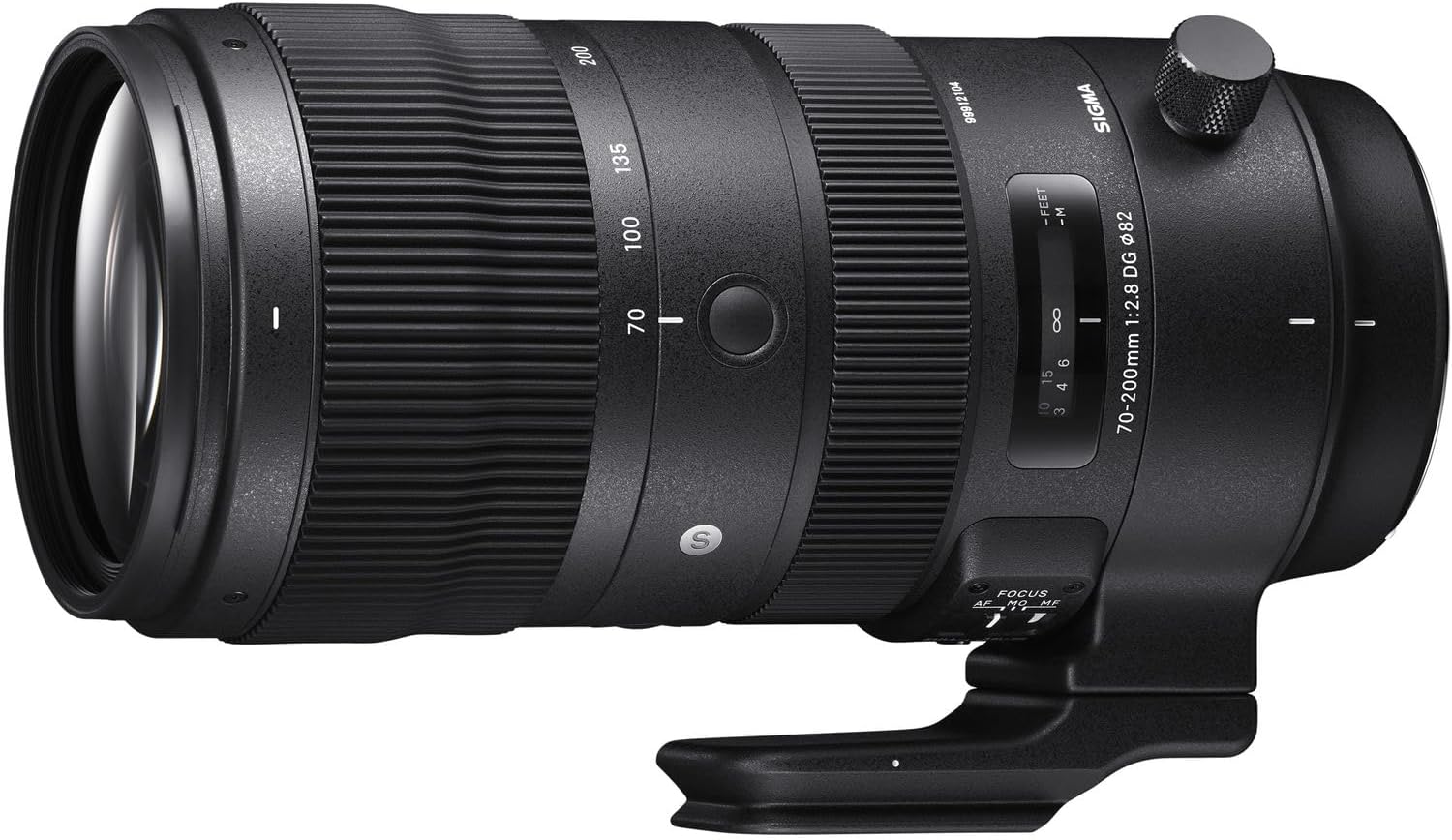
Figure 7.1: Internal diagram of the Sigma 70-200mm F2.8 Sports DG OS HSM lens, illustrating its complex optical and mechanical construction, including weather sealing points.
8. Warranty Information
For detailed warranty terms and conditions, please refer to the warranty card included with your product or visit the official Sigma website. Warranty coverage typically varies by region and purchase date. Keep your proof of purchase for warranty claims.
9. Customer Support
If you require further assistance, technical support, or service, please contact Sigma customer support. Contact information can typically be found on the official Sigma website or on your product's packaging.


