
1. Introduction
Thank you for choosing the Ronxs Electric USB Rechargeable Candle Lighter. This device utilizes flameless plasma technology, offering a safe, windproof, and splash-proof solution for various lighting needs. It is designed for convenience and environmental responsibility, eliminating the need for butane or disposable lighters.
Please read this manual thoroughly before operating the lighter to ensure proper use and safety.

Figure 1: Ronxs Electric USB Rechargeable Candle Lighter. This image displays the main product, a black electric lighter with a flexible silver neck and LED battery indicator lights.
2. Product Overview
The Ronxs Electric Lighter is engineered for modern living, providing a clean and efficient ignition source. Key features include:
- USB Rechargeable Design: Environmentally friendly, no fuel required.
- Windproof and Splash-proof: Reliable ignition in various conditions.
- LED Battery Display: Indicates charge level for convenience.
- Safety Features: No open flame, no butane, low noise, and multi-protection systems.
- Flexible Neck: Allows for easy access to hard-to-reach areas.

Figure 2: Key features of the Ronxs Electric Lighter. This image highlights that the lighter produces no flame or fire, no spark or smell, and operates with low noise, demonstrating its modern design.

Figure 3: Internal safety mechanisms. This diagram illustrates the internal components and safety features such as overvoltage protection, temperature control, overcurrent protection, short-circuit prevention, and a certified safe battery.
3. Setup
3.1 Initial Charging
Before first use, fully charge your Ronxs Electric Lighter. The device comes with a portable USB charging cable.
- Connect the smaller end of the USB charging cable to the charging port on the lighter.
- Connect the larger end of the USB cable to a standard USB power source (e.g., computer, wall adapter, power bank).
- The LED battery indicator lights on the lighter will illuminate to show the charging progress.
- A full charge typically takes approximately 60 minutes. All five LED lights will be steadily lit when charging is complete.
A single full charge can provide over 500 uses, allowing for several months of operation depending on usage frequency.
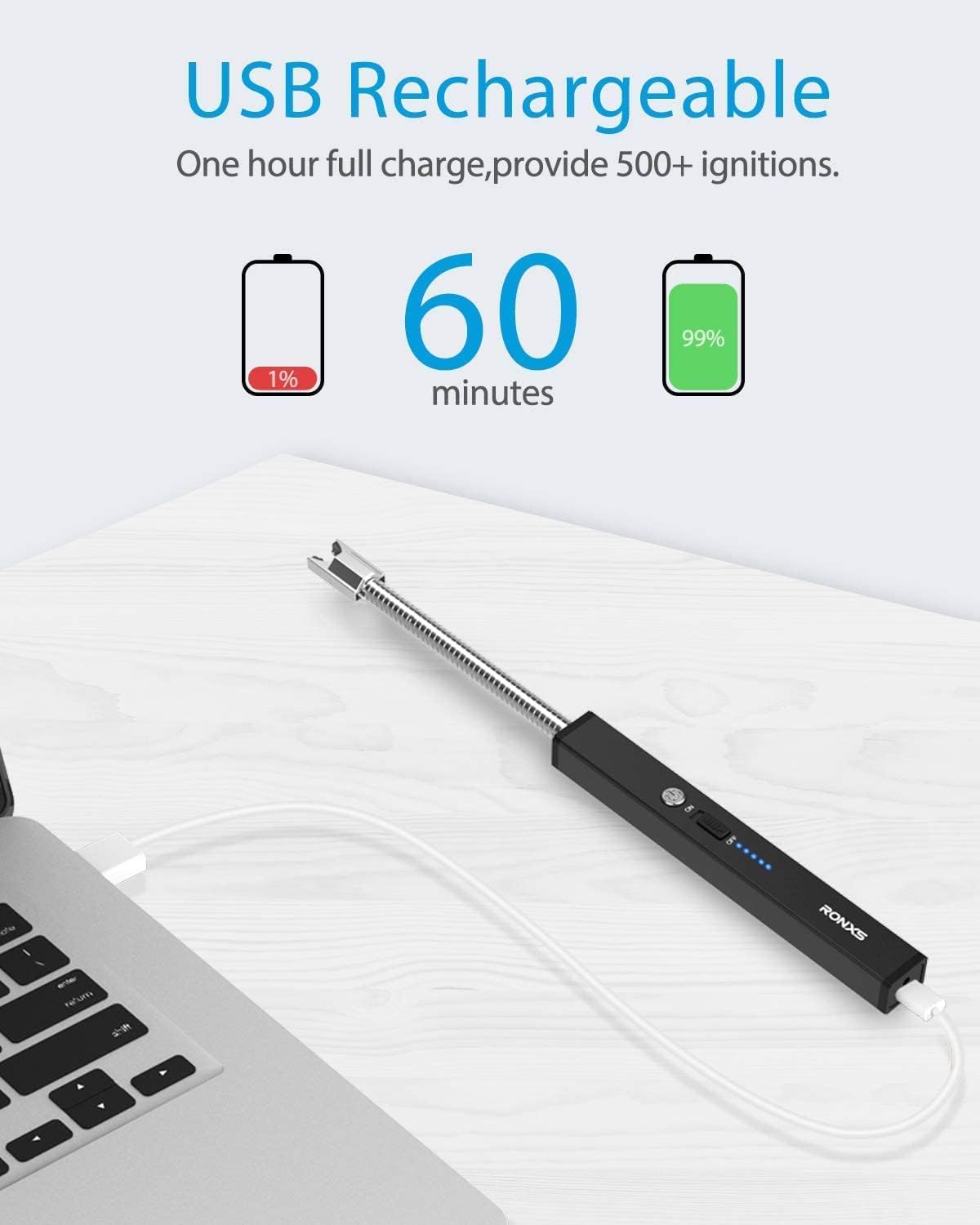
Figure 4: USB charging process. This image shows the lighter connected via a USB cable to a laptop, illustrating the charging process and indicating a full charge takes 60 minutes for over 500 ignitions.
4. Operating Instructions
Follow these steps to safely operate your Ronxs Electric Lighter:
- Power On: Locate the safety switch on the side of the lighter. Slide the switch to the "ON" position.
- Activate Arc: Press and hold the power button (usually located near the safety switch). An electric arc will generate between the electrodes at the tip of the flexible neck.
- Ignite: Carefully bring the electric arc into contact with the wick of a candle, gas stove burner, or other ignitable material. The material will ignite almost instantly.
- Deactivate Arc: Release the power button to stop the electric arc.
- Power Off: After use, slide the safety switch back to the "OFF" position to prevent accidental activation.
The flexible neck allows you to reach deep into candle jars or awkward spaces. The windproof design ensures consistent performance outdoors.

Figure 5: Various applications of the Ronxs Electric Lighter. This image demonstrates the lighter being used to ignite candles, a gas stove, a campfire, and sparklers, showcasing its versatility.
5. Safety Information
Your safety is paramount. Please adhere to the following guidelines:
- Keep Away from Children: This product is not a toy. Store it out of reach of children.
- Avoid Contact with Skin: Do not touch the electric arc with bare skin or any part of your body.
- Do Not Expose to Water: While splash-proof, do not immerse the lighter in water or other liquids.
- Avoid High Temperatures: Do not expose the lighter to direct sunlight, extreme heat, or open flames.
- Do Not Puncture or Incinerate: The internal battery can be dangerous if damaged.
- Use in Well-Ventilated Areas: Ensure adequate ventilation when igniting materials.
- Power Off After Use: Always slide the safety switch to "OFF" when not in use.
- Use for Intended Purpose Only: Do not use the lighter for any purpose other than igniting combustible materials.
6. Maintenance
To ensure the longevity and optimal performance of your Ronxs Electric Lighter, follow these maintenance tips:
- Cleaning: Use a soft, dry cloth to wipe the exterior of the lighter. Do not use abrasive cleaners or solvents.
- Electrode Care: Periodically inspect the electrodes for any residue. If necessary, gently clean them with a dry cotton swab. Ensure the lighter is powered off before cleaning.
- Storage: Store the lighter in a cool, dry place, away from direct sunlight and extreme temperatures.
- Charging: Recharge the lighter when the LED indicators show a low battery level to maintain battery health. Avoid completely draining the battery frequently.
7. Troubleshooting
If you encounter issues with your Ronxs Electric Lighter, refer to the following common problems and solutions:
| Problem | Possible Cause | Solution |
|---|---|---|
| Lighter does not produce an arc. | Battery is low or depleted. Safety switch is OFF. Power button not pressed. | Charge the lighter fully. Ensure the safety switch is in the "ON" position. Press and hold the power button firmly. |
| Lighter is not charging. | USB cable is faulty. Power source is not working. Charging port is dirty. | Try a different USB cable and/or power source. Gently clean the charging port with a dry cotton swab. |
| Arc is weak or inconsistent. | Low battery. Electrodes are dirty or damaged. | Recharge the lighter. Clean the electrodes. If damage is visible, discontinue use. |
| Lighter turns off unexpectedly. | Low battery. Safety feature activated (e.g., overheating). | Recharge the lighter. Allow the lighter to cool down if it has been used continuously for an extended period. |
If the problem persists after trying these solutions, please contact Ronxs customer support for further assistance.
8. Specifications
| Brand | RONXS |
| Model Number | JL875 |
| Color | Black |
| Material | Metal |
| Dimensions (L x W x H) | 24.89 x 1.52 x 1.27 cm (9.8 x 0.6 x 0.5 inches) |
| Item Weight | 63 grams (2.22 ounces) |
| Power Source | Electric (USB Rechargeable) |
| Battery | 1 A (included) |
| UPC | 724190530535 |
9. Warranty and Support
For warranty information and customer support, please refer to the documentation included with your purchase or visit the official Ronxs website. Ronxs provides 24-hour after-sales service for their products.
If you have any questions or require assistance, please contact Ronxs customer service directly.