
1. Introduction
This manual provides essential instructions for the safe and efficient operation of your Singingwood 030BT CD Player Boombox. Please read this manual thoroughly before using the device and retain it for future reference. The Singingwood 030BT is a versatile audio system featuring a CD player, AM/FM radio, Bluetooth connectivity, USB playback, and auxiliary input, designed for both home and portable use.
2. Safety Information
To ensure safe operation and prevent damage, please observe the following precautions:
- Do not expose the unit to rain, moisture, or extreme temperatures.
- Avoid placing the unit near heat sources or in direct sunlight.
- Ensure proper ventilation; do not block any ventilation openings.
- Use only the specified power source (AC cord or 6 x C batteries).
- Do not attempt to disassemble or modify the unit. Refer all servicing to qualified personnel.
- Keep out of reach of children.
3. Package Contents
Verify that all items are present in the package:
- Singingwood 030BT CD Player Boombox
- AC Power Cord
- User Manual (this document)
4. Product Overview
The Singingwood 030BT boombox features a user-friendly design with clearly labeled controls and ports. Familiarize yourself with the layout for optimal use.

Figure 4.1: Front view of the Singingwood 030BT CD Player Boombox in Firemist Red.

Figure 4.2: Labeled diagram of the boombox controls and ports.
Key Features:
- Sleek and User-Friendly Design: Easy-to-use buttons and an LED display for effortless operation.
- Clear Stereo Sound: Equipped with dual premium 3" front-firing speakers (2W x 2 RMS).
- Versatile CD Player: Supports CD, CD-R/RW, MP3 CDs, and audiobook CDs with shuffle (RAND) and repeat (REP) functions.
- AM and FM Radio: Built-in tuner with a classic manual tuning knob.
- Bluetooth Streaming: Wirelessly connect your phone, tablet, or other Bluetooth-enabled devices.
- USB Playback: Play MP3 or WMA files from a USB flash drive (up to 128 GB, FAT32 format).
- Convenient Features: 3.5mm auxiliary (AUX) input and a headphone jack for private listening. The Function (FUNC) button allows easy mode switching.
- Dual Power Options: Operates with the included AC cord or 6 x C batteries (not included).
5. Setup
Powering the Device
The Singingwood 030BT offers two power options:
- AC Power: Connect the included AC power cord to the AC IN jack on the back of the unit and then to a standard wall outlet.
- Battery Power: For portable use, insert 6 x C-size batteries (not included) into the battery compartment located on the bottom of the unit. Ensure correct polarity. Alkaline batteries are recommended for longer life.

Figure 5.1: Illustration of AC power connection and battery compartment.
6. Operating Instructions
Use the Function (FUNC) button to switch between CD, USB, AUX, FM, AM, and Bluetooth modes.
6.1 CD Player Operation
- Press the FUNC button to select CD mode.
- Open the CD compartment cover by gently lifting it.
- Place a CD (CD, CD-R/RW, MP3 CD, or audiobook CD) onto the spindle with the label side facing up.
- Close the CD compartment cover. The unit will begin reading the disc, and the track number will appear on the LED display.
- Use the PLAY/PAUSE button to start or pause playback.
- Use the B-SKIP (previous) and F-SKIP (next) buttons to navigate between tracks.
- Press the STOP/PROG button to stop playback.
- Press the REP/RAND button to activate repeat (single track or all tracks) or random playback.

Figure 6.1: Top-loading CD player with disc inserted.
6.2 AM/FM Radio Operation
- Press the FUNC button to select FM or AM mode.
- Extend the telescopic antenna for FM reception. For AM reception, the unit has a built-in antenna.
- Rotate the TUNING knob to manually tune to your desired radio station.
- Adjust the VOLUME control knob to your preferred listening level.

Figure 6.2: Boombox displaying AM/FM radio functionality.
6.3 Bluetooth Pairing
- Press the FUNC button to select Bluetooth mode. The LED display will show "BT" and flash, indicating it's in pairing mode.
- Enable Bluetooth on your smartphone, tablet, or other Bluetooth-enabled device.
- Search for available devices and select "SINGING WOOD" from the list.
- Once paired, the "BT" indicator on the LED display will stop flashing and remain solid. You can now stream audio wirelessly to the boombox.
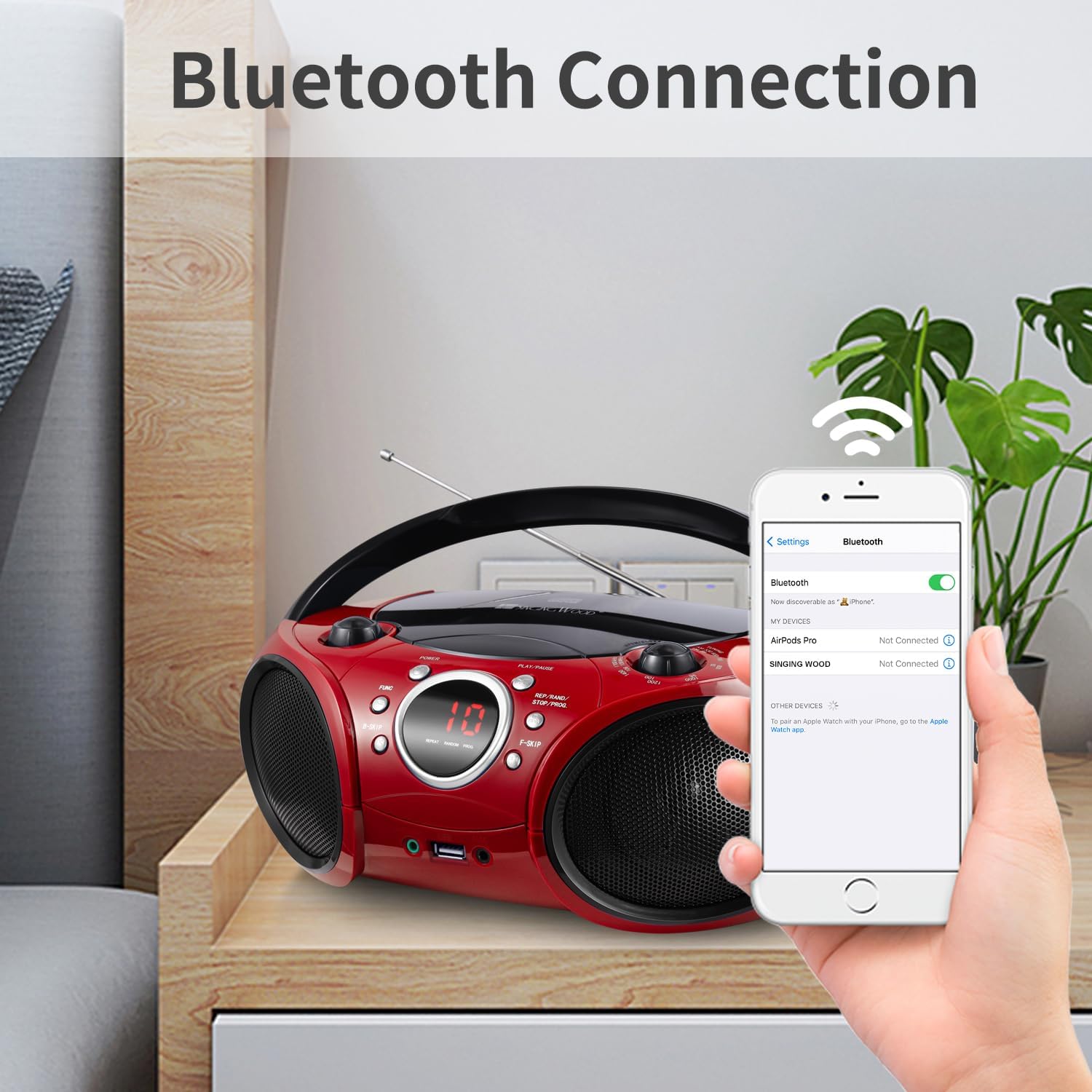
Figure 6.3: Bluetooth pairing with a mobile device.
6.4 USB Playback
- Insert a USB flash drive (FAT32 format, up to 128 GB) containing MP3 or WMA audio files into the USB port.
- Press the FUNC button to select USB mode. The unit will automatically detect and begin playing audio files from the USB drive.
- Use the PLAY/PAUSE, B-SKIP, F-SKIP, and REP/RAND buttons to control playback, similar to CD mode.

Figure 6.4: USB flash drive inserted for audio playback.
6.5 Auxiliary Input
Connect an external audio device (e.g., smartphone, MP3 player) to the 3.5mm AUX IN jack using a standard audio cable (not included). Press the FUNC button to select AUX mode, and audio from your connected device will play through the boombox speakers.
6.6 Headphone Jack
For private listening, plug standard 3.5mm headphones into the HEADPHONE jack. The sound from the speakers will be muted automatically.
Video 6.1: An overview video demonstrating the features and design of the Singingwood SBX030BT CD Player Boombox, including its compact size, speaker quality, and various playback options like CD, radio, and Bluetooth.
Video 6.2: A video showcasing the Singingwood SBX030 series boomboxes, highlighting features such as CD player, AM/FM radio, Bluetooth connectivity, USB playback, and auxiliary input across different models in the series.
7. Maintenance
To maintain the performance and appearance of your boombox:
- Clean the unit with a soft, dry cloth. Do not use abrasive cleaners or solvents.
- Keep the CD compartment clean and free of dust.
- When not in use for extended periods, remove batteries to prevent leakage.
- Store the unit in a cool, dry place away from direct sunlight.
8. Troubleshooting
If you encounter issues with your boombox, refer to the following common solutions:
| Problem | Possible Cause | Solution |
|---|---|---|
| No power | AC cord not connected; Batteries depleted or incorrectly inserted. | Check AC connection; Replace batteries or ensure correct polarity. |
| No sound | Volume too low; Incorrect mode selected; Headphones connected. | Increase volume; Press FUNC to select correct mode; Disconnect headphones. |
| CD skipping or not playing | CD dirty or scratched; CD inserted incorrectly; Unsupported CD format. | Clean or replace CD; Reinsert CD correctly; Ensure CD is supported (CD, CD-R/RW, MP3 CD). |
| Poor radio reception | Antenna not extended; Weak signal. | Fully extend FM antenna; Reposition the unit for better reception. |
| Bluetooth not connecting | Boombox not in pairing mode; Device Bluetooth off; Device too far. | Ensure boombox is in BT mode and flashing; Turn on device Bluetooth; Move device closer (within 30 ft). |
| USB not playing | USB drive not FAT32; Unsupported file format; USB drive corrupted. | Format USB to FAT32; Ensure files are MP3/WMA; Try a different USB drive. |
9. Specifications
| Feature | Detail |
|---|---|
| Product Dimensions | 11.8 x 9 x 4.8 inches |
| Item Weight | 3.79 pounds |
| Model Number | SBX030BTR |
| Brand | SINGING WOOD |
| Connectivity Technology | Auxiliary, Bluetooth, USB |
| Color | Firemist Red |
| Speaker Type | Stereo |
| Manufacturer | Leaderwave |
| Power Options | AC cord or 6 x C batteries (6 VDC) |
| USB Support | Up to 128 GB, FAT32 format (exFAT/NTFS not supported) |
10. Warranty and Support
For warranty information or technical support, please refer to the documentation included with your purchase or contact the manufacturer directly. Keep your proof of purchase for any warranty claims.
