
Introduction
This manual provides detailed instructions for the setup, operation, and maintenance of your TFA Dostmann Digital Radio-Controlled Alarm Clock, model 60.2547.54. Please read this manual thoroughly before using the device to ensure proper function and to understand all features.
Product Overview & Components
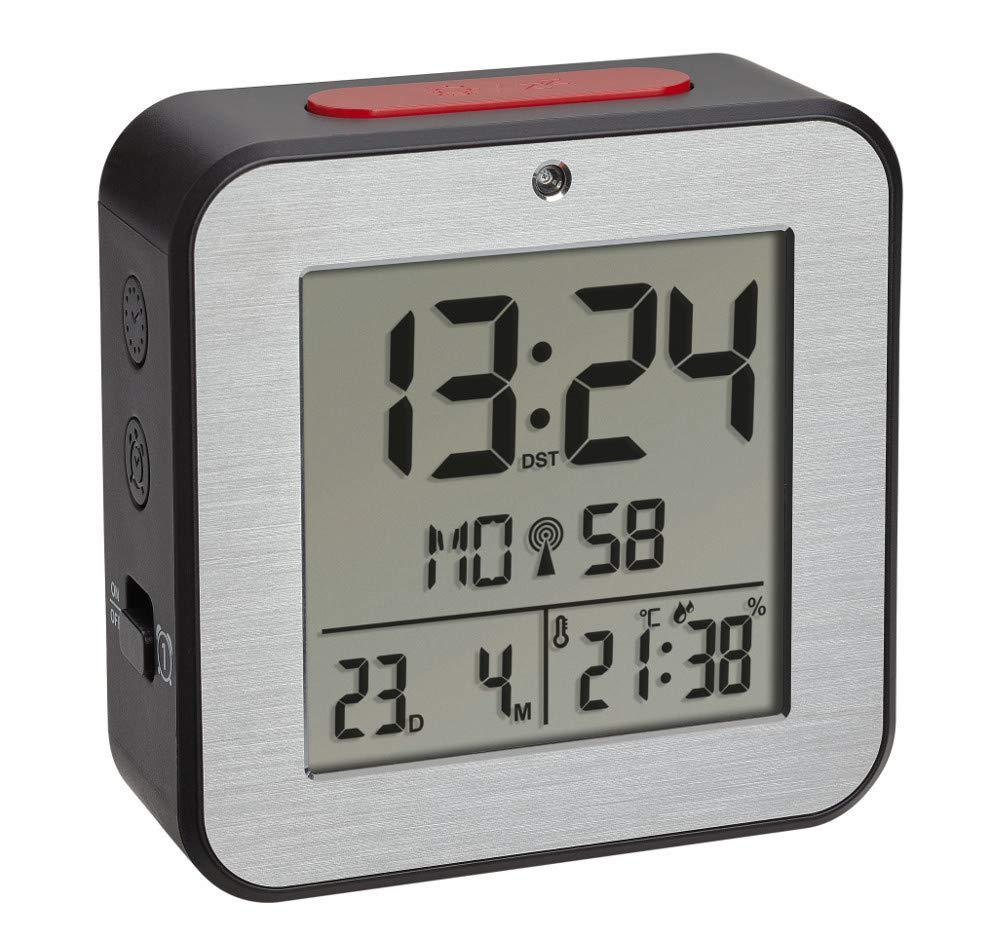
The TFA Dostmann Digital Radio-Controlled Alarm Clock is designed to provide accurate time, date, and indoor climate information. It features a highly precise radio-controlled clock, two independent alarm times, and an automatic night light function.


Battery Installation
- Locate the battery compartment cover on the back of the alarm clock.
- Remove the cover by sliding or lifting it.
- Insert two (2) 1.5 V AA batteries, ensuring correct polarity (+/-). Batteries are not included and must be purchased separately.
- Replace the battery compartment cover securely.
- The device will power on and begin searching for the radio-controlled time signal.
Initial Setup
Upon battery installation, the clock will automatically attempt to receive the radio-controlled time signal. This process may take several minutes. If the signal is not received or for manual adjustments, follow these steps:
Manual Time and Date Setting
- Press and hold the 'SET' button (location may vary, refer to device diagram if available) to enter setup mode.
- Use the '+' or '-' buttons to adjust the flashing value (e.g., hour, minute, year, month, day).
- Press 'SET' again to confirm the setting and move to the next parameter.
- Repeat until all desired settings (time, date, year) are configured.
Language Selection
The display supports 7 languages for the day of the week: French, Spanish, Italian, Dutch, Danish, and English. During initial setup or in settings mode, select your preferred language using the '+' or '-' buttons.
Time Zone Adjustment
If you are in a region where the radio signal's standard time differs from your local time, you can adjust the time zone by +/- 12 hours. Access this setting in the setup mode and use the '+' or '-' buttons to set the offset.
Operating Instructions
Setting Alarms (Alarm 1 & Alarm 2)
- Press the 'ALARM 1' or 'ALARM 2' button to display the current alarm time.
- Press and hold the respective 'ALARM' button until the alarm time flashes.
- Use the '+' or '-' buttons to adjust the hour, then press the 'ALARM' button to confirm and move to minutes.
- Adjust minutes with '+' or '-' and press 'ALARM' to confirm.
- To activate or deactivate an alarm, press the 'ALARM 1 ON/OFF' or 'ALARM 2 ON/OFF' switch (typically located on the side or back). An alarm icon will appear on the display when active.
Snooze Function
When an alarm sounds, press the 'SNOOZE/LIGHT' button (usually a large button on top) to temporarily silence the alarm. The alarm will sound again after a few minutes (default snooze duration). To stop the alarm completely, press any other button or switch the alarm off using its dedicated ON/OFF switch.
Automatic Backlight and Light Sensor
The alarm clock features an automatic backlight that activates in low-light conditions. This function is controlled by a light sensor. To enable or disable the automatic backlight, locate the 'AUTO LIGHT' switch or setting (refer to your device's specific button layout).
Indoor Climate Display
The display continuously shows the indoor temperature in Celsius (°C) or Fahrenheit (°F) and the relative humidity (%). To switch between °C and °F, press the '°C/°F' button (if available) or cycle through display modes in the setup menu.
Maintenance
- Cleaning: Clean the device with a soft, dry cloth. Do not use abrasive cleaners or solvents.
- Battery Replacement: Replace batteries when the display dims or the device stops functioning. Always replace both batteries simultaneously with new ones of the same type. Dispose of used batteries responsibly.
- Storage: If storing the device for an extended period, remove the batteries to prevent leakage.
Troubleshooting
| Problem | Possible Cause | Solution |
|---|---|---|
| Display is blank or dim. | Batteries are low or incorrectly inserted. | Replace batteries with new 1.5 V AA batteries, ensuring correct polarity. |
| Time is incorrect or not setting automatically. | Poor radio signal reception; device is out of range or obstructed. | Move the alarm clock to a location with better signal reception, away from electronic devices or metal objects. Perform manual time setting if necessary. |
| Alarm does not sound. | Alarm is not activated or volume is too low. | Ensure the alarm's ON/OFF switch is in the 'ON' position. Check alarm time settings. |
| Temperature/Humidity readings seem inaccurate. | Device is exposed to direct sunlight, heat sources, or drafts. | Place the alarm clock in a stable indoor environment, away from extreme temperature fluctuations. |
Specifications
- Model: 60.2547.54
- Brand: TFA Dostmann
- Display Type: Digital
- Power Source: 2 x 1.5 V AA batteries (not included)
- Dimensions (L x W x H): 82 x 33 x 82 mm
- Weight: 110 Grams
- Material: Aluminum, Plastic
- Temperature Measurement Range: -9°C to +50°C (+14°F to +122°F)
- Humidity Measurement Range: 20% to 95% RH
- Special Features: Radio-controlled time, Dual alarms, Snooze function, Automatic backlight, Indoor temperature and humidity display, 7-language weekday display, Time zone adjustment.
Warranty Information
TFA Dostmann products are manufactured with quality and care. For specific warranty terms and conditions, please refer to the warranty card included in your product packaging or visit the official TFA Dostmann website. Keep your proof of purchase for any warranty claims.
Support
If you encounter any issues not covered in this manual or require further assistance, please contact TFA Dostmann customer support. Contact details can typically be found on the official TFA Dostmann website or on the product packaging.


