
1. Introduction
Thank you for choosing the BESTON LP-E8 Battery Pack and Rapid USB Charger. This product is designed to provide reliable power for your compatible Canon EOS Rebel cameras, ensuring you never miss a moment. This manual provides essential information for the safe and efficient use of your new battery pack and charger.
2. Package Contents
Please verify that all items listed below are included in your package:
- 2 x BESTON LP-E8 Batteries (1120mAh each)
- 1 x Rapid USB Charger
- 1 x Micro USB Cable
- 1 x Travelling Storage Case

Image: The BESTON LP-E8 battery pack and rapid USB charger, showing the two batteries and the dual-slot charger.
3. Compatible Camera Models
The BESTON LP-E8 batteries and charger are fully decoded and compatible with the following Canon EOS Rebel camera models:
- Canon EOS Rebel T2i
- Canon EOS Rebel T3i
- Canon EOS Rebel T4i
- Canon EOS Rebel T5i
- Canon EOS 550D
- Canon EOS 600D
- Canon EOS 650D
- Canon EOS 700D
- Canon EOS Kiss X4
- Canon EOS Kiss X5
- Canon EOS Kiss X6

Image: Visual representation of compatible Canon EOS Rebel camera models.
4. Setup
4.1 Unpacking and Initial Inspection
Carefully remove all components from the packaging. Inspect the batteries and charger for any visible damage. If any damage is found, do not use the product and contact customer support.
4.2 Connecting the Charger
Connect the provided Micro USB cable to the charger's input port. Connect the other end of the USB cable to any standard USB 5V output power source, such as a wall charger, power bank, car charger, or laptop USB port.

Image: The dual-slot charger connected to various USB power sources like a power bank, laptop, car charger, and USB power adapter.
5. Operating Instructions
5.1 Charging the Batteries
- Ensure the charger is connected to a power source as described in Section 4.2.
- Insert one or two LP-E8 batteries into the charging slots of the rapid USB charger. Ensure the battery contacts align correctly with the charger pins.
- The charger features independent charging slots. Indicator lights on the charger will show the charging status for each battery. Typically, a red light indicates charging, and a green light indicates a full charge.
- Charging two batteries simultaneously takes approximately 2.5 hours for a full charge.
- Once charging is complete, remove the batteries from the charger and disconnect the charger from the power source.

Image: The BESTON rapid USB charger with two LP-E8 batteries correctly inserted into the charging slots.
5.2 Using the Batteries in Your Camera
- Open the battery compartment of your compatible Canon EOS Rebel camera.
- Insert a fully charged BESTON LP-E8 battery into the compartment, ensuring it clicks securely into place.
- Close the battery compartment door.
- Your camera is now ready for use.

Image: A BESTON LP-E8 battery being inserted into the battery compartment of a Canon camera, demonstrating a perfect fit.
6. Safety Features
The BESTON LP-E8 batteries and charger are equipped with multiple protection layers to ensure safe operation and extend product lifespan:
- Over-Charging Protection: Prevents batteries from being overcharged, which can reduce battery life and pose safety risks.
- Over-Discharging Protection: Protects batteries from being fully drained, which can damage the battery cells.
- Short-Circuit Protection: Automatically cuts off power in case of a short circuit to prevent damage to the battery and charger.
- High-Temperature Protection: Monitors battery temperature during charging and operation, preventing overheating.
- Surge Protection: Safeguards against sudden voltage spikes.
Image: A diagram showing the various multi-protection features integrated into the battery and charger for enhanced safety.
7. Maintenance
To ensure the longevity and optimal performance of your BESTON battery pack and charger, follow these maintenance guidelines:
- Storage: Store batteries in a cool, dry place away from direct sunlight and extreme temperatures. Use the provided travelling storage case for protection.
- Cleaning: Keep battery contacts and charger pins clean and free of dust or debris. Use a dry, soft cloth to wipe them if necessary.
- Avoid Full Discharge: While the batteries have over-discharge protection, it is best practice to recharge them before they are completely depleted to prolong their lifespan.
- Regular Use: If not used for extended periods, charge and discharge the batteries at least once every three months to maintain their health.
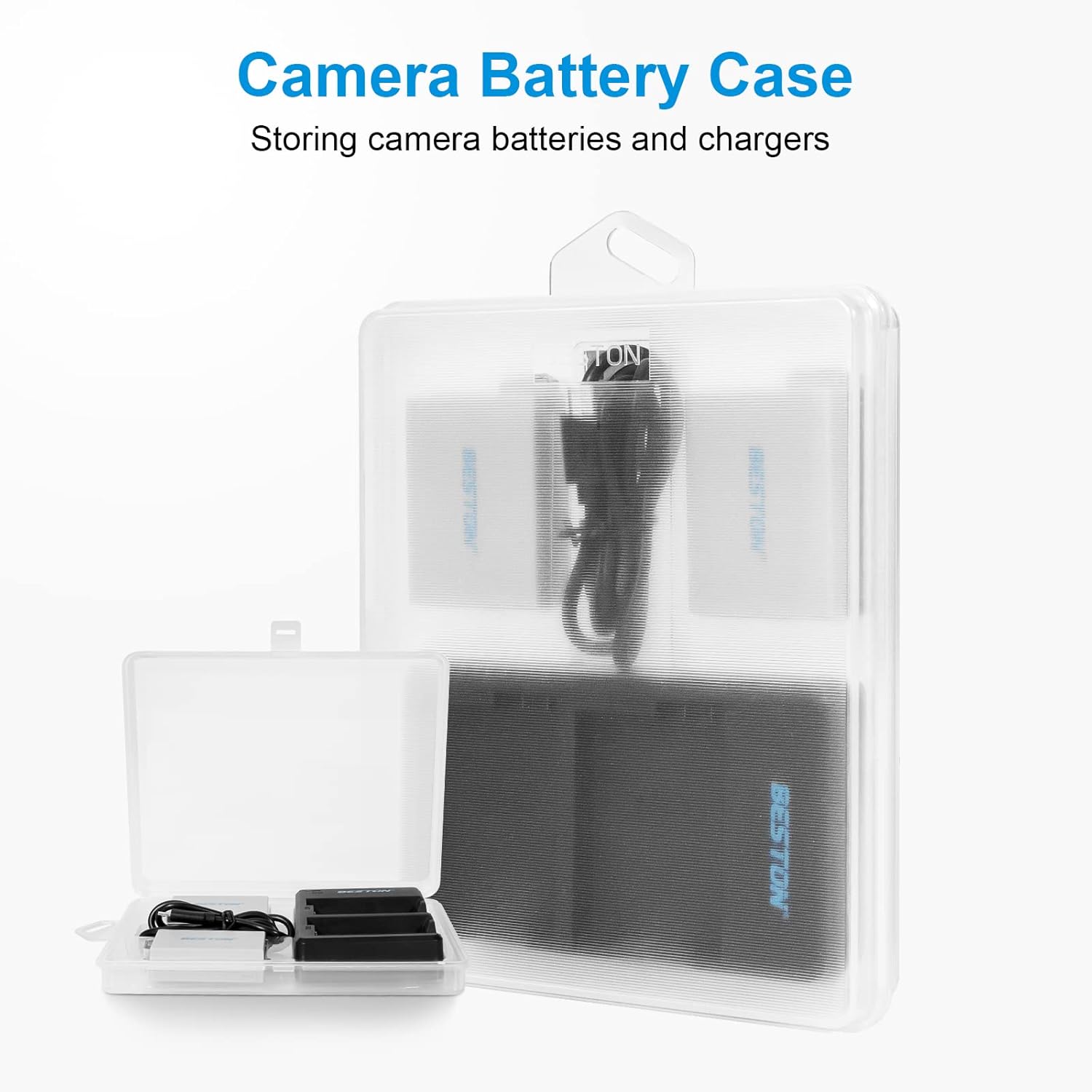
Image: The clear travelling storage case designed to hold the batteries and charger, keeping them organized and protected.
8. Troubleshooting
If you encounter any issues with your BESTON battery pack or charger, please refer to the following common troubleshooting steps:
- Batteries Not Charging:
- Ensure the USB cable is securely connected to both the charger and the power source.
- Verify that the power source is active and providing 5V output.
- Check if the batteries are inserted correctly into the charger slots with contacts aligned.
- Try using a different USB cable or power adapter.
- Camera Not Recognizing Battery:
- Ensure the battery is fully charged.
- Remove and reinsert the battery into the camera, ensuring it is seated correctly.
- Clean the battery contacts and camera terminals with a dry, soft cloth.
- Test with another fully charged battery if available.
- Short Battery Life:
- Ensure batteries are fully charged before use.
- Battery performance can be affected by extreme temperatures.
- Over time, all rechargeable batteries experience a decrease in capacity.
If these steps do not resolve the issue, please contact BESTON customer support for further assistance.
9. Specifications
| Brand | BESTON |
| Model Number | BST-LPE8112P2C |
| Battery Type | Lithium-Ion (Li-ion) |
| Battery Capacity | 1120mAh (each battery) |
| Battery Output Voltage | 7.4 Volts |
| Charger Input | 5V / 2A (Micro-USB) |
| Charger Output | 8.4V / 1x 800mA or 2x 550mA |
| Charging Time | Approx. 2.5 hours for two batteries |
| Color | Black (Charger), White (Batteries) |
| Safety Features | Over-charging, over-discharging, short-circuit, high-temperature, and surge protection |
10. Warranty and Support
10.1 Warranty Information
BESTON products are designed for quality and reliability. For specific warranty details regarding your LP-E8 Battery Pack and Rapid USB Charger, please refer to the warranty card included in your product packaging or visit the official BESTON website.
10.2 Customer Support
If you have any questions, concerns, or require technical assistance, please contact BESTON customer support. You can typically find contact information on the product packaging, the official BESTON website, or through your retailer.
For more information about BESTON products, you can visit the BESTON Store on Amazon.