1. Introduction
This manual provides instructions for the 1aTTack.de Cat.6 network cable. This high-quality patch cable is designed for reliable and high-speed network connections, supporting data transfer rates up to 1000 Mbit/s. It features a unique 90-degree angled RJ45 connector on one end, making it ideal for installations in tight spaces, alongside a standard straight RJ45 connector on the other. The cable is double-shielded (SFTP PIMF) to ensure optimal signal integrity and minimize interference.
2. Package Contents
Please verify that your package contains the following item:
- One (1) 1aTTack.de Cat.6 Network Cable (10 meters, blue)
3. Product Overview
The 1aTTack.de Cat.6 network cable is engineered for robust performance in various networking environments. It is suitable for connecting network components such as routers, switches, modems, PCs, laptops, smart TVs, and gaming consoles.

Image: The 1aTTack.de Cat.6 network cable, showcasing both the straight and 90-degree angled RJ45 connectors.
Key features include:
- Cat.6 Specification: Tested up to 250 MHz, supporting 10/100/1000/10000 MBit Ethernet networks.
- SFTP PIMF Shielding: Each pair of wires is shielded with aluminum foil (PIMF), and the entire cable has an additional braid shielding for superior interference protection.
- RJ45 Connectors: One straight and one 90-degree angled connector (8P8C) with gold-plated contact surfaces for reliable connections.
- Length and Color: 10 meters in length, blue color.
- Locking Nose Protection: Features protection for the locking tab on both connectors to prevent accidental breakage.

Image: The 10-meter blue Cat.6 network cable coiled, showing its flexibility and design.
4. Setup
The 1aTTack.de Cat.6 network cable is designed for simple plug-and-play installation.
- Identify the network devices you wish to connect (e.g., router to PC, switch to server).
- Connect one end of the Cat.6 network cable to an available RJ45 port on your first network device. The 90-degree angled connector is particularly useful for ports located in tight spaces or against walls.
- Connect the other end of the cable to an available RJ45 port on your second network device.
- Ensure both connectors are securely seated in their respective ports. A click should be heard when properly connected.

Image: A close-up view of the 90-degree angled RJ45 connector securely plugged into a network port, demonstrating its space-saving design.

Image: The blue Cat.6 network cable connected to a Fritzbox router, illustrating a typical home network setup.
5. Operating Instructions
Once connected, the 1aTTack.de Cat.6 network cable facilitates high-speed data communication between your devices. It is designed to provide stable and fast connections for various applications.
- High-Speed Data Transfer: Supports network speeds up to 1000 Mbit/s, suitable for demanding applications like online gaming, 4K video streaming, and large file transfers.
- Versatile Compatibility: Compatible with a wide range of devices including PCs, laptops, servers, network printers, smart TVs, game consoles, and VoIP telephones.
- Power over Ethernet (PoE) Compatible: Can be used with PoE-enabled devices, simplifying installations by delivering power and data over a single cable.

Image: A technician working in a server room, demonstrating the cable's suitability for professional and business network applications.

Image: A family using multiple devices, highlighting the cable's utility in home entertainment and personal computing setups.
6. Maintenance
To ensure the longevity and optimal performance of your 1aTTack.de Cat.6 network cable, follow these simple maintenance guidelines:
- Handle with Care: Avoid pulling the cable by the wire itself; always grasp the connector when plugging or unplugging.
- Avoid Sharp Bends: Do not bend the cable sharply, especially near the connectors, as this can damage the internal wires and shielding.
- Keep Connectors Clean: Periodically inspect the RJ45 connectors for dust or debris. Use a soft, dry cloth to gently clean them if necessary.
- Proper Storage: When not in use, coil the cable loosely and store it in a dry, cool place away from direct sunlight and extreme temperatures.
7. Troubleshooting
If you experience issues with your network connection, consider the following troubleshooting steps:
- Check Connections: Ensure both ends of the network cable are securely plugged into their respective ports.
- Verify Device Power: Confirm that all connected network devices (router, modem, PC) are powered on and functioning correctly.
- Inspect Cable for Damage: Visually inspect the cable for any visible signs of damage, such as cuts, kinks, or frayed insulation.
- Test with Another Cable: If possible, try using a different, known-working network cable to determine if the issue lies with the cable itself or another component.
- Restart Network Devices: Power cycle your router, modem, and connected devices by unplugging them for 30 seconds and then plugging them back in.
8. Specifications
| Brand | 1aTTack.de |
| Model Number | 4251073662657 |
| Cable Type | Ethernet (Cat.6) |
| Connector Type | RJ45 (one 90° angled, one straight) |
| Shielding Class | S/FTP (PiMF) |
| Inner Conductor Material | CU (copper) |
| AWG | 27/7 |
| Max. Bandwidth | 250 MHz |
| Compatible with | PoE (Power over Ethernet) |
| Cable Jacket Diameter | 6 mm |
| Length | 10 meters |
| Color | Blue |
9. Warranty and Support
For warranty information, technical support, or any inquiries regarding your 1aTTack.de Cat.6 network cable, please contact the manufacturer directly or visit their official website.
You can find more products and information from 1aTTack.de by visiting their Amazon store: 1aTTack.de Amazon Store
10. Safety Information
Please observe the following safety precautions:
- Plastic Bag Warning: The plastic packaging can be dangerous. To avoid the risk of suffocation, keep this plastic bag away from babies and children.
- General Handling: Do not expose the cable to extreme temperatures, direct sunlight, or moisture.
- Intended Use: Use this cable only for its intended purpose of connecting network components.
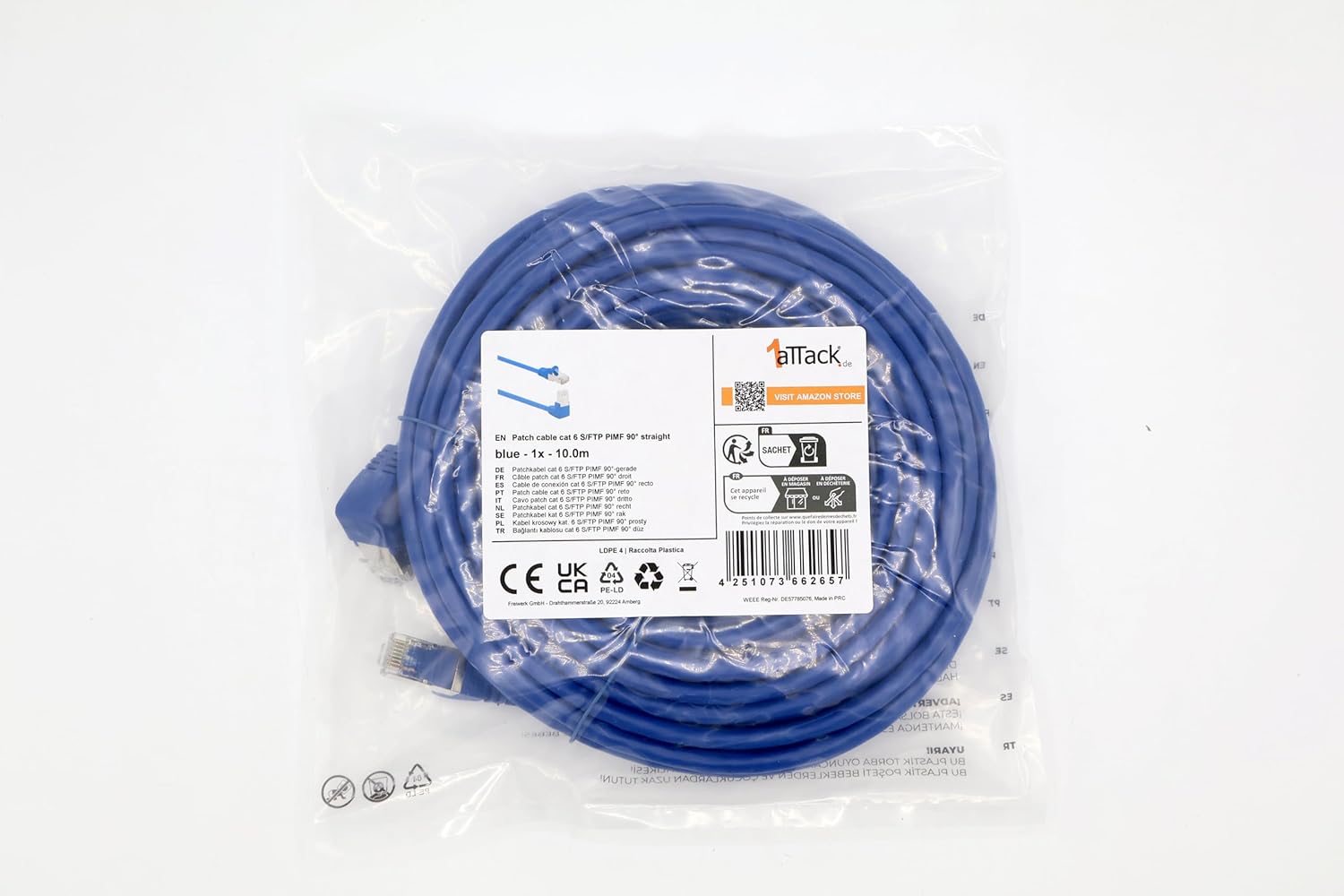
Image: The product packaging displaying various warning labels, including suffocation warnings for plastic bags.

Image: A detailed view of the warning labels on the product packaging, emphasizing safety instructions.


