
1. Introduction
This manual provides essential information for the safe and efficient use of your GreatPowerDirect 120W 19.5V 6.15A AC Adapter Charger. Please read these instructions carefully before using the product and retain them for future reference. This power supply is designed to provide stable power to compatible electronic devices requiring 19.5V DC at up to 6.15A.
2. Safety Information
- Electrical Safety: Always connect the AC adapter to a properly grounded power outlet. Do not use if the power cord or adapter casing is damaged.
- Voltage Compatibility: Ensure your device requires 19.5V DC input. Using this adapter with incompatible voltage requirements may damage your device.
- Current Rating: The adapter provides up to 6.15A. Ensure your device's current requirement does not exceed this rating.
- Environmental Conditions: Do not expose the adapter to water, high humidity, or extreme temperatures. Use in a well-ventilated area to prevent overheating.
- Handling: Avoid dropping or subjecting the adapter to strong impacts. Do not attempt to open or repair the adapter yourself.
- Children and Pets: Keep the adapter and cables out of reach of children and pets.
3. Package Contents
Verify that all items are present in your package:
- GreatPowerDirect 120W AC Adapter Unit
- AC Power Cord (for connecting to wall outlet)
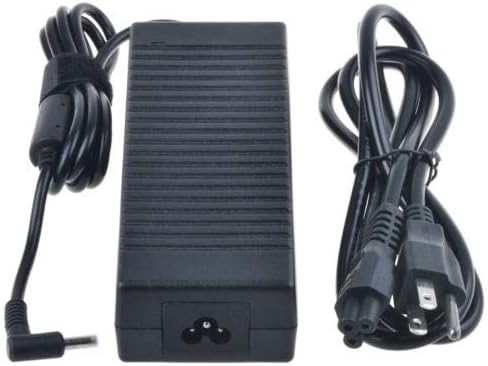
Image 3.1: The GreatPowerDirect 120W AC Adapter unit shown with its detachable AC power cord.
4. Setup Instructions
Follow these steps to properly set up your AC adapter:
- Connect AC Power Cord: Insert the 2-pin connector of the AC power cord firmly into the AC input port on the adapter unit.
- Connect DC Output Cable: Plug the 4.5/3.0mm pin barrel connector of the adapter's DC output cable into the corresponding power input port on your electronic device. Ensure a secure connection.
- Connect to Wall Outlet: Insert the other end of the AC power cord into a standard, grounded electrical wall outlet.
- Power On Device: Once connected, your device should receive power. Turn on your device as usual.
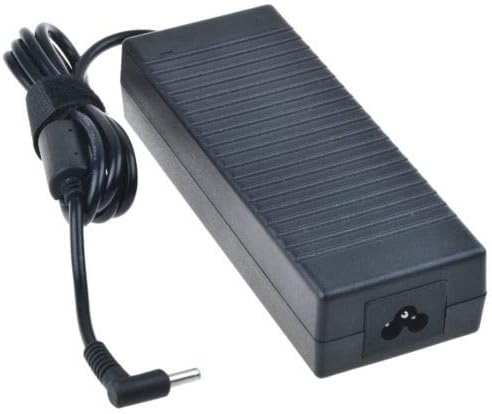
Image 4.1: The GreatPowerDirect AC Adapter unit with its integrated DC output cable, featuring the 4.5/3.0mm pin connector.
5. Operating Instructions
The GreatPowerDirect AC Adapter is designed for straightforward operation. Once properly connected as described in the Setup section, it will automatically provide power to your compatible device.
- Continuous Power: The adapter provides continuous power to your device when plugged into an active electrical outlet.
- Charging: If your device has a rechargeable battery, the adapter will also facilitate battery charging while providing power.
- Disconnection: To disconnect, first power off your device, then unplug the AC power cord from the wall outlet, and finally disconnect the DC output cable from your device.
6. Maintenance
Proper maintenance ensures the longevity and safe operation of your AC adapter.
- Cleaning: Disconnect the adapter from all power sources before cleaning. Use a soft, dry cloth to wipe the exterior. Do not use liquid cleaners or solvents.
- Storage: When not in use, store the adapter in a cool, dry place away from direct sunlight and moisture. Avoid tightly wrapping the cables to prevent damage.
- Inspection: Periodically inspect the adapter unit and cables for any signs of damage, such as cuts, fraying, or bent pins. If damage is found, discontinue use immediately.
7. Troubleshooting
If you encounter issues with your AC adapter, refer to the following common problems and solutions:
- No Power to Device:
- Ensure the AC power cord is securely connected to both the adapter and the wall outlet.
- Verify the wall outlet is functional by testing it with another device.
- Check that the DC output cable is firmly plugged into your device's power input.
- Confirm your device is compatible with 19.5V DC input.
- Adapter Overheating:
- Ensure the adapter is in a well-ventilated area and not covered.
- Verify your device's current draw does not exceed 6.15A.
- If overheating persists, discontinue use and contact support.
- Loose Connection:
- Gently wiggle the connectors to ensure they are fully seated. Avoid excessive force.
- Inspect the 4.5/3.0mm pin for any bending or damage.
8. Specifications
Detailed technical specifications for the GreatPowerDirect AC Adapter:
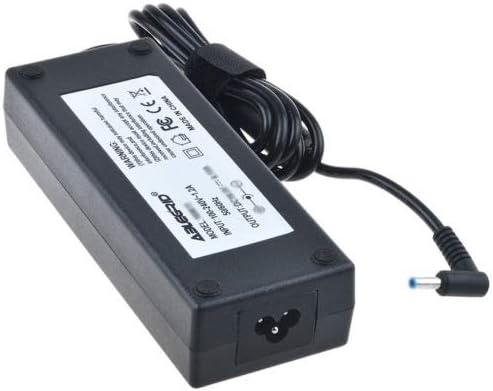
Image 8.1: The GreatPowerDirect AC Adapter unit showing its product label with specifications.
| Specification | Value |
|---|---|
| Brand | GreatPowerDirect |
| Model Number | GPD081009-13393 |
| Wattage | 120 Watts |
| Output Voltage | 19.5 Volts |
| Current Rating | 6.15 Amps |
| Connector Type | 4.5/3.0mm Pin (Barrel Connector) |
| Power Source | Corded Electric |
| Item Weight | 8 Ounces |
| Certification | CE |
9. Warranty Information
For warranty details regarding your GreatPowerDirect AC Adapter, please refer to the documentation provided at the time of purchase or contact the seller directly. Standard warranty terms typically cover manufacturing defects for a specified period.
10. Support
If you require further assistance or have questions not covered in this manual, please contact GreatPowerDirect customer support or the retailer from whom you purchased the product. Provide your model number (GPD081009-13393) and a detailed description of your issue for efficient support.