
Svago ZGR Newton
Svago ZGR Newton Zero Gravity Recliner Instruction Manual
Model: ZGR Newton | Brand: Svago
Important Safety Warnings
WARNING: Do not exceed the maximum weight capacity of 400 pounds. Always use the remote control to adjust the reclining position and ensure the chair is in the upright position when not in use. Never leave the chair in the reclined position unattended to prevent potential injury or tip-overs.
Product Overview
The Svago ZGR Newton is a premium zero gravity recliner designed for optimal comfort and relaxation. It features a durable leather finish, memory foam cushioning, and a range of adjustable settings including zero gravity recline, vibration massage, and heat therapy. This manual provides instructions for safe and effective use of your recliner.
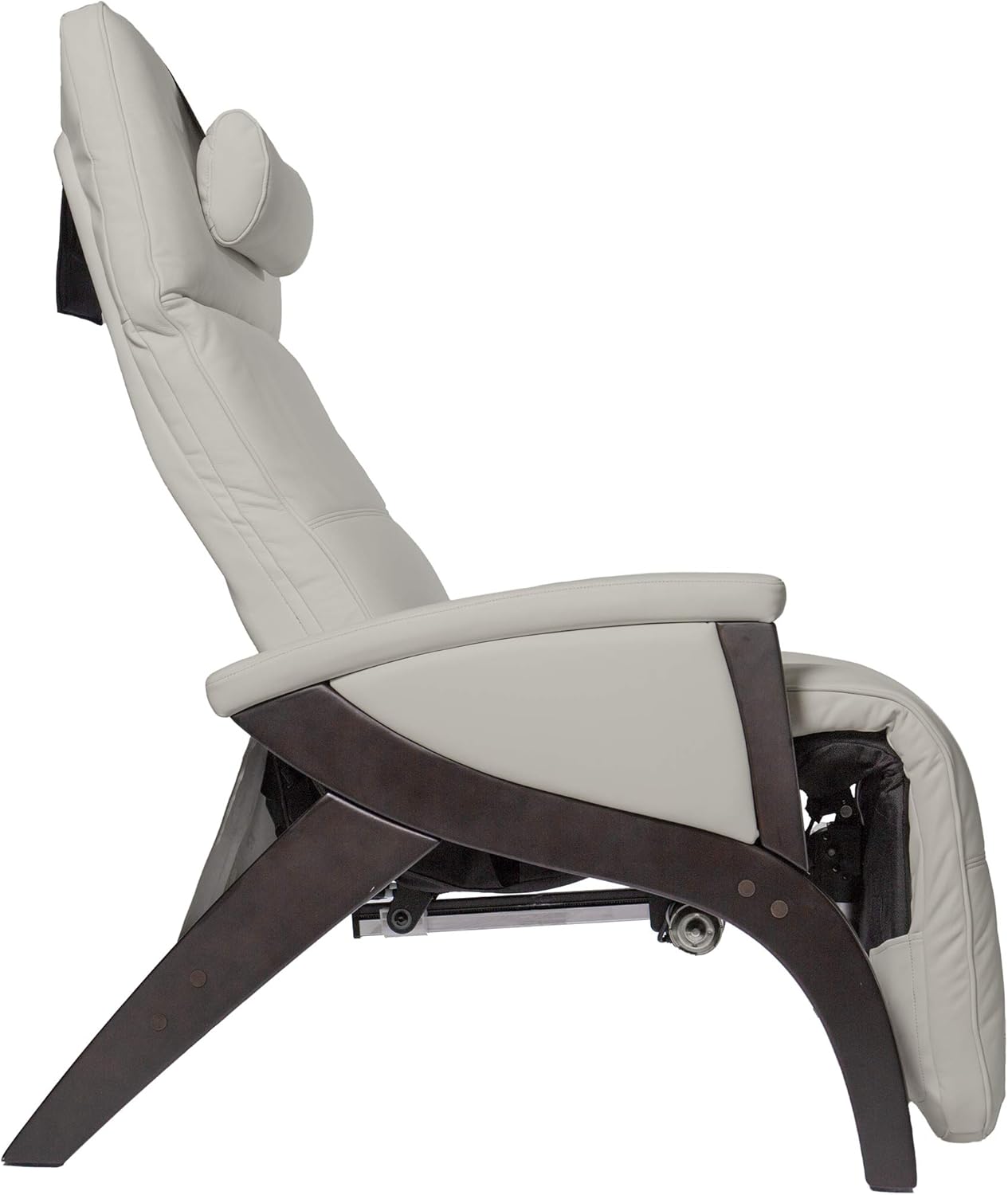
Figure 1: Svago ZGR Newton Recliner in Upright Position

Figure 2: Svago ZGR Newton Recliner in Zero Gravity Position
Setup
The Svago ZGR Newton recliner is designed for convenience and typically requires no assembly. It arrives pre-assembled and ready for use. Simply place the chair in your desired location, ensuring adequate space for full recline, and connect it to a power outlet.
Operating Instructions
The Svago ZGR Newton recliner is operated using the included remote control. Below are instructions for its various functions. For a visual guide, please refer to the operating instructions video below.
Video 1: Svago ZGR Operating Instructions. This video demonstrates the basic operating instructions for the Svago ZGR Newton recliner, including power, zero gravity recline, vibration massage, heat function, position adjustments, memory settings, and smart wake-up timer.
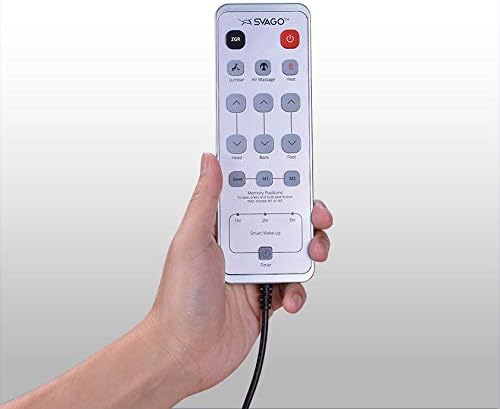
Figure 3: Svago ZGR Newton Remote Control
1. Power On/Off
To power on your chair, press the red "Power" button on the remote control. To turn off the chair and return it to the home position, press the red "Power" button again. (Refer to Video 1: 0:06 for Power On, 1:47 for Power Off)
2. Zero Gravity Position
Press the "ZGR" button on the remote to automatically move the chair into the zero gravity position. This position elevates your legs above your heart, promoting circulation and reducing pressure on the spine. (Refer to Video 1: 0:14)
3. Vibration Massage
The remote features "V1" and "V2" buttons to activate two different vibration massage programs. Press "V1" or "V2" to start or stop the respective massage. (Refer to Video 1: 0:38)
4. Heat Function
Press the "Heat" button on the remote to activate the heating function within the chair. Press it again to turn off the heat. (Refer to Video 1: 0:54)
5. Chair Position Adjustments
Use the arrow buttons on the remote to manually adjust the backrest and footrest positions. The up arrows will raise the respective sections, and the down arrows will lower them. (Refer to Video 1: 1:03)
6. Position Memory
To save a preferred chair position, adjust the chair to your desired setting. Then, press and hold the "Save" button until it flashes, and immediately press either "M1" or "M2" to store the position. To recall a saved position, simply press "M1" or "M2". (Refer to Video 1: 1:18)
7. Smart Wake-up Timer
The Smart Wake-up feature allows you to set a timer (1, 2, or 3 hours) after which the chair will automatically return to its home position. Press the clock icon button to cycle through the timer options. Pressing it more than once will increase the time. (Refer to Video 1: 1:30)
Maintenance
To maintain the quality and appearance of your Svago ZGR Newton recliner, follow these guidelines:
- Cleaning: For general cleaning, use a soft, damp cloth. For spills or stains, spot wash the affected area immediately with a mild leather cleaner. Avoid harsh chemicals or abrasive materials.
- Leather Care: Periodically condition the leather to keep it supple and prevent cracking. Follow the instructions of your chosen leather conditioner.
- Inspection: Regularly inspect all moving parts and electrical connections for any signs of wear or damage. If any issues are found, contact customer support.
Troubleshooting
If you encounter any issues with your Svago ZGR Newton recliner, please refer to the following common troubleshooting steps:
- Chair Not Responding:
- Ensure the power cord is securely plugged into both the chair and a working electrical outlet.
- Check if the remote control batteries (if applicable) need replacement or if the remote is properly connected (if wired).
- Press the power button on the remote to ensure the chair is powered on.
- Reclining Mechanism Not Working Smoothly:
- Ensure there are no obstructions around or under the chair that might impede its movement.
- Verify that the weight capacity of 400 pounds is not exceeded.
- Heat or Massage Not Activating:
- Confirm the chair is powered on.
- Press the respective "Heat" or "V1"/"V2" buttons firmly.
If the issue persists after attempting these steps, please contact Svago customer support for further assistance.
Specifications
| Feature | Detail |
|---|---|
| Brand | Svago |
| Model Name | ZGR Newton |
| Color | Ivory |
| Product Dimensions (Upright) | 39.4"D x 30.3"W x 47.2"H |
| Seat Depth | 20 inches |
| Material | Leather (Top Grain), Memory Foam (Fill) |
| Maximum Weight Recommendation | 400 Pounds |
| Item Weight | 110 pounds |
| Special Features | Adjustable, Durable, Zero Gravity, Air Massage, Heat Therapy, Air Cell Lumbar Support, Touch Capacity Buttons, Heat Timer, Heat Auto Shutoff, Adjustable Footrest, Adjustable Headrest, Remote Control, Custom Memory Settings |
| Product Care Instructions | Spot Wash |
| Assembly | No assembly required (comes pre-assembled) |
| UPC | 873769002499 |
| Item Model Number | 32861549953078 |
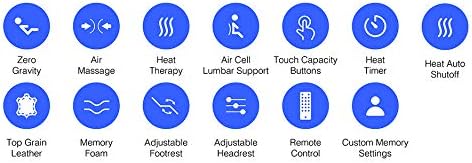
Figure 4: Key Features of Svago ZGR Newton Recliner
Warranty and Support
The Svago ZGR Newton recliner includes a 1-Year Factory Parts and Labor Warranty. This warranty covers manufacturing defects and issues with parts and labor for one year from the date of purchase. Minor cosmetic scuffs are not included in the warranty.
For warranty claims, technical support, or any questions regarding your recliner, please contact Svago customer support:
- Website: svago.com
- Phone: 844-697-8246
Related documentsZGR Newton

Ask a question about this manual
Ask about setup, troubleshooting, compatibility, parts, safety, or missing instructions. Manuals+ will review the question and use this page’s manual context to help answer it.