
KLARSTEIN US-10032732
KLARSTEIN VitAir Smart Air Fryer User Manual
Model: US-10032732 | Brand: KLARSTEIN
1. Important Safety Information
Please read all instructions carefully before using the KLARSTEIN VitAir Smart Air Fryer. Retain this manual for future reference.
General Safety
- Always place the appliance on a stable, heat-resistant surface, away from walls and other appliances to allow adequate air circulation.
- Do not immerse the main unit, cord, or plug in water or other liquids.
- Supervise children closely when the appliance is in use.
- Do not operate the appliance if the cord or plug is damaged, or if the appliance malfunctions or has been damaged in any way.
- The appliance features an automatic shutdown at end of program or when cover is opened. Always ensure the cover is properly closed during operation.
Electrical Safety
- Ensure your power supply matches the voltage specified on the appliance (110-120V).
- Unplug the appliance from the outlet when not in use and before cleaning.
- Do not let the power cord hang over the edge of a table or counter, or touch hot surfaces.
Heat and Burn Prevention
- Surfaces of the appliance become hot during use. Use oven mitts or handles when touching hot parts.
- Exercise extreme caution when removing hot accessories or disposing of hot grease.
- Do not block any ventilation openings.
2. Product Overview
The KLARSTEIN VitAir Smart Air Fryer is a versatile kitchen appliance designed for reduced-fat cooking. It utilizes a 1400-watt halogen infrared heating element and 3D Airdynamics technology to ensure uniform air circulation and heat distribution, allowing for frying, baking, grilling, and roasting without the need for excessive oil.

Image: The KLARSTEIN VitAir Smart Air Fryer, a black and grey appliance with a transparent dome, showcasing its sleek design and digital control panel.
Key Features
- Multifunctional Cooking: Capable of frying, baking, grilling, roasting, and steaming.
- Powerful Heating: 1400 Watts Halogen Infrared Heating Element.
- No Preheating/Defrosting: Efficient cooking without prior preparation steps.
- Large Capacity: 10.5 Quart (9-liter) cooking chamber.
- User-Friendly Interface: High-resolution LCD display with push-button control panel.
- Easy Cleaning: Non-stick CeraPlus coating on the bath insert.
- Panoramic Viewing Window: 310° viewing window to monitor cooking progress.
Included Components and Accessories
The VitAir Smart Air Fryer comes with a comprehensive accessory pack to enhance your cooking experience:
- 1 x Main Device
- 1 x Insert Tray
- 1 x Metal Round Plate
- 1 x Grill
- 1 x 3D Grill Cage
- 1 x Chicken Skewer
- 1 x Tongs

Image: All included accessories for the VitAir Air Fryer, including the round plate, grill grate, chicken skewer, and 3D grill cage.
3. Setup and Initial Use
Unpacking and Placement
- Carefully remove all packaging materials and promotional labels from the air fryer.
- Place the main unit on a flat, stable, and heat-resistant surface. Ensure there is at least 6 inches (15 cm) of clear space around the appliance for proper ventilation.
- Do not place the appliance near heat sources or in direct sunlight.
Initial Cleaning
Before first use, clean all removable parts and the interior of the cooking chamber.
- Wipe the exterior of the main unit with a damp cloth.
- Wash the insert tray, metal round plate, grill, 3D grill cage, chicken skewer, and tongs with warm, soapy water. Rinse thoroughly and dry completely.
- The main tub insert has a non-stick coating; avoid abrasive cleaners or scouring pads.
Assembly
Assemble the desired accessories based on your cooking needs. The insert tray fits into the main cooking chamber. Other accessories like the grill or 3D grill cage can be placed on the insert tray or used with the rotisserie function as described in the operating section.
4. Operating Instructions
Control Panel Overview
The KLARSTEIN VitAir features a high-resolution LCD display and a push-button control panel for easy operation.

Image: Close-up of the KLARSTEIN VitAir's digital control panel with various cooking presets and temperature/timer controls.
- Power Button: Turns the appliance on/off.
- Temperature Control: Adjusts cooking temperature (120 - 446°F).
- Timer Control: Sets cooking time (max. 1 hour, adjustable minute by minute).
- Preset Programs: Dedicated buttons for common dishes (e.g., fries, chicken, steak, fish, pizza, bake, grill, roast).
- Rotation Button: Activates/deactivates rotation for the 3D grill cage and rotisserie.
- Start/Stop Button: Initiates or pauses the cooking process.
Basic Operation Steps
- Place the desired accessory (e.g., insert tray, grill) into the cooking chamber.
- Add your food to the accessory. For best results with air frying, ensure food is not overcrowded to allow for proper air circulation.
- Close the lid securely. The appliance will not operate if the lid is not properly closed.
- Plug the power cord into a grounded electrical outlet.
- Press the Power button to turn on the appliance.
- Select a preset program or manually set the desired temperature and cooking time using the respective controls.
- If using the 3D grill cage or chicken skewer, press the Rotation button to activate the rotating function.
- Press the Start/Stop button to begin cooking.
- Monitor cooking progress through the panoramic viewing window.
- Once cooking is complete, the appliance will automatically shut off and emit acoustic signals. Carefully open the lid and use the provided tongs to remove the cooked food and hot accessories.
Using the 3D Grill Cage and Chicken Skewer
The 3D grill cage is ideal for items like French fries, popcorn, or small vegetables that benefit from continuous tumbling for even cooking. The chicken skewer is perfect for roasting whole chickens or larger cuts of meat.
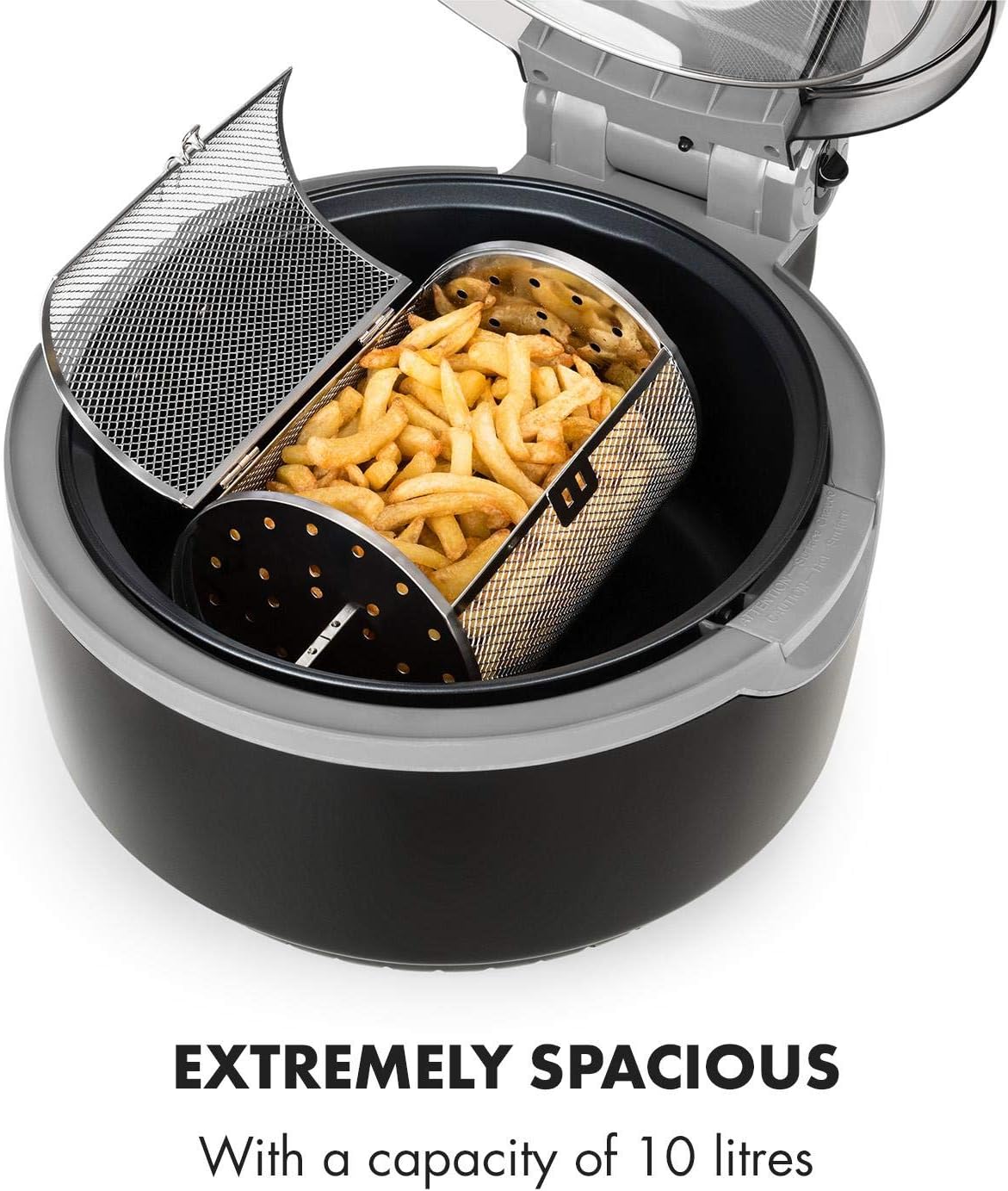
Image: The spacious cooking chamber of the VitAir Air Fryer, demonstrating the 3D grill cage filled with French fries, ready for rotation.
To use these accessories, ensure they are properly secured within the cooking chamber's rotation mechanism. Activate the rotation function via the control panel.

Image: An illustration showing the 3D Airdynamics technology within the VitAir Air Fryer, highlighting uniform air circulation and heat distribution for even cooking.
This technology, combined with the rotating accessories, ensures that food is cooked evenly on all sides.
5. Maintenance and Cleaning
Regular cleaning and proper maintenance will ensure the longevity and optimal performance of your KLARSTEIN VitAir Smart Air Fryer.
Cleaning Instructions
- Always unplug the appliance and allow it to cool completely before cleaning.
- Wipe the exterior of the main unit with a soft, damp cloth. Do not use abrasive cleaners or immerse the main unit in water.
- Remove all accessories from the cooking chamber.
- Wash the insert tray, metal round plate, grill, 3D grill cage, chicken skewer, and tongs with warm, soapy water. The CeraPlus non-stick coating makes cleaning easy.
- Note: The accessories are NOT dishwasher safe. Hand washing is recommended to preserve the non-stick coating and overall integrity.
- For stubborn food residue, soak the accessories in warm, soapy water for a few minutes before cleaning.
- Rinse all cleaned parts thoroughly and dry them completely before storing or reassembling.
- Clean the interior of the cooking chamber with a damp cloth and mild detergent if necessary. Ensure no water enters the electrical components.

Image: A hand cleaning the non-stick coated insert tray of the VitAir Air Fryer, demonstrating the ease of cleaning due to the CeraPlus coating.
Storage
Store the air fryer in a cool, dry place. Ensure all parts are clean and dry before storage. Do not wrap the power cord tightly around the appliance.
6. Troubleshooting
If you encounter any issues with your KLARSTEIN VitAir Smart Air Fryer, please refer to the following common problems and solutions before contacting customer support.
| Problem | Possible Cause | Solution |
|---|---|---|
| Appliance does not turn on. | Not plugged in; Lid not closed properly; Power button not pressed. | Ensure the power cord is securely plugged into a working outlet. Close the lid completely until it clicks. Press the Power button. |
| Food is not cooked evenly. | Food overcrowded; Rotation function not activated (for applicable accessories). | Avoid overcrowding the cooking chamber; cook in smaller batches if necessary. Ensure the Rotation button is pressed when using the 3D grill cage or chicken skewer. |
| White smoke coming from the appliance. | Grease residue from previous use; High-fat food being cooked. | Clean the cooking chamber and accessories thoroughly after each use. For high-fat foods, consider draining excess fat during cooking. |
| Accessories are difficult to clean. | Food residue has dried on; Not cleaned immediately after use. | Soak accessories in warm, soapy water immediately after use. Use a soft brush or sponge; avoid abrasive materials. |
7. Specifications
| Feature | Detail |
|---|---|
| Model Name | VitAir |
| Model Number | US-10032732 |
| Brand | KLARSTEIN |
| Capacity | 10.5 Quart (9 Liters) |
| Wattage | 1400 Watts |
| Voltage | 110-120V |
| Max Temperature Setting | 450°F |
| Control Method | Touch / Manual |
| Non-stick Coating | Yes (CeraPlus) |
| Material | Plastic (Outer), Metal (Inner) |
| Product Dimensions (L x W x H) | 17.4 x 13.8 x 11.9 inches (44 x 35 x 30 cm) |
| Item Weight | 13.4 lbs (6.1 kg) |
| Dishwasher Safe Parts | No |

Image: Diagram illustrating the dimensions of the KLARSTEIN VitAir Smart Air Fryer: 35 cm (13.8 inches) width, 44 cm (17.3 inches) depth, and 34 cm (13.4 inches) height.
8. Warranty and Support
KLARSTEIN products are manufactured with high-quality materials and undergo strict quality control. This appliance is covered by a manufacturer's warranty from the date of purchase. Please retain your proof of purchase for any warranty claims.
For detailed warranty terms and conditions, or if you require technical support, spare parts, or assistance with your product, please contact KLARSTEIN customer service through their official website or the retailer where you purchased the product.
Online Support: Visit the official KLARSTEIN website for FAQs, troubleshooting guides, and contact information.
Contact Information: Refer to your product packaging or the KLARSTEIN website for the most up-to-date customer service contact details.