
1. Introduction
This manual provides essential instructions for the safe and effective use of your Cameron Sino 2600mAh Replacement Battery. Please read this manual thoroughly before installation and operation to ensure optimal performance and longevity of your battery.
This Lithium-Ion battery is designed as a direct replacement for various Brother devices, offering a capacity of 2600mAh and a voltage of 14.4V.
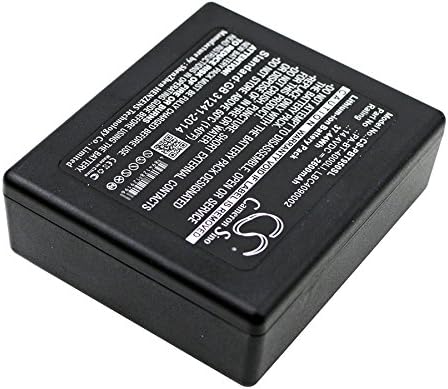
Image: Top view of the Cameron Sino 2600mAh Replacement Battery, showing its compact design.
2. Compatibility
This Cameron Sino replacement battery is compatible with the following Brother device models and original battery part numbers:
Compatible Brother Device Models:
- Brother TD-2120N
- Brother P touch P 950 NW RuggedJet RJ 4030
- Brother RJ 4040 TD 2130 NHC
- Brother PA-BB-001
- Brother TD-2130N
- Brother TD-2130NSA
- Brother RuggedJet RJ4030-K
- Brother RuggedJet RJ4040-K
- Brother RJ4030
- Brother RJ4040
- Brother PTP900W
- Brother PTP950NW
- Brother PT-E800T/TK
- Brother PT-E850TKW
- Brother PT-P900W
- Brother PT-P950NW
- Brother PT-D800W
- Brother PA-BB-002
Original Battery Part Numbers:
- Brother PA-BT-4000LI
- Brother LBC4090002
- Brother LBF3250001
- Brother HP25B
- Brother LBD709-001
Important: Please ensure both the model and battery part number are matched with your device before purchasing and installation.
3. Setup and Installation
Follow these general steps to install your new replacement battery. Refer to your device's original manual for specific battery compartment access instructions.
- Power Off Device: Ensure your Brother device is completely powered off and disconnected from any power source.
- Locate Battery Compartment: Identify and open the battery compartment on your device. This may involve removing a cover or panel.
- Remove Old Battery: Carefully remove the old battery. Note its orientation for correct installation of the new battery.
- Insert New Battery: Insert the Cameron Sino replacement battery into the compartment, ensuring it is correctly oriented and securely seated. Do not force the battery into place.
- Secure Compartment: Close and secure the battery compartment cover.
- Initial Charge: It is recommended to fully charge the new battery before its first use.
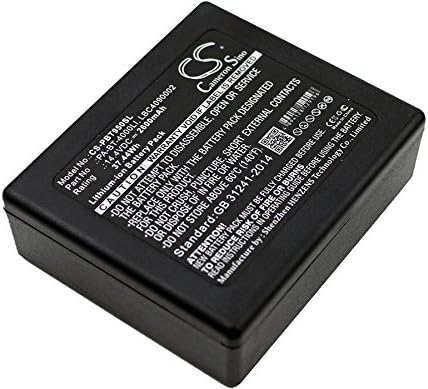
Image: Angled view of the Cameron Sino 2600mAh Replacement Battery, highlighting its label and connectors.
4. Operating Instructions
Charging the Battery:
- Use only the charger supplied with your Brother device or a compatible charger.
- Connect the device to the charger and a power outlet.
- The charging indicator on your device will typically show when the battery is charging and when it is fully charged.
- Avoid overcharging the battery by disconnecting the charger once it is full, especially for prolonged periods.
General Usage:
- For optimal battery life, avoid completely draining the battery frequently.
- If the device will not be used for an extended period, store the battery with approximately 50% charge.
- Operating the device in extremely hot or cold environments can affect battery performance and lifespan.
5. Maintenance
Proper maintenance can extend the life of your battery:
- Storage: Store the battery in a cool, dry place away from direct sunlight and extreme temperatures.
- Temperature: Avoid exposing the battery to temperatures above 60°C (140°F) or below 0°C (32°F).
- Cleaning: Keep battery contacts clean and free from dust or debris. Use a dry, soft cloth for cleaning.
- Disposal: Do not dispose of batteries in household waste. Follow local regulations for proper disposal of Lithium-Ion batteries.
6. Troubleshooting
If you encounter issues with your battery, consider the following:
- Battery Not Charging:
- Ensure the charger is properly connected to both the device and a working power outlet.
- Verify that the battery is correctly seated in the device's compartment.
- Check if the charger or charging cable is damaged.
- Short Battery Life:
- Ensure the battery has been fully charged.
- Reduce power consumption by adjusting device settings (e.g., screen brightness, Wi-Fi/Bluetooth usage).
- Extreme temperatures can reduce battery performance.
- Device Not Powering On:
- Confirm the battery is fully charged and correctly installed.
- Attempt to power on the device while connected to its charger.
If problems persist, consult your device's original manual or contact customer support.
7. Specifications
| Product Type | Lithium-Ion |
| Voltage | 14.4V |
| Capacity | 2600mAh |
| Dimensions | 85.80 x 73.00 x 30.75mm (3.38 x 2.87 x 1.21 inches) |
| Weight | 250.0g (290 Grams as per some specifications) |
| Reusability | Rechargeable |
| Certifications | FCC, CE, CB, ISO9001, RoHS |
8. Warranty and Support
Your Cameron Sino replacement battery comes with the following:
- 14 Days Money Back Guarantee: If you are not satisfied with your purchase within 14 days, you may be eligible for a refund.
- 12-Months Warranty: The battery is covered by a 12-month warranty against manufacturing defects.
For warranty claims, technical support, or any inquiries, please contact the seller or Cameron Sino customer service directly. Please have your purchase details ready when contacting support.