
PHILIPS 476093
Philips 476093-12PLC/T LED CFL Replacement Bulb User Manual
Model: 476093
Introduction
This manual provides essential information for the safe and efficient use of your Philips 476093-12PLC/T LED CFL Replacement Bulb. This LED bulb is designed as an InstantFit Plug n Play replacement for traditional 13-32W 4-pin G24q/GX24q base CFL lamps, offering 4000K cool white light and 1450 lumens of brightness. Please read this manual thoroughly before installation and operation.
Product Overview
The Philips 476093-12PLC/T is a high-efficiency LED lamp engineered to replace conventional compact fluorescent lamps (CFLs) with a 4-pin G24q or GX24q base. It provides a cool white light at 4000 Kelvin and delivers 1450 lumens, making it suitable for various indoor lighting applications. This bulb is dimmable, allowing for adjustable light output when used with compatible dimming systems.
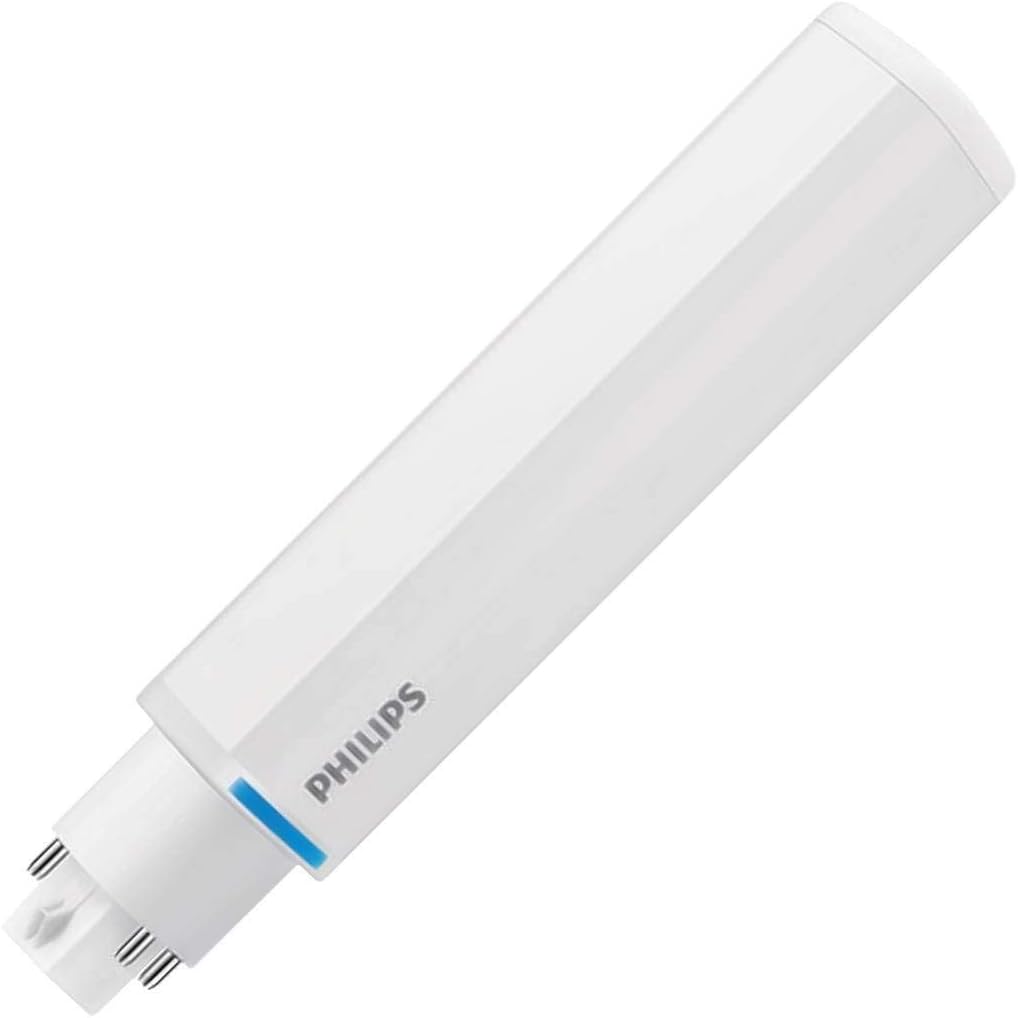
Image: Philips 476093-12PLC/T LED CFL replacement bulb. This image displays the white tubular body of the LED bulb, with the Philips logo visible on the side. The 4-pin base is clearly shown at one end, indicating its compatibility with specific CFL fixtures.
Setup and Installation
Before attempting installation, ensure the power supply to the fixture is turned OFF at the circuit breaker or fuse box. This product is designed for "Plug n Play" installation, meaning it works with existing electronic ballasts designed for compatible CFL lamps. No rewiring of the fixture is typically required.
- Safety First: Turn off power to the fixture at the circuit breaker before beginning installation.
- Remove Old Lamp: Carefully remove the existing CFL lamp from the fixture. Allow it to cool if it has been recently in use.
- Inspect Fixture: Check the fixture's socket for any damage or debris. Ensure it is clean and dry.
- Insert New LED Lamp: Align the 4 pins of the Philips LED replacement bulb with the corresponding slots in the fixture's G24q or GX24q socket. Gently push the bulb into the socket until it is firmly seated. Do not force the bulb.
- Restore Power: Once the LED bulb is securely installed, restore power to the fixture at the circuit breaker.
- Test: Turn on the light switch to verify proper operation.
Important Note: This LED lamp is designed to work with specific electronic ballasts. If the lamp does not light up or flickers, it may not be compatible with your existing ballast. Consult a qualified electrician if you encounter issues or are unsure about ballast compatibility.
Operating Instructions
Operating the Philips LED CFL Replacement Bulb is straightforward once installed. It functions like a traditional light bulb.
- Turning On/Off: Use the standard wall switch connected to the fixture to turn the light on or off.
- Dimming (if applicable): If your fixture is connected to a compatible dimming system and the ballast supports dimming, you can adjust the light output using the dimmer control. This bulb is designed to be dimmable.
- Instant On: Unlike some CFLs, this LED bulb provides instant full brightness upon switching on, with no warm-up time.
Maintenance
The Philips LED CFL Replacement Bulb requires minimal maintenance due to its long lifespan and durable design.
- Cleaning: Ensure the power is off before cleaning. Use a soft, dry cloth to wipe the bulb if it becomes dusty. Do not use liquid cleaners or abrasive materials.
- Replacement: Replace the bulb only when it reaches the end of its operational life. Always turn off the power before replacing.
- Disposal: Dispose of the bulb according to local regulations for electronic waste. While LEDs do not contain mercury like some CFLs, proper disposal is still recommended.
Troubleshooting
If you encounter issues with your Philips LED CFL Replacement Bulb, refer to the following common troubleshooting steps:
| Problem | Possible Cause | Solution |
|---|---|---|
| Bulb does not light up. |
|
|
| Bulb flickers or dims unexpectedly. |
|
|
| Light output is too low or too high. |
|
|
Specifications
Detailed technical specifications for the Philips 476093-12PLC/T LED CFL Replacement Bulb:
- Model Number: 476093
- Brand: PHILIPS
- Light Type: LED (CFL Replacement)
- Special Feature: Dimmable
- Wattage: 13 watts
- Light Source Wattage: 12 Watts
- Bulb Shape Size: T (Tubular)
- Bulb Base: 4-Pin G24q / GX24q (as per description, G8 from specs might be a generic category)
- Light Color: Cool White
- Color Temperature: 4000 Kelvin
- Brightness: 1450 Lumen
- Voltage: 55 Volts
- Color Rendering Index (CRI): 82
- Material: Copper
- Connectivity Technology: Normal bulb
- Controller Type: Push Button (for compatible systems)
- Control Method: App (for compatible smart systems)
- Item Weight: 2.89 ounces
- Package Dimensions: 6.42 x 1.26 x 1.22 inches
- UPC: 046677476090
Warranty and Support
For warranty information or technical support regarding your Philips LED CFL Replacement Bulb, please refer to the official Philips website or contact Philips customer service directly. Keep your purchase receipt as proof of purchase.
You can visit the official PHILIPS store for more information: PHILIPS Store on Amazon
Ask a question about this manual
Ask about setup, troubleshooting, compatibility, parts, safety, or missing instructions. Manuals+ will review the question and use this page’s manual context to help answer it.