
1. Introduction
This manual provides essential information for the safe and efficient operation of your MICROTEK Online UPS E2-1KVA. This Uninterruptible Power Supply (UPS) is designed to provide clean, stable, and continuous power to your sensitive electronic equipment, protecting it from power fluctuations and outages. Please read this manual thoroughly before installation and use, and retain it for future reference.
2. Safety Instructions
Observe the following safety precautions to prevent injury and damage to the UPS or connected equipment:
- Installation: Install the UPS in a well-ventilated area, away from direct sunlight, heat sources, and moisture. Ensure adequate clearance around the unit for proper airflow.
- Power Connection: Connect the UPS to a properly grounded AC power outlet. Do not remove the grounding prong.
- Overload: Do not overload the UPS. Ensure the total power consumption of connected devices does not exceed the UPS's rated capacity (800 Watts).
- Internal Batteries: The UPS contains sealed, maintenance-free lead-acid batteries. Do not attempt to open or service the batteries yourself. Refer to qualified service personnel.
- Liquid and Foreign Objects: Keep liquids and foreign objects away from the UPS. In case of accidental spillage, immediately disconnect the UPS from the power source and contact service personnel.
- Emergency Disconnect: In an emergency, press the OFF button and disconnect the power cord from the AC outlet to de-energize the UPS.
- Disposal: Dispose of the UPS and its batteries according to local regulations. Do not dispose of batteries in fire, as they may explode.
3. Package Contents
Verify that all items are present in the package:
- MICROTEK Online UPS E2-1KVA Unit
- AC Power Cord
- User Manual (this document)
- Warranty Card
4. Product Features
The MICROTEK Online UPS E2-1KVA offers the following key features:
- Provides uninterrupted power with true online double-conversion technology, ensuring zero transfer time during power failure—ideal for desktop PCs, workstations, and sensitive electronics.
- Delivers clean and stable pure sine wave power, protecting computers, networking equipment, printers, and office electronics from voltage fluctuations and power disturbances.
- Equipped with two high-quality in-built sealed maintenance-free batteries (12V 9Ah x 2), offering reliable backup without the need for external batteries or frequent maintenance.
- Designed to handle wide input voltage variations common in Indian power conditions. Advanced protection against overload, short circuit, overcharge, deep discharge, and surges ensures long equipment life.
- Compact and efficient design makes it suitable for home offices, desktops, retail shops, CCTV systems, routers, and small IT setups requiring stable and continuous power.
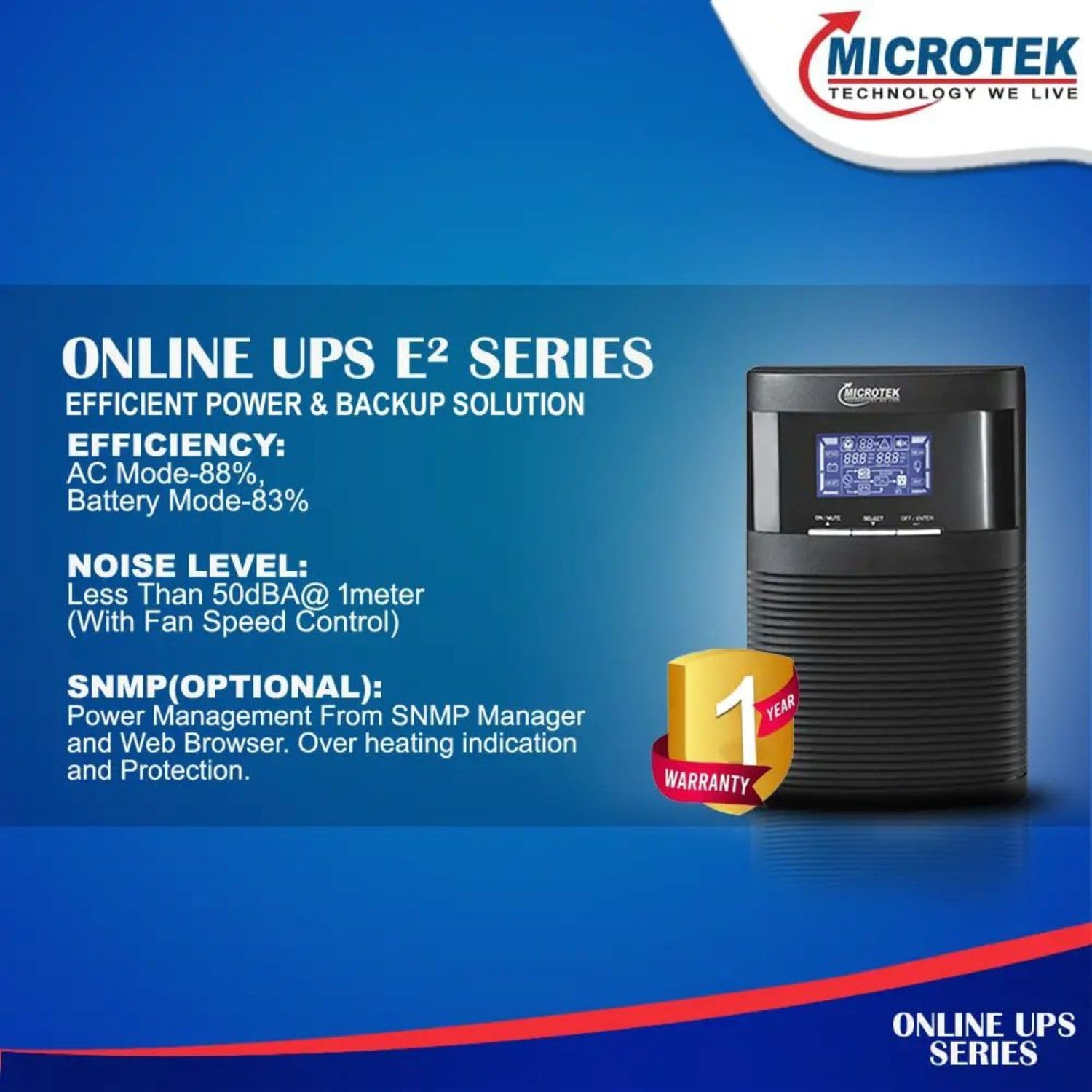
Image: The MICROTEK Online UPS E2 Series, showcasing its efficient power and backup solution, low noise level (less than 50dBA at 1 meter with fan speed control), and a 1-year warranty. It also mentions optional SNMP for power management and overheating indication.
5. Setup
Follow these steps for initial setup:
- Unpacking: Carefully remove the UPS from its packaging. Inspect for any shipping damage. If damage is found, do not operate the unit and contact your dealer.
- Placement: Place the UPS on a flat, stable surface in a clean, dry, and well-ventilated indoor environment. Avoid areas with excessive dust, humidity, or extreme temperatures. Ensure the ambient temperature is between 0°C and 40°C.
- Initial Charging: Connect the UPS power cord to a grounded AC power outlet. Allow the UPS to charge for at least 8 hours before connecting any devices to ensure optimal battery performance. The UPS will automatically begin charging its internal batteries.
- Connecting Devices: Once the batteries are sufficiently charged, connect your computer, monitor, and other critical electronic devices to the output receptacles on the rear of the UPS. Ensure the total load does not exceed the UPS's capacity.
- Power On: Press the power button on the front panel to turn on the UPS. The display will illuminate, indicating the UPS is operational.

Image: Front view of the MICROTEK Online UPS E2-1KVA, displaying the control panel with LCD screen, select, mute, and on/off/enter buttons. This view is crucial for understanding the user interface during setup and operation.
6. Operation
Understanding the UPS's operation ensures continuous protection for your devices.
- Powering On: After connecting the UPS to the AC power and allowing initial charging, press and hold the 'ON/ENTER' button on the front panel for a few seconds until the display illuminates. The UPS will perform a self-test and then enter online mode.
- Display Indicators: The LCD display provides real-time information about the UPS status, including input/output voltage, battery level, load percentage, and operational mode (Online, Battery, Bypass, Fault). Refer to the display for current operating conditions.
- Battery Mode: In the event of a power outage, the UPS will automatically switch to battery mode, providing power to connected devices without interruption. An audible alarm will sound, and the display will indicate battery operation.
- Powering Off: To turn off the UPS, first ensure all connected devices are safely shut down. Then, press and hold the 'OFF/ENTER' button for a few seconds until the UPS powers down. Disconnect the AC input power cord if the UPS is not to be used for an extended period.
- Mute Function: The 'MUTE' button can be used to silence audible alarms during battery mode or other alert conditions.
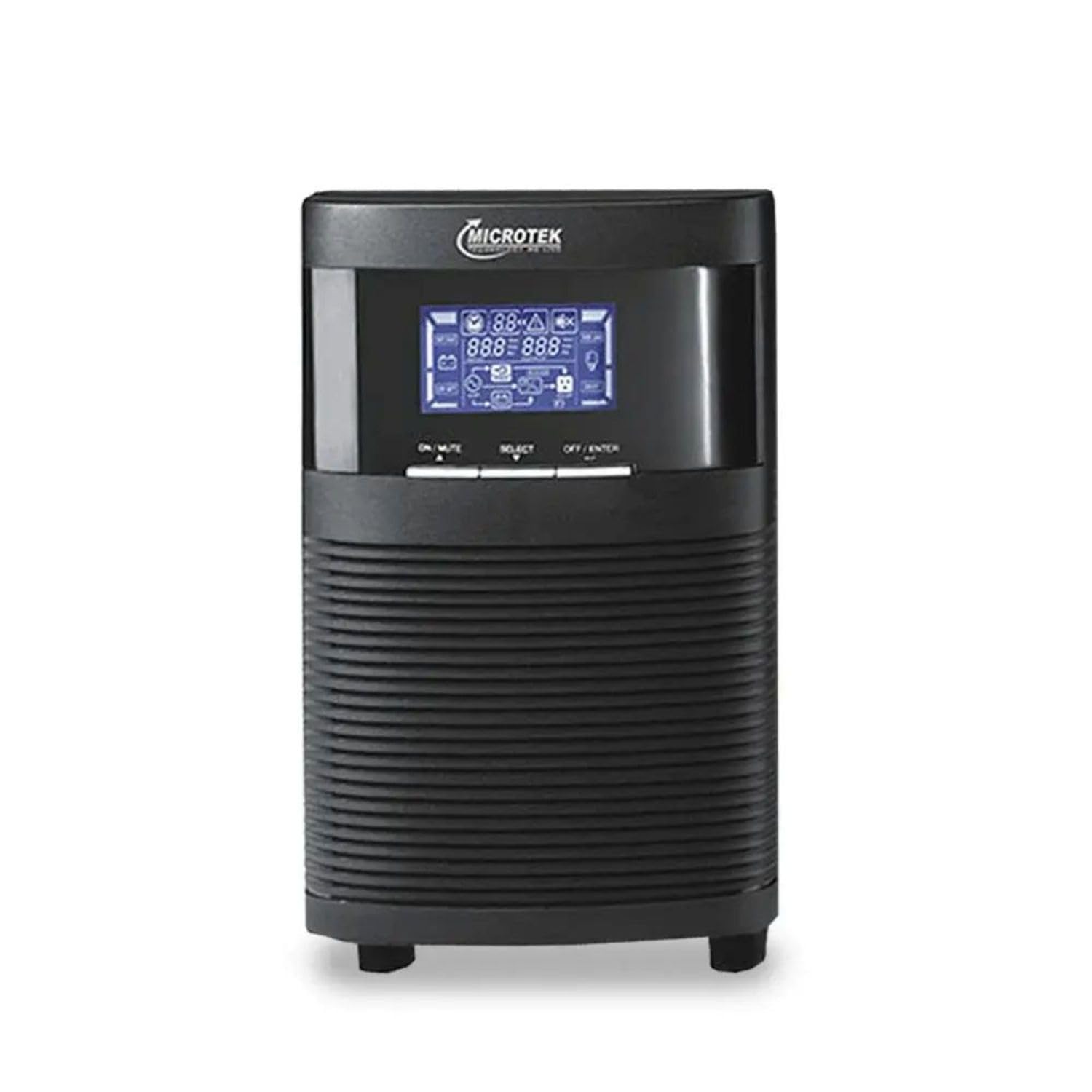
Image: The MICROTEK Online UPS E2-1KVA, showcasing its compact design and the illuminated LCD display. The display provides critical information such as input/output voltage, battery status, and load, which are essential for monitoring the UPS's performance.
7. Maintenance
Proper maintenance extends the life and reliability of your UPS:
- Battery Care: Keep the UPS connected to AC power to ensure batteries remain charged. Avoid frequent deep discharges. If the UPS is stored for an extended period, recharge it every 3 months for at least 8 hours.
- Cleaning: Regularly clean the exterior of the UPS with a soft, dry cloth. Do not use liquid or aerosol cleaners. Ensure ventilation openings are free from dust and obstructions.
- Ventilation: Ensure the UPS has adequate ventilation. Do not block the air vents. Overheating can reduce performance and lifespan.
- Self-Test: Periodically perform a self-test (if available via the control panel or software) to check battery health.
8. Troubleshooting
Refer to the table below for common issues and their solutions:
| Problem | Possible Cause | Solution |
|---|---|---|
| UPS does not turn on | No AC input power; Low battery; UPS fault | Check AC power cord connection; Allow UPS to charge for 8 hours; Contact service. |
| UPS beeps continuously in online mode | Overload condition | Reduce connected load; Disconnect non-essential devices. |
| Short backup time | Batteries not fully charged; Batteries nearing end of life | Allow UPS to charge for 8 hours; Consider battery replacement (contact service). |
| UPS fan is noisy | Normal operation under load; Dust in fan; Fan fault | Some fan noise is normal; Clean vents; If excessive, contact service. |
| UPS displays a fault code | Internal error | Note the fault code and contact MICROTEK customer support. |
9. Specifications
Detailed technical specifications for the MICROTEK Online UPS E2-1KVA:
| Specification | Value |
|---|---|
| Brand | MICROTEK |
| Model Number | Online UPS E2-1KVA |
| Product Dimensions (D x W x H) | 36D x 23W x 32.5H Centimeters |
| Item Weight | 10.4 Kilograms |
| Input Voltage | 24 Volts |
| Output Voltage | 12 Volts |
| Maximum Power / Output Wattage | 800 Watts |
| Battery Cell Composition | Lead Acid |
| Battery Cell Type | Lead Acid |
| Amperage | 9 Amps (per battery, 12V 9Ah x 2) |
| Form Factor | Rack (Note: Product image suggests tower, but spec says Rack. User should verify.) |
| Connector Type | NEMA, IEC 320 |
| Colour | black |
10. Warranty and Support
Your MICROTEK Online UPS E2-1KVA comes with a manufacturer's warranty and options for extended protection.
- Manufacturer Warranty: This product includes a 2 Year Manufacturer Warranty. Please refer to the warranty card included in your package for specific terms and conditions.
- Extended Warranty Options: Additional extended warranty plans may be available for purchase from third-party providers. Examples include:
- Onsitego 1 Year Extended Warranty
- Onsitego 2 Year Extended Warranty
- 1 Year Extended warranty by Acko
- Customer Support: For technical assistance, warranty claims, or service inquiries, please contact MICROTEK customer support. Refer to the contact information provided on the warranty card or the official MICROTEK website.

