
1. Introduction
This instruction manual provides important information for the safe and efficient operation of your UU INFANT Baby Monitor, Model SM35. Please read this manual thoroughly before using the product and retain it for future reference.
2. Package Contents
- Parent Unit (Monitor with 3.5" LCD Screen)
- Baby Unit (Camera)
- Power Adapter for Parent Unit
- Power Adapter for Baby Unit
- User Manual
3. Product Features
The UU INFANT Baby Monitor SM35 is designed to provide reliable monitoring of your baby with a range of convenient features:
- 3.5-inch LCD Screen: Clear display for real-time video monitoring.
- Digital Camera: Provides a secure and private connection.
- Infrared Night Vision: Automatic activation in low-light conditions for clear viewing at night.
- Two-Way Talk Back: Allows you to communicate with your baby remotely.
- Lullabies: Built-in melodies to soothe your baby.
- Temperature Monitoring: Displays the room temperature in your baby's environment.
- Long Range: Offers an extended operational range for flexible monitoring.
- 2X Digital Zoom: Magnify the video feed for a closer look.
- Expandable Cameras: Supports connection with additional camera units (sold separately).
- Feeding Clock: Helps parents keep track of feeding schedules.
- ECO Sound Activated Mode: Conserves battery by activating the screen and sound only when noise is detected.
- Rechargeable Battery: The parent unit features a built-in rechargeable battery for portability.
- Adjustable Camera Angle: The baby unit can be manually adjusted 360 degrees horizontally and 60 degrees vertically.

Image: The parent unit (monitor) and baby unit (camera) of the UU INFANT Baby Monitor, illustrating key features such as two-way talk, 2X digital zoom, expandable cameras, and feeding clock.

Image: A close-up of the baby unit (camera) highlighting features like lullabies, temperature monitoring, ECO sound activated mode, long-distance connection, and night vision.
4. Setup
4.1 Charging the Parent Unit
- Connect the smaller end of the parent unit's power adapter to the charging port on the parent unit.
- Plug the larger end of the power adapter into a standard electrical outlet.
- Charge the parent unit for at least 8 hours before initial use to ensure optimal battery performance. The battery indicator on the screen will show charging status.
4.2 Positioning the Baby Unit (Camera)
- Place the baby unit in a location that provides a clear view of your baby's crib or sleeping area. Ensure it is at least 3 feet (1 meter) away from the baby to avoid potential hazards.
- Adjust the camera angle manually to achieve the desired viewing area. The camera offers 360-degree horizontal rotation and 60-degree vertical tilt.
- Plug the baby unit's power adapter into a standard electrical outlet. The baby unit requires continuous power to operate.
- Ensure the power cords are out of reach of children.
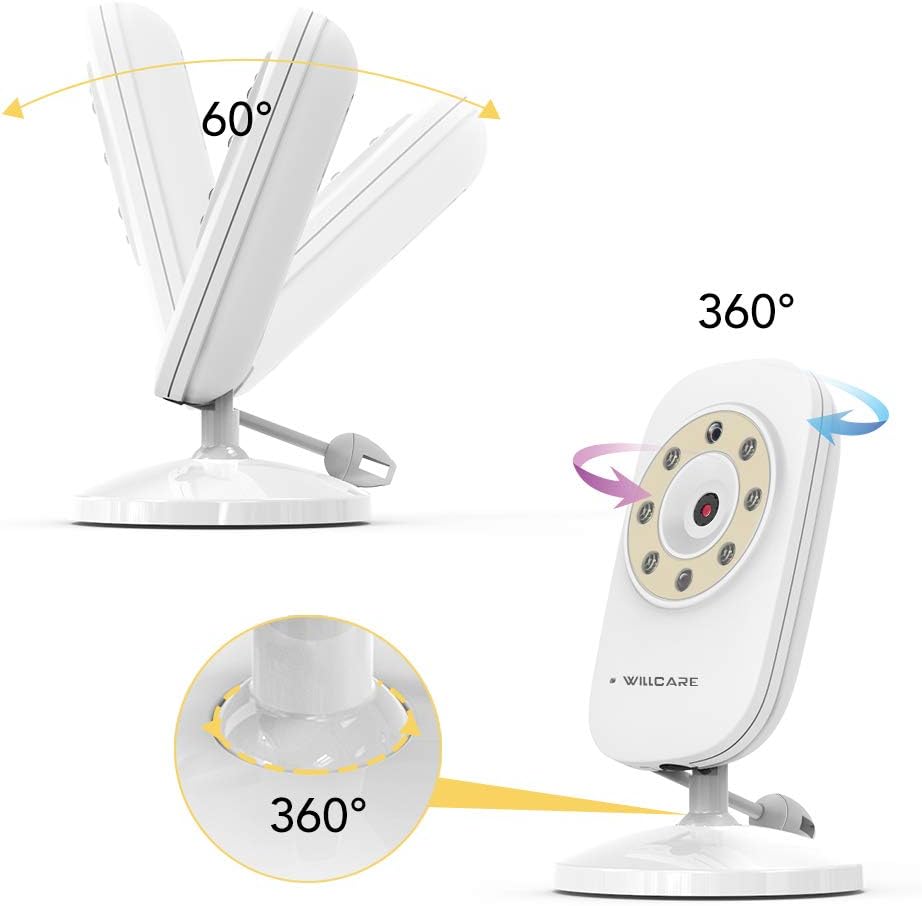
Image: The baby unit (camera) demonstrating its 360-degree horizontal rotation and 60-degree vertical tilt capabilities for optimal positioning.
4.3 Initial Connection
The parent unit and baby unit are pre-paired at the factory. Once both units are powered on and within range, they should automatically establish a connection. If no connection is established, ensure both units are powered on and within range. Refer to the Troubleshooting section if issues persist.
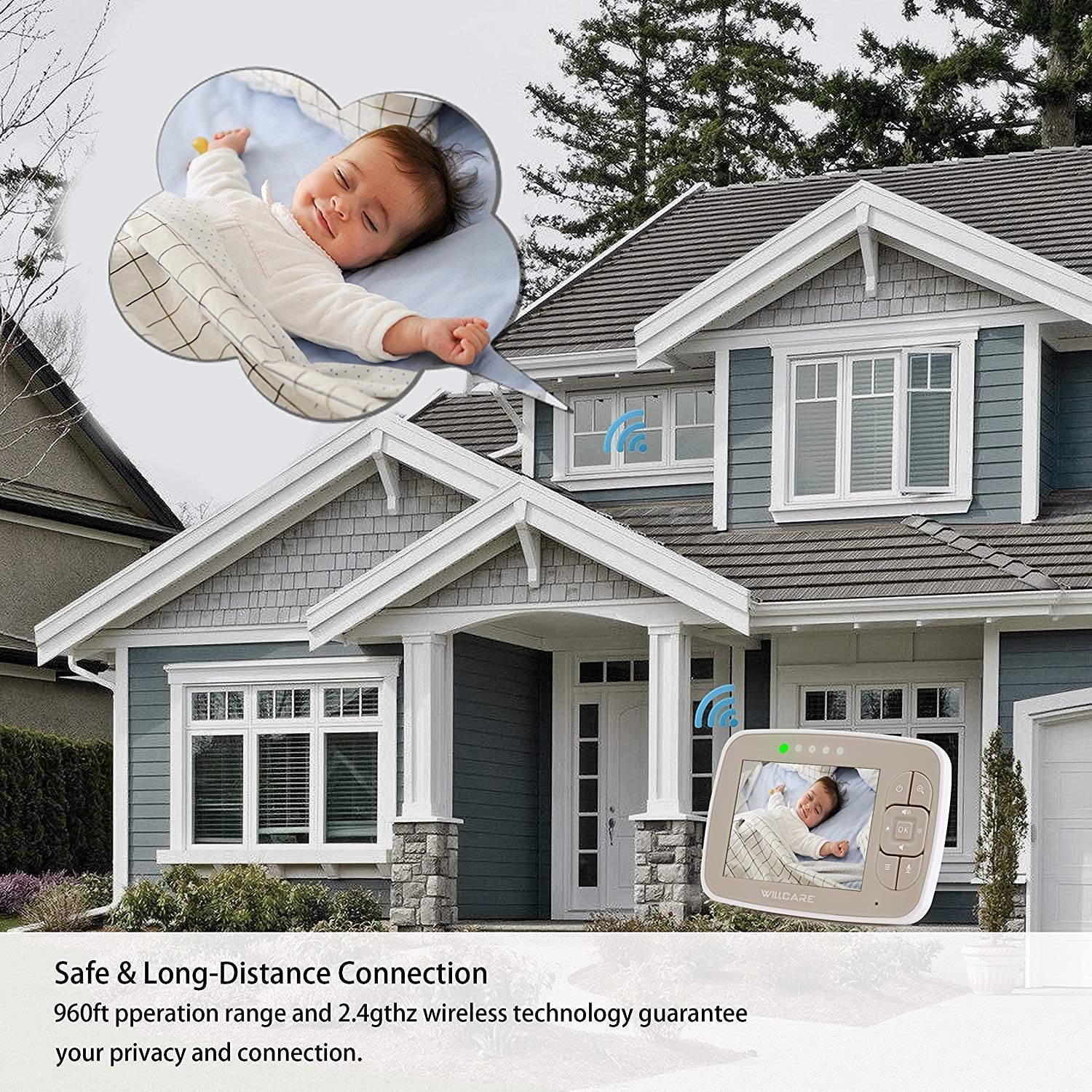
Image: An illustration depicting the long-distance connection capability of the baby monitor, showing the parent unit inside a house and the baby unit in a nursery, maintaining a signal over a significant range.
5. Operating Instructions
5.1 Power On/Off
- To power on the parent unit, press and hold the Power button until the screen illuminates.
- To power off, press and hold the Power button again until the screen turns off.
- The baby unit powers on automatically when plugged into an electrical outlet.
5.2 Adjusting Volume
Use the Volume Up and Volume Down buttons on the parent unit to adjust the audio level from the baby unit.
5.3 Two-Way Talk
Press and hold the Talk button on the parent unit to speak to your baby through the baby unit's speaker. Release the button to stop talking.
5.4 Night Vision
The infrared night vision feature activates automatically in low-light conditions, providing a clear black-and-white image of your baby. No manual adjustment is required.
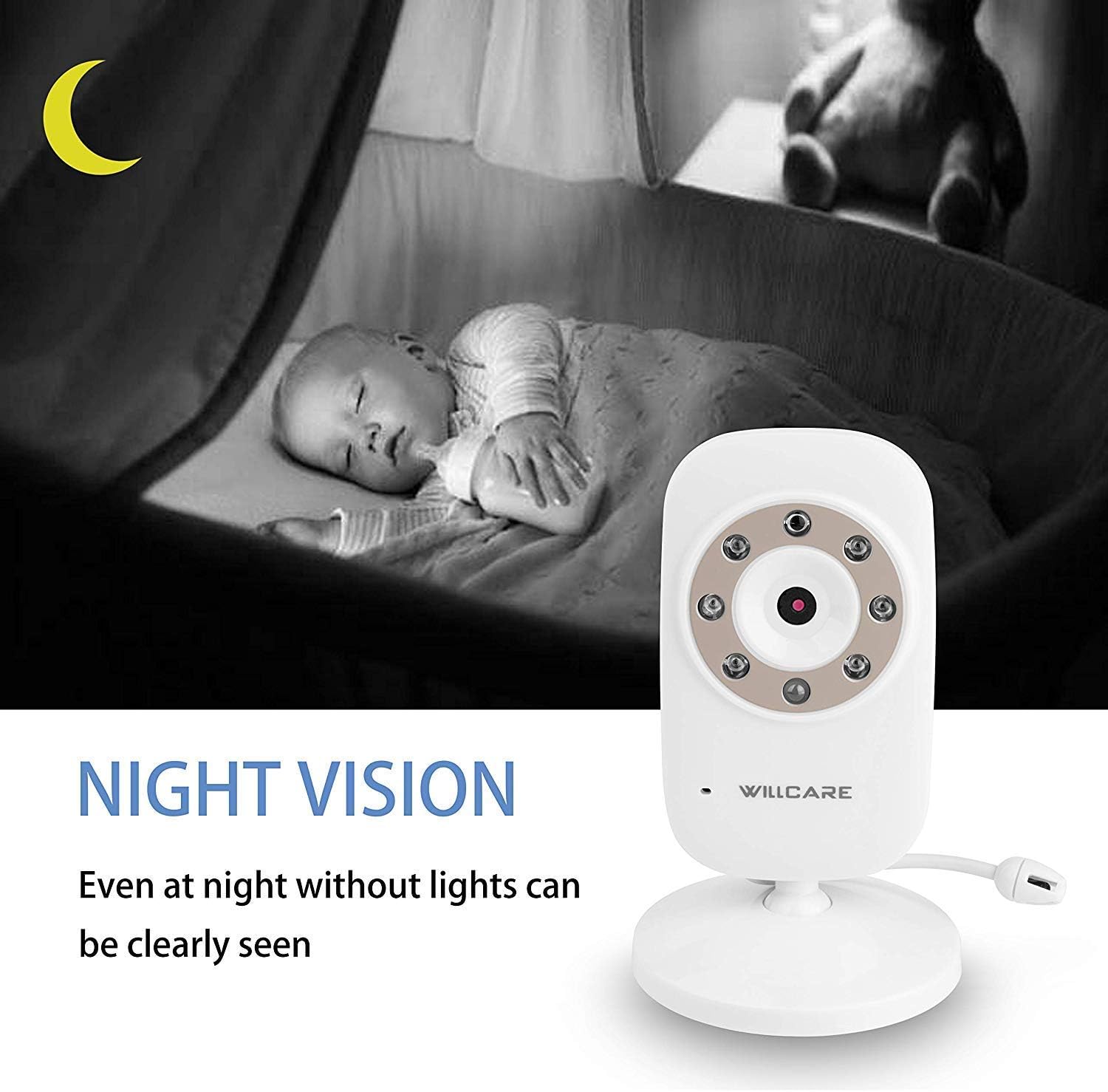
Image: The baby unit (camera) positioned in a nursery at night, demonstrating its infrared night vision capability to provide a clear view of a sleeping baby even in darkness.
5.5 Digital Zoom
Press the Zoom button on the parent unit to activate the 2X digital zoom. Press again to return to the normal view.
5.6 Playing Lullabies
Access the menu on the parent unit to select and play built-in lullabies. You can choose from several melodies to help soothe your baby.
5.7 Temperature Monitoring
The parent unit displays the real-time temperature of the baby's room, as detected by the baby unit. This helps ensure a comfortable environment for your baby.
5.8 Setting Feeding Clock
Navigate through the parent unit's menu to set a feeding reminder. This feature helps you maintain a consistent feeding schedule for your baby.
5.9 ECO Mode
Activate ECO mode via the parent unit's menu. In this mode, the screen and sound will turn off to conserve battery. The unit will automatically reactivate when noise is detected in the baby's room.
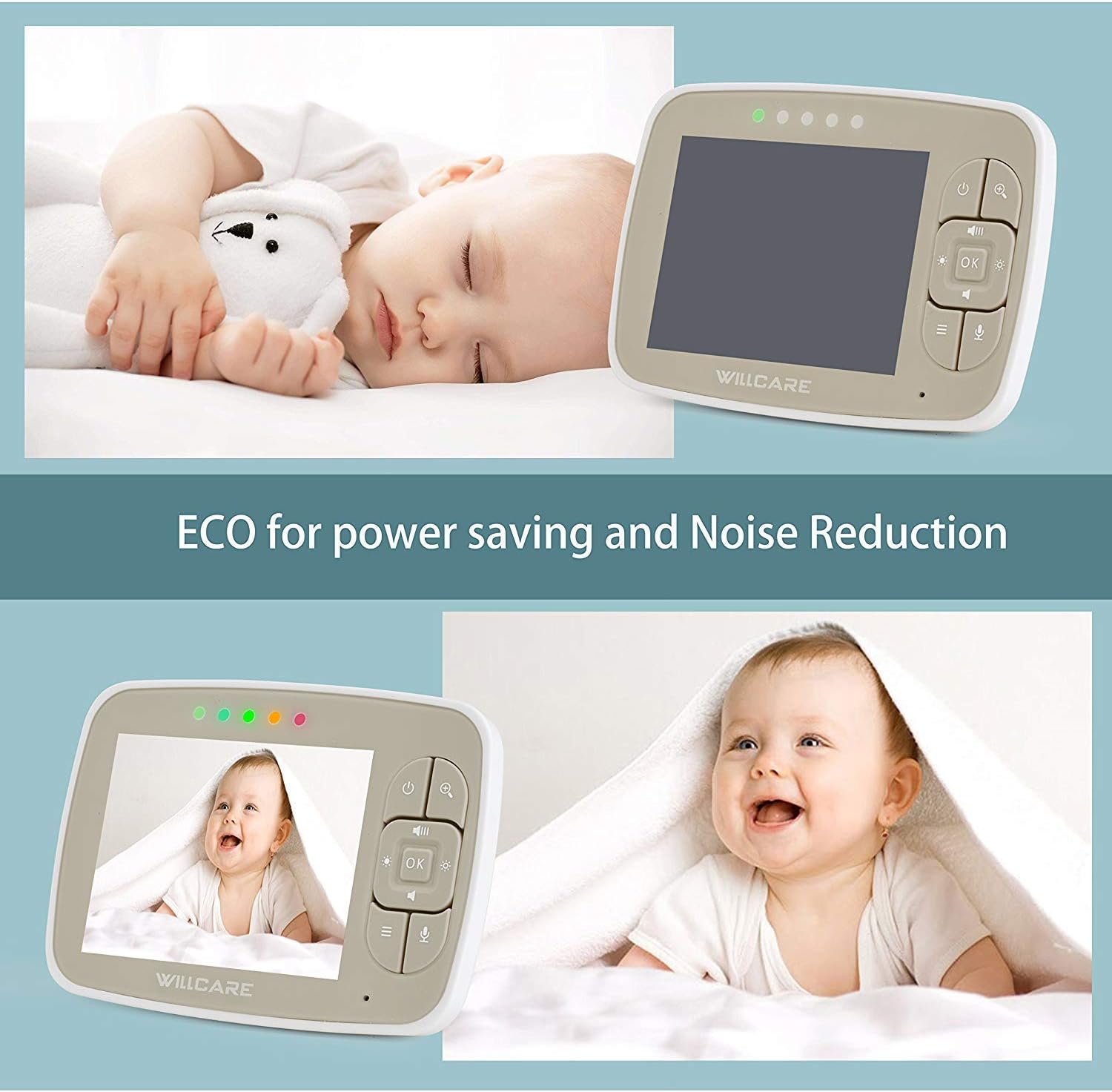
Image: The parent unit displaying a sleeping baby, illustrating the ECO mode feature for power saving and noise reduction, where the screen can turn off and activate upon sound detection.
6. Maintenance
- Clean the monitor and camera units with a soft, dry cloth. Do not use abrasive cleaners or solvents.
- Ensure the camera lens is clean for optimal image quality.
- Keep the units away from water and direct sunlight.
- If storing the unit for an extended period, fully charge the parent unit's battery and store it in a cool, dry place.
7. Troubleshooting
| Problem | Possible Cause | Solution |
|---|---|---|
| No image/sound on parent unit | Units are not powered on; Out of range; Battery low. | Ensure both units are plugged in and powered on. Move parent unit closer to baby unit. Charge parent unit. |
| Poor image quality | Camera lens is dirty; Insufficient lighting; Out of range. | Clean camera lens. Ensure adequate lighting (night vision should activate automatically in darkness). Move parent unit closer. |
| Static or interference | Other electronic devices nearby; Out of range. | Move the monitor away from other electronic devices (e.g., Wi-Fi routers, microwaves). Move parent unit closer to baby unit. |
| Parent unit battery drains quickly | Frequent use of features; Battery degradation over time. | Reduce screen brightness. Use ECO mode. Ensure full charge before use. Battery life naturally decreases over time. |
| No two-way talk functionality | Talk button not pressed; Volume too low. | Ensure the Talk button is pressed and held during communication. Check parent unit volume settings. |
8. Specifications
- Model: SM35
- Screen Size: 3.5 Inches
- Connectivity Technology: Wireless (2.4GHz FHSS)
- Video Capture Resolution: 720p
- Low Light Technology: Infrared Night Vision
- Zoom Type: Digital (2X)
- Power Source: AC/DC (Parent Unit: Rechargeable Battery, Baby Unit: AC Power)
- Operating Range: Up to 960ft (outdoor, line of sight)
- Temperature Monitoring: Yes
- Two-Way Talk: Yes
- Lullabies: Yes
- ECO Mode: Yes
- Mounting Type: Wall Mountable (Baby Unit)
- Item Weight: 15.2 ounces
- Package Dimensions: 7.5 x 5.9 x 2.9 inches
9. Warranty and Support
The UU INFANT Baby Monitor SM35 typically comes with a 1-year limited warranty from the date of purchase, covering manufacturing defects. Please retain your proof of purchase for warranty claims.
For technical support, troubleshooting assistance, or warranty inquiries, please contact UU INFANT customer service. Refer to the product packaging or the manufacturer's official website for the most current contact information.