
Introduction
This manual provides instructions for the CARMATOR Universal Garage Door Opener Remote. This remote is designed to operate garage door openers equipped with a Red or Orange learn button, manufactured between 1997 and 2007, operating at 390 MHz. Please read these instructions carefully before attempting to program or use your new remote control.
Package Contents
Your CARMATOR Universal Garage Door Opener Remote package includes the following items:
- Remote Control
- Visor Clip
- Battery (pre-installed in remote control)
- User Manual (this document)

Image: The CARMATOR remote control, a metal visor clip, a small round battery, and a sheet of programming instructions, indicating all items included with purchase.
Compatibility
This remote control is compatible with garage door openers that feature a Red or Orange learn button. These systems typically operate at 390 MHz and were manufactured between 1997 and 2007.
Compatible with:
- Craftsman Garage Door Openers: Models 00953680000, 00953681000, and others with Red/Orange learn buttons.
- Liftmaster Garage Door Openers: Models 971LM, 973LM, 91LM, 92LM, 94LM, 96LM, 970LM, 972LM, 973W, 974LM, and others with Red/Orange learn buttons.
- Chamberlain Garage Door Openers: Models 950CB, 953CB, 956CB, and others with Red/Orange learn buttons.
- Specific Models: 139.53661, 139.53662, 139.53663, 139.53664, 139.53670, 139.53671, 139.53672, 139.53673, 139.53674, 139.53675, 139.53677, 139.53680, 139.53681, 139.53682, 139.53683, 139.53684, 139.53910, 139.53914, 139.53923, 139.53927, 139.53954, 139.53961, 139.53962, 139.53963, 139.53964, 139.53966, 139.53974, 139.53975, 139.53976, 139.53977, 139.53978, 139.53982, 139.53985, 139.53990, 139.53991, 139.53992, 139.53995.
Important: This remote will only work with garage door openers that have a Red or Orange learn button. It is not compatible with other learn button colors (e.g., Purple, Yellow, Green) or newer systems.

Image: A visual guide indicating that the remote is compatible with garage door openers featuring a Red or Orange learn button, typically from 1997 to 2005, operating at 390 MHz.
Setup and Programming Instructions
Follow these steps to program your CARMATOR Universal Garage Door Opener Remote to your garage door opener. You will need a ladder to access the motor unit.

Image: A diagram illustrating the three steps for programming the remote, showing a person on a ladder pressing the learn button on the motor unit and then pressing the remote button.
- Step 1: Locate the Learn Button
Locate the Smart/Learn button on the back of the motor unit hanging in your garage. This button will be Red or Orange. - Step 2: Activate Learn Mode
Press and immediately release the Learn button on the motor unit. The learn indicator light on the motor unit will glow steadily for 30 seconds or less. - Step 3: Program the Remote
Within 30 seconds of activating learn mode, press and hold the button on the remote control that you wish to use. Release the button when the garage door opener lights blink once or twice, or when two clicks are heard. This indicates successful programming. The remote control is now ready to use.
Note:
- If you have more than one garage door, you can program the other two buttons on the remote control by repeating these steps for each additional door.
- Ensure you are within range of the garage door opener motor unit during programming.
Operating Instructions
Once programmed, operating your garage door opener with the CARMATOR remote is straightforward:
- Press the programmed button on the remote control.
- The garage door will begin to open or close.
- Pressing the button again while the door is in motion will stop the door.
- Pressing the button a third time will reverse the door's direction.

Image: A close-up front view of the black CARMATOR remote control, featuring one large and two smaller white circular buttons for operation.
The included visor clip allows for convenient storage and access in your vehicle.
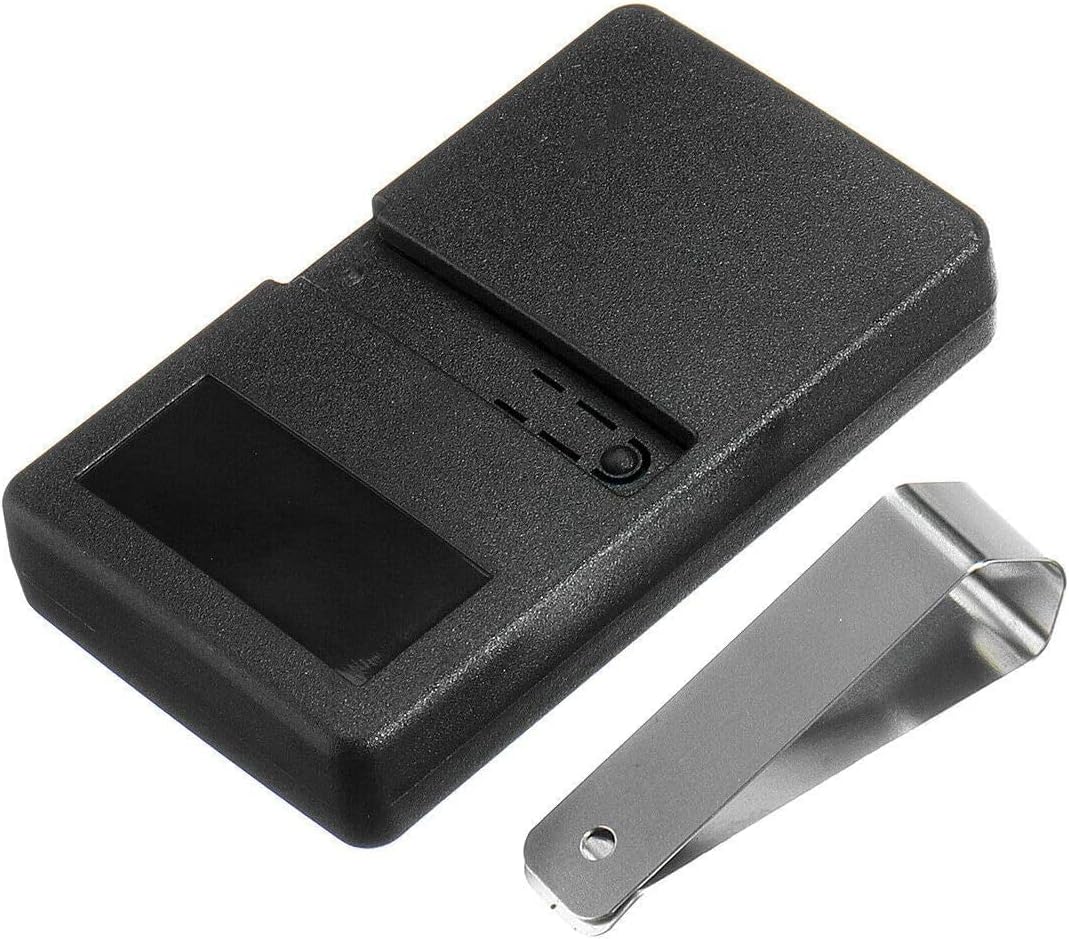
Image: The back of the CARMATOR remote control, showing the attached metal visor clip designed for securing the remote to a car's sun visor or belt.
Maintenance
Battery Replacement
The remote control uses a CR2032 coin cell battery, which is pre-installed. When the remote's range decreases or it stops responding, it may be time to replace the battery.
- Locate the battery compartment on the back of the remote.
- Use a small coin or screwdriver to gently pry open the compartment cover.
- Remove the old CR2032 battery.
- Insert a new CR2032 battery with the positive (+) side facing up.
- Replace the compartment cover, ensuring it snaps securely into place.
Caution: Dispose of old batteries properly according to local regulations. Keep batteries out of reach of children.
Troubleshooting
If you encounter issues with your CARMATOR Universal Garage Door Opener Remote, refer to the following common problems and solutions:
- Remote does not program:
- Ensure your garage door opener has a Red or Orange learn button and was manufactured between 1997-2007. This remote is not compatible with other learn button colors or newer systems.
- Verify that you are pressing and releasing the learn button on the motor unit quickly, and then pressing and holding the remote button within 30 seconds.
- Check the remote's battery. Replace if necessary.
- Ensure you are within close proximity to the garage door opener motor unit during programming.
- Remote has poor range or intermittent operation:
- Replace the battery in the remote control.
- Check for sources of interference, such as other electronic devices or large metal objects near the garage door opener antenna.
- Ensure the antenna wire on the garage door opener motor unit is hanging freely and not cut or damaged.
- Remote stops working after programming:
- Re-attempt the programming steps carefully.
- Check the battery.
- If the issue persists, the remote may be incompatible with your specific opener model despite having a Red/Orange learn button. Refer to the detailed compatibility list or contact support.
Specifications
| Feature | Detail |
|---|---|
| Brand | CARMATOR |
| Compatible Learn Button Colors | Red, Orange |
| Compatible Manufacturing Years | 1997 - 2007 |
| Frequency | 390 MHz |
| Number of Buttons | 3 |
| Battery Type | CR2032 Coin Cell (pre-installed) |
| Color | Black |
| Item Weight | 1.9 ounces |
| Package Dimensions | 5.59 x 2.8 x 1.3 inches |
Warranty Information
For specific warranty details regarding your CARMATOR Universal Garage Door Opener Remote, please refer to the manufacturer's official website or contact their customer support directly. Warranty terms and conditions may vary.
Support
If you require further assistance or have questions not covered in this manual, please contact CARMATOR customer support through their official channels. Contact information can typically be found on the product packaging or the manufacturer's website.


