
1. Introduction
This manual provides instructions for the FERLABEL remote control, designed for compatibility with Eliminocode Visel TD2, TD3, TD4, KITELI2, KITELI7, MD2, and MD3 systems. Please read this manual carefully before use to ensure proper operation and longevity of your device.
Important Note: Before ordering, it is recommended to contact the seller or manufacturer to verify compatibility with your specific visor or closing system.
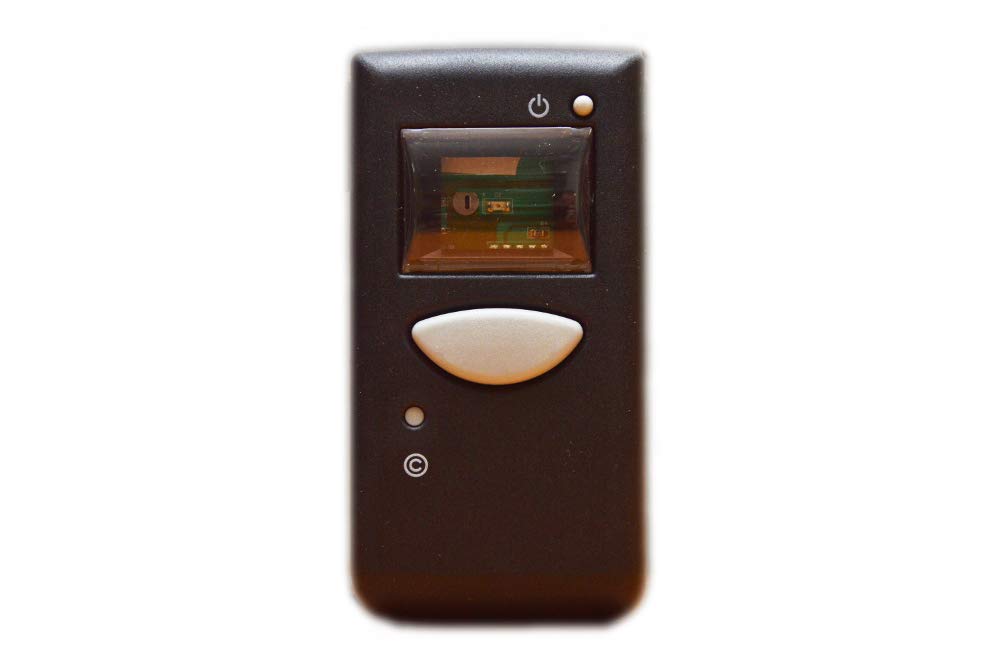
Image 1.1: The FERLABEL remote control. This black remote features three distinct buttons for operation and a red LED indicator light, typically used to confirm signal transmission.
2. Setup
2.1 Battery Installation
The remote control requires one 9V Alkaline battery, which is included. To install or replace the battery:
- Locate the battery compartment cover on the back of the remote control.
- Slide or unclip the cover to open the compartment.
- Insert the 9V Alkaline battery, ensuring the positive (+) and negative (-) terminals align correctly with the markings inside the compartment.
- Close the battery compartment cover securely.
2.2 Pairing with Your System
This remote control operates via infrared technology and must be paired or programmed with your specific Eliminocode Visel system (TD2, TD3, TD4, KITELI2, KITELI7, MD2, or MD3). The exact pairing procedure varies depending on your system model.
Please refer to the instruction manual provided with your Eliminocode Visel system for detailed pairing instructions. Typically, this involves placing the system into a programming mode and then activating the remote control within a specific timeframe.
3. Operating the Remote Control
3.1 Basic Operation
Once paired, the remote control functions through button presses. Each button is typically assigned a specific command for your Eliminocode Visel system.
- Press and Hold: For some functions, you may need to press and hold a button for a few seconds.
- Line of Sight: As an infrared device, the remote requires a clear line of sight to the receiver on your Eliminocode Visel system. Obstructions can block the signal.
- LED Indicator: The red LED on the remote control will illuminate when a button is pressed, indicating that a signal is being transmitted.
3.2 Operating Range
The maximum effective operating range for this remote control is approximately 10 meters (33 feet). This range can be affected by environmental factors, battery level, and obstructions between the remote and the receiver.
4. Maintenance
4.1 Battery Replacement
Replace the 9V Alkaline battery when the remote control's performance degrades, such as reduced range or inconsistent operation, or when the LED indicator fails to light up during button presses. Refer to Section 2.1 for battery installation instructions.
4.2 Cleaning
To clean the remote control, use a soft, dry cloth. Do not use abrasive cleaners, solvents, or wet cloths, as these can damage the device or its electronic components.
4.3 Storage
Store the remote control in a cool, dry place away from direct sunlight and extreme temperatures. If storing for an extended period, it is advisable to remove the battery to prevent leakage.
5. Troubleshooting
| Problem | Possible Cause | Solution |
|---|---|---|
| Remote control not working. |
|
|
| Reduced operating range. |
|
|
| LED indicator not lighting up. |
|
|
6. Specifications
| Brand | FERLABEL |
| Model Compatibility | Eliminocode Visel TD2, TD3, TD4, KITELI2, KITELI7, MD2, MD3 |
| Power Source | 1 x 9V Alkaline battery (included) |
| Connectivity Technology | Infrared |
| Controller Type | Button control |
| Maximum Range | 10 meters (33 feet) |
| Color | Black |
| Special Features | Ergonomic design |
| ASIN | B07J5MWM4M |
| GTIN / UPC | 637913280580 |
| Manufacturer | FERLABEL |
7. Support and Warranty
For technical assistance, compatibility inquiries, or warranty information, please contact your retailer or the manufacturer directly. Keep your purchase receipt as proof of purchase.
Manufacturer: FERLABEL