
ICY BOX IB-247-C31
ICY BOX 2.5" External Enclosure IB-247-C31 User Manual
Model: IB-247-C31
Introduction
This manual provides detailed instructions for the setup, operation, and maintenance of your ICY BOX 2.5" External Enclosure, model IB-247-C31. Please read this manual thoroughly before using the product to ensure proper functionality and longevity.
The IB-247-C31 is designed to house 2.5" SATA hard drives and SSDs, leveraging USB 3.1 Gen 2 (10 Gbps) Type-C connectivity for high-speed data transfer. Its robust aluminum construction ensures durability and efficient heat dissipation.
Package Contents
Verify that all items listed below are present in your package:
- 1x ICY BOX IB-247-C31 External Enclosure
- 1x USB-C to USB-C Cable
- 1x Screwdriver
- 4x Rubber Feet
- 1x Quick Start Guide

Figure 1: Contents of the IB-247-C31 package.
Setup
Follow these steps to install your 2.5" SATA HDD or SSD into the enclosure.
- Prepare the Enclosure: Using the provided screwdriver, carefully remove the four small screws from the bottom plate of the enclosure. Gently lift off the bottom plate.
- Insert the Drive: Carefully slide your 2.5" SATA HDD or SSD into the enclosure, ensuring the SATA connector on the drive aligns with and connects to the enclosure's internal SATA interface.
- Secure the Enclosure: Replace the bottom plate and re-insert the four screws. Tighten them gently to secure the drive within the enclosure.
- Apply Rubber Feet: Attach the four rubber feet to the designated spots on the bottom of the enclosure. These provide stability and prevent scratching surfaces.

Figure 2: Enclosure with bottom plate removed, revealing the internal PCB.

Figure 3: Installing a 2.5" drive into the enclosure.
Operating Instructions
Once the drive is installed, connect the enclosure to your computer.
- Connect to Computer: Use the provided USB-C cable to connect the enclosure's USB-C port to a compatible USB-C port on your computer.
- Power On and Recognition: The enclosure is bus-powered and does not require an external power adapter. Upon connection, the integrated blue LED will illuminate, indicating power. Your operating system (Windows, macOS) should automatically detect the new storage device.
- Data Transfer: You can now access the drive for reading and writing data. The USB 3.1 Gen 2 interface supports data transfer rates up to 10 Gbps, enabling fast copying of large files. The blue LED will blink during data access.
- Safe Removal: Always safely eject the drive from your operating system before disconnecting the USB cable to prevent data corruption.

Figure 4: Enclosure connected to a laptop.
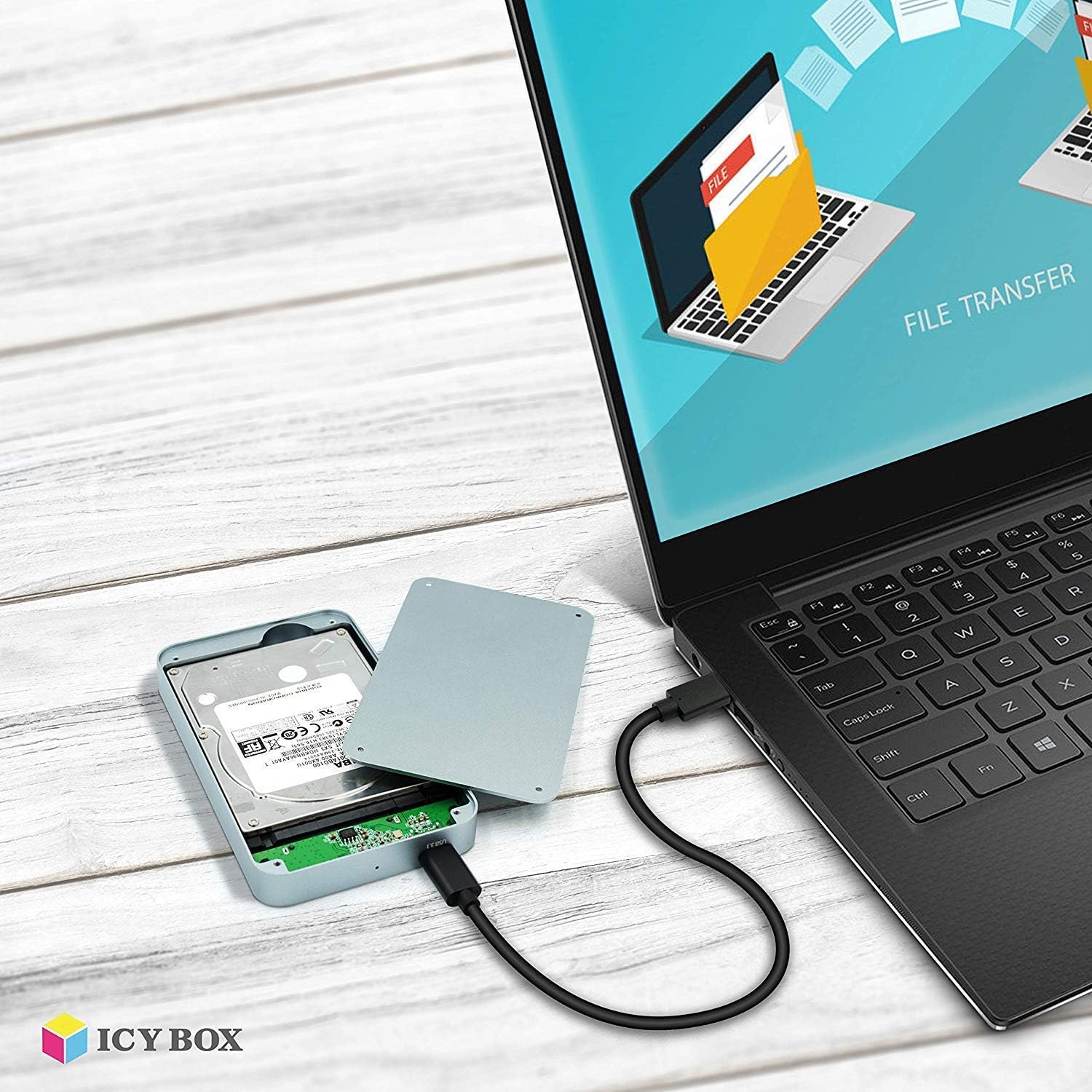
Figure 5: Data transfer in progress with the enclosure.
Maintenance
Proper maintenance ensures the longevity of your enclosure and the safety of your data.
- Cleaning: Use a soft, dry cloth to clean the aluminum surface. Avoid abrasive cleaners or solvents.
- Storage: When not in use, store the enclosure in a cool, dry place away from direct sunlight and extreme temperatures.
- Handling: Handle the enclosure with care. While robust, dropping it can damage the internal drive or electronics.
- Firmware Updates: Periodically check the ICY BOX official website for any available firmware updates for the IB-247-C31 model.
Troubleshooting
If you encounter issues, refer to the following common problems and solutions:
| Problem | Possible Cause | Solution |
|---|---|---|
| Enclosure not detected by computer. |
|
|
| Slow data transfer speeds. |
|
|
| Blue LED not illuminating. |
|
|
Specifications
| Feature | Detail |
|---|---|
| Model | IB-247-C31 |
| Material | Aluminum |
| Compatible Drive Type | 2.5" SATA HDD/SSD (SATA I/II/III) |
| Max Drive Height | Up to 9.5 mm |
| External Interface | USB 3.1 Gen 2 Type-C |
| Data Transfer Rate | Up to 10 Gbps |
| Internal Interface | SATA III (6 Gbps) |
| Supported Operating Systems | Windows, macOS |
| Features | UASP Support, Plug & Play, HotSwap, LED Indicator |
| Dimensions (LxWxH) | 5.2"L x 2.95"W x 0.55"H |
| Weight | 4.2 ounces (0.12 Kilograms) |
Warranty and Support
ICY BOX products are designed for reliability and performance. For warranty information and technical support, please refer to the official ICY BOX website or contact their customer service directly.
Manufacturer: RaidSonic Technology GmbH
EU Spare Part Availability Duration: 1 Year
For further assistance, visit the Official ICY BOX Store on Amazon.
Related Documents - IB-247-C31
 |
ICY BOX IB-382H-C31 USB Type-C Enclosure with USB Hub - User Manual User manual and safety information for the ICY BOX IB-382H-C31, a USB 3.1 Gen2 Type-C enclosure for 2.5" or 3.5" HDD/SSD with an integrated USB hub. Learn about setup, features, compatibility, and safety precautions. |
 |
ICY BOX IB-1817MC-C31: External M.2 NVMe/SATA SSD Enclosure Quick Installation Guide Comprehensive guide for the ICY BOX IB-1817MC-C31 external M.2 NVMe and SATA SSD enclosure. Learn about installation, features, safety, and usage with USB Type-C connectivity. |
 |
ICY BOX IB-289-C3 Manual: USB Type-C Enclosure with Keypad Encryption Comprehensive manual for the ICY BOX IB-289-C3, a USB Type-C external enclosure featuring keypad encryption, AES hardware encryption, and toolless drive installation. Includes safety instructions, setup guide, and LED descriptions. |
 |
ICY BOX IB-246-C31-G Quick Installation Guide - USB 3.1 Gen 2 Type-C 2.5" SSD Enclosure Comprehensive quick installation guide for the ICY BOX IB-246-C31-G, a USB 3.1 Gen 2 Type-C external enclosure for 2.5-inch SSDs. Includes safety information, package contents, key features, system requirements, and installation steps. |
 |
ICY BOX IB-351AStU Series External 3.5" HDD Enclosure User Manual User manual for the ICY BOX IB-351AStU Series external enclosure for 3.5-inch HDDs. Covers features, installation, application, and package contents. |
 |
ICY BOX IB-3640 Series: 4-Bay External JBOD & RAID HDD Enclosures Explore the ICY BOX IB-3640 Series, external 4-bay JBOD and RAID enclosures designed for 3.5" SATA I/II/III HDDs. These enclosures feature trayless assembly, silent operation, and support for USB 3.0, eSATA, and Firewire interfaces, offering flexible and high-capacity storage solutions. |