
1. Introduction
This manual provides essential instructions for the safe and effective use of your Battery Hawk ELB1P201NB 1.2V 1500mAh NiCad battery. This battery is designed for use in emergency lighting and exit sign applications. Please read this manual thoroughly before installation and operation to ensure proper function and longevity of the product.
2. Safety Information
Always observe the following safety precautions:
- Correct Polarity: Ensure the battery is connected with the correct polarity. Incorrect connection can damage the battery and the device.
- Recycling: NiCad batteries must be recycled or disposed of properly. Do not dispose of in household waste. Consult local regulations for proper disposal.
- Voltage Compatibility: Use only with devices designed for 1.2V NiCad batteries.
- Storage: Store batteries in a cool, dry place away from direct sunlight and extreme temperatures.
- Handling: Do not puncture, open, or disassemble the battery. Avoid short-circuiting the terminals.
- Children: Keep batteries out of reach of children.
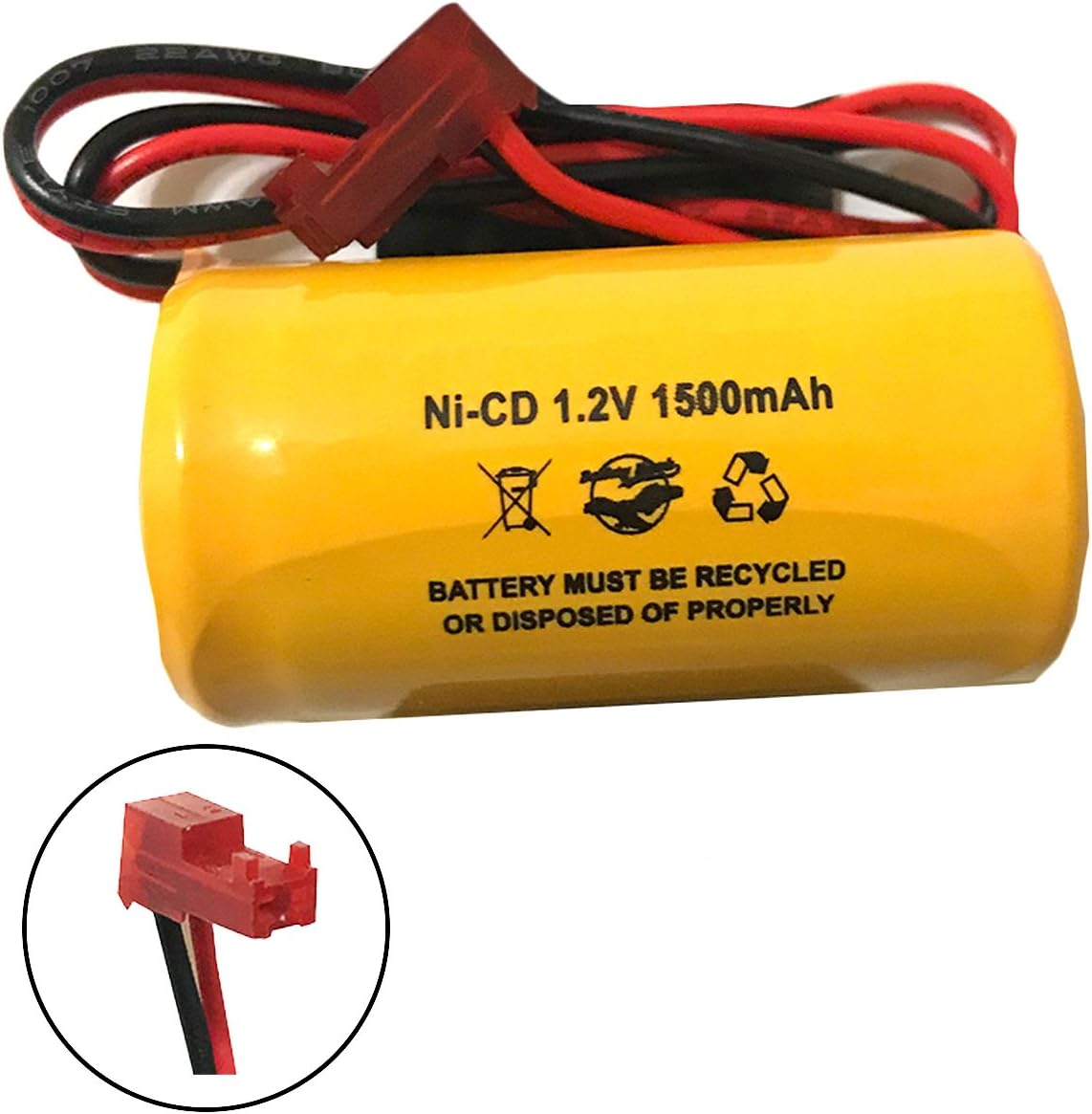
Figure 2.1: Illustration emphasizing the importance of correct polarity when connecting the battery. The image shows two circular insets, one with a correctly connected red and black wire to a red connector, and another with an incorrectly connected wire.
3. Product Overview
The Battery Hawk ELB1P201NB is a 1.2 Volt, 1500 mAh Nickel-Cadmium (NiCad) rechargeable battery pack. It features an 8-inch wire length with a proper connector, specifically designed for emergency and exit lighting applications.

Figure 3.1: The Battery Hawk ELB1P201NB NiCad battery, showing its yellow casing, specifications, and attached red connector with black and red wires.
Key Features:
- Voltage: 1.2 Volts
- Capacity: 1500 mAh
- Chemistry: NiCad
- Wire Length: 8 inches
- Connector: Standard wire connector for emergency lights
4. Installation (Setup)
Follow these steps to install the battery in your emergency light or exit sign:
- Power Disconnection: Before beginning, ensure the power supply to the emergency light or exit sign is completely disconnected. This is crucial for safety.
- Access Battery Compartment: Open the battery compartment of your emergency light or exit sign. Refer to your device's manual for specific instructions on accessing this compartment.
- Remove Old Battery: Carefully disconnect and remove the old battery. Note the orientation and connection type.
- Connect New Battery: Connect the new Battery Hawk ELB1P201NB battery. Ensure the red wire connects to the positive (+) terminal and the black wire connects to the negative (-) terminal. Verify correct polarity as shown in Figure 2.1.
- Secure Battery: Place the new battery securely within the compartment. Ensure wires are not pinched or damaged.
- Close Compartment: Close the battery compartment.
- Restore Power: Reconnect the power supply to the emergency light or exit sign.
- Initial Charge: Allow the battery to charge for at least 24 hours before its first use to ensure full capacity.

Figure 4.1: The Battery Hawk ELB1P201NB battery held in a hand, showing the top view with the connector and wires, ready for installation.
5. Operating
Once installed and fully charged, the Battery Hawk ELB1P201NB battery will automatically provide power to your emergency light or exit sign during a power outage. The device's charging circuit will maintain the battery's charge when utility power is available.
Testing Emergency Lights:
Regularly test your emergency lighting system according to local codes and manufacturer recommendations for the emergency light fixture. Typically, this involves:
- Monthly Test: Briefly interrupt the power supply to the fixture to ensure the emergency lights illuminate and remain on for at least 30 seconds.
- Annual Test: Interrupt the power supply for the full rated duration of the emergency light (e.g., 90 minutes) to ensure the battery provides adequate power for the required period.
6. Maintenance
Proper maintenance ensures the longevity and reliability of your NiCad battery:
- Regular Testing: Perform monthly and annual tests as described in the "Operating" section.
- Cleaning: Keep the battery and its terminals clean and free from dust or corrosion. Use a dry cloth for cleaning.
- Inspection: Periodically inspect the battery for any signs of damage, swelling, or leakage. If any issues are observed, replace the battery immediately.
- Replacement: NiCad batteries have a finite lifespan. Replace the battery when it no longer holds a charge for the required duration during testing. The typical lifespan for emergency lighting batteries is 3-5 years.
7. Troubleshooting
If your emergency light or exit sign is not functioning correctly after battery installation, consider the following:
| Problem | Possible Cause | Solution |
|---|---|---|
| Emergency light does not illuminate during power outage. |
|
|
| Emergency light illuminates but for a short duration. |
|
|
| Battery appears swollen or leaking. |
|
|
8. Specifications
| Feature | Detail |
|---|---|
| Model Number | ELB1P201N |
| Battery Chemistry | NiCad (Nickel Cadmium) |
| Voltage | 1.2 Volts |
| Capacity | 1500 mAh |
| Item Weight | 3.2 ounces |
| Wire Length | 8 inches (approximate) |
| Recommended Use | Emergency / Exit Lights |
9. Warranty and Support
For warranty information or technical support, please contact Battery Hawk directly. Refer to the official Battery Hawk website for the most current contact details and warranty terms.
Battery Hawk Website: Visit the Battery Hawk Store on Amazon