
1. Introduction
Thank you for choosing the MOTOSPEED Professional Gaming Mechanical Keyboard. This compact 87-key keyboard is designed for both gaming and professional use, featuring durable Outemu Red mechanical switches and vibrant RGB LED backlighting. This manual provides detailed instructions for setup, operation, maintenance, and troubleshooting to ensure optimal performance and longevity of your keyboard.

Figure 1.1: MOTOSPEED Professional Gaming Mechanical Keyboard (Pink)
2. Package Contents
Please verify that all items are present in your package:
- MOTOSPEED Professional Gaming Mechanical Keyboard
- User Manual (this document)
3. Specifications
| Feature | Description |
|---|---|
| Model Number | MSCK82-pink |
| Key Count | 87 Keys |
| Switch Type | Outemu Red Mechanical Switches |
| Keystroke Lifespan | Up to 50 million keystrokes |
| Backlighting | RGB LED (14 effects, 6 colors, 5 game modes) |
| Keycap Type | Double-shot injection molded |
| Anti-Ghosting | Full N-Key Rollover |
| Connectivity | Wired USB |
| Dimensions (L x W x H) | 13.78 x 5.24 x 1.18 inches |
| Weight | 1.94 pounds |
| Compatibility | WIN2000/XP/VISTA/WIN7/WIN8/WIN10 (MacOS not supported for programming software) |

Figure 3.1: Key Features Overview

Figure 3.2: Red Mechanical Switches Detail
4. Setup
The MOTOSPEED Professional Gaming Mechanical Keyboard is a plug-and-play device. Follow these steps for initial setup:
- Unpack the keyboard from its packaging.
- Connect the USB cable of the keyboard to an available USB port on your computer (PC or Mac).
- The operating system will automatically detect and install the necessary drivers. This may take a few moments.
- Once installation is complete, the keyboard is ready for use.
Note: While the keyboard is compatible with Mac, the dedicated programming software is not supported on MacOS. Please refer to the official MOTOSPEED website for software downloads if needed for Windows systems.
5. Operating Instructions
5.1. LED Backlighting Control
The keyboard features vibrant RGB LED backlighting with multiple effects and colors. Use the following key combinations to control the lighting:
- FN + INS: Cycle through 14 different stunning LED lighting effects.
- FN + DEL: Change the backlight color (6 colors available).
- FN + Arrow Up/Down: Adjust backlight brightness.
- FN + Arrow Left/Right: Adjust lighting effect speed.

Figure 5.1: RGB Lighting Modes
5.2. Multimedia Shortcuts
Access common multimedia functions quickly using the FN key in combination with the F-keys:
- FN + F1: My Computer
- FN + F2: Search
- FN + F3: Calculator
- FN + F4: Media Player
- FN + F5: Previous Track
- FN + F6: Next Track
- FN + F7: Play/Pause
- FN + F8: Stop
- FN + F9: Mute
- FN + F10: Volume Down
- FN + F11: Volume Up
- FN + F12: Lock Keyboard

Figure 5.2: Multimedia and Function Keys
5.3. Anti-Ghosting and N-Key Rollover
The keyboard supports full N-Key Rollover and anti-ghosting on all 87 keys. This ensures that every keystroke is registered accurately, even when multiple keys are pressed simultaneously, which is crucial for fast-paced gaming and typing.
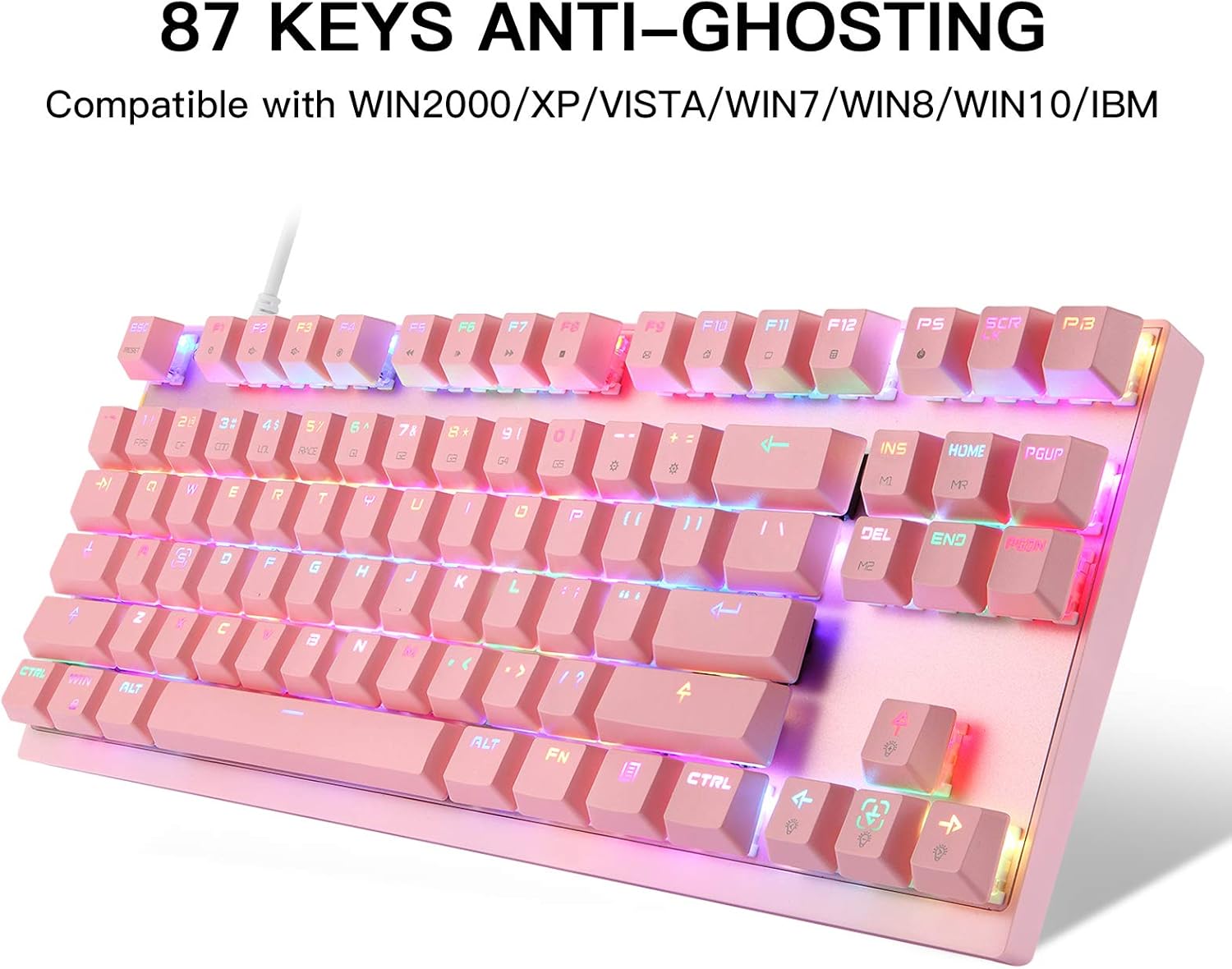
Figure 5.3: Anti-Ghosting Feature
5.4. Windows Key Lock
To prevent accidental presses of the Windows key during gaming, you can lock it using the following combination:
- FN + WIN: Locks or unlocks the Windows key.
6. Maintenance
Proper maintenance will extend the lifespan of your keyboard:
- Cleaning: Use a soft, dry cloth to wipe down the keyboard surface. For deeper cleaning, use compressed air to remove dust and debris from between the keycaps. Avoid using harsh chemicals or abrasive materials.
- Spills: In case of liquid spills, immediately unplug the keyboard from your computer. Invert the keyboard to drain excess liquid and allow it to dry completely for at least 24-48 hours before reconnecting.
- Storage: Store the keyboard in a cool, dry place away from direct sunlight and extreme temperatures when not in use for extended periods.
7. Troubleshooting
If you encounter any issues with your MOTOSPEED keyboard, please refer to the following common problems and solutions:
- Keyboard is not recognized by the computer:
- Ensure the USB cable is securely connected to both the keyboard and the computer.
- Try connecting the keyboard to a different USB port on your computer.
- Restart your computer.
- Test the keyboard on another computer to determine if the issue is with the keyboard or the computer.
- Keys are not responding or are sticky:
- Ensure the keyboard is clean and free of debris under the keycaps. Use compressed air if necessary.
- If a specific key is not responding, it might indicate a switch issue. Contact support if cleaning does not resolve the problem.
- LED backlighting is not working or is dim:
- Ensure the keyboard is properly connected and receiving power.
- Use FN + Arrow Up to increase brightness.
- Cycle through lighting modes using FN + INS to see if other modes work.
- Multimedia keys are not functioning:
- Ensure you are pressing the FN key simultaneously with the desired F-key.
- Verify that your operating system's media player settings are not interfering.
If the problem persists after trying these steps, please contact MOTOSPEED customer support for further assistance.
8. Warranty and Support
MOTOSPEED products are manufactured to the highest quality standards. This product is covered by a limited warranty from the date of purchase. For detailed warranty terms, technical support, or service inquiries, please visit the official MOTOSPEED website or contact their customer service department. Please retain your proof of purchase for warranty claims.