
Introduction
This document provides comprehensive instructions for the Generic Replacement Remote Control designed for various LG Air Conditioner models. Please read this manual thoroughly before using the remote control to ensure proper operation and to maximize its lifespan.
This remote control is a direct replacement and does not require programming for most compatible LG air conditioner units. Simply insert batteries and begin use.
Setup
1. Battery Installation
The remote control requires two AAA batteries (not included). Follow these steps to install them:
- Locate the battery compartment cover on the back of the remote control.
- Slide the cover downwards or press the latch and lift to open the compartment.
- Insert two new AAA batteries, ensuring the positive (+) and negative (-) terminals match the diagrams inside the compartment.
- Replace the battery compartment cover by sliding it back into place until it clicks securely.
Note: Always replace both batteries at the same time. Do not mix old and new batteries, or different types of batteries. Remove batteries if the remote control will not be used for an extended period.
Operating Instructions
This section details the functions of the buttons on your replacement remote control.
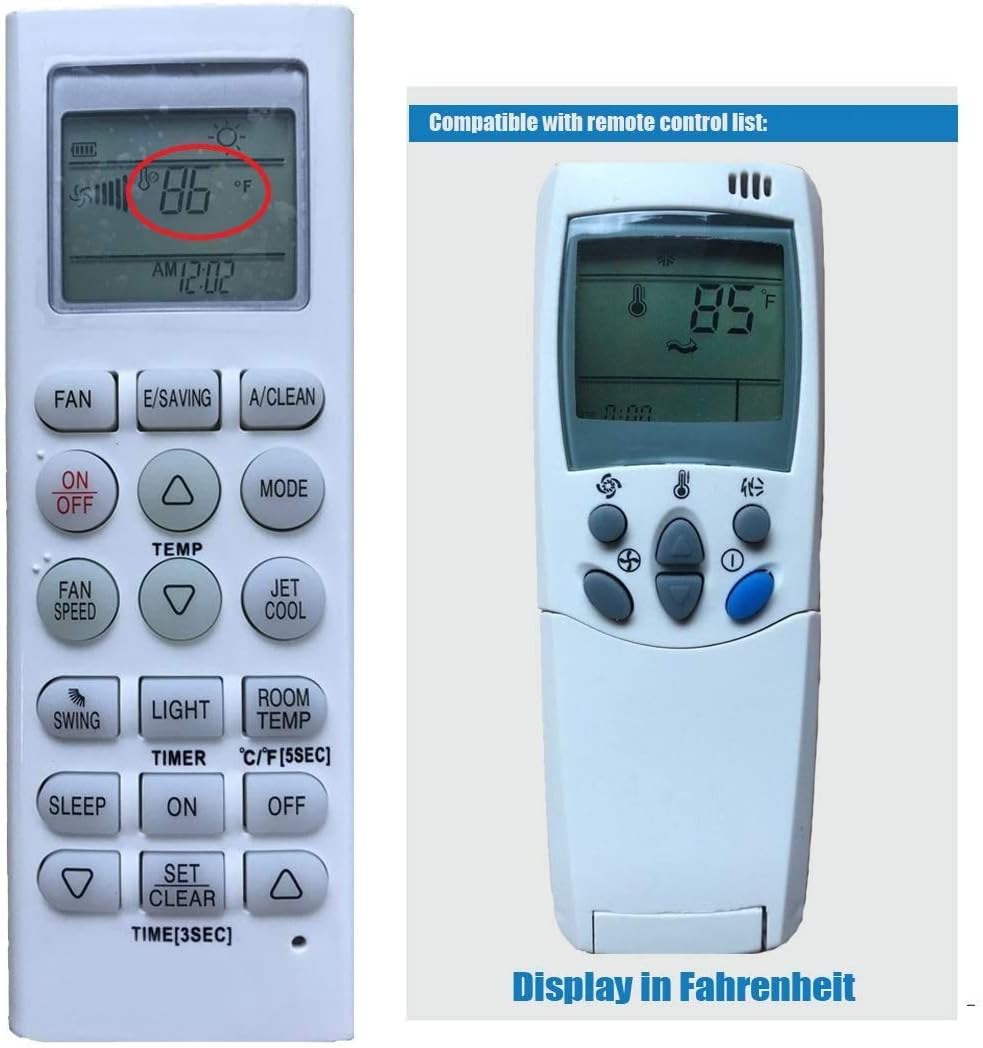
Figure 1: Front view of the remote control with its LCD screen and buttons.
| Button | Function |
|---|---|
| ON/OFF | Powers the air conditioner unit on or off. |
| MODE | Cycles through operating modes: Auto, Cool, Dry, Fan, Heat (if supported by AC unit). |
| TEMP ▲ / ▼ | Adjusts the desired temperature setting. |
| FAN SPEED | Adjusts the fan speed (Auto, Low, Medium, High). |
| SWING | Activates or deactivates the automatic louver swing function. |
| LIGHT | Controls the display light on some air conditioner models. |
| ROOM TEMP | Displays the current room temperature on the remote's LCD screen. |
| TIMER ON / OFF | Sets the timer for the air conditioner to turn on or off automatically. Use TEMP ▲ / ▼ and SET/CLEAR to adjust. |
| SLEEP | Activates the sleep mode, which adjusts temperature and fan speed for comfortable sleep. |
| JET COOL | Initiates rapid cooling for a short period. |
| E/SAVING | Activates energy-saving mode. |
| A/CLEAN | Activates the auto-clean function (if supported by AC unit). |
| °C/°F [5SEC] | Press and hold for 5 seconds to switch the temperature display between Celsius and Fahrenheit. |
| SET / CLEAR [TIME 3SEC] | Used to confirm timer settings or clear them. Press and hold for 3 seconds to set the remote's internal clock. |
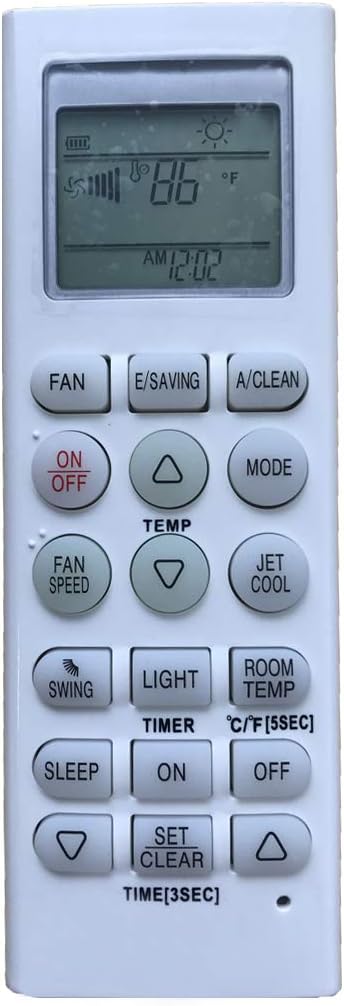
Figure 2: Remote control display showing temperature in Fahrenheit.
To switch between Celsius and Fahrenheit, locate the button labeled "°C/°F" or similar, and press and hold it for approximately 5 seconds. The display will change accordingly.
Maintenance
Cleaning the Remote Control
To maintain the remote control's appearance and functionality:
- Wipe the surface with a soft, dry cloth.
- Do not use liquid cleaners, alcohol, or abrasive chemicals, as these can damage the remote's finish or internal components.
Battery Replacement
Replace batteries when the remote control's range decreases or if the display becomes dim. Refer to the "Battery Installation" section under Setup for detailed instructions.
Troubleshooting
| Problem | Possible Cause / Solution |
|---|---|
| Remote control not working. |
|
| Air conditioner not responding to specific functions. |
|
| Temperature display is incorrect or not changing. |
|
Specifications
| Feature | Detail |
|---|---|
| Product Dimensions | 5.51 x 1.57 x 0.79 inches |
| Item Weight | 3.17 ounces |
| Power Source | 2 x AAA Batteries (not included) |
| Compatible Devices | LG Air Conditioners |
| Max Number of Supported Devices | 1 (controls one AC unit at a time) |
| Special Feature | Ergonomic design |
| Manufacturer | Home Appliances Inc Of ShenZhen |
| ASIN | B07HD25NYP |
Compatible LG Air Conditioner Models
This replacement remote control is compatible with a wide range of LG air conditioner models, including but not limited to the following:
- 6711A20028A
- 6711A20010A
- 6711A20038C
- 6711A20012A
- 6711A20028B
- 6711A20010B
- 6711A20038F
- 6711A20013Y
- 6711A20028C
- 6711A20010C
- 6711A20038Q
- 6711A20018X
- 6711A20028D
- 6711A20010D
- 6711A20039N
- 6711A20067B
- 6711A20028G
- 6711A20010E
- 6711A20039M
- 6711A20077U
- 6711A20028H
- 6711A20010M
- 6711A20078A
- 6711A20083D
- 6711A20028J
- 6711A20010N
- 6711A20078B
- 6711A20091H
- 6711A20028K
- 6711A20025M
- 6711A20116R
- 6711AR2853L
- 6711A20028X
- 6711A20025N
- 6711A90019A
- 6711AR2905B
- 6711A20060F
- 6711A90019B
- 6711AR2905F
- 6711A90023W
- 6711A20060G
- 6711A90023C
- 6711A90023E
- 6711A20069J
- 6711A20069B
If your specific LG air conditioner model is not listed, the remote may still be compatible. Please compare the buttons and layout with your original remote or consult the manufacturer of your AC unit.
Warranty and Support
Support
For any questions regarding the operation or compatibility of this replacement remote control, please contact the seller or manufacturer. They are equipped to provide assistance for various remote control models for AC, TV, DVD, and other devices.
Warranty Information
Specific warranty details for this product may vary. Please refer to the product listing or contact your retailer for information regarding warranty coverage and terms.