
Introduction
This instruction manual provides essential information for the proper installation, operation, and maintenance of your Fytoo replacement propellers. Please read this manual thoroughly before use to ensure safe and effective performance of your quadcopter.
Product Overview
The Fytoo 8PCS Propeller set includes replacement propellers designed for various mini quadcopter models. These propellers are crafted from durable hard plastic, offering a reliable solution for maintaining your drone's flight performance.

Image: A set of four black Fytoo drone propellers.
Compatibility
These propellers are compatible with the following quadcopter models:
- SANROCK GD65A
- ATOYX AT-66
- HS210
- H36
- E010
- GoolRC T36
- NIHUI NH010
Package Contents
The package includes:
- 8 x Fytoo Propellers (mix of black and white, as specified by product variant)
Setup and Installation
Proper installation of propellers is crucial for safe and stable flight. Always ensure your quadcopter is powered off and the battery is disconnected before attempting any installation or replacement.
- Identify Damaged Propellers: Visually inspect your drone's existing propellers for any cracks, bends, or chips. Replace any damaged propellers immediately.
- Remove Old Propellers: Gently pull the old propeller straight up from the motor shaft. Avoid twisting or bending the motor shaft during removal.
- Match Propeller Type: Drone propellers are typically designed for specific rotation directions (clockwise or counter-clockwise). Match the new propeller to the correct motor based on its shape or any markings (e.g., 'A' or 'B', or dots). Incorrectly installed propellers will prevent the drone from flying correctly.
- Install New Propellers: Align the new propeller with the motor shaft. Push it down firmly but gently until it is seated securely. Do not force it. The propeller should fit snugly without excessive play.
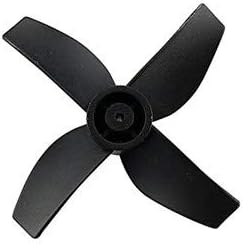
Image: A single black propeller, showing its design for proper orientation.
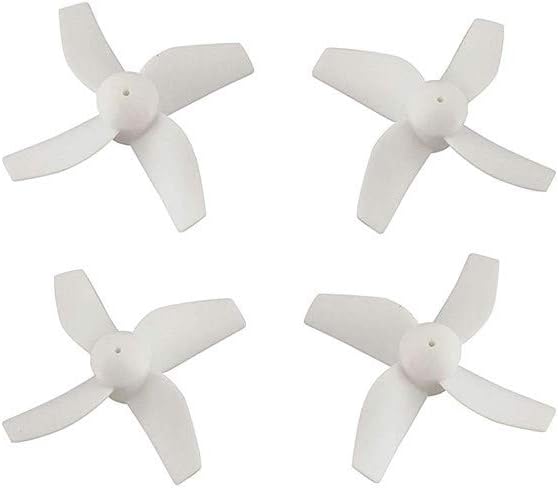
Image: A set of four white Fytoo drone propellers.
After installation, manually spin each propeller to ensure it rotates freely without obstruction and is firmly attached.
Operating Considerations
While propellers themselves do not have operational controls, their condition directly impacts flight. Always perform a pre-flight check:
- Ensure all propellers are securely attached.
- Verify that no propellers are bent, cracked, or chipped.
- Confirm that the correct propeller type is on each motor.
- Listen for unusual noises or vibrations during initial takeoff, which may indicate a propeller issue.
Maintenance
Regular maintenance of your propellers extends their lifespan and ensures safe flight.
- Inspection: Before and after each flight, visually inspect all propellers for any signs of damage, such as nicks, bends, or cracks. Even minor damage can affect flight stability.
- Cleaning: If propellers accumulate dust or debris, gently wipe them clean with a soft, dry cloth. Avoid using harsh chemicals that could degrade the plastic.
- Storage: Store spare propellers in a safe place where they will not be bent or damaged.
- Replacement: Replace propellers immediately if any damage is detected. It is also recommended to replace propellers after a significant crash or after many hours of flight, even if no visible damage is present, as material fatigue can occur.
Troubleshooting
If you experience issues with your quadcopter's flight, check the propellers first.
- Drone Vibrates Excessively: This is often caused by a bent, cracked, or unbalanced propeller. Replace all suspected damaged propellers. Ensure propellers are clean and free of debris.
- Drone Drifts or Lacks Lift: Incorrectly installed propellers (wrong rotation direction) or severely damaged propellers can cause this. Verify propeller orientation and replace any damaged ones.
- Propeller Detaches During Flight: This indicates improper installation. Ensure the propeller is pushed firmly onto the motor shaft until it is securely seated.
Specifications
| Product Name | Fytoo Replacement Propellers |
| Quantity | 8 Pieces |
| Material | Durable Hard Plastic |
| Compatibility | SANROCK GD65A, ATOYX AT-66, HS210, H36, E010, GoolRC T36, NIHUI NH010 Quadcopters |
| Manufacturer | China |
| Recommended Age | 12 years and up |
Safety Information
Always prioritize safety when handling drone components and operating drones.
- Keep fingers and loose clothing away from rotating propellers.
- Never operate a drone with damaged propellers.
- Ensure propellers are securely attached before every flight.
- Supervise children when they are handling or replacing drone propellers.
Warranty and Support
For any questions regarding the Fytoo propellers or for support, please contact the seller or manufacturer directly through your purchase platform. Keep your purchase receipt as proof of purchase.