
1. Product Overview
The Fossil FTW4021 Smartwatch is a touchscreen device designed to integrate modern style with sport functionality. Powered by Wear OS by Google, it offers a range of features including heart rate tracking, activity monitoring, customizable watch faces, and smartphone notifications. This smartwatch is compatible with both iOS and Android devices.

Image: The Fossil FTW4021 Smartwatch, showcasing its sleek design and digital display.
2. Getting Started: Setup
2.1. Initial Charging
Before first use, fully charge your Fossil FTW4021 Smartwatch. The watch uses a Lithium Ion battery with an average life of 24 hours. Connect the included charging cable to the back of the watch and a power source. A full charge typically takes approximately one hour.

Image: Rear view of the smartwatch, highlighting the heart rate sensor and charging rings.
2.2. Pairing with Your Smartphone
- Ensure your smartphone is running Android OS 4.4+ or iOS 9.3+ and has Bluetooth enabled.
- Download and install the Wear OS by Google app from your phone's app store.
- Open the Wear OS app and follow the on-screen instructions to pair your smartwatch. The watch uses Bluetooth connectivity for communication with your phone.
- Accept all necessary permissions on both your phone and watch to ensure full functionality.
3. Operating Your Smartwatch
3.1. Basic Navigation
- Touchscreen: Swipe left, right, up, or down to navigate through menus, notifications, and quick settings. Tap to select items.
- Crown Button: Press the rotating crown button to return to the watch face or access the app drawer. Rotate the crown to scroll through lists.
- Side Buttons: The two additional side buttons can be customized for quick access to your favorite apps or functions.

Image: Side profile of the smartwatch, illustrating the crown and programmable buttons.
3.2. Key Features
- Activity Tracker & Pedometer: Monitors your steps, distance, and calories burned using the built-in accelerometer.
- Heart Rate Monitor: The optical heart rate sensor continuously tracks your heart rate. Access this feature via the Google Fit app on your watch.

Image: Smartwatch display showing real-time heart rate data and a historical graph.
- GPS: The built-in GPS allows for accurate tracking of your runs, walks, and other outdoor activities without needing your phone.

Image: Smartwatch display showing GPS tracking of a route on a map.
- Notifications: Receive alerts for calls, messages, emails, and social media directly on your wrist.
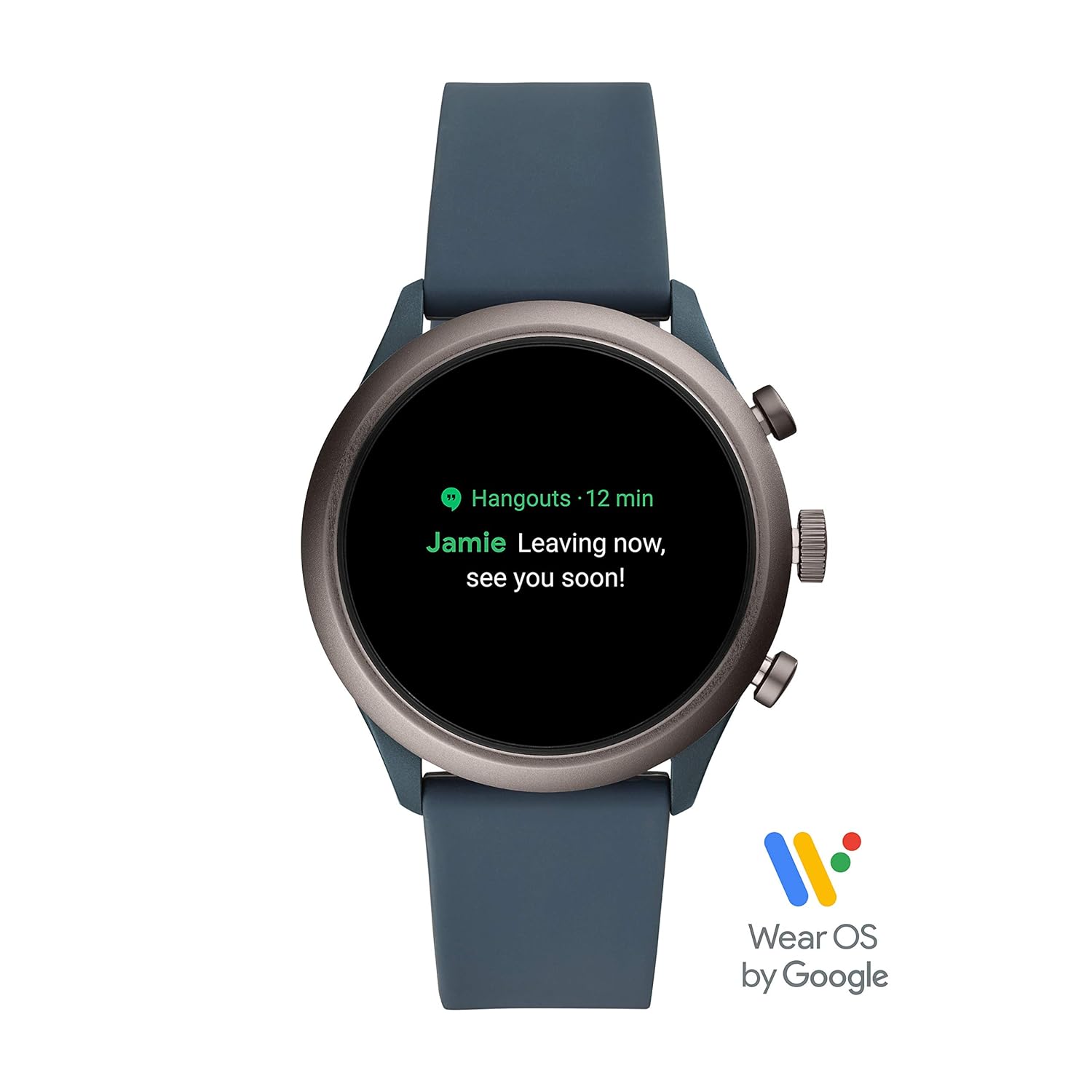
Image: Smartwatch display showing an incoming notification.
- NFC: Utilize NFC for contactless payments (where supported).
- Music Player: Control music playback from your wrist.
- Voice Control: Use Google Assistant for hands-free commands.
- Altimeter: Measures altitude changes.
- Sleep Monitoring: Track your sleep patterns.
4. Maintenance
4.1. Cleaning Your Smartwatch
To maintain the appearance and functionality of your smartwatch, regularly clean the case and strap. Use a soft, damp cloth to wipe away dirt and sweat. For silicone straps, mild soap and water can be used. Ensure the watch is completely dry before charging or wearing.
4.2. Water Resistance
The Fossil FTW4021 Smartwatch has a water resistance level of 50 meters (5 ATM) and an IPX5 waterproof rating. This means it is suitable for showering and shallow-water activities like swimming. However, it is not recommended for diving or high-speed water sports. Avoid exposing the watch to hot water, steam, or chemicals, as this may compromise its water resistance.
4.3. Software Updates
Periodically check for software updates through the Wear OS by Google app on your smartphone. Updates often include performance improvements, new features, and bug fixes. Ensure your watch is sufficiently charged before initiating any software update.
5. Troubleshooting
5.1. Battery Draining Quickly
- Reduce screen brightness.
- Disable 'Always-on display' feature.
- Limit background app refresh.
- Turn off Wi-Fi or GPS when not in use.
- Ensure no apps are running excessively in the background.
5.2. Connectivity Issues (Bluetooth)
- Ensure Bluetooth is enabled on both your watch and smartphone.
- Restart both your watch and smartphone.
- Unpair and re-pair the watch through the Wear OS app.
- Keep your watch and phone within close proximity.
5.3. Touchscreen Unresponsive or Lagging
- Restart the smartwatch.
- Ensure the screen is clean and dry.
- Check for available software updates.
- If issues persist, a factory reset may be necessary (note: this will erase all data on the watch).
6. Specifications
| Feature | Detail |
|---|---|
| Model Number | FTW4021 |
| Operating System | Wear OS by Google (Android, iOS compatible) |
| Display Type | Digital |
| Resolution | 454 x 454 |
| Screen Size | 1.19 Inches |
| Memory Storage Capacity | 4 GB |
| RAM Memory Installed | 512 MB |
| Connectivity Technology | Bluetooth, 802.11b Wi-Fi |
| Communication Feature | NFC |
| Sensors | Accelerometer, Optical Heart Rate Sensor, Ambient Light, Gyroscope |
| GPS | Built-in GPS |
| Battery Cell Type | Lithium Ion |
| Battery Average Life | 24 Hours |
| Water Resistance Level | 50 Metres (5 ATM) |
| Waterproof Rating | IPX5 |
| Case Material | Stainless Steel |
| Band Material | Silicone |
| Item Weight | 99 Grams |
7. Warranty and Support
7.1. Warranty Information
The Fossil FTW4021 Smartwatch comes with a 1-year manufacturer warranty from the date of purchase.
To avail warranty:
- Register your product online at https://www.fossilcare.com/registration/.
- To claim your warranty, present the original bill copy/invoice at an authorized Fossil service center. A warranty card and stamp are not mandatory for online purchases.
7.2. Customer Support
For any service-related inquiries or feedback, please contact Fossil India customer support:
- Toll-Free Number: 1860-4253-747 (Monday to Sunday, 10:00 AM to 7:00 PM)
- Email: service.in@fossil.com


