
1. Introduction
This manual provides essential instructions for the safe and efficient operation of your SuperSonic IQ-6112DJBT Portable Bluetooth DJ Speaker. Please read this manual thoroughly before using the product and retain it for future reference.
2. Safety Information
To ensure safe operation and prevent damage, observe the following precautions:
- Do not expose the speaker to water, moisture, or extreme temperatures.
- Do not open the speaker casing. Refer all servicing to qualified personnel.
- Keep the speaker away from heat sources and direct sunlight.
- Use only the power adapter supplied with the unit.
- Ensure proper ventilation around the speaker during operation.
- Avoid prolonged listening at high volume levels to prevent hearing damage.
3. Package Contents
Verify that all items are present in the package:
- SuperSonic IQ-6112DJBT Portable Bluetooth DJ Speaker
- Wired Microphone
- Remote Control
- Power Adapter
- User Manual (this document)
4. Product Overview
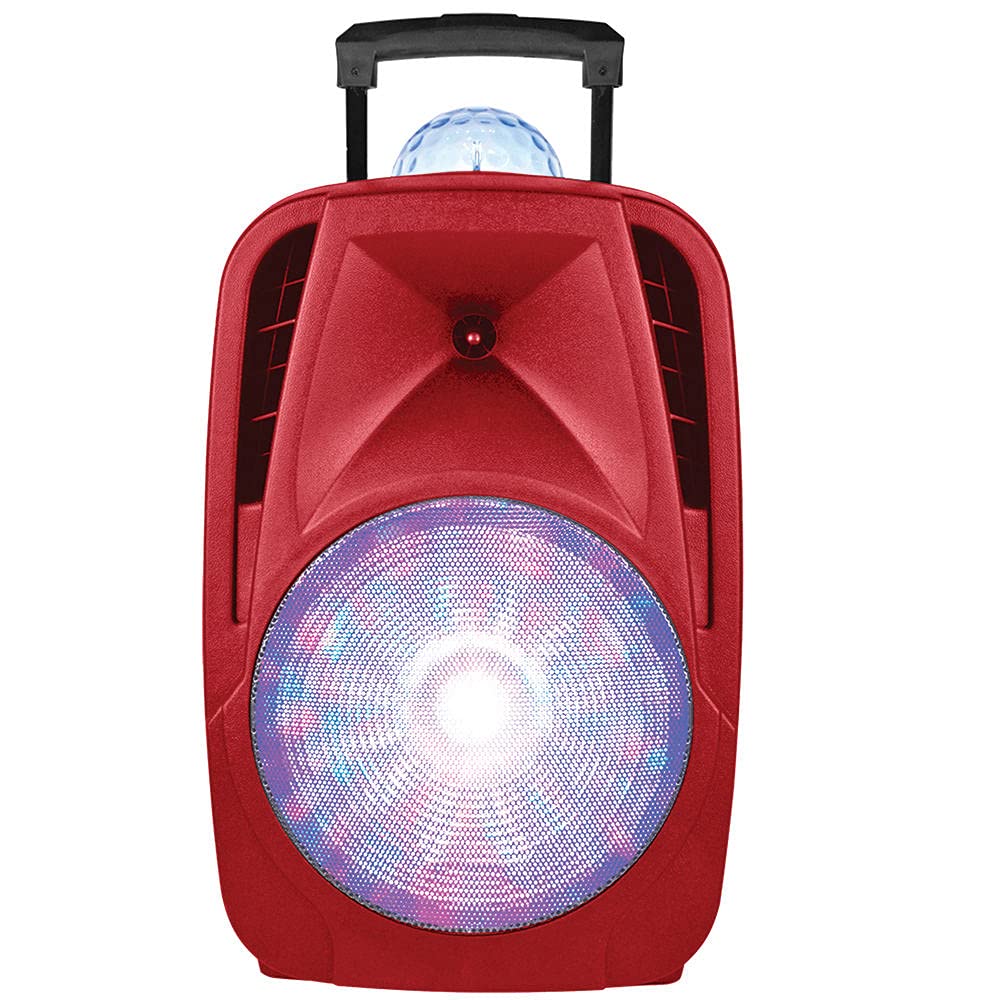
The SuperSonic IQ-6112DJBT is a versatile portable DJ speaker featuring a 12-inch high-efficiency woofer, built-in Bluetooth connectivity, USB/Micro SD card inputs, and an AUX input. It also includes a disco light feature for enhanced ambiance.
4.1 Included Accessories: Microphone and Remote Control
This image displays the included wired microphone and the multi-function remote control. The microphone features a standard 1/4 inch audio jack for connection to the speaker. The remote control includes buttons for mute, record, play, volume adjustment, track navigation, scan, and EQ settings, along with a numeric keypad for direct track selection.
4.2 Front Panel Controls
The speaker features various controls for audio playback, input selection, and light effects. These typically include:
- Master Volume: Adjusts the overall sound output.
- Microphone Volume: Adjusts the microphone input level.
- Echo Control: Adjusts the echo effect for the microphone.
- Input Mode Button: Switches between Bluetooth, USB, Micro SD, and AUX inputs.
- Light Mode Button: Controls the disco light effects.
- Playback Controls: Play/Pause, Next/Previous Track.
4.3 Rear Panel Connections
The rear panel provides ports for power and external devices:
- Power Input: Connects to the power adapter.
- AUX Input (3.5mm): Connects external audio devices via an audio cable.
- USB Port: For USB flash drives.
- Micro SD Card Slot: For Micro SD memory cards.
- Microphone Input (1/4 inch): Connects the wired microphone.
5. Setup
5.1 Power Connection
- Connect the supplied power adapter to the speaker's power input port.
- Plug the power adapter into a standard electrical outlet.
- Turn on the speaker using the power switch, usually located on the rear or front panel.
5.2 Initial Charging (Battery Powered)
The speaker is battery-powered. For optimal performance, fully charge the speaker before its first use. The charging indicator light will typically change color or turn off when charging is complete.
6. Operating Instructions
6.1 Bluetooth Pairing
- Turn on the speaker.
- Press the Mode button on the speaker or remote control until "Bluetooth" mode is selected. The speaker will indicate it is in pairing mode (e.g., a flashing LED or an audible prompt).
- On your Bluetooth-enabled device (smartphone, tablet, etc.), go to the Bluetooth settings and search for available devices.
- Select "IQ-6112DJBT" from the list of devices.
- Once paired, the speaker will confirm the connection (e.g., a solid LED or an audible prompt). You can now play audio wirelessly from your device.
6.2 USB/Micro SD Playback
- Insert a USB flash drive or Micro SD card (pre-loaded with MP3 audio files) into the respective port/slot on the speaker.
- Press the Mode button to select "USB" or "SD" mode. The speaker will automatically begin playing audio from the inserted media.
- Use the playback controls (Play/Pause, Next/Previous Track) on the speaker or remote control to manage your music.
6.3 AUX Input
- Connect one end of a 3.5mm audio cable (not included) to the AUX input port on the speaker.
- Connect the other end of the audio cable to the headphone jack or audio output of your external audio device (e.g., MP3 player, laptop).
- Press the Mode button to select "AUX" mode.
- Play audio from your external device. Adjust volume on both the speaker and the external device.
6.4 Microphone Usage
- Plug the wired microphone into the 1/4 inch microphone input jack on the speaker.
- Adjust the microphone volume knob on the speaker to your desired level.
- Adjust the echo control knob for an echo effect, if desired.
6.5 Light Effects
The speaker features built-in disco lights. Press the Light Mode button on the speaker or remote control to cycle through different light patterns or to turn the lights off.
6.6 Remote Control Functions
The included remote control provides convenient access to various speaker functions:
- MUTE: Mutes or unmutes the audio output.
- REC: Initiates recording (if supported by the speaker's firmware and connected media).
- REC PLAY: Plays back recorded audio.
- VOL+/VOL-: Increases or decreases the main volume.
- CH+/CH- (Next/Previous): Skips to the next or previous track/station.
- SCAN: Scans for radio stations (if FM radio is supported).
- EQ: Cycles through equalizer presets.
- Numeric Keypad (0-9): Direct selection of tracks on USB/SD media.
7. Maintenance
7.1 Cleaning
Wipe the speaker's exterior with a soft, dry cloth. Do not use abrasive cleaners, waxes, or solvents. Ensure no liquids enter the speaker's openings.
7.2 Storage
When not in use for extended periods, store the speaker in a cool, dry place, away from direct sunlight and extreme temperatures. If battery-powered, charge the battery periodically to maintain its lifespan.
8. Troubleshooting
| Problem | Possible Cause | Solution |
|---|---|---|
| No power | Power adapter not connected; Battery depleted; Power switch off. | Ensure power adapter is securely connected and plugged into a working outlet. Charge the battery. Turn the power switch ON. |
| No sound | Volume too low; Incorrect input mode; Device not paired (Bluetooth); Cable not connected (AUX). | Increase volume on speaker and source device. Select the correct input mode. Re-pair Bluetooth device. Check AUX cable connection. |
| Bluetooth not connecting | Speaker not in pairing mode; Device too far; Interference; Previously paired device connected. | Ensure speaker is in Bluetooth pairing mode. Move device closer to speaker. Turn off other Bluetooth devices. Disconnect from previously paired devices. |
| Microphone not working | Microphone not plugged in; Microphone volume too low; Faulty microphone. | Ensure microphone is securely plugged into the correct input. Increase microphone volume. Test with another microphone if available. |
9. Specifications
- Brand: Supersonic
- Model Number: IQ-6112DJBT
- Woofer Size: 12 inches
- Connectivity Technology: AUX, Bluetooth, USB
- Power Source: Battery Powered
- Impedance: 4 Ohms
- Number of Channels: 2
- Audio Input: Headphone jack (for AUX), 1/4 inch (for Microphone)
- Item Weight: 17.9 Pounds
- UPC: 639131861121
10. Warranty & Support
10.1 Warranty Information
This product is covered by a Manufacturer Warranty. For specific details regarding warranty coverage, duration, and terms, please refer to the warranty card included in your package or contact Supersonic customer support.
10.2 Customer Support
If you encounter any issues not covered in this manual or require further assistance, please contact Supersonic customer support. Contact information can typically be found on the product packaging, the official Supersonic website, or the warranty card.


