
Volkano VK-2002-BK
Volkano Phonic Series Wireless Headphones
Model: VK-2002-BK
Introduction
Thank you for choosing the Volkano Phonic Series Wireless Headphones. This manual provides essential information for setting up, operating, and maintaining your new headphones. Please read it carefully before use and retain it for future reference.

Image: Volkano Phonic Series Wireless Headphones, black, showing the over-ear design and controls on the right earcup.
Package Contents
Ensure all items listed below are present in your package:
- Volkano Phonic Series Bluetooth Headphones
- 3.5mm Aux Cable
- Micro USB Charging Cable
- Instruction Manual (this document)

Image: Contents of the Volkano Phonic Series headphone package, including the headphones, cables, and manual.
Product Overview and Controls
Familiarize yourself with the various parts and controls of your Volkano Phonic Series Headphones.

Image: Close-up of the right earcup showing the control buttons: On/Off, Mode Button, Play/Pause, Volume Up/Next Track, and Volume Down/Previous Track.
- On / Off Button: Powers the headphones on or off.
- Mode Button (M): Switches between Bluetooth, FM Radio, and Micro SD Card modes.
- Play / Pause Button: Controls audio playback and answers/ends calls.
- Volume Up / Next Track Button (+): Increases volume or skips to the next track.
- Volume Down / Previous Track Button (-): Decreases volume or goes to the previous track.
- Micro USB Charging Port: For charging the headphones.
- 3.5mm Aux Input: For wired audio connection.
- Micro SD Card Slot: For playing music directly from a Micro SD card.
Setup
1. Charging the Headphones
Before first use, fully charge your headphones. A full charge takes approximately 2.5 hours and provides 18-24 hours of playback time.
- Connect the Micro USB charging cable to the charging port on the headphones.
- Connect the other end of the cable to a USB power source (e.g., computer USB port, USB wall adapter).
- The LED indicator will show charging status.
- Once fully charged, disconnect the charging cable.

Image: A person wearing the Volkano Phonic Series headphones, illustrating their use for extended periods, highlighting the 24-hour playtime.
2. Bluetooth Pairing
Pair your headphones with your Bluetooth-enabled device for wireless audio.
- Ensure the headphones are fully charged and powered off.
- Press and hold the On / Off button until the LED indicator flashes blue and red, indicating pairing mode.
- On your device (smartphone, tablet, laptop), enable Bluetooth and search for new devices.
- Select "Volkano Phonic" or similar from the list of available devices.
- Once paired, the LED indicator will turn solid blue or flash blue slowly.
The headphones are compatible with most Bluetooth devices, including Android, Samsung Galaxy, iPhone, iPad, Laptops, Google Pixel, and other smart devices.
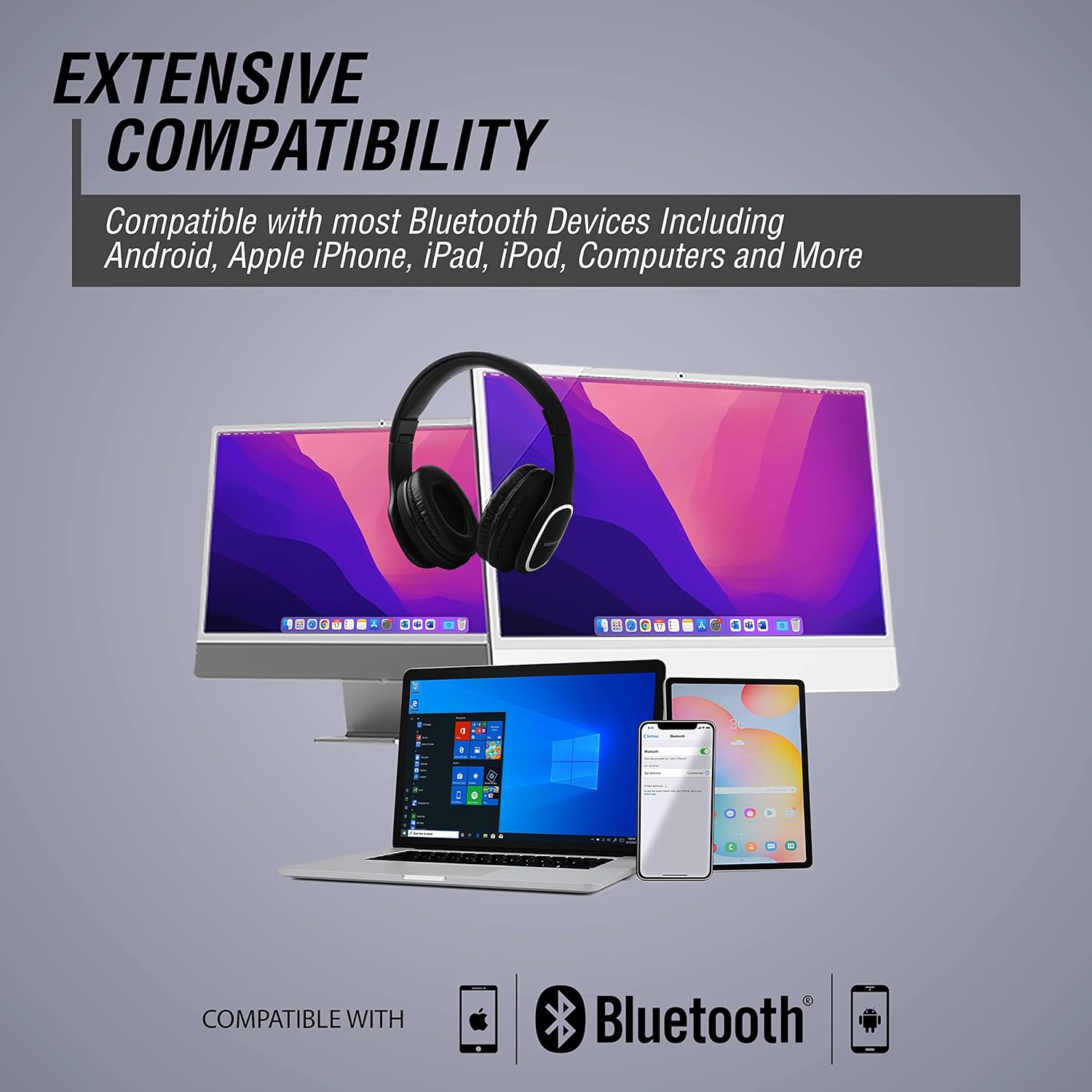
Image: Illustration showing the Volkano Phonic Series headphones compatible with various devices such as laptops, smartphones, and tablets, emphasizing extensive Bluetooth compatibility.
3. Wired Connection (Aux Input)
You can use the headphones with non-Bluetooth devices or when the battery is low using the included 3.5mm Aux Cable.
- Insert one end of the 3.5mm Aux Cable into the Aux Input port on the headphones.
- Insert the other end of the cable into the 3.5mm audio output jack of your mobile phone, MP3 player, or PC.
- The headphones will automatically switch to Aux mode.
Operating Instructions
Basic Audio Playback (Bluetooth Mode)
- Play/Pause: Press the Play / Pause button once.
- Next Track: Press and hold the Volume Up (+) button.
- Previous Track: Press and hold the Volume Down (-) button.
- Volume Up: Short press the Volume Up (+) button.
- Volume Down: Short press the Volume Down (-) button.
FM Radio Mode
Listen to your favorite radio stations with the built-in FM radio.
- Turn on the headphones.
- Press the Mode (M) button to switch to FM Radio mode.
- To auto-scan and save available stations, press the Play / Pause button.
- To change stations, use the Volume Up (+) or Volume Down (-) buttons.
Micro SD Card Playback
Play music directly from a Micro SD card (TF card) loaded with MP3 files.
- Insert a Micro SD card (with music files) into the Micro SD Card Slot on the headphones.
- The headphones will automatically switch to Micro SD Card mode, or you may need to press the Mode (M) button to select it.
- Use the Play / Pause, Volume Up (+), and Volume Down (-) buttons to control playback.
Hands-Free Calling
When connected via Bluetooth, you can manage calls directly from your headphones.

Image: A person wearing the Volkano Phonic Series headphones, demonstrating the convenience of hands-free calling.
- Answer Call: Press the Play / Pause button once when an incoming call rings.
- End Call: Press the Play / Pause button once during a call.
- Reject Call: Press and hold the Play / Pause button for 2 seconds when an incoming call rings.
- Redial Last Number: Double-press the Play / Pause button.
Maintenance
Proper care will extend the life of your headphones.
- Clean the headphones with a soft, dry cloth. Do not use abrasive cleaners or solvents.
- Keep the headphones dry. Do not expose them to water or excessive moisture.
- Store the headphones in a cool, dry place when not in use. The foldable design makes them convenient for storage and transport.
- Avoid extreme temperatures.
- Do not attempt to disassemble or modify the headphones. This will void the warranty.

Image: The Volkano Phonic Series headphones shown in their folded position, demonstrating their convenient and portable design.
Troubleshooting
If you encounter issues with your headphones, refer to the following common problems and solutions:
| Problem | Possible Cause / Solution |
|---|---|
| Headphones do not turn on. | Battery is low. Charge the headphones fully. |
| Cannot pair with Bluetooth device. | Headphones are not in pairing mode. Ensure they are flashing blue and red. Bluetooth is not enabled on your device. Headphones are too far from the device (max 10m operating distance). Clear previous Bluetooth connections on your device and try again. |
| No sound in Bluetooth mode. | Volume is too low on headphones or connected device. Headphones are not properly paired. Re-pair them. Ensure the correct audio output is selected on your device. |
| FM Radio reception is poor. | Weak signal in your location. Try moving to an open area. Re-scan for stations. |
| Micro SD card not playing. | Card is not inserted correctly. Card is not formatted correctly or contains unsupported file types (only MP3 supported). Card is damaged. |
Technical Specifications
| Feature | Specification |
|---|---|
| Model Number | VK-2002-BK |
| Bluetooth Version | 5.0 |
| Bluetooth Operating Distance | 10 m |
| Bluetooth Profiles | A2DP, AVRCP, HFP |
| Driver Size | 40 mm |
| Sensitivity | 108 dB |
| Impedance | 64 ohms |
| Frequency Response | 20 Hz – 20 kHz |
| Battery Capacity | 400 mAh |
| Charge Input | 15 V DC / 1.0 A |
| Charge Time | 2.5 hrs |
| Playback Time | 18 - 24 Hours |
| Product Dimensions | 5 x 5 x 5 cm |
| Product Weight | 225 g |
Warranty and Support
Volkano products are designed to last and come with a commitment to hassle-free service.
- Warranty: This product comes with a 1-year limited warranty.
- Customer Service: Lifetime customer service guarantee.
- For any questions or support, please contact Volkano customer service. Refer to the product packaging or Volkano's official website for contact details.
Related Documents - VK-2002-BK
 |
Volkano Electronics Catalog: Power Banks & Batteries | Portable Charging Solutions Discover the comprehensive Volkano Electronics Catalog featuring a wide range of power banks (Relief, Nano, Nano+, Fuel, Spawn, Booster, Omega series) and Extra Series button cell batteries (CR2016, CR2025). Find reliable portable charging solutions and essential power for your devices. |
 |
Volkano Rush 2.0 Series Bluetooth Earphones with Mic - Instruction Manual Comprehensive instruction manual for the Volkano Rush 2.0 Series Bluetooth Earphones with Mic, covering highlights, specifications, setup, controls, safety, cleaning, troubleshooting, and warranty information. |
 |
Volkano Gemini Series 2x True Wireless Bluetooth Speakers Instruction Manual VK-3133-BK Get detailed instructions for the Volkano Gemini Series 2x True Wireless Bluetooth Speakers (VK-3133-BK). This manual covers setup, charging, pairing, controls for music playback and calls, FM radio, USB/SD card modes, troubleshooting, safety precautions, and warranty information. |
 |
Volkano Retro Tweed Series Turntable Instruction Manual Instruction manual for the Volkano Retro Tweed Series Turntable (VK-3160-TW), covering setup, operation, features like Bluetooth, USB, SD card, FM radio, and troubleshooting. |
 |
Volkano VK-5072 Serene Series Fitness Watch Instruction Manual Comprehensive instruction manual for the Volkano VK-5072 Serene Series Fitness Watch, covering setup, features, functions, safety, and warranty. |
 |
Volkano Epoch Series Bluetooth Wireless Earphones - User Manual & Specifications Comprehensive user manual for Volkano Epoch Series Bluetooth Wireless Earphones (VK-1118-BK/BL), covering setup, pairing, controls, troubleshooting, safety, and warranty information. |
Ask a question about this manual
Ask about setup, troubleshooting, compatibility, parts, safety, or missing instructions. Manuals+ will review the question and use this page’s manual context to help answer it.