
1. Introduction
Thank you for purchasing the Kiano HD Slim TV 32 Inch. This manual provides essential information for the safe and efficient operation of your television. Please read it thoroughly before using the product and retain it for future reference.
2. Safety Information
To ensure safe operation and prevent damage, please observe the following safety precautions:
- Power Supply: Ensure the TV is connected to a power source that matches the voltage specified on the rating label.
- Ventilation: Do not block ventilation openings. Allow adequate space around the TV for proper airflow to prevent overheating.
- Water and Moisture: Do not expose the TV to rain, moisture, or place objects filled with liquids on it.
- Cleaning: Unplug the TV before cleaning. Use a soft, dry cloth. Do not use liquid or aerosol cleaners.
- Placement: Place the TV on a stable, level surface or mount it securely to a wall using a VESA-compatible bracket.
- Lightning: During lightning storms or when unused for long periods, unplug the TV from the wall outlet.
3. Package Contents
Please check that all items are present in the box:
- Kiano HD Slim TV 32 Inch
- Remote Control
- TV Stand (2 pieces)
- Power Cable
- User Manual (this document)
- Screws for stand assembly
4. Product Overview
4.1 Front View
The front of the Kiano HD Slim TV 32 Inch features a sleek design with a narrow bezel, providing an immersive viewing experience.
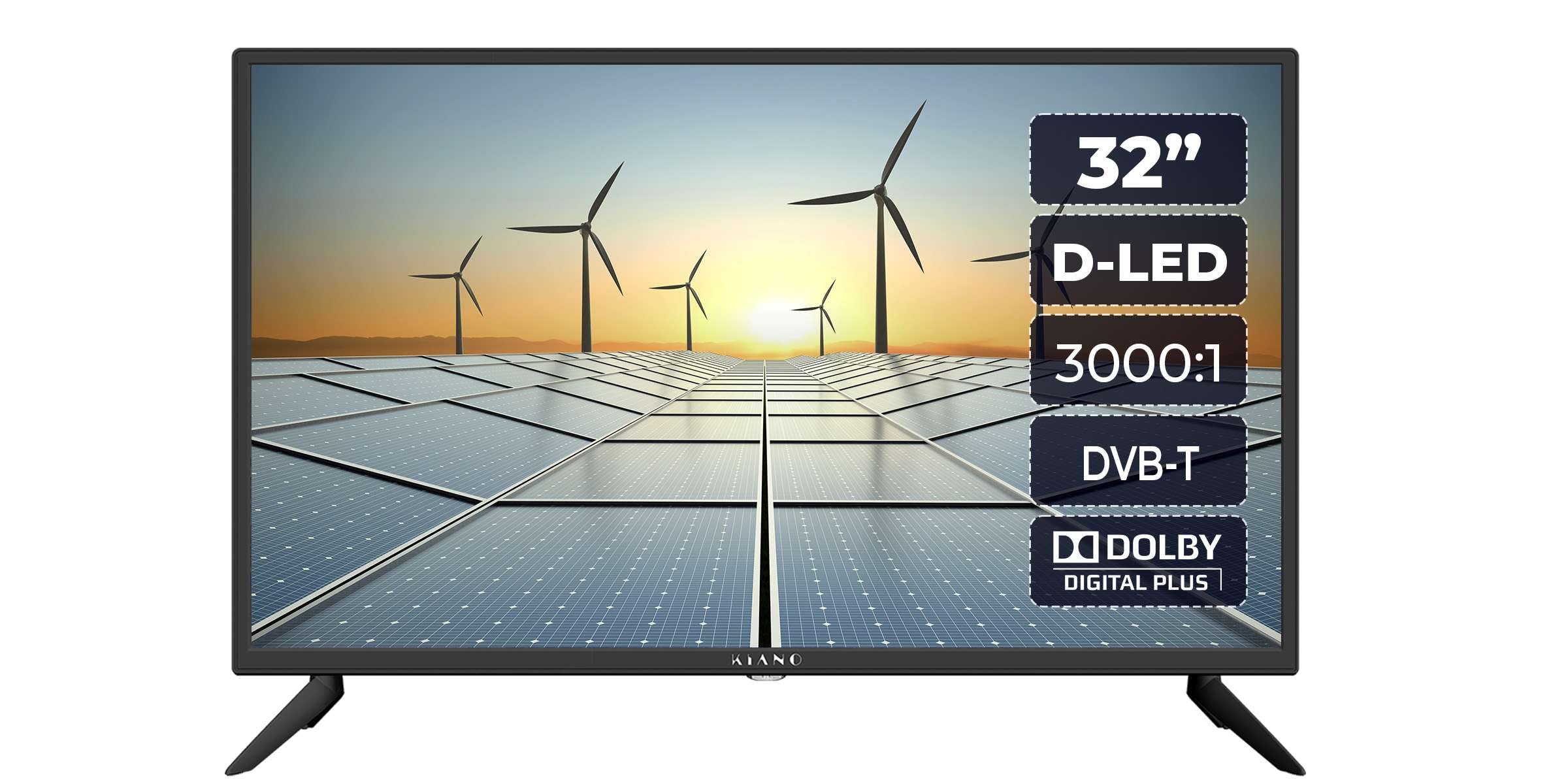
Image: Front view of the Kiano HD Slim TV 32 Inch, showcasing its display and slim design.
4.2 Side View
The slim profile of the TV is evident from the side, designed to fit seamlessly into any living space.

Image: Side view of the Kiano HD Slim TV 32 Inch, highlighting its thin profile.
4.3 Rear View and Connections
The rear panel houses various input and output ports for connecting external devices.

Image: Rear view of the Kiano HD Slim TV 32 Inch, showing the back panel and general layout.
A detailed view of the connection ports:

Image: Close-up of the TV's rear connection panel, including HDMI, USB, AV, and antenna inputs.
The TV features extensive connectivity options:
- HDMI Ports: For high-definition audio and video input from devices like Blu-ray players, game consoles, or set-top boxes.
- USB Ports: For connecting USB storage devices for PVR functionality (recording and playback) or media viewing.
- Antenna Input: For connecting a terrestrial or satellite antenna.
- AV Input: For connecting older devices using composite video and stereo audio cables.
- Coaxial Output: For digital audio output.
- Headphone Jack: For private listening.
- CI Slot (CI+): For inserting a Conditional Access Module (CAM) to decrypt encrypted channels.
- PC Audio Input: For connecting audio from a PC.
4.4 Remote Control
The included remote control allows for convenient operation of all TV functions.

Image: The remote control for the Kiano HD Slim TV 32 Inch, showing various function buttons.
5. Setup
5.1 Assembling the Stand or Wall Mounting
Stand Assembly: Carefully place the TV screen-down on a soft, flat surface. Attach the two stand pieces to the designated slots on the bottom of the TV using the provided screws. Ensure they are securely fastened.
Wall Mounting: The TV supports VESA 100x100 mm mounting. Purchase a compatible wall mount bracket separately. Follow the instructions provided with your wall mount bracket for safe installation. Ensure the wall can support the weight of the TV.

Image: The Kiano HD Slim TV 32 Inch securely mounted on a wall, demonstrating VESA compatibility.
5.2 Connecting Power
Connect the power cable to the TV's power input and then plug it into a wall outlet.
5.3 Connecting Antenna/Cable
Connect your terrestrial antenna or cable TV signal to the 'ANT IN' port on the rear of the TV.
5.4 Connecting External Devices
- HDMI Devices: Connect devices like Blu-ray players, game consoles, or streaming boxes to the HDMI ports.
- USB Devices: Insert USB storage devices into the USB ports for media playback or PVR recording.
- AV Devices: Use the AV input for older devices such as VCRs.
5.5 First Time Setup Wizard
Upon first power-on, the TV will guide you through an initial setup process. This typically includes:
- Language selection
- Country/Region selection
- Channel scanning (DVB-T/T2, DVB-C, DVB-S/S2)
- Time and date settings
6. Operating
6.1 Basic TV Functions
- Power On/Off: Press the Power button on the remote control or the TV.
- Channel Selection: Use the CH+/- buttons or number buttons on the remote.
- Volume Control: Use the VOL+/- buttons on the remote.
- Mute: Press the Mute button to temporarily silence the audio.
6.2 Menu Navigation
Press the 'MENU' button on the remote to access the main menu. Use the arrow buttons to navigate through options and 'OK' to confirm selections. 'EXIT' or 'BACK' buttons return to the previous screen or exit the menu.
6.3 Source Selection
Press the 'SOURCE' button on the remote to switch between different input sources (e.g., TV, HDMI1, HDMI2, AV, USB).
6.4 PVR Functionality (Recording and Playback)
The TV supports USB PVR (Personal Video Recorder) functionality. Connect a USB storage device (e.g., USB flash drive or external hard drive) to one of the USB ports to record live TV programs or play back stored media.

Image: The Kiano HD Slim TV 32 Inch displaying content, with an overlay indicating PVR functionality via USB.
- Recording: While watching a program, press the 'REC' button on the remote to start recording.
- Playback: Access recorded content or other media files through the Media Browser menu.
6.5 Hotel Mode
This feature allows for customization of TV settings for use in hospitality environments. It can restrict certain functions, set default channels, or limit volume. Consult the advanced settings menu for Hotel Mode configuration.
6.6 Electronic Program Guide (EPG)
Press the 'EPG' button on the remote to view the Electronic Program Guide, which provides information about current and upcoming TV programs.
6.7 Audio Settings
The TV features 2x8W stereo speakers with Dolby Audio and Dolby Digital Plus for enhanced sound quality. Adjust audio settings, including sound mode and equalizer, through the Audio menu.
7. Maintenance
Proper maintenance ensures the longevity of your TV:
- Screen Cleaning: Gently wipe the screen with a soft, lint-free cloth. For stubborn marks, slightly dampen the cloth with water or a specialized screen cleaner (apply to cloth, not directly to screen).
- Cabinet Cleaning: Use a soft, dry cloth to clean the TV cabinet.
- Dusting: Regularly dust the ventilation openings to prevent dust buildup.
- Storage: If storing the TV for an extended period, unplug it and cover it to protect from dust.
8. Troubleshooting
If you encounter issues with your TV, refer to the following common problems and solutions:
| Problem | Possible Solution |
|---|---|
| No power | Check if the power cable is securely plugged into the TV and the wall outlet. Ensure the wall outlet is functional. |
| No picture, but sound is present | Check the input source. Ensure the connected device is powered on and sending a signal. Try a different HDMI cable. |
| No sound, but picture is present | Check the volume level and ensure the TV is not muted. Verify audio settings in the menu. If using external speakers, check their connections. |
| Remote control not working | Replace the batteries in the remote control. Ensure there are no obstructions between the remote and the TV's IR sensor. |
| Poor picture quality | Check antenna connection. If using an external device, check its output resolution and cable quality. Adjust picture settings in the TV menu. |
If the problem persists after trying these solutions, please contact customer support.
9. Specifications
Detailed technical specifications for the Kiano HD Slim TV 32 Inch:
| Feature | Specification |
|---|---|
| Screen Size | 32 Inches (31.5" diagonal) |
| Resolution | 1366x768 (HD) |
| Display Technology | LED (DLED) |
| Refresh Rate | 60 Hz |
| Brightness | 200 cd/m² |
| Contrast Ratio | 3500:1 |
| Viewing Angle | 178° |
| Aspect Ratio | 16:9 |
| Audio Output | 2x8W Stereo Speakers |
| Audio Technology | Dolby Audio, Dolby Digital Plus |
| Tuners | DVB-S/S2, ATV/DVB-C/T/T2 |
| Connectivity | 2x HDMI, 2x USB, AV, Coaxial, Headphone Jack, CI Slot (CI+), PC Audio Input, TV Antenna |
| Special Features | USB PVR Playback/Recording, Hotel Mode, EPG Guide |
| Power Consumption | 60W |
| Voltage | 220-240V AC, 50 Hz |
| Dimensions (D x W x H) | 18.5D x 11.5W x 38H centimetres (with stand) |
| Weight | 3.5 Kilograms |
| VESA Mount Standard | 100 x 100 mm |
10. Warranty and Support
The Kiano HD Slim TV 32 Inch comes with a limited warranty. Please refer to the warranty card included in your package for specific terms and conditions. For technical support, service, or warranty claims, please contact Kiano customer service through their official website or the contact information provided with your purchase documentation.


