
Hi Quality Audio Bass Jaxx Duo
Bass Jaxx Duo Portable Speaker User Manual
Model: Bass Jaxx Duo
Brand: Hi Quality Audio
Introduction
Thank you for purchasing the Bass Jaxx Duo Portable Speaker. This manual provides important information regarding the setup, operation, and maintenance of your device. Please read this manual thoroughly before using the product to ensure proper functionality and to prevent damage.
Safety Information
- Do not expose the speaker to water or excessive moisture.
- Do not disassemble or attempt to repair the speaker yourself. This will void the warranty.
- Keep the speaker away from heat sources, direct sunlight, and flammable materials.
- Use only the specified power source (3 AAA batteries).
- Dispose of batteries properly according to local regulations.
Package Contents
Please check the package for the following items:
- Bass Jaxx Duo Portable Speaker
- 3.5mm Aux-In Cable
- Instruction Manual (this document)

Image 1: Front view of the Bass Jaxx Duo Portable Speaker, showcasing its black metal grill and central control button.
Setup
1. Installing Batteries
- Locate the battery compartment on the underside of the speaker.
- Open the battery compartment cover.
- Insert three (3) AAA batteries, ensuring correct polarity (+/-).
- Close the battery compartment cover securely.
2. Connecting to a Device
The Bass Jaxx Duo speaker connects via a 3.5mm Aux-In cable.
- Insert one end of the included 3.5mm Aux-In cable into the "AUX IN" port on the speaker.
- Insert the other end of the 3.5mm Aux-In cable into the headphone jack or audio output port of your smartphone, tablet, MP3 player, or other compatible audio device.
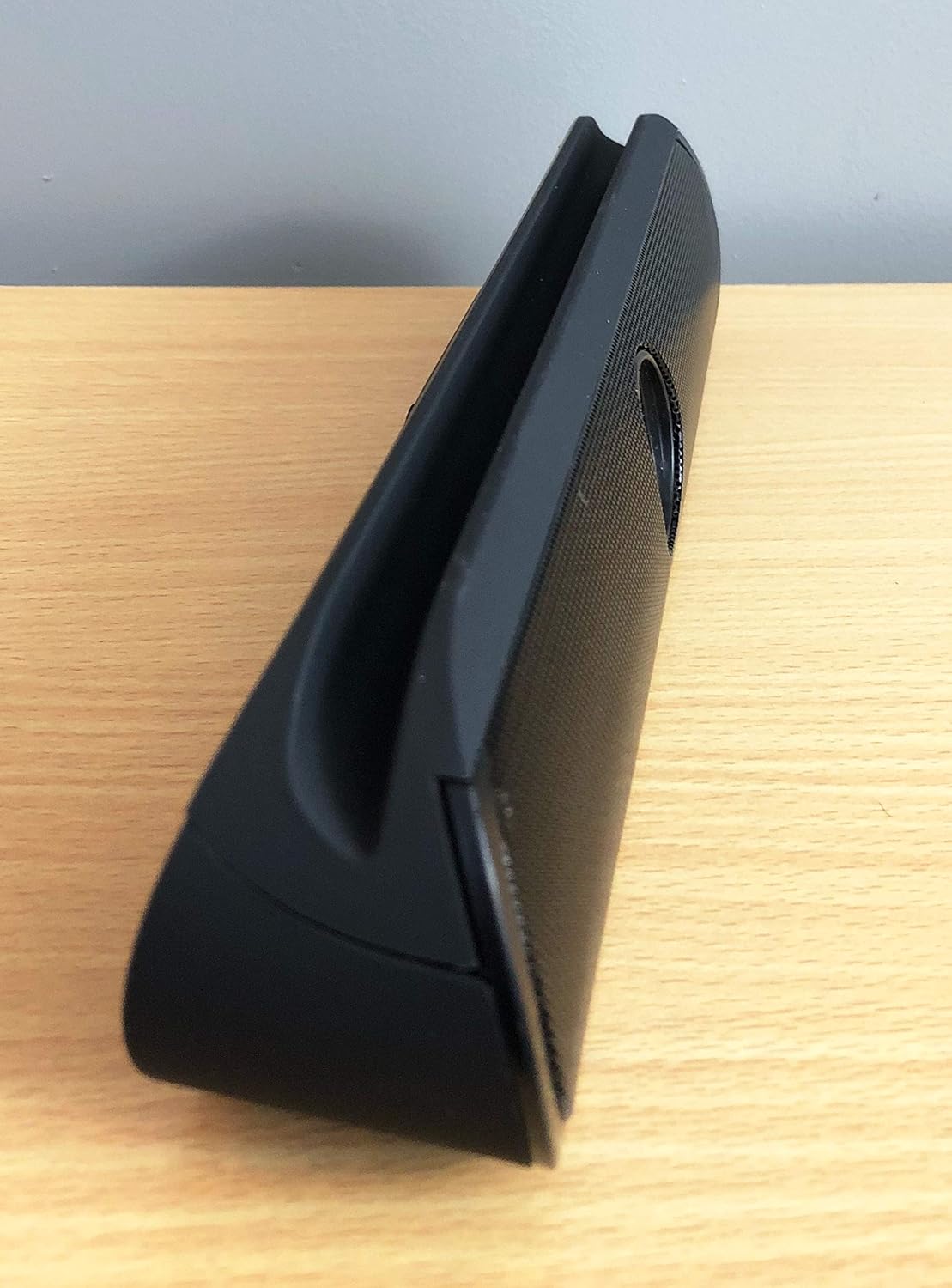
Image 2: Side view of the Bass Jaxx Duo Portable Speaker, highlighting the integrated slot designed to hold a smartphone or tablet.
Operating Instructions
Powering On/Off
The speaker powers on automatically when connected to an audio source and batteries are installed. To power off, disconnect the audio cable or remove the batteries.
Audio Playback
Once connected, play audio from your connected device. The speaker will output the sound. Volume control is managed directly from your connected device.
Using the Device Holder
The Bass Jaxx Duo features an integrated slot on top designed to hold most smartphones and tablets in a landscape or portrait orientation for convenient viewing while listening to audio.
Maintenance
- Clean the speaker with a soft, dry cloth. Do not use liquid cleaners or aerosols.
- If the speaker will not be used for an extended period, remove the batteries to prevent leakage.
- Store the speaker in a cool, dry place away from direct sunlight.
Troubleshooting
| Problem | Possible Cause | Solution |
|---|---|---|
| No sound from speaker |
|
|
| Distorted sound |
|
|
Specifications
| Feature | Detail |
|---|---|
| Model Name | Bass Jaxx Duo |
| Speaker Type | Bookshelf |
| Connectivity Technology | Auxiliary (3.5mm) |
| Power Source | Battery Powered (3 x AAA) |
| Output Power | 3 Watts |
| Driver Diameter | 40mm |
| Impedance | 4 Ohms |
| Compatible Devices | MP3 Player, Desktop, Tablet, Smartphone |
| Color | Black |
| Manufacturer | FBL Merch Inc |
Warranty Information
This product comes with a limited warranty. For details regarding warranty coverage, terms, and conditions, please refer to the warranty card included in your product packaging or contact customer support.
Customer Support
If you have any questions or require assistance with your Bass Jaxx Duo Portable Speaker, please contact our customer support team. Please have your product model name (Bass Jaxx Duo) and purchase information ready when contacting support.
Note: Specific contact details are typically provided on the product packaging or a separate support leaflet.
Ask a question about this manual
Ask about setup, troubleshooting, compatibility, parts, safety, or missing instructions. Manuals+ will review the question and use this page’s manual context to help answer it.