
Introduction
This manual provides essential information for the safe and effective use of your OMRON HEM-6124 Wrist Blood Pressure Monitor Control. Please read this manual thoroughly before using the device and keep it for future reference. Regular monitoring of blood pressure can provide valuable health insights when used correctly.
Important Safety Information
- Consult Your Doctor: Always consult your physician regarding specific blood pressure readings and treatment. Self-diagnosis and treatment based on measurement results can be dangerous.
- Medical Conditions: Do not use this device if you have a serious medical condition or are undergoing medical treatment without consulting your doctor.
- Cuff Placement: Ensure the wrist cuff is applied correctly as instructed to obtain accurate readings.
- Interference: Keep the device away from strong electromagnetic fields.
- Children: Keep out of reach of children. This device is not intended for use on infants or children.
- Battery Safety: Use only specified batteries. Do not mix old and new batteries or different types of batteries.
Package Contents
Verify that the following items are included in your package:
- 1 OMRON HEM-6124 Wrist Blood Pressure Monitor Control
- 1 Instruction Manual
- 2 AAA Batteries
Product Overview
The OMRON HEM-6124 is a compact and easy-to-use wrist blood pressure monitor designed for convenient and accurate blood pressure measurement. It features a clear digital display and simple controls.
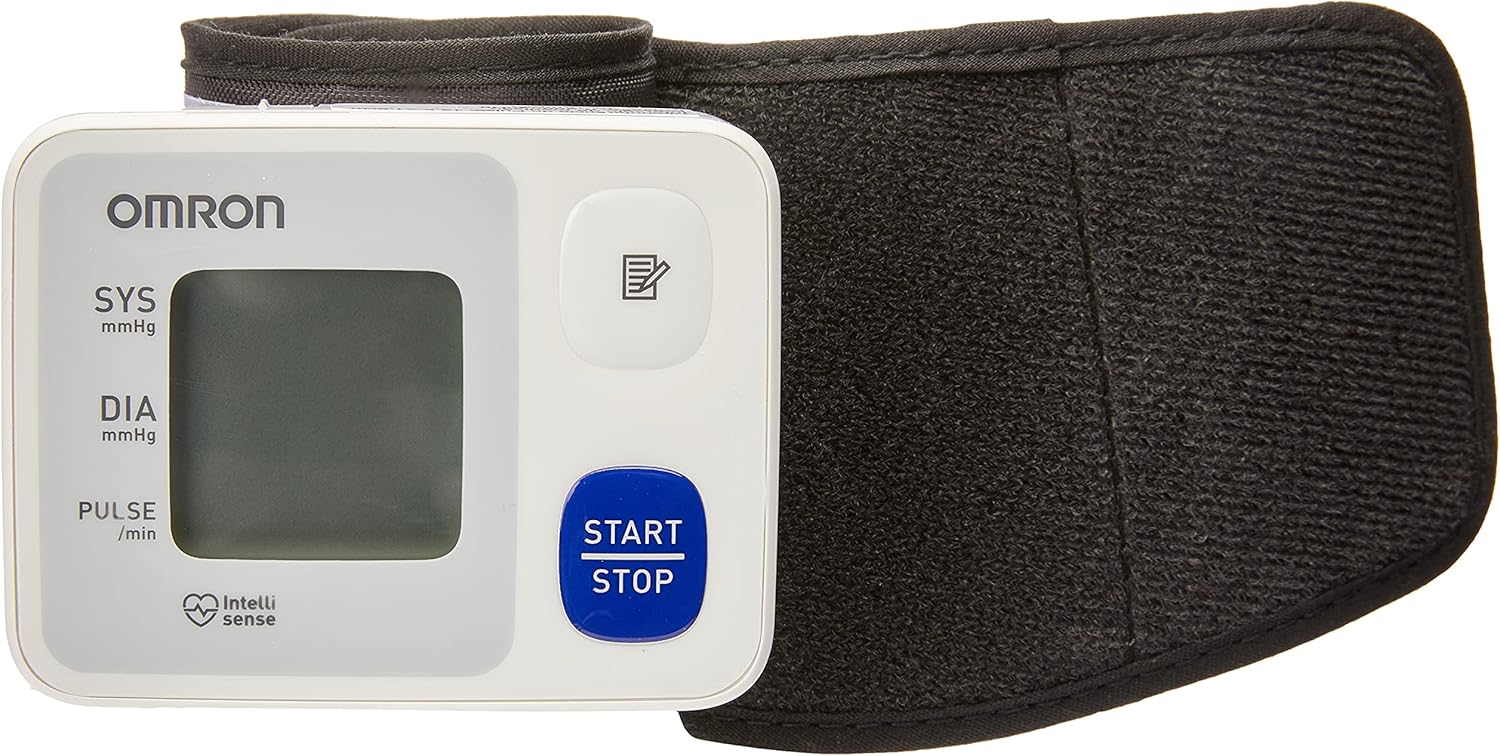
Image: Front view of the OMRON HEM-6124 Wrist Blood Pressure Monitor Control, showing the display, START/STOP button, and memory button, with the wrist cuff folded beside it.
Device Components:
- Display: Shows systolic pressure (SYS), diastolic pressure (DIA), pulse rate, and various indicators.
- START/STOP Button: Powers the device on and off, and starts/stops a measurement.
- Memory Button: Accesses stored measurement results.
- Wrist Cuff: Designed for wrist circumference between 13.5 cm and 21.5 cm.
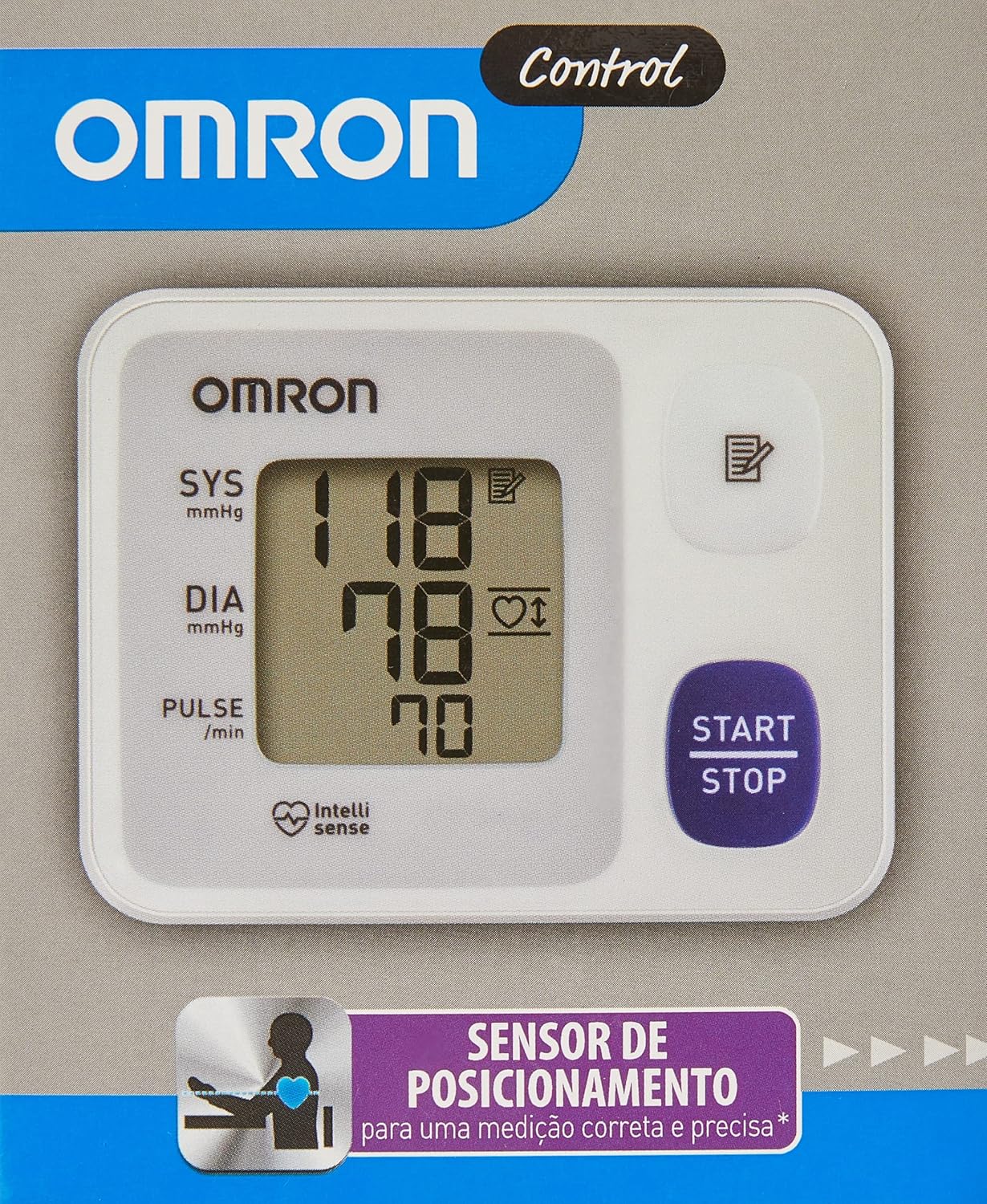
Image: Close-up of the OMRON HEM-6124 display showing a blood pressure reading (118 SYS, 78 DIA, 70 Pulse) and the heart icon for correct positioning.
Setup
1. Battery Installation
- Open the battery compartment cover on the back of the monitor.
- Insert the two AAA batteries, ensuring the correct polarity (+/-) as indicated inside the compartment.
- Close the battery compartment cover securely.
The device requires 2 AAA batteries, which are included in the package.
2. Initial Settings (Date and Time)
Upon first use or after battery replacement, you may need to set the date and time. Refer to the specific instructions in the full printed manual for detailed steps on setting these parameters, as they are crucial for accurate memory logging.
Operating Instructions
Follow these steps to ensure accurate blood pressure measurements:
1. Prepare for Measurement
- Avoid eating, drinking alcohol, smoking, exercising, and bathing for 30 minutes before measurement.
- Rest for at least 5 minutes before taking a measurement.
- Sit in a chair with your feet flat on the floor and your arm resting on a table so the cuff is at heart level.
2. Apply the Wrist Cuff
The cuff should be applied directly to your skin. If you are wearing long sleeves, roll them up. Ensure the cuff fits snugly but not too tightly.

Image: Diagram on the wrist cuff illustrating correct and incorrect wrist placement relative to the heart. The correct position shows the monitor at heart level.
- Wrap the cuff around your left wrist, approximately 1 to 2 cm from the bottom of your palm.
- The display should be on the inside of your wrist.
- Secure the cuff firmly using the hook and loop fastener. The cuff circumference should be between 13.5 cm and 21.5 cm.
3. Correct Measurement Position
The OMRON HEM-6124 features a Positioning Sensor that guides you to the correct wrist height relative to your heart. For accurate readings, the monitor must be at the same level as your heart.
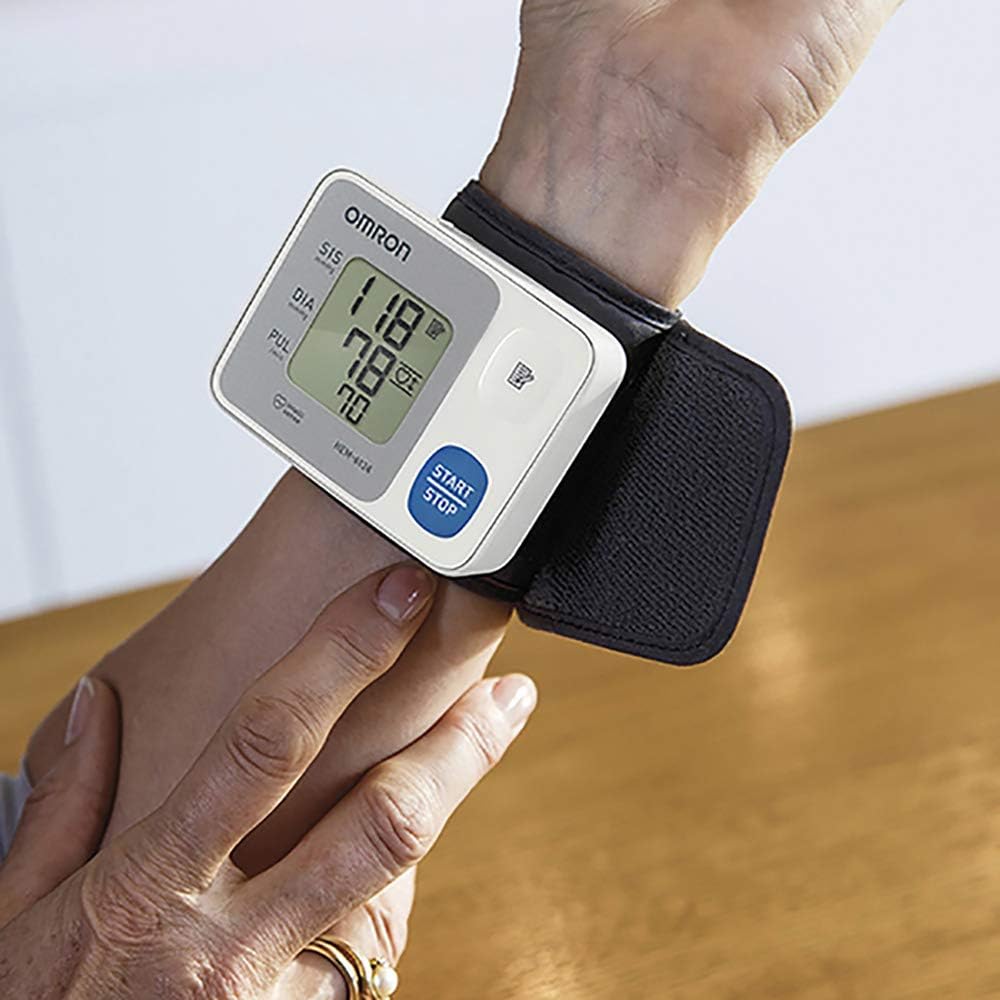
Image: A person using the OMRON HEM-6124 Wrist Blood Pressure Monitor, with the device correctly positioned on the wrist at heart level.
- When the monitor is at the correct height, the heart symbol on the display will illuminate.
- If the heart symbol shows an arrow pointing up or down, adjust your wrist position until the heart symbol is stable.
4. Taking a Measurement
- Press the START/STOP button. The cuff will begin to inflate automatically using Intellisense Technology. This technology inflates the cuff to the ideal level for each user, ensuring comfort and accuracy.
- Remain still and do not talk during the measurement.
- Once the measurement is complete, the cuff will deflate, and your systolic pressure, diastolic pressure, and pulse rate will be displayed.
- The device also features a Irregular Heartbeat Detector. If an irregular heartbeat is detected, a symbol will appear on the display. Consult your doctor if this symbol appears frequently.
- Press the START/STOP button again to turn off the monitor. The measurement will be automatically stored in memory.
Memory Function
The OMRON HEM-6124 can store up to 30 of your most recent measurement readings. This allows you to track your blood pressure over time and share the data with your healthcare provider.
- To view stored readings, press the Memory button.
- Each press of the Memory button will cycle through the stored readings, from most recent to oldest.
- The date and time of each measurement will also be displayed.
Maintenance and Storage
Cleaning:
- Wipe the monitor and cuff with a soft, dry cloth.
- Do not use abrasive or volatile cleaners.
- Do not wash the cuff or immerse the monitor in water.
Storage:
- Store the device in a clean, dry place, away from direct sunlight, extreme temperatures, and humidity.
- Keep the device away from strong vibrations or shocks.
- Remove batteries if the device will not be used for an extended period.
Troubleshooting
If you encounter issues with your OMRON HEM-6124, please refer to the following common solutions:
- No Display/Device Not Turning On: Check battery polarity. Replace batteries if they are depleted.
- Inaccurate Readings: Ensure the cuff is applied correctly and the wrist is at heart level. Avoid movement and talking during measurement. Rest for 5 minutes before measuring.
- Error Message: Consult the full printed manual for specific error codes and their meanings. Often, an error indicates incorrect cuff placement or movement during measurement.
- Cuff Not Inflating: Check if the cuff is securely attached and there are no leaks. Ensure batteries are properly installed and charged.
If the problem persists, contact OMRON customer support.
Specifications
| Feature | Detail |
|---|---|
| Product Name | OMRON Wrist Blood Pressure Monitor Control HEM-6124 |
| Model | HEM-6124 |
| Brand | Omron |
| Power Source | 2 AAA Batteries (included) |
| Display Type | Digital |
| Wrist Circumference | 13.5 cm to 21.5 cm |
| Memory | 30 readings |
| Dimensions (Product) | 6 x 7.8 x 2.1 cm; 101 g |
| Manufacturer | OMRON |
| Certification | ML 239 09/12/16 (Brazilian certification) |
Warranty and Support
Your OMRON HEM-6124 Wrist Blood Pressure Monitor Control is covered by a manufacturer's warranty. Please refer to the warranty card included in your product packaging for specific terms and conditions, including the warranty period and coverage details.
For technical support, troubleshooting assistance, or warranty claims, please contact OMRON customer service. Contact information can typically be found on the OMRON official website or in your product documentation.
Extended warranty options may be available for purchase separately.


