1. Introduction
Thank you for choosing the Tekin RX8 GEN3/Redline T8 GEN3 1/8 Buggy Brushless ESC/Motor Combo. This high-performance system is designed for 1/8 scale off-road buggy applications, offering advanced control and power. This manual provides essential information for the proper installation, setup, operation, and maintenance of your new ESC and motor combo. Please read this manual thoroughly before use to ensure optimal performance and longevity of your product.
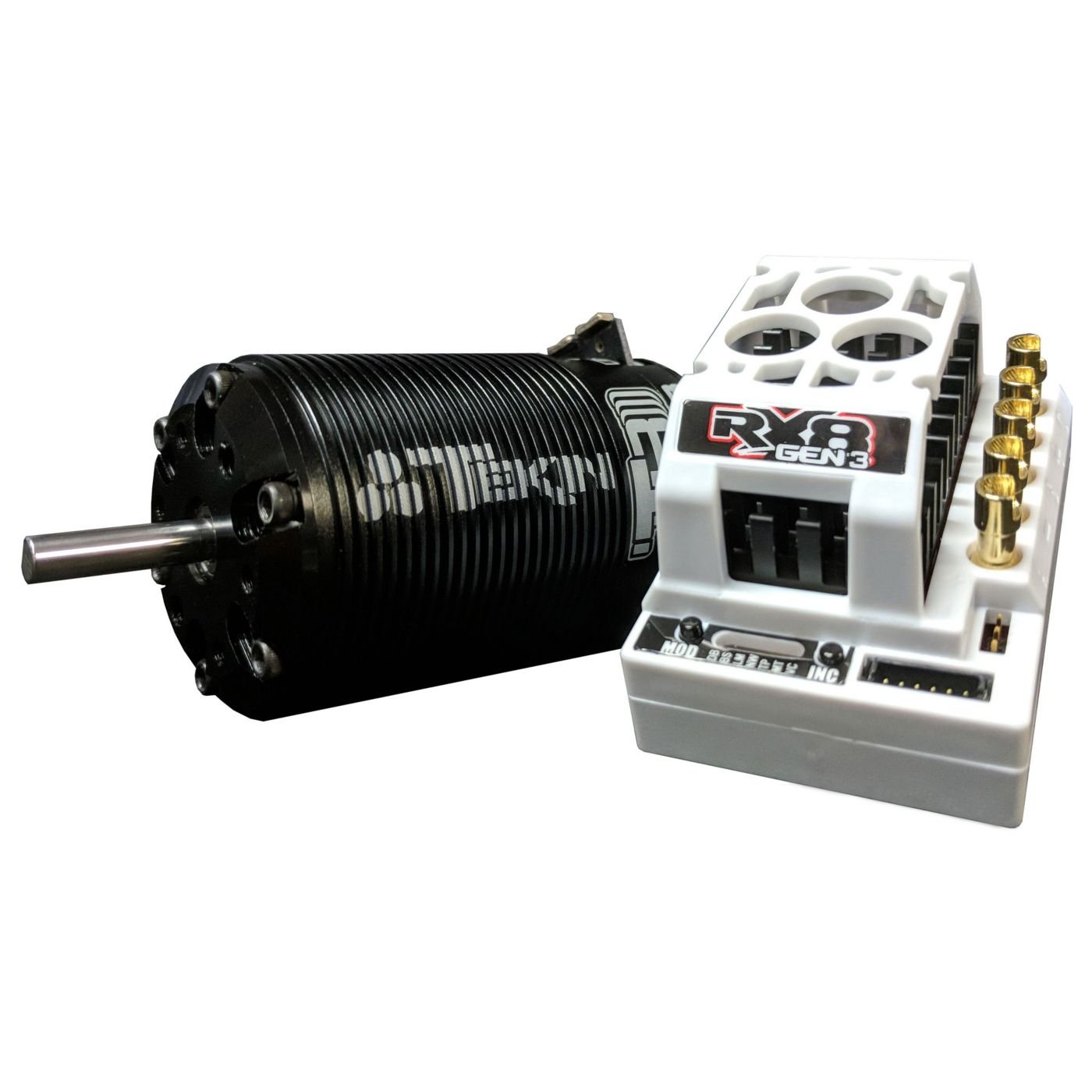
Image 1.1: The Tekin RX8 GEN3 ESC and Redline T8 GEN3 1400kV Motor Combo. This image displays the electronic speed controller (ESC) unit and the brushless motor, which are the primary components of this product.
2. Safety Guidelines
Operating remote-controlled vehicles and high-power electronic components requires adherence to strict safety precautions. Failure to follow these guidelines may result in property damage, personal injury, or damage to the product.
- Read all instructions: Familiarize yourself with the entire manual before operating.
- Battery Safety: Always use appropriate LiPo/NiMH batteries and chargers. Never overcharge or discharge batteries. Disconnect batteries when not in use.
- Proper Ventilation: Ensure adequate airflow around the ESC and motor during operation to prevent overheating.
- Water and Moisture: This product is not waterproof unless explicitly stated. Avoid exposure to water or excessive moisture.
- Wiring: Ensure all wiring connections are secure and correctly polarized. Incorrect wiring can cause severe damage.
- Moving Parts: Keep fingers, clothing, and other objects clear of rotating motor parts and vehicle drivetrain components.
- Children: This product is not a toy. Adult supervision is required for users under 14 years of age.
- Disposal: Dispose of electronic components and batteries according to local regulations.
3. Package Contents
Verify that all items listed below are present in your package. If any components are missing or damaged, please contact your retailer or Tekin customer support.
- Tekin RX8 GEN3 Electronic Speed Controller (ESC)
- Tekin Redline T8 GEN3 1400kV Brushless Motor
- Sensor Wire (for sensored motor operation)
- Instruction Manual (this document)
- Tekin Decal Sheet
4. Installation and Wiring
4.1. Mounting the ESC
Mount the RX8 GEN3 ESC securely to the chassis of your vehicle using double-sided tape or screws, ensuring it is positioned to allow for adequate airflow and easy access to connections. Avoid mounting near sources of extreme heat or vibration.
4.2. Mounting the Motor
Install the Redline T8 GEN3 motor into your vehicle's motor mount. Ensure proper gear mesh between the motor pinion and the spur gear. A small amount of play is necessary to prevent binding and premature wear.
4.3. Wiring Connections
- Motor to ESC: Connect the three motor wires from the T8 GEN3 motor to the corresponding A, B, and C terminals on the RX8 GEN3 ESC. For sensored operation, connect the sensor wire from the motor to the sensor port on the ESC.
- ESC to Receiver: Plug the ESC's receiver wire into the throttle channel (typically channel 2) of your RC receiver.
- Battery to ESC: Connect your battery pack to the battery input leads of the ESC. Ensure correct polarity (red to positive, black to negative). Use high-quality connectors capable of handling high current.
5. Initial Setup and Calibration
5.1. Throttle Calibration
Before first use, the ESC must be calibrated to your radio system's throttle endpoints. This ensures the ESC correctly interprets your transmitter's throttle signals.
- Turn on your transmitter and ensure throttle trim is at neutral.
- With the ESC off and battery connected, hold the ESC's SET button.
- Turn on the ESC. Release the SET button when the LED flashes.
- Move the throttle trigger to full forward and hold. The LED will flash.
- Move the throttle trigger to full reverse and hold. The LED will flash.
- Return the throttle trigger to neutral. The ESC will emit a tone, indicating successful calibration.
5.2. ESC Programming
The RX8 GEN3 ESC offers various programmable parameters to fine-tune performance. These can be adjusted using the onboard SET button, a HotWire interface, or a Tekin HotWire 3.0 module (sold separately). Refer to the detailed programming guide available on the Tekin website for advanced settings.
6. Operation
Once installed and calibrated, your Tekin RX8 GEN3/Redline T8 GEN3 combo is ready for operation. Always ensure your vehicle is on a stand or clear of obstacles before applying throttle for the first time after setup.
- Pre-Run Check: Before each run, inspect all wiring, connections, and mounting points for security. Check battery charge level.
- Temperature Monitoring: Regularly monitor the temperatures of the ESC and motor during operation. If temperatures exceed 180°F (82°C), allow components to cool down. Adjust gearing or ESC settings if overheating persists.
- Post-Run: Disconnect the battery from the ESC immediately after use.
7. Maintenance and Care
Proper maintenance ensures the longevity and consistent performance of your Tekin ESC and motor.
- Cleaning: Regularly clean the ESC and motor to remove dirt, dust, and debris. Use a soft brush or compressed air. Avoid using solvents or harsh chemicals.
- Inspection: Periodically inspect all wires for fraying or damage. Check connectors for corrosion or looseness. Ensure motor bearings are smooth and free of excessive play.
- Storage: Store the ESC and motor in a clean, dry environment away from extreme temperatures and direct sunlight.
8. Troubleshooting Guide
This section addresses common issues you might encounter. For more detailed troubleshooting, refer to the Tekin website or contact customer support.
| Problem | Possible Cause | Solution |
|---|---|---|
| ESC does not power on | Battery not connected, low battery voltage, faulty wiring. | Check battery connection and charge. Inspect all wiring for damage. |
| Motor not spinning / erratic operation | Incorrect throttle calibration, motor wires loose, sensor wire damaged (if sensored). | Recalibrate throttle. Check motor and sensor wire connections. |
| Overheating (ESC or Motor) | Improper gearing, insufficient airflow, aggressive ESC settings. | Reduce pinion size or increase spur size. Ensure proper ventilation. Adjust ESC timing/boost settings. |
| No reverse | ESC setting for reverse is disabled. | Check ESC programming for reverse settings. |
9. Technical Specifications
Below are the key technical specifications for the Tekin RX8 GEN3 ESC and Redline T8 GEN3 1400kV Motor.
- Product Dimensions: 5.8 x 4.9 x 2.1 inches
- Brand: Tekin
- Manufacturer: Tekin, Inc
- ASIN: B07H4QPDLM
- UPC: 706893023347
- Motor kV: 1400kV
- Application: 1/8 Scale Buggy
- ESC Type: Brushless, Sensored/Sensorless
- Note: Detailed electrical specifications for voltage input, current rating, etc., can be found on the official Tekin product page.
10. Warranty Information
Tekin, Inc. warrants this product to be free from defects in materials and workmanship for a period of 120 days from the original date of purchase. This warranty does not cover damage caused by misuse, abuse, neglect, improper installation, unauthorized modification, or normal wear and tear. Proof of purchase is required for all warranty claims. For full warranty terms and conditions, please visit the official Tekin website.
11. Customer Support
If you have any questions, require technical assistance, or need to initiate a warranty claim, please contact Tekin customer support through the following channels:
- Website: www.teamtekin.com
- Email: Refer to the contact section on the official website.
- Phone: Refer to the contact section on the official website.
Please have your product model number and purchase date available when contacting support.