
T TOPVISION T21
TOPVISION Mini Projector User Manual
Model: T21
Introduction
This user manual provides comprehensive instructions for the operation, maintenance, and troubleshooting of your TOPVISION Mini Projector. Designed for home theater, outdoor movie nights, and various multimedia applications, this portable projector offers versatile connectivity and a high-quality viewing experience. Please read this manual thoroughly before using the product to ensure proper setup and optimal performance.
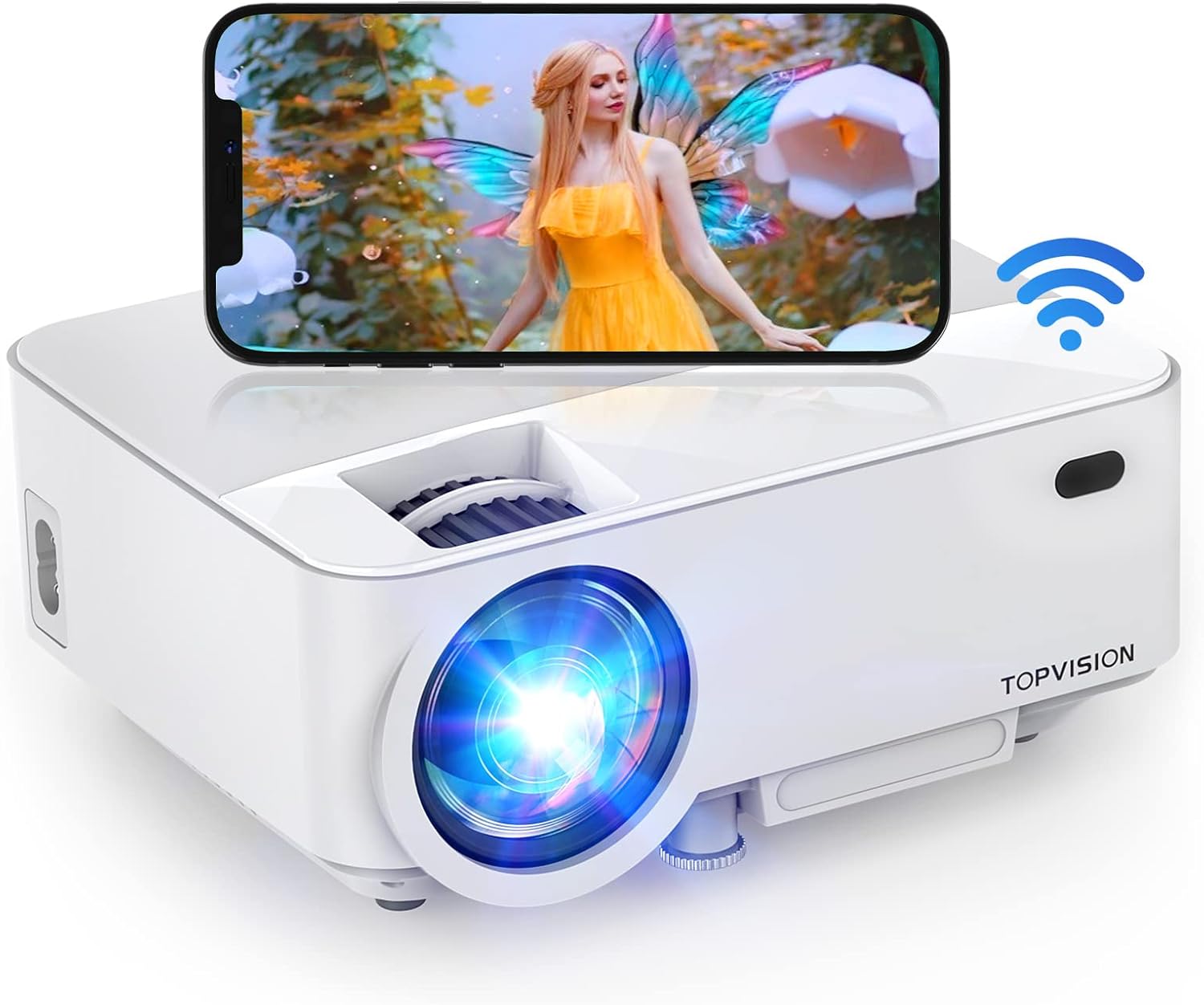
Image: The TOPVISION Mini Projector, a compact white device with a lens on the front and a smartphone displaying content wirelessly connected to it, indicating its WiFi capabilities.
What's in the Box
Upon opening the package, please verify that all the following items are included:
- TOPVISION Mini Projector (Model T21)
- HDMI Cable
- Power Cable
- Remote Control
- AV Cable
- Mounting Screw
- User Manual (this document)

Image: A visual representation of the items included in the product packaging: the projector, HDMI cable, power cable, remote control, AV cable, a screw, and the user manual.
Product Overview
Components and Controls
Familiarize yourself with the various parts and controls of your projector for efficient operation.

Image: Top view of the projector showing the focus and keystone correction dials, and the navigation buttons.

Image: Side view of the projector highlighting the various input/output ports including HDMI, USB, AV, and audio out.
The projector features intuitive controls on its top panel for navigation and adjustments, alongside a comprehensive set of input ports on its side for connecting various devices.
Video: An official product video demonstrating the physical features of the TOPVISION Mini Projector, including its various ports and control buttons, and how to use them.
Setup
Placement: Position the projector on a stable, flat surface. Ensure there are no obstructions to the ventilation vents.
Power Connection: Connect the power cable to the projector and then to a power outlet.
Power On: Press the power button on the projector or the remote control to turn on the device.
Focus Adjustment: Rotate the focus ring near the lens until the projected image appears clear and sharp.
Keystone Correction: Adjust the keystone correction dial to correct any trapezoidal distortion in the image, ensuring a rectangular projection.
Screen Size: The projector supports a screen diagonal of up to 200 inches. Adjust the distance from the projection surface to achieve your desired screen size.

Image: Diagram illustrating various projection distances and corresponding screen sizes, from 32 inches to 200 inches, demonstrating the projector's flexibility in different environments.
Operating Instructions
Basic Operation
- Power On/Off: Use the power button on the projector or remote.
- Input Source Selection: Press the 'Source' button on the remote or projector to cycle through available inputs (HDMI, USB, AV, VGA).
- Menu Navigation: Use the arrow keys on the remote or projector to navigate menus, and the 'OK' button to confirm selections.
- Volume Control: Adjust volume using the dedicated volume buttons on the remote.
Connectivity
The TOPVISION Mini Projector offers multiple ways to connect your devices:
Wireless Connection (WiFi Screen Mirroring)
For Android and iOS devices, you can mirror your screen wirelessly:
- Ensure your projector and mobile device are connected to the same Wi-Fi network.
- Select the "Screen Mirroring" or "WiFi Display" option on the projector's input menu.
- On your mobile device, enable screen mirroring (e.g., "Screen Mirroring" for Android, "AirPlay Mirroring" for iOS).
- Select the projector from the list of available devices.
Wired Connections
Connect various devices using the available ports:
- HDMI: Connect TV sticks, laptops, game consoles (PS3, PS4), DVD players.
- USB: Play media directly from USB drives.
- VGA: Connect older computers or laptops.
- AV: Connect devices with RCA outputs.
- SD Card: Insert SD cards to view photos or videos.
- Audio Out: Connect external speakers or headphones for enhanced audio.

Image: Illustration showing both wireless (WiFi) and wired (USB cable) connection methods for screen mirroring from a smartphone to the projector.

Image: A comprehensive display of various devices compatible with the projector, including smartphones, laptops, game consoles, TV sticks, USB drives, and external audio devices, connected via different ports.
Video: An official product video showcasing the TOPVISION WiFi Portable Projector in use for outdoor movie nights, demonstrating its ease of setup and connectivity for various entertainment scenarios.
Maintenance
- Lens Cleaning: Use a soft, lint-free cloth specifically designed for optical lenses to gently wipe the projector lens. Avoid abrasive materials or harsh chemicals.
- Ventilation: Ensure the projector's ventilation vents are clear of dust and debris to prevent overheating. Do not block the vents during operation.
- Storage: When not in use, store the projector in a cool, dry place, away from direct sunlight and extreme temperatures. Use the lens cap to protect the lens.
- Lamp Life: The projector's LED lamp has an estimated lifespan of up to 80,000 hours. Regular maintenance helps maximize its longevity.

Image: A group of people gathered outdoors at night, enjoying a movie projected onto a large screen by the TOPVISION Mini Projector, illustrating a common use case and the need for proper care.
Troubleshooting
| Problem | Possible Cause | Solution |
|---|---|---|
| No image projected | Power not connected; incorrect input source; lens cap on. | Check power cable; select correct input source; remove lens cap. |
| Image is blurry | Focus not adjusted; projector too close/far. | Adjust focus ring; reposition projector. |
| Image is trapezoidal | Keystone not corrected. | Adjust keystone correction dial. |
| No sound | Volume too low; external speakers not connected properly; audio format not supported. | Increase volume; check external speaker connection; try different audio source. |
| Cannot stream copyrighted content from phone (Netflix, Hulu, etc.) | Digital Rights Management (DRM) restrictions. | Connect via HDMI to a device like a laptop, Roku, or Amazon Firestick that can bypass DRM for external display. Direct phone mirroring of such content is often restricted by content providers. |
Specifications
- Brand: T TOPVISION
- Model: T21
- Display Resolution: 1920 x 1080 (Full HD Supported)
- Connectivity Technology: Wireless (Wi-Fi), USB, HDMI, VGA, AV
- Item Weight: 2.8 pounds
- Product Dimensions: 7.36 x 5.87 x 3.07 inches
- Speaker Type: Stereo (3W HiFi Stereo Speakers)
- Lamp Life: Up to 80,000 hours
- Special Features: Built-in Wi-Fi, Portable, Wireless, Built-In Cooling System, Built-In Speaker, Lightweight, Digital Keystone Correction
- Recommended Uses: Home movie entertainment, outdoor activities, gaming, parties
- Visible Screen Diagonal: Up to 200 inches (508 cm)

Image: A graphic illustrating the low noise level of the projector's cooling system, typically between 40-50dB, ensuring a quiet viewing experience.
Warranty and Support
Your TOPVISION Mini Projector comes with a two-year warranty from the date of purchase. Additionally, TOPVISION offers lifetime professional support for this product.
To activate your extended warranty and for any technical assistance or inquiries, please register your product after receiving it. Contact information for support can typically be found on the product packaging or the official TOPVISION website. Please retain your purchase receipt for warranty claims.