
1. Introduction
This manual provides detailed instructions for the setup, operation, and maintenance of your LIKE G982 Fingerprint Piggy Bank Safe Box. Please read this manual thoroughly before using the product to ensure proper function and longevity.
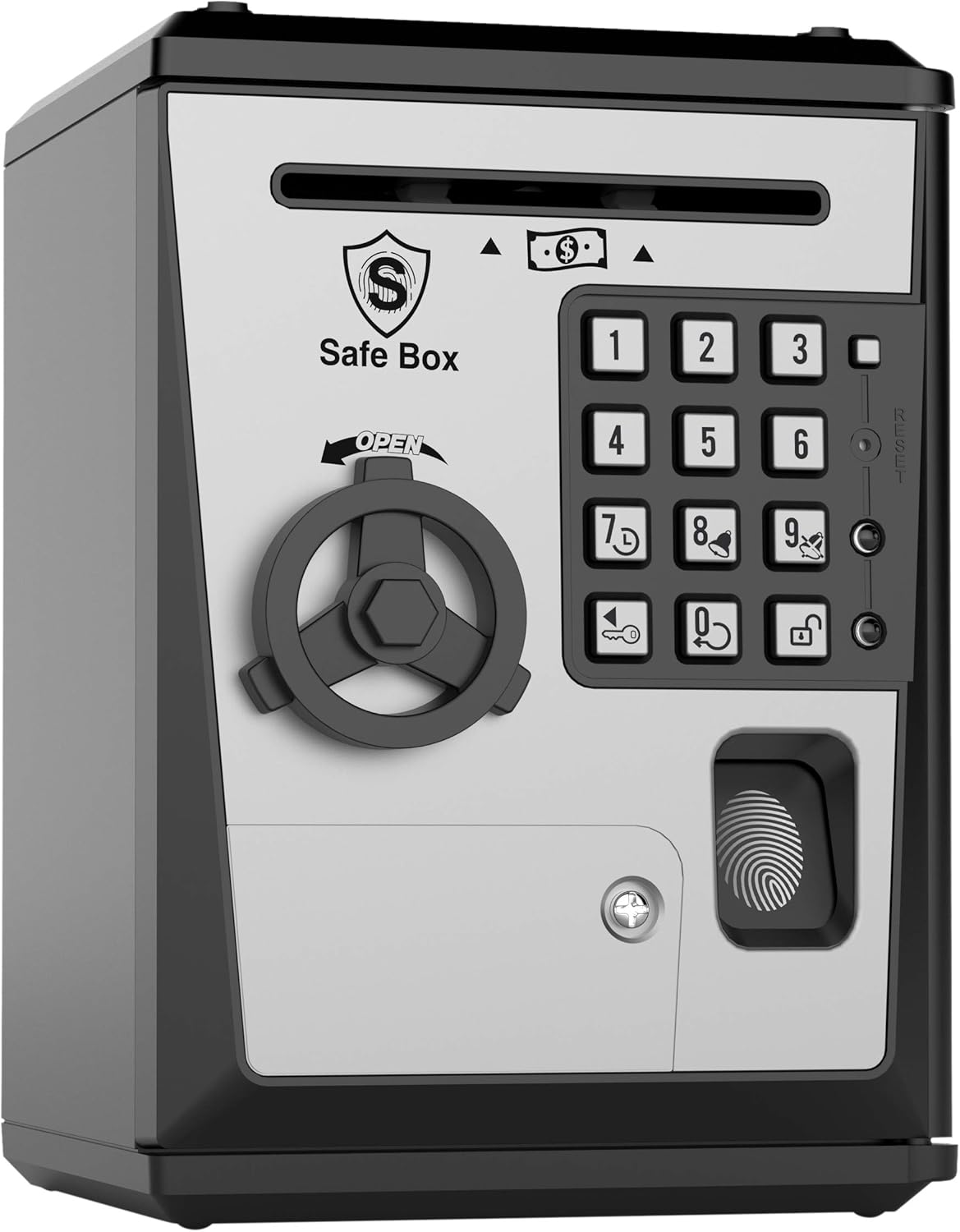
Image 1.1: Front view of the LIKE G982 Fingerprint Piggy Bank Safe Box.
2. Product Overview
2.1 Key Features
- Password and pretend fingerprint for dual security.
- Motorized bill feeder for automatic paper money deposit.
- Integrated voice alarm clock function.
- Records the last three operations for review.
- Coin slot for easy coin deposit.
2.2 Components

Image 2.1: Diagram showing key components including the roll-in area, voice clock, open wheel, UV light, voice alarm, last 3 operations checking, fingerprint confirm area, and battery door.
Familiarize yourself with the labeled components shown in Image 2.1 for easier operation.
3. Setup
3.1 Battery Installation
- Locate the battery compartment on the back or bottom of the safe box (refer to Image 2.1 for 'Battery Door').
- Open the battery compartment cover.
- Insert 3 AA batteries, ensuring correct polarity (+/-). Batteries are not included.
- Close the battery compartment cover securely.
3.2 Initial Power On and Default Password
Upon first power-on, the safe box will be set to its default password. The default password is 0000. You will need this to open the safe for the first time and to change the password.
4. Operating Instructions
4.1 Opening the Safe Box
- Enter the 4-digit password (default is 0000).
- Place your finger on the fingerprint scanner for confirmation. The scanner is a pretend fingerprint reader and will confirm entry regardless of the finger used.
- Turn the knob clockwise to open the door.
- Open the door to access the contents.

Image 4.1: Visual guide for opening the safe box: 1. Enter Password, 2. Confirm Fingerprint, 3. Turn Knob Clockwise, 4. Open Door.
4.2 Changing the Password
- Open the safe box using the current password (default 0000).
- While the door is open, press and hold the '*' (asterisk) button.
- Enter your new 4-digit password.
- Press the '#' (pound) button to confirm the new password.
- Close the safe door. The new password is now set.

Image 4.2: The '*' button, used for password reset, is located on the keypad.
4.3 Depositing Money
- Paper Money: Insert paper money into the motorized bill feeder slot at the top front of the safe box. The safe box will automatically pull the bill inside.
- Coins: Drop coins into the coin slot located on the top of the safe box.

Image 4.3: Demonstrates auto roll-in for bills and coin deposit into the top slot.
4.4 Alarm Clock Function
The safe box includes a voice alarm clock. To set or disable the alarm, use the buttons on the keypad. The '8' button is typically associated with the alarm function. Pressing it may activate or deactivate the alarm. Further details on setting specific alarm times may vary; experimentation or referring to the product packaging for specific sequences is recommended.

Image 4.4: The keypad features dedicated buttons for Time (7), Alarm (8), and Record (0).
4.5 History Records
To check the last three operations, press the '0' button on the keypad. The safe box will verbally announce the last three actions performed.
5. Maintenance
- Cleaning: Wipe the exterior of the safe box with a soft, dry cloth. Avoid using abrasive cleaners or solvents.
- Battery Replacement: When the sound becomes faint or the functions are unresponsive, it is time to replace the batteries. Follow the steps in Section 3.1.
- Storage: Store the safe box in a dry place away from direct sunlight and extreme temperatures.
6. Troubleshooting
- Safe Box Does Not Open:
- Ensure batteries are correctly installed and have sufficient power. Replace if necessary.
- Verify the password entered is correct. If you forgot the password, refer to Section 4.2 for password reset instructions (using the '*' button while the door is open with the default password). If the door is closed and you forgot the password, you may need to remove and reinsert batteries to reset to the default '0000' password.
- Motorized Bill Feeder Not Working:
- Check battery level.
- Ensure bills are inserted straight and are not crumpled or folded excessively.
- Alarm Sounds Unexpectedly:
- The alarm clock function may have been accidentally activated. Press the '8' button to attempt to deactivate it.
- If persistent, try removing and reinserting batteries to reset all settings to default.
- Buttons Unresponsive:
- Replace batteries.
- Ensure no foreign objects are lodged in the buttons.
7. Specifications
| Feature | Detail |
|---|---|
| Model Number | G982 |
| Product Dimensions | 5.3 x 5.6 x 7.6 inches |
| Item Weight | 1.5 pounds |
| Power Source | 3 AA batteries (not included) |
| Manufacturer Recommended Age | 3 years and up |
| Release Date | December 1, 2018 |

Image 7.1: Product dimensions: 5.3 inches (width) x 5.6 inches (depth) x 7.6 inches (height).
8. Safety Information
This product is intended for use as a toy money bank. It is not a real security safe and should not be used to store valuable items that require actual protection. Adult supervision is recommended for younger children during use, especially during battery installation and initial setup.
9. Warranty and Support
For information regarding warranty, returns, or customer support, please refer to the retailer's policy where the product was purchased. Specific warranty details are typically provided at the point of sale or on the product packaging.