
DrawGreen DG08-A3 Solar Lights
DrawGreen Solar Motion Sensor Light User Manual
Model: DG08-A3 Solar Lights
Brand: DrawGreen
Introduction
Thank you for choosing the DrawGreen Solar Motion Sensor Light. This manual provides detailed instructions for the proper setup, operation, and maintenance of your new solar light. Designed for outdoor security, this light features a built-in photocell sensor for automatic dusk-to-dawn operation and a PIR motion sensor for enhanced illumination when motion is detected. Its durable aluminum alloy casing ensures reliable performance in various weather conditions.
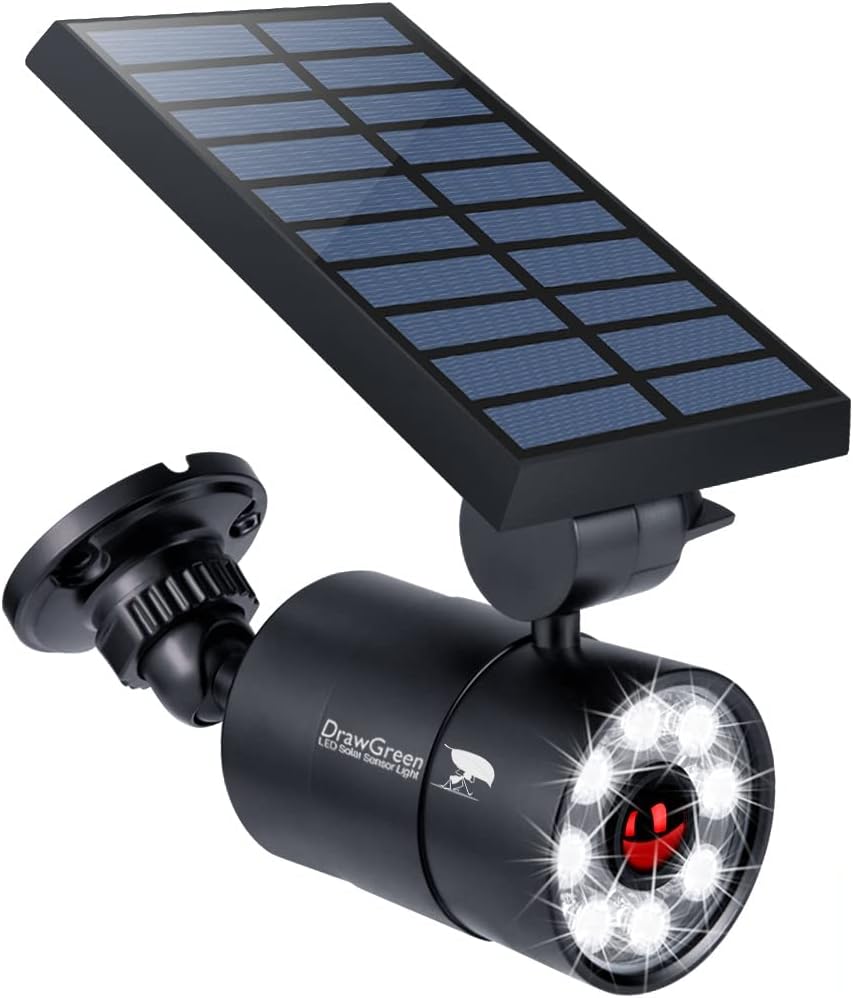
Image: The DrawGreen Solar Motion Sensor Light, featuring a solar panel and an adjustable light head with multiple LEDs.
Safety Information
- Ensure the light is installed in a location that receives ample direct sunlight for optimal charging.
- Do not attempt to disassemble or modify the product beyond the instructions provided in this manual.
- Keep the solar panel clean to ensure efficient charging.
- This product is designed for outdoor use and is IP66 waterproof, but avoid submerging it in water.
- Handle the lithium metal battery with care during replacement. Refer to the maintenance section for details.
Package Contents
Verify that all items are present in your package:
- DrawGreen Solar Motion Sensor Light (DG08-A3)
- Mounting Screws and Wall Plugs
- User Manual (this document)
Product Overview
Familiarize yourself with the main components of your solar motion sensor light:
- Solar Panel: Collects sunlight to charge the internal battery. Adjustable for optimal sun exposure.
- LED Light Head: Contains multiple bright LEDs for illumination. Rotates 360 degrees for flexible lighting direction.
- PIR Motion Sensor: Detects motion within its range to trigger high-brightness mode.
- On/Off Button: Located on the back of the solar panel for activating/deactivating the light.
- Mounting Bracket: Securely attaches the light to a wall or post.

Image: Diagram showing the solar panel, light head, and motion sensor, highlighting their adjustable nature.

Image: Close-up view of the internal components, including the motion infrared probe, LED optics-grade lens, charge & discharge protect IC, constant current & steady voltage circuit board, and the replaceable Li-ion battery (3.7V 2600mAh).
Setup and Installation
Follow these steps to install your solar motion sensor light:
- Choose a Location: Select an outdoor location that receives at least 5-6 hours of direct sunlight daily for optimal charging. Ensure the area where light is desired is within the motion sensor's range.
- Activate the Light: Before mounting, locate the on/off button on the back of the solar panel. Press the button to turn the light ON. The lights will flash once to confirm activation. To turn OFF, press the button again; the lights will flash twice.
- Mount the Bracket: Use the provided screws and wall plugs to securely attach the mounting bracket to your chosen surface.
- Attach the Light: Slide the solar light onto the mounted bracket and secure it.
- Adjust Light and Panel: Adjust the solar panel to face the sun for maximum exposure. Rotate the light head 360 degrees to direct the illumination where needed.
Video: This video demonstrates the features of the DrawGreen Solar Motion Sensor Light, including its adjustable solar panel and light head, the location of the on/off button, and how the metal bracket can be removed for use as a flashlight. It also shows the installation process of mounting the light to a wall.

Image: Illustration showing the 360-degree rotation of the light head and the adjustable solar panel, along with the motion detection range of 10-26 feet.
Operating Instructions
The DrawGreen Solar Motion Sensor Light operates automatically:
- Dusk-to-Dawn Operation: The built-in photocell sensor detects ambient light. During the day, the light charges its internal battery. At night, it automatically turns on in a dim-light mode.
- Motion Sensor Activation: When the PIR motion sensor detects movement within its 20-26ft range and 120-degree angle, the light will switch to a high-bright mode (1400LM) for approximately 20 seconds. After 20 seconds, if no further motion is detected, it will revert to dim-light mode.
- Extended Dim-Light: The low-light setting can last for up to 3 days on rainy days without direct sunlight, thanks to its efficient solar modules.

Image: Depiction of the solar motion sensor light in action, showing auto-dim light at night and super bright illumination when motion is detected.
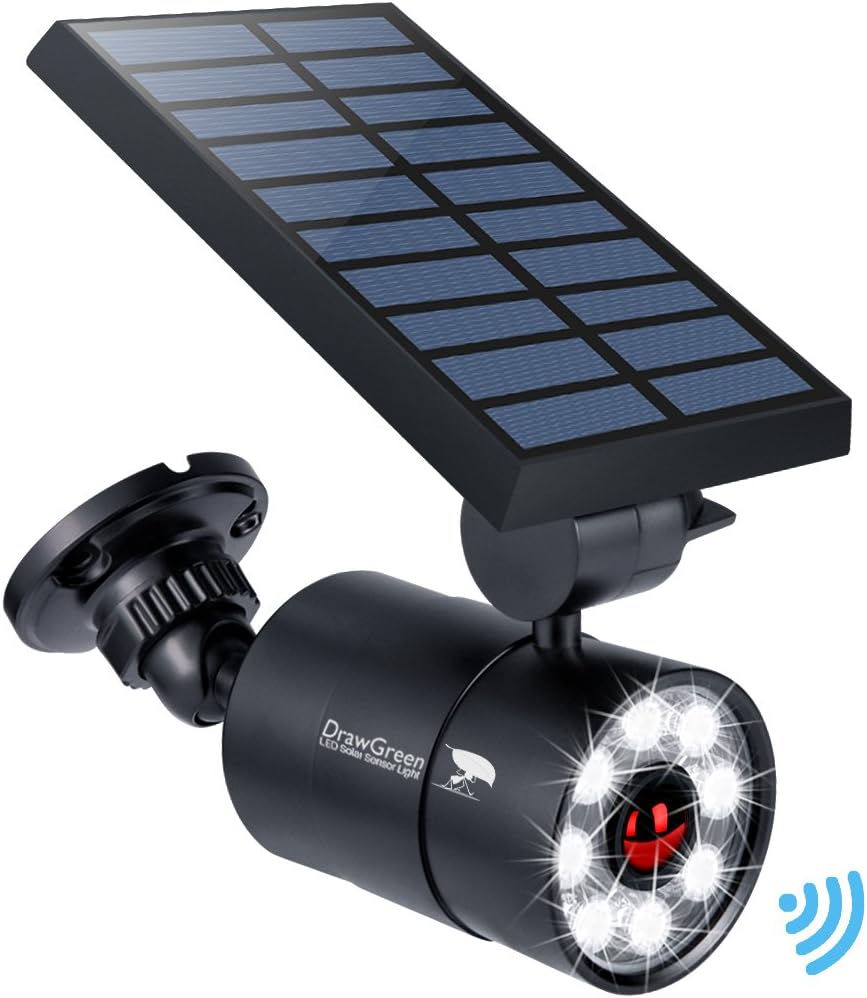
Image: An outdoor scene illustrating the 150-degree infrared motion sensor and how the light transitions from dim to bright when motion is detected, with the dim light continuing for 30 hours.
Maintenance
- Cleaning: Regularly wipe the solar panel with a soft, damp cloth to remove dust, dirt, or debris. A clean panel ensures maximum charging efficiency.
- Battery Replacement: The light features a replaceable battery design. If the light's performance significantly degrades over time, the internal 18650 Li-ion battery (3.7V 2600mAh) can be replaced. Refer to the product overview image for battery location. Ensure proper polarity when replacing.
- Weather Resistance: The light is designed to withstand extreme temperatures (-30℉ to 120℉) and is IP66 waterproof. No special weather-related maintenance is typically required beyond ensuring it is securely mounted.

Image: The solar light mounted outdoors in rainy conditions, emphasizing its IP66 waterproof rating and durable aluminum alloy construction, ready for all weather.
Troubleshooting
| Problem | Possible Cause | Solution |
|---|---|---|
| Light does not turn on at night. |
|
|
| Light is dim or does not stay on long. |
|
|
| Motion sensor not working. |
|
|
Specifications
| Feature | Detail |
|---|---|
| Model Number | DG08-A3 Solar Lights |
| Brand | DrawGreen |
| Material | Aluminum Alloy |
| Light Source Type | LED |
| Brightness | 1400LM (130W Equivalent) |
| Wattage | 9 kWh |
| Voltage | 12 Volts |
| Motion Sensor Range | 20-26 ft, 120-degree angle |
| Charging Time | 5-6 hours (full charge in direct sunlight) |
| Dim-Light Duration | Up to 3 days (on rainy days without sunlight) |
| Battery Type | 1 Lithium Metal (18650, 3.7V 2600mAh) |
| Water Resistance | IP66 Waterproof |
| Temperature Resistance | -30℉ to 120℉ (-34℃ to 49℃) |
| Product Dimensions | 6.63"L x 3.53"W x 4.66"H |
| Item Weight | 0.83 Pounds (approx. 13.3 ounces) |

Image: Diagram illustrating the dimensions of the DrawGreen Solar Motion Sensor Light: 6.63 inches long, 3.53 inches wide, and 4.66 inches high.
Warranty and Support
DrawGreen provides a 100-Week 100% Free Replacement or Money Back Guarantee if there is any quality issue or any reason that causes dissatisfaction with this item.
For support, please contact DrawGreen customer service through the platform where you purchased the product or refer to the contact information provided with your purchase.
Related Documents - DG08-A3 Solar Lights
 |
Solar Motion Sensor Lights User Manual: Waterproof Outdoor Security Lighting with RF Remote Comprehensive user manual for waterproof outdoor solar motion sensor flood lights. Features dual sensors, RF remote control, 3000LM brightness, 3 lighting modes, 270° illumination, IP65 rating, ideal for gardens, yards, patios, and pathways. |
 |
How to Use Solar Lamps - Installation and Operation Guide A comprehensive guide on how to install and operate solar lamps, including features like 126 LEDs, 3 lighting modes, 270° wide angle, and remote control functionality. |
 |
Claoner 252 LED Solar Motion Sensor Light User Manual User manual for the Claoner 252 LED Solar Motion Sensor Light, detailing specifications, features, lighting modes, installation, and warranty information for this IP65 waterproof solar-powered light. |
 |
Loyoele Solar Street Light User Manual - Installation, Features, and Warranty Comprehensive user manual for the Loyoele Solar Street Light, covering package contents, installation instructions for walls and poles, remote control functions, motion sensor mode, warm tips, and warranty information. |
 |
Harbor Breeze 2-Pack 5 Lumen Solar Post Cap Lights (QPP45-K5A-BK-2) - Installation and Care Guide Comprehensive guide for installing, maintaining, and troubleshooting Harbor Breeze 2-Pack 5 Lumen Solar Post Cap Lights (Model QPP45-K5A-BK-2). Features warranty details, safety precautions, and care instructions. |
 |
Harbor Breeze 6-CT 20 Lumen Solar Flood Lights Installation and Care Easy-to-follow instructions for installing and maintaining Harbor Breeze 6-CT 20 Lumen Solar Flood Lights. Includes troubleshooting tips and warranty information. |
Ask a question about this manual
Ask about setup, troubleshooting, compatibility, parts, safety, or missing instructions. Manuals+ will review the question and use this page’s manual context to help answer it.