
1. Introduction
This manual provides comprehensive instructions for the safe and effective operation of your AGT Professional Infrared Thermometer. This device is designed for non-contact temperature measurement of surfaces, featuring Bluetooth connectivity for data processing via a mobile application and an integrated laser pointer for precise targeting.
2. Product Overview
The AGT Infrared Thermometer is a versatile tool for various applications, from home inspections to industrial use. Its key features include:
- Fast Measurement: Obtain temperature readings in less than 1 second.
- Laser Pointer: Activate the laser for accurate targeting of opaque liquids and objects.
- Backlit LCD Screen: Ensures clear readability of values even in low-light conditions.
- Bluetooth Connectivity: Process measurements and visualize data on your Android or iOS mobile device using the free dedicated application.
- Ergonomic Design: Easy to use with a comfortable pistol grip and clearly labeled buttons.
- Wide Temperature Range: Measures surface temperatures from -50°C to 600°C.
- High Precision: Accuracy varies by range: ±5°C (-50 to -15°C), ±4°C (-15 to 0°C), ±2°C (0 to 100°C), ±4-25°C (100 to 600°C).
- Temperature Display: Readings shown in 0.1°C increments.
- Data Hold Function: Freeze the current measured value on the screen.
- Unit Selection: Switch between Celsius (°C) and Fahrenheit (°F).
- Energy Saving: Automatic shutdown after 10 seconds of inactivity.
- Low Battery Warning: Alerts you when the battery is low.
- Class 2 Laser: 639 nm, max. 1 mW.
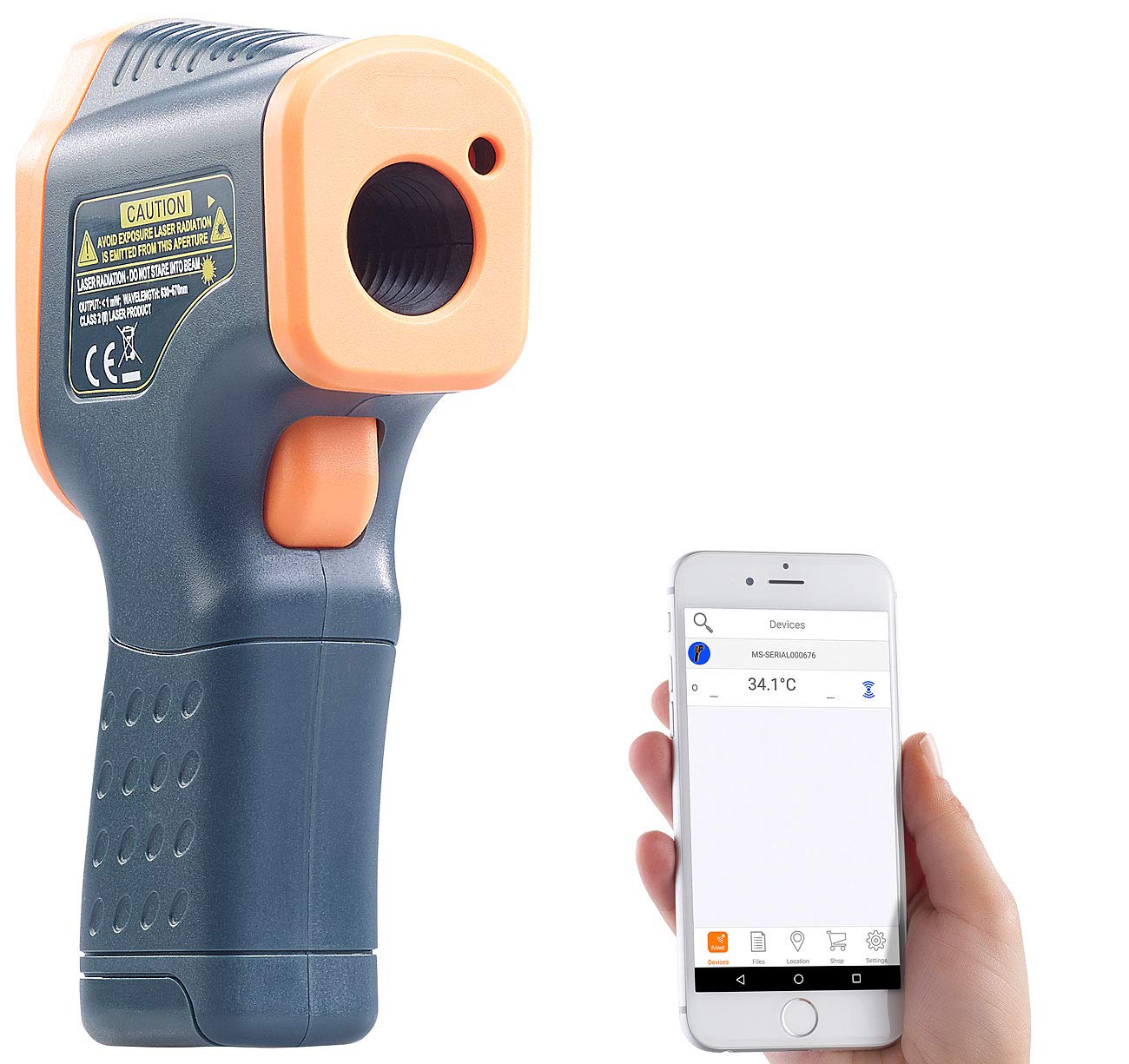
Figure 2.1: The AGT Infrared Thermometer, demonstrating its compact design and connectivity with a mobile application for data display.

Figure 2.2: Detailed view of the thermometer's LCD screen, showing a temperature reading and the 'HOLD' function engaged.

Figure 2.3: Multiple perspectives of the thermometer, highlighting its design and display.
3. Setup
3.1 Battery Installation
The thermometer requires one 9V block battery (not supplied) for operation.
- Locate the battery compartment cover at the bottom of the handle.
- Slide the cover downwards to open the compartment.
- Connect a 9V battery to the battery connector, ensuring correct polarity.
- Place the battery into the compartment.
- Slide the cover back into place until it clicks securely.

Figure 3.1: Illustration of the battery compartment and 9V battery installation.
4. Operating Instructions
4.1 Taking a Measurement
- Point the thermometer at the target surface. Ensure the distance-to-spot ratio is appropriate for accurate readings (refer to specifications).
- Press and hold the trigger to begin scanning. The laser pointer will activate to indicate the measurement area.
- Release the trigger to hold the measurement on the display. The "HOLD" indicator will appear.
- The device will automatically turn off after 10 seconds of inactivity to conserve battery life.

Figure 4.1: Proper technique for holding and aiming the thermometer during measurement.
4.2 Switching Temperature Units (°C/°F)
To switch between Celsius and Fahrenheit, locate the mode button on the device (usually below the display) and press it to toggle the units.
4.3 Using the Bluetooth Function and Mobile App
The AGT Infrared Thermometer can connect to your smartphone via Bluetooth for advanced data management.
- Download the free companion application from the App Store (iOS) or Google Play (Android).
- Ensure Bluetooth is enabled on your mobile device.
- Turn on the thermometer.
- Open the application and follow the on-screen instructions to pair your device.
- Once connected, you can view real-time measurements, log data, and analyze trends directly on your phone.
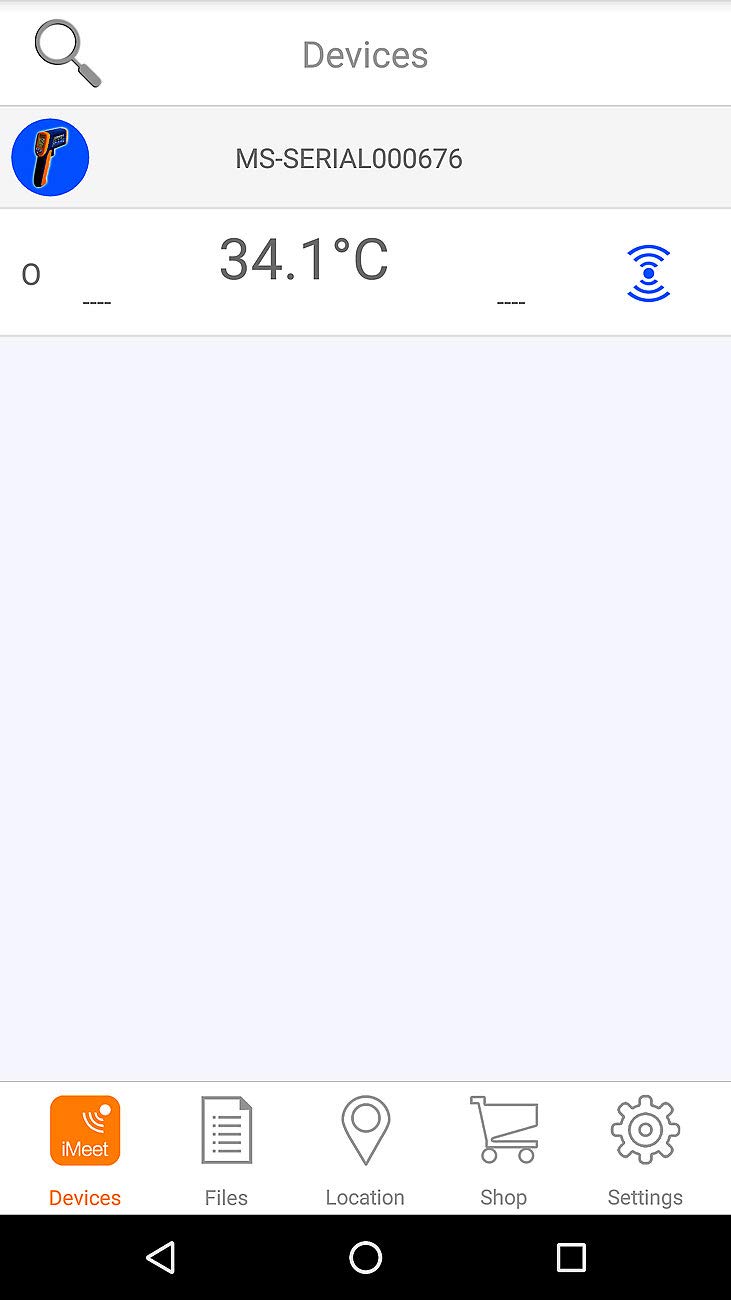
Figure 4.2: The mobile application interface, displaying connected devices and temperature data.
5. Maintenance
5.1 Cleaning the Device
To ensure accurate readings and prolong the life of your thermometer, keep it clean.
- Use a soft, damp cloth to wipe the exterior of the device.
- Do not use abrasive cleaners or solvents.
- Pay special attention to the infrared lens and laser aperture, keeping them free of dust and debris. Use a soft brush or compressed air if necessary, but avoid touching the lens directly.
5.2 Battery Replacement
When the low battery indicator appears on the display, replace the 9V battery as described in Section 3.1.
6. Troubleshooting
If you encounter issues with your AGT Infrared Thermometer, refer to the following common problems and solutions:
| Problem | Possible Cause | Solution |
|---|---|---|
| Device does not turn on. | Low or dead battery; incorrect battery installation. | Replace the 9V battery. Ensure battery is installed with correct polarity. |
| Inaccurate readings. | Dirty lens; incorrect distance to target; target surface emissivity. | Clean the infrared lens. Ensure proper distance. Consider surface emissivity (though this model doesn't have adjustable emissivity, it's a general IR thermometer factor). |
| Bluetooth connection fails. | Bluetooth not enabled on phone; app not open; device not in pairing mode. | Ensure phone Bluetooth is on. Open the app and follow pairing instructions. Restart both devices. |
| Laser pointer not visible. | Laser function disabled; bright ambient light. | Ensure laser is activated (usually by pressing the trigger). Use in appropriate lighting conditions. |
7. Specifications
| Feature | Detail |
|---|---|
| Model Number | 4022107334884 |
| Brand | AGT |
| Measurement Range (Surface) | -50°C to 600°C (-58°F to 1112°F) |
| Measurement Accuracy | ±5°C (-50 to -15°C), ±4°C (-15 to 0°C), ±2°C (0 to 100°C), ±4-25°C (100 to 600°C) |
| Display Resolution | 0.1°C / 0.1°F |
| Response Time | Less than 1 second |
| Laser Type | Class 2, 639 nm, max. 1 mW |
| Connectivity | Bluetooth |
| Display Type | Backlit LCD Screen |
| Power Source | 1 x 9V Block Battery (not included) |
| Automatic Shutdown | After 10 seconds of inactivity |
| Dimensions | 39 x 138 x 72 mm |
| Item Weight | 108 grams |
| Exterior Material | Plastic |
| Care Instructions | Clean |
| Spare Parts Availability | Information unavailable |
8. Warranty and Support
Specific warranty information for this product is not explicitly provided in the available data. Please refer to the retailer's return policy or contact the manufacturer, AGT, directly for detailed warranty terms and conditions.
For technical support or further assistance, please contact your point of purchase or the manufacturer's customer service department.
