
AOZBZ VICYUFUSTAT8998
AOZBZ Wireless Weather Station User Manual
Model: VICYUFUSTAT8998
1. Introduction
Thank you for purchasing the AOZBZ Wireless Weather Station. This device provides comprehensive weather information including indoor and outdoor temperature and humidity, barometric pressure, moon phase, and weather forecasts. It also features a daily alarm clock with a snooze function. Please read this manual carefully before use to ensure proper operation and longevity of your device.
2. Key Features
- Multi-functional Display: Color weather forecast, indoor/outdoor thermometer and hygrometer, MAX/MIN temperature and humidity display, barometric pressure, moon phase, daily alarm, and snooze function.
- Indoor and Outdoor Use: Suitable for various indoor spaces (bedroom, living room, kitchen) and covered outdoor areas (balcony, terrace).
- Smart Weather Forecasts: Equipped with a wireless outdoor sensor (up to 197 feet range) and 7 color icons. Weather symbols indicate fluctuations over the next eight hours, not current weather.
- Daily Alarm Clock: Functions as an alarm clock with manual time setting (12/24 hour option) and snooze. Low power indicator included.
- USB Powered: Features an integrated USB charging port for convenient power supply via power bank or other devices.

This image illustrates the main display unit of the AOZBZ Wireless Weather Station, highlighting its various functionalities. Icons represent temperature, humidity, calendar, clock/snooze, LCD display, moon phase, barometric pressure, and weather forecast. The display shows indoor and outdoor readings, along with a comfort indicator.
3. Package Contents
Please check the package contents carefully. If any items are missing or damaged, please contact customer support.
- 1 x AOZBZ Wireless Weather Station (Main Unit)
- 1 x Wireless Outdoor Sensor
- 1 x USB Charging Cable
- 1 x User Manual

This image shows the primary components of the weather station: the main display unit with its vibrant color screen showing outdoor temperature and humidity, forecast, indoor temperature and humidity, time, and moon phase, alongside the compact white wireless outdoor sensor.
4. Setup
4.1 Powering the Main Unit
- Connect the provided USB charging cable to the USB port on the back of the main unit.
- Plug the other end of the USB cable into a compatible USB power adapter (not included) or a USB port on a computer/power bank.
- Alternatively, insert 2 x AA batteries (not included) into the battery compartment on the back of the main unit. Ensure correct polarity.
4.2 Installing the Outdoor Sensor
- Open the battery compartment of the wireless outdoor sensor.
- Insert 2 x AA batteries (not included) into the compartment, observing correct polarity.
- Close the battery compartment securely.
- Place the outdoor sensor in a sheltered location outside, away from direct sunlight and rain, to ensure accurate readings. The maximum wireless transmission range is approximately 197 feet (60 meters) in an obstacle-free environment.

This diagram illustrates the wireless connection between the indoor weather station display and the outdoor sensor. The main unit is shown inside a home, receiving data from the sensor placed on an exterior wall, demonstrating the effective range and placement for optimal performance.
5. Operating Instructions
5.1 Initial Synchronization
Once both the main unit and the outdoor sensor are powered on, they will automatically attempt to synchronize. This may take a few minutes. Ensure both units are within range of each other.
5.2 Setting Time and Date
Refer to the detailed instructions in the included user manual for specific button functions to manually set the time, date, and 12/24 hour format.
5.3 Alarm and Snooze Function
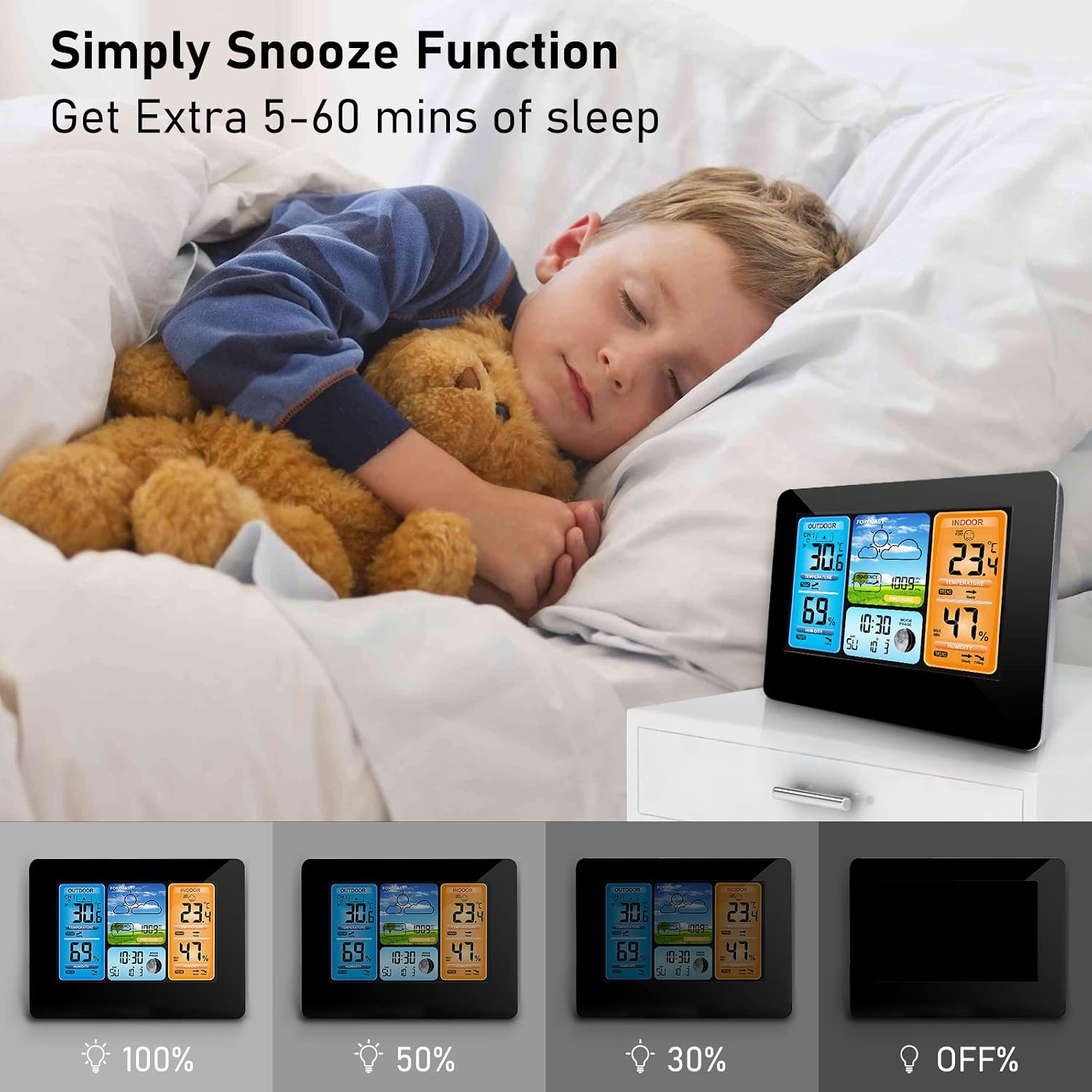
The weather station can be used as a daily alarm clock. Follow the manual's instructions to set the alarm time and activate the snooze function. The snooze function typically provides an extra 5-60 minutes of sleep.

This image depicts the weather station on a nightstand next to a sleeping child, emphasizing the convenience of its snooze function for getting extra rest. The display shows the time and weather information, indicating its utility as a bedside alarm clock.
5.4 Understanding the Display
The color display provides various readings:
- Outdoor Section (Blue): Displays outdoor temperature and humidity, along with trend indicators (rising, steady, falling).
- Forecast Section (Green/Blue): Shows weather forecast icons (sunny, cloudy, rainy, etc.), barometric pressure, and moon phase. The forecast predicts weather for the next 8 hours.
- Indoor Section (Orange): Displays indoor temperature and humidity, comfort level indicator (dry, comfort, wet), and trend indicators.
- Time and Date: Located at the bottom center of the display.

This image provides a comprehensive breakdown of the weather station's display, with annotations pointing to each data point: outdoor temperature, outdoor humidity, weather forecast, air pressure, comfort display, indoor temperature, indoor humidity, date and week indicator, and moon phase. It clarifies how to interpret the information presented on the screen.
5.5 Comfort Level Indicator
The indoor section includes a comfort level indicator based on humidity:
- DRY: 1% - 39% Humidity
- COMFORT: 40% - 70% Humidity
- WET: 71% - 99% Humidity
This image shows a family enjoying a comfortable indoor environment, with the weather station prominently displayed, indicating a "COMFORT" humidity level. This visually reinforces the benefit of the humidity monitoring feature for maintaining a healthy living space.
6. Maintenance
- Clean the display and casing with a soft, dry cloth. Do not use abrasive cleaners or solvents.
- If using batteries, replace them when the low power indicator appears on the display.
- Ensure the outdoor sensor is kept clean and free from debris to maintain accurate readings.
- Avoid exposing the main unit to extreme temperatures, direct sunlight, or high humidity.
7. Troubleshooting
| Problem | Possible Cause | Solution |
|---|---|---|
| No display on main unit. | Batteries are dead or incorrectly inserted; USB cable not connected or faulty. | Replace batteries, ensuring correct polarity. Check USB cable connection and power source. |
| Outdoor temperature/humidity not displayed. | Outdoor sensor batteries are dead; sensor is out of range; interference; sensor not synchronized. | Replace sensor batteries. Move sensor closer to the main unit. Re-synchronize the sensor (refer to manual for specific steps). Avoid placing near large metal objects or electronics. |
| Inaccurate readings. | Sensor exposed to direct sunlight/rain; unit placed near heat sources or vents. | Relocate outdoor sensor to a sheltered, shaded area. Move main unit away from heat/cold sources. |
| Alarm not sounding. | Alarm not set or volume too low. | Verify alarm settings and ensure it is activated. |
8. Specifications
- Model: VICYUFUSTAT8998
- Dimensions (L x W x H): 19 x 15 x 5 cm (7.5 x 5.9 x 2 inches)
- Weight: 440 grams (0.97 lbs)
- Material: Plastic
- Power Source (Main Unit): USB cable (included) or 2 x AA batteries (not included)
- Power Source (Outdoor Sensor): 2 x AA batteries (not included)
- Wireless Connectivity: RF (Radio Frequency)
- Outdoor Sensor Range: Up to 197 feet (60 meters) in open area
- Special Features: Snooze function, Temperature display, Humidity display
- Recommended Use: Home
- Specific Uses: Time, Temperature, Rain Rate (forecast), Moon Phase, Date
9. Warranty and Support
For warranty information and customer support, please refer to the contact details provided on the product packaging or visit the official AOZBZ website. Keep your purchase receipt for warranty claims.
AOZBZ Official Store: Visit Store
Ask a question about this manual
Ask about setup, troubleshooting, compatibility, parts, safety, or missing instructions. Manuals+ will review the question and use this page’s manual context to help answer it.