
Product Overview
The Honeywell HWM845B Warm Mist Humidifier is designed to provide soothing warm visible mist, helping to relieve dry air discomforts. This filter-free unit features adjustable moisture output settings, a transparent water tank, and an automatic shut-off function for safety and convenience. It also includes a built-in cup for inhalants or essential oils.

Image 1: Front view of the Honeywell HWM845B Warm Mist Humidifier. The device is black with a clear water tank on the right side, showing the water level. A control knob is visible on the front panel.
Key Features:
- Warm Visible Mist: Provides a soothing, warm mist without the need for filters.
- Inhalant/Essential Oil Cup: Integrated cup for adding inhalants or essential oils for enhanced comfort.
- Adjustable Moisture Output: Allows users to control the mist intensity.
- 1-Gallon Tank Capacity: Features a wide opening for easy filling and cleaning, providing up to 24 hours of operation.
- Automatic Shut-Off: Ensures safety by turning off the unit when the water level is low.
- Compact Design: Suitable for medium-sized rooms and tabletops.
Safety Instructions
Before operating this humidifier, please read and understand all safety instructions. Failure to follow these instructions may result in electric shock, fire, or serious injury.
- Always place the humidifier on a firm, flat, water-resistant surface at least 12 inches (30 cm) away from walls and 3 feet (0.9 m) from heat sources.
- Do not place the humidifier directly on carpet, wood, or finished surfaces that may be damaged by water or moisture.
- Ensure the unit is unplugged before filling, cleaning, or moving.
- Do not add essential oils directly into the water tank; use only the designated essential oil cup.
- Keep out of reach of children and pets.
- Do not operate the humidifier with a damaged cord or plug.
- Avoid blocking air vents or mist outlet.
Setup and Assembly
- Unpack the Unit: Carefully remove the humidifier from its packaging. Retain packaging for future storage or transport.
- Choose a Location: Place the humidifier on a flat, stable, water-resistant surface. Ensure it is not near any heat sources or directly on surfaces sensitive to moisture.
- Remove Water Tank: Lift the water tank from the base.
- Fill Water Tank: Invert the water tank and unscrew the tank cap. Fill the tank with cool, clean tap water. Distilled water is recommended to minimize mineral buildup. Securely replace the tank cap.
- Place Tank on Base: Return the filled water tank to the humidifier base, ensuring it is seated correctly.
- Plug In: Plug the power cord into a 120V AC electrical outlet.

Image 2: Diagram of the Honeywell HWM845B Humidifier highlighting key components such as the essential oil cup, easy-grip tank handle, mist outlet, refill light, comfort settings, and auto shut-off feature.

Image 3: Visual representation of the Honeywell HWM845B Humidifier's features, including "No Filter Required," "Easy to Fill and Clean Tank," "Auto Shut Off," "Reset Light," and "Essential Oil Cup."
Operating Instructions
- Power On: Turn the control knob clockwise to the desired mist setting (low or high). The power indicator light will illuminate.
- Adjust Mist Output: Rotate the control knob to select between low mist (indicated by a small water droplet icon) and high mist (indicated by a larger water droplet icon).
- Essential Oil Use: To use essential oils, add a few drops of your preferred essential oil directly into the designated essential oil cup located on the top of the unit. Do not add oils directly to the water tank.
- Automatic Shut-Off: The humidifier will automatically turn off when the water tank is empty. The refill light will illuminate, indicating that the tank needs to be refilled.
- Power Off: Turn the control knob counter-clockwise until it clicks into the "OFF" position. Unplug the unit when not in use.
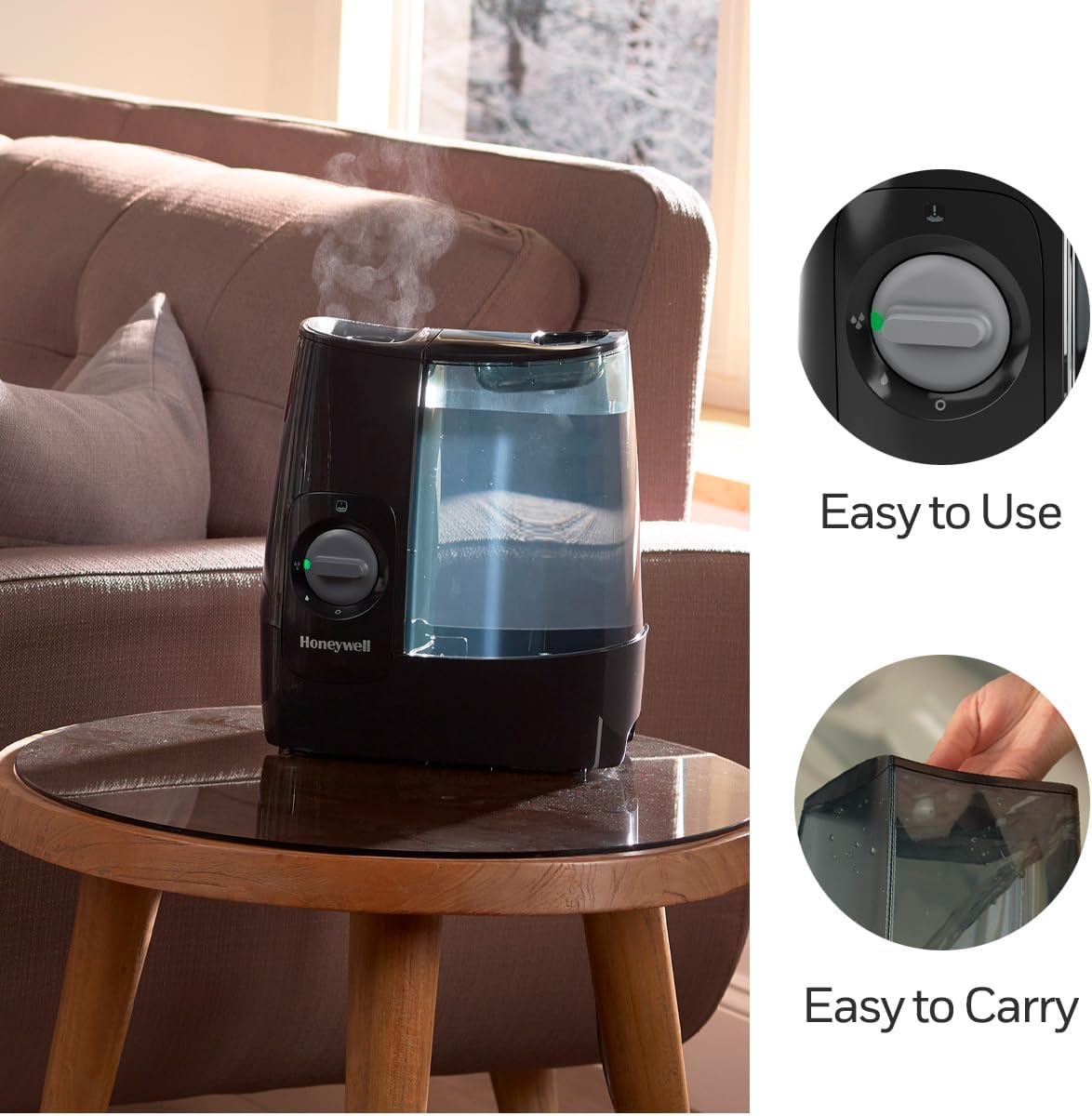
Image 4: A hand is shown adding drops of essential oil into the dedicated essential oil cup on the top of the Honeywell HWM845B Humidifier. This feature allows for aromatherapy during humidification.
Maintenance and Cleaning
Regular cleaning is crucial to prevent mineral buildup and ensure optimal performance and longevity of your humidifier. Hard water can lead to significant calcification.
Daily Maintenance:
- Empty and rinse the water tank and base daily.
- Allow all parts to air dry before reassembly.
Weekly Descaling (Mineral Removal):
- Unplug the Unit: Always ensure the humidifier is unplugged before cleaning.
- Disassemble: Remove the water tank and any removable parts from the base.
- Prepare Cleaning Solution: Mix a solution of 50% white vinegar and 50% water.
- Clean Base: Pour the vinegar solution into the base, ensuring it covers the heating element. Let it soak for 20-30 minutes. For stubborn buildup, soak longer or gently scrub with a soft brush (e.g., toothbrush) or sponge.
- Clean Tank: Pour some solution into the water tank, shake it, and let it sit for 20-30 minutes.
- Rinse Thoroughly: Empty the vinegar solution from both the base and tank. Rinse all parts thoroughly with clean water until the vinegar smell is gone.
- Air Dry: Allow all components to air dry completely before reassembling or storing.
Storage:
When storing the humidifier, ensure all parts are clean and dry. Store in a cool, dry place, preferably in its original packaging.
Troubleshooting
| Problem | Possible Cause | Solution |
|---|---|---|
| Humidifier does not turn on. | Unit unplugged, no power, water tank empty, or control knob not turned on. | Ensure unit is plugged in, check power outlet, refill water tank, turn control knob to desired setting. |
| No mist or very little mist. | Low water level, mineral buildup on heating element, or mist outlet blocked. | Refill water tank, perform descaling procedure, ensure mist outlet is clear. |
| White dust around the humidifier. | Hard water minerals being released into the air (less common with warm mist but can occur if water is not boiled sufficiently or if unit is not cleaned). | Use distilled water. Clean the unit regularly to remove mineral deposits. |
| Water leaking from the unit. | Water tank cap not securely tightened, tank not seated correctly on base, or unit placed on an uneven surface. | Ensure tank cap is tight, reseat tank properly, place unit on a level, water-resistant surface. Check for cracks in the tank. |
| Unusual odor. | Stagnant water, mineral buildup, or new unit odor. | Empty and clean the tank and base. Use fresh water daily. New unit odor should dissipate after initial use. |
Specifications
| Feature | Detail |
|---|---|
| Brand | Honeywell |
| Model Name | HWM845BC (HWM845B) |
| Special Feature | Corded |
| Color | Black |
| Floor Area Coverage | 37.2 Square Meters (Medium Room) |
| Operation Mode | Vaporizer (Warm Mist) |
| Product Dimensions | 10"D x 5.47"W x 11.5"H |
| Item Weight | 1.8 Kilograms (3.96 pounds) |
| Room Type | Bedroom, Living Room, Office |
| Included Components | Water filter (optional accessory), User manual |
| Voltage | 120 Volts |
| UPC | 328785001372 |
| Run Time | Up to 24 hours per filling |

Image 5: This image displays the product dimensions of the Honeywell HWM845B Warm Mist Humidifier, showing its height as 11.5 inches, width as 5.5 inches, and depth as 10 inches.

Image 6: This image highlights that the Honeywell HWM845B Humidifier is designed for medium rooms, featuring a 1-gallon water tank and up to 24 hours of run time. The total unit size is also listed.
Warranty and Support
The Honeywell HWM845B Warm Mist Humidifier typically comes with a 3-year limited warranty. Please refer to the warranty card included with your product for specific terms and conditions.
For technical support, troubleshooting assistance, or to inquire about replacement parts, please contact Honeywell Customer Service:
- Phone: 1-800-477-0457 (as per manual reference in video)
- Website: honeywellpluggedin.com/contact-us


