
Important Safety Information
Before using the Body Vision IT9550 Deluxe Inversion Table, please read and understand all instructions and warnings. Failure to follow these instructions may result in serious injury or death.
- Consult a Physician: Always consult with a licensed physician before beginning any inversion therapy program, especially if you have pre-existing medical conditions such as heart disease, high blood pressure, glaucoma, retinal detachment, or pregnancy.
- Weight and Height Limits: This inversion table is designed for users between 5'1" and 6'6" (155 cm to 198 cm) and with a maximum weight of 250 lbs (113 kg). Do not exceed these limits.
- Proper Assembly: Ensure all components are correctly assembled and securely fastened according to the assembly instructions. Verify all bolts and nuts are tightened before each use.
- Stable Surface: Use the inversion table on a level, stable, and non-slip surface. Ensure adequate clear space around the table for safe operation.
- Ankle Security: Always ensure your ankles are securely locked into the ankle support system before inverting. Improper ankle security can lead to falls.
- Gradual Inversion: Begin with small inversion angles and gradually increase as your body adapts. Avoid sudden movements.
- Supervision: Children and individuals with physical or cognitive limitations should not use this equipment without adult supervision.
- Inspect Before Use: Before each use, inspect the inversion table for any signs of wear, damage, or loose parts. Do not use if damaged.
Product Overview
The Body Vision IT9550 Deluxe Inversion Table is designed to provide the benefits of inversion therapy in a comfortable and secure manner. Key features include a deluxe upholstered backrest, an adjustable lumbar support pad, and a robust steel frame.
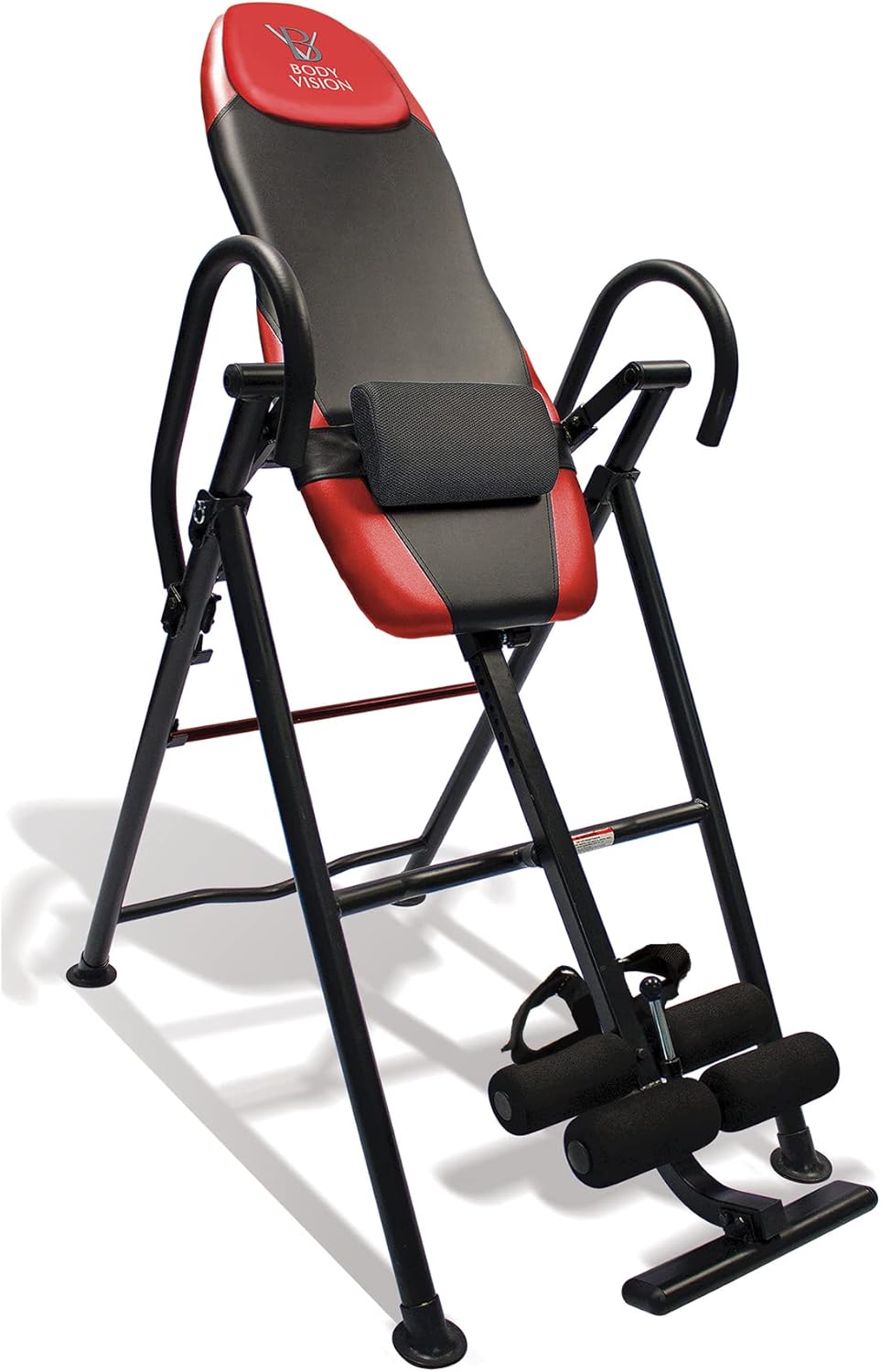
Figure 1: The Body Vision IT9550 Deluxe Inversion Table, showcasing its red and black design with upholstered backrest and ankle support system.
Key Components:
- Deluxe Upholstered Backrest: A comfortable 38" x 16" x 1.5" memory-style foam backrest with a removable headrest pillow for enhanced comfort during inversion.
- Adjustable Lumbar Support Pad: This pad can be positioned to target the lower, middle, or upper back, shoulders, and neck. It is also removable for use in other chairs or while traveling.
- Sur-Lock Easy In/Out Ankle Support System: Features four adjustable high-density foam leg rollers designed to prevent calf pinching and ensure secure inverting.
- Easy Center Height Selector Rod: Allows for quick adjustment of the table to match user height.
- 4-Position Rear Adjustment Bar: Enables selection of inversion angles at 20, 40, 60, or 90 degrees without the need for a lower strap.
- Heavy Gauge Steel Tube Frame: Provides stability and durability, finished with a scratch-resistant powder coat paint. Features a 4-point stance design for extra stability on uneven floors.
- Foldable Design: Allows for convenient space-saving storage and portability.

Figure 2: Diagram highlighting key features such as the removable head pillow, foam backrest, adjustable lumbar pad, handlebars, inversion safety bar, and ankle straps.
Assembly Instructions
Assembly of the Body Vision IT9550 Inversion Table typically takes approximately 30-45 minutes for one person. It is recommended to have a clear, open space for assembly.
- Unpack Components: Carefully remove all parts from the packaging. Lay them out and compare them against the parts list (not provided in this document, refer to your product's included manual for a complete list).
- Assemble Main Frame: Connect the main support beams and crossbars. Ensure all bolts are inserted correctly and hand-tighten initially.
- Attach Backrest Assembly: Secure the upholstered backrest to the main frame. Ensure it is firmly attached and aligned.
- Install Ankle Support System: Attach the ankle support mechanism, including the foam rollers and locking pin, to the base of the frame.
- Secure Handlebars: Fasten the fully foamed covered handlebars to the frame.
- Final Tightening: Once all components are in place, systematically tighten all bolts and nuts using appropriate tools. Do not overtighten.
- Inspect: Perform a final inspection to ensure all connections are secure and the table is stable.
Setup and Adjustment
Proper setup is crucial for safe and effective inversion therapy.
1. Adjusting User Height
The inversion table must be adjusted to your height for proper balance and control during inversion.
- Locate the easy center height selector rod on the main frame.
- Pull out the adjustment pin and slide the inner shaft to align with your height. The table accommodates users from 5'1" to 6'6".
- Insert the adjustment pin fully into the corresponding hole. Ensure it is securely locked in place.
- Test Balance: Before full inversion, stand on the table and lean back slightly. The table should pivot smoothly with minimal effort. If it inverts too quickly or slowly, adjust the height setting slightly until a comfortable balance is achieved.

Figure 3: Close-up of the easy height selector rod, used to adjust the table to the user's height.
2. Securing Ankle Support System
The Sur-lock ankle support system is critical for safety. Ensure your ankles are snug and secure.
- Step onto the foot platform of the inversion table.
- Place your ankles between the high-density foam rollers.
- Engage the Sur-lock mechanism by pushing the locking pin into place. Ensure the foam rollers are snug against your ankles, preventing any movement.
- The system is designed to prevent calf pinching. If discomfort occurs, re-adjust your foot position or the roller tightness.

Figure 4: Detailed view of the Sur-lock easy in/out ankle support system with foam leg rollers and locking pin.
Operating Instructions
Follow these steps for safe and effective inversion therapy.
1. Inverting
- Set Inversion Angle: Before stepping onto the table, adjust the 4-position rear adjustment bar to your desired maximum inversion angle (20, 40, 60, or 90 degrees). Start with the lowest angle.
- Mounting the Table: With the table in its upright position, carefully step onto the foot platform and secure your ankles as described in the "Securing Ankle Support System" section.
- Initiate Inversion: Slowly lean back, allowing your body weight to shift and the table to pivot. You can use the handlebars for control. Breathe deeply and relax.
- Return to Upright: To return to the upright position, grasp the handlebars and slowly pull yourself forward. The table will pivot back to the starting position.

Figure 5: Illustrations demonstrating the various inversion angles (20°, 40°, 60°, and 90°) achievable with the IT9550.
2. Using the Lumbar Support Pad
The adjustable and removable lumbar support pad enhances comfort and allows for targeted support.
- Adjustment: While attached to the inversion table, the lumbar support pad can be slid up or down the backrest to target specific areas of your back, shoulders, or neck.
- Removal: The pad can be completely removed from the inversion table.
- Versatile Use: Once removed, the pad can be used to provide back support in a lounge chair, office chair, in bed, or even during travel in a car or airplane.
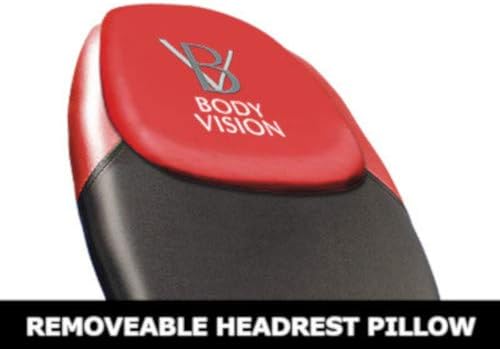
Figure 6: Close-up of the upholstered backrest, showing the removable headrest pillow and the adjustable lumbar support pad.
Maintenance
Regular maintenance ensures the longevity and safe operation of your inversion table.
- Cleaning: Wipe down the frame and upholstered surfaces with a damp cloth and mild soap. Avoid abrasive cleaners or solvents.
- Check Connections: Periodically check all bolts, nuts, and pins to ensure they are tight and secure. Re-tighten if necessary.
- Inspect for Wear: Regularly inspect the foam rollers, backrest upholstery, and frame for any signs of wear, cracks, or damage. Replace worn parts immediately.
- Lubrication: The pivot points may benefit from occasional lubrication with a silicone-based spray to ensure smooth operation.
- Storage: When not in use, the inversion table can be folded for space-saving storage. Ensure it is locked in the folded position for safety. Store in a dry, cool place away from direct sunlight.

Figure 7: The Body Vision IT9550 Inversion Table in its folded position, demonstrating its space-saving design for convenient storage.
Troubleshooting
Refer to this section for solutions to common issues.
| Problem | Possible Cause | Solution |
|---|---|---|
| Table inverts too quickly or slowly. | Incorrect height setting. | Adjust the height selector rod slightly up or down until a comfortable balance is achieved. Test balance before full inversion. |
| Ankles feel pinched or uncomfortable. | Ankle rollers not properly adjusted or feet positioned incorrectly. | Ensure your feet are fully on the platform and the foam rollers are snug against your ankles. Re-adjust the ankle locking mechanism. Wear socks or shoes for added comfort. |
| Table feels unstable. | Not on a level surface; loose connections. | Move the table to a level, stable surface. Check and tighten all bolts and nuts on the frame. |
| Difficulty returning to upright position. | Height setting too low; lack of momentum. | Slightly increase the height setting. Use the handlebars to pull yourself up with a controlled motion. |
Product Specifications
| Model Name: | Body Vision IT9550 Red |
| Brand: | Body Vision |
| Item Dimensions (LxWxH): | 40.5 x 26 x 50 inches (102.87 x 66.04 x 127 cm) |
| Item Weight: | 46 Pounds (20.87 kg) |
| Maximum User Weight Capacity: | 250 lbs (113 kg) |
| User Height Range: | 5'1" to 6'6" (155 cm to 198 cm) |
| Material: | Heavy Gauge Steel Frame, Faux Leather Upholstery, High-Density Foam |
| Inversion Angles: | 20°, 40°, 60°, 90° (via 4-position rear adjustment bar) |
| Special Features: | Adjustable/Removable Lumbar Support Pad, Removable Headrest Pillow, Sur-lock Ankle System, Foldable Design |
Warranty and Support
The Body Vision IT9550 Deluxe Inversion Table is manufactured with quality and durability in mind. While specific warranty details are typically provided with your product purchase, Body Vision products are designed for years of reliable use.
For warranty claims, replacement parts, or technical assistance, please contact the manufacturer directly. Refer to the contact information provided in your product packaging or visit the official Body Vision website.
Manufacturer: Extreme Products Group
Please retain your proof of purchase for any warranty-related inquiries.