
1. Introduction
This manual provides detailed instructions for the proper use, setup, and maintenance of your BassPal TonePro U14 Wireless Sport Earphones. Please read this manual thoroughly before using the product to ensure optimal performance and longevity.
2. Safety Information
Please use a standard 5V/1A charging plug to charge the headphones. Fast charging over 5V may cause heat damage to the headphones.
3. Package Contents
Verify that all items listed below are present in your package:
- BassPal TonePro U14 Wireless Sport Earphones
- USB Charging Cable
- Multiple Sizes of Ear Tips
- Carrying Case
- User Manual

Image: Contents of the BassPal TonePro U14 package, including earphones, charging cable, ear tips, carrying case, and user manual.
4. Product Overview
The BassPal TonePro U14 earphones feature an ergonomic design with flexible ear hooks for secure and comfortable wear. They are equipped with controls for music and calls.

Image: Diagram illustrating the various components and controls of the BassPal TonePro U14 earphones, including volume buttons, MFB button, USB charging port, LED indicator, ear tip, and ear-hook.
Key Components:
- Volume+ / Next Song Button: Increases volume with a short press, skips to the next song with a long press.
- Volume- / Previous Song Button: Decreases volume with a short press, goes to the previous song with a long press.
- Power On/Off (MFB Button): Multi-Function Button for power, play/pause, and call management.
- USB Charging Port: For connecting the charging cable.
- LED Indicator: Displays status (e.g., charging, pairing, connected).
- Ear Tip: Soft silicone tips for in-ear comfort and sound isolation.
- Ear-hook: Provides secure fit during physical activity.
5. Setup
5.1. Charging the Earphones
Before first use, fully charge the earphones. Connect the provided USB charging cable to the USB charging port on the earphones and to a standard 5V/1A USB power source. The LED indicator will show charging status and turn off or change color when fully charged. A full charge takes approximately 1.5 hours and provides up to 9 hours of playback.
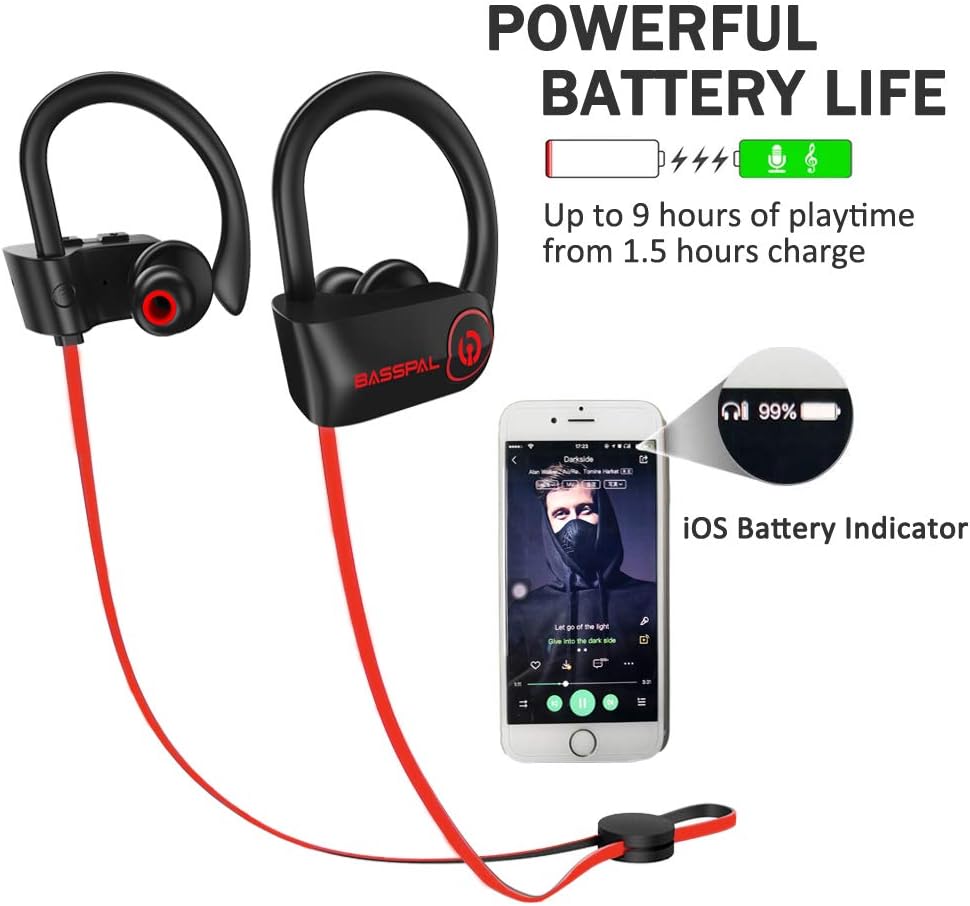
Image: BassPal TonePro U14 earphones with a visual representation of their powerful battery life and iOS battery indicator feature.
5.2. Pairing with a Bluetooth Device
- Ensure the earphones are turned off.
- Press and hold the MFB button for approximately 5-7 seconds until the LED indicator flashes red and blue alternately, indicating pairing mode.
- On your device (smartphone, tablet, etc.), enable Bluetooth and search for available devices.
- Select "TonePro U14" from the list of found devices.
- Once connected, the LED indicator will flash blue slowly, and you may hear a confirmation tone.
- The earphones will automatically reconnect to the last paired device when powered on, if the device's Bluetooth is active and within range.
6. Operating Instructions
6.1. Power On/Off
- Power On: Press and hold the MFB button for 3 seconds. The LED will flash blue.
- Power Off: Press and hold the MFB button for 3 seconds. The LED will flash red.
6.2. Music Playback
- Play/Pause: Short press the MFB button.
- Volume Up: Short press the "Volume+" button.
- Volume Down: Short press the "Volume-" button.
- Next Song: Long press the "Volume+" button.
- Previous Song: Long press the "Volume-" button.
6.3. Call Management
- Answer/End Call: Short press the MFB button.
- Reject Call: Long press the MFB button.
- Redial Last Number: Double press the MFB button.
6.4. Voice Control
The earphones support voice control. Refer to your device's instructions for activating its voice assistant (e.g., Siri, Google Assistant) via Bluetooth headphones.
7. Product Features
The BassPal TonePro U14 earphones are designed for an active lifestyle, offering high-fidelity sound and a comfortable, secure fit.
7.1. High-Fidelity Sound
Experience clear audio with rich bass and crisp treble, powered by Bluetooth 4.1 CSR with CVC 6.0 noise reduction technology.

Image: Close-up of the BassPal TonePro U14 earphone highlighting its high-fidelity sound capabilities with rock-solid bass and crisp treble.
7.2. Enhanced Comfort and Wearability
The ergonomic design and flexible ear hooks ensure the earphones stay securely behind your ears and rest comfortably in the ear canal, preventing them from falling out during activities. The soft silicone gel surface contributes to sweat resistance.

Image: A woman wearing BassPal TonePro U14 earphones, emphasizing their superior soft and lightweight design for comfortable and secure fit.
7.3. Designed for Active Lifestyles
With universal compatibility and a signal range of up to 33 feet, these earphones are suitable for various activities.

Image: A woman wearing BassPal TonePro U14 earphones while exercising, illustrating their design for an active lifestyle with universal compatibility and a 33ft signal range.
8. Maintenance
8.1. Cleaning
The earphones are IPX7 water-resistant, meaning they can withstand sweat, rain, and splashes. However, they are not designed for submersion. Wipe the earphones with a soft, dry cloth after each use, especially after workouts, to remove sweat and dirt. Do not use abrasive cleaners or solvents.
8.2. Storage
When not in use, store the earphones in the provided carrying case to protect them from dust, scratches, and damage. Avoid storing them in extreme temperatures.
9. Troubleshooting
| Problem | Possible Cause | Solution |
|---|---|---|
| Earphones do not power on. | Low battery. | Charge the earphones fully using the provided USB cable and a 5V/1A adapter. |
| Cannot pair with device. | Earphones not in pairing mode; Bluetooth off on device; device too far. | Ensure earphones are in pairing mode (red/blue flashing LED). Turn on Bluetooth on your device. Move device closer to earphones (within 33 ft). Forget previous pairings on your device and try again. |
| No sound or low volume. | Volume too low; earphones not connected; incorrect audio output selected. | Increase volume on both earphones and your device. Re-pair the earphones. Check your device's audio output settings. |
| Intermittent connection. | Interference; device too far; low battery. | Move away from sources of interference (Wi-Fi routers, other Bluetooth devices). Keep device within 33 ft. Charge earphones. |
10. Specifications
| Feature | Detail |
|---|---|
| Model Name | TonePro U14 |
| Connectivity Technology | Wireless, Bluetooth |
| Wireless Communication Technology | Bluetooth 4.1, A2DP, AVRCP, Headset, Handsfree |
| Water Resistance Level | IPX7 Water Resistant |
| Noise Control | Active Noise Cancellation (CVC 6.0) |
| Battery Life | Up to 9 Hours |
| Charging Time | 1.5 Hours |
| Bluetooth Range | 33 Feet (10 meters) |
| Earpiece Shape | Hook |
| Material | Silicone |
| Item Weight | 0.64 ounces (0.04 Pounds) |
| UPC | 687551492654 |
11. Warranty and Support
For warranty information or technical support, please refer to the contact details provided with your purchase or visit the official BassPal website. Keep your purchase receipt for warranty claims.