
Yaheetech YT-00089125TS
Yaheetech Wooden TV Stand Instruction Manual
Model: YT-00089125TS
Product Overview
The Yaheetech Wooden TV Stand is a versatile media entertainment center designed to accommodate TVs up to 48 inches. It features an open shelf and two enclosed storage compartments, providing ample space for media devices, accessories, and other items. Constructed from high-quality P2 MDF and solid wood, this TV stand offers durability and a stylish espresso finish, making it a functional and aesthetic addition to any living room or lounge area.
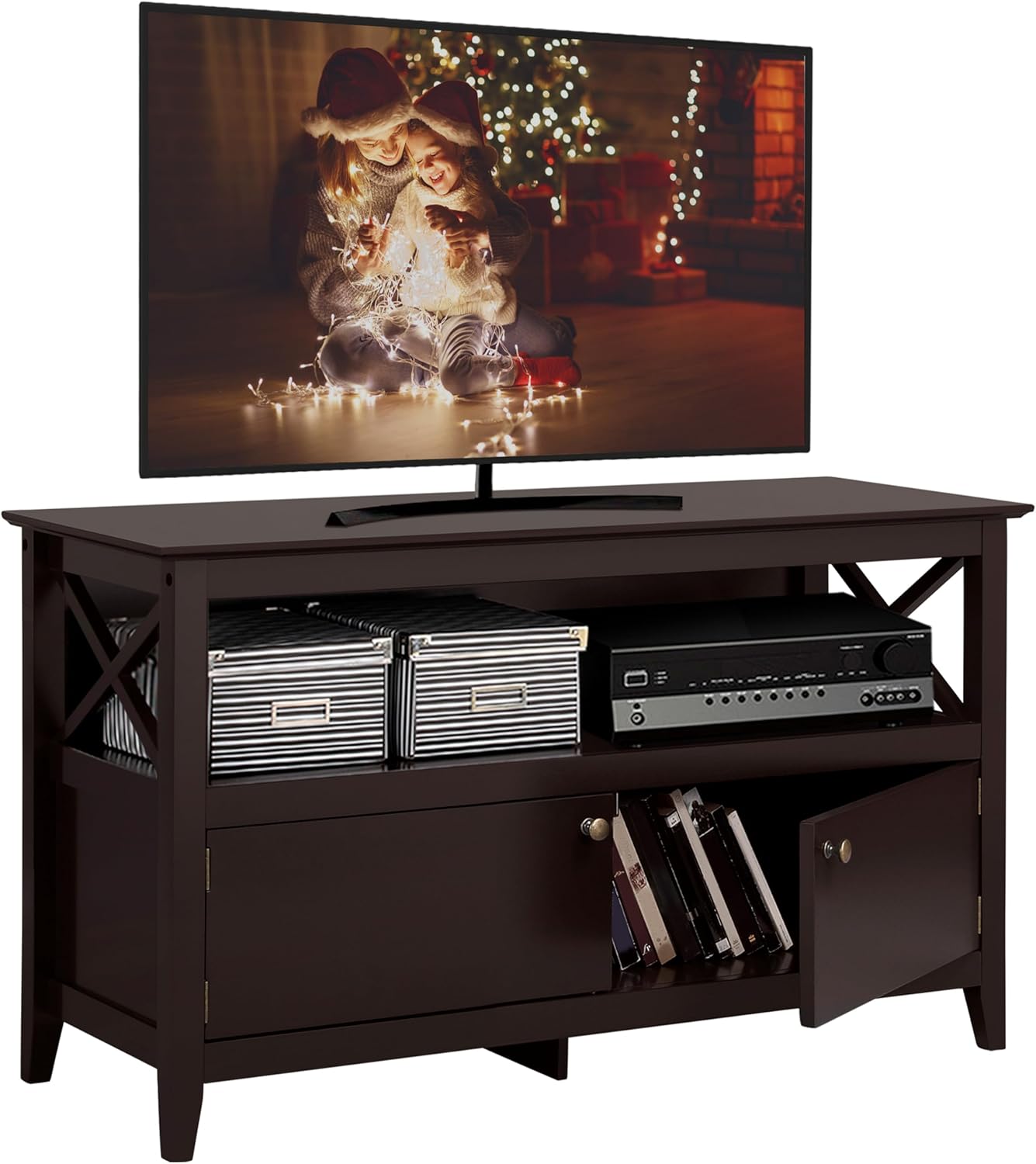
Figure 1: Yaheetech Wooden TV Stand (Espresso)
Safety Information
- Exercise caution around sharp edges during assembly and handling.
- Always assemble the TV stand strictly according to the provided instructions to prevent tip-over risks and ensure structural integrity.
- Do not exceed the maximum weight capacity of 132 lb (60 kg) on the TV stand to ensure stability and safety. Overloading can lead to damage or injury.
- Keep small parts and packaging materials away from children to prevent choking hazards.
Specifications
| Feature | Detail |
|---|---|
| Color | Espresso |
| Material | P2 MDF & Solid Wood |
| Overall Dimensions (L x W x H) | 41.73 x 15.75 x 24.21 inches (106 x 40 x 61.5 cm) |
| Max. Weight Capacity | 132 lb (60 kg) |
| Item Weight | 41.4 pounds (18.8 kg) |
| Model Number | YT-00089125TS |
| Storage | 1 open shelf, 2 enclosed compartments with doors |

Figure 2: Product Dimensions and Weight Capacity
Setup and Assembly
This TV stand is designed for smooth assembly with all components well-crafted and numbered. Please follow the detailed step-by-step instructions and use the included accessory kit for successful setup.
- Unpack and Verify: Carefully unpack all components and hardware. Compare them against the parts list in your assembly manual to ensure nothing is missing or damaged.
- Prepare Workspace: Choose a clean, flat, and spacious area for assembly. Lay down a blanket or cardboard to protect your floor and the furniture pieces from scratches.
- Assemble Frame: Begin by assembling the main frame of the TV stand, connecting the side panels and support beams as indicated in the instructions.
- Install Shelves: Secure the open shelf and any internal dividers into their designated slots or with the provided fasteners.
- Attach Doors: Mount the doors to the enclosed compartments using the hinges and bronze knobs. Ensure they open and close smoothly.
- Final Touches: Attach any non-scratch footpads to the bottom of the stand to protect your flooring. Double-check all connections to ensure they are tight and secure.

Figure 3: Key Structural and Storage Features
Operating and Usage
The Yaheetech TV Stand is designed for practical use in your living space.
- TV Placement: Place your television centrally on the top surface of the stand. Ensure the TV's base fits securely within the dimensions of the stand and does not exceed the maximum weight capacity of 132 lbs.
- Open Shelf Storage: Utilize the open shelf for media devices such as DVD players, gaming consoles, soundbars, or cable boxes. This area provides easy access and ventilation for electronics.
- Enclosed Storage: The two enclosed compartments with doors are ideal for storing items you wish to keep out of sight, such as DVDs, remote controls, cables, or other household odds and ends. The magnetic door design ensures secure closure.
- Cable Management: While not explicitly stated, consider using cable ties or clips (not included) to organize and secure power cords and audio/video cables behind the stand for a tidy appearance and to prevent tripping hazards.
Video 1: Overview of the Yaheetech Wooden TV Stand, showcasing its design, storage features, and suitability for various living spaces. This video demonstrates the product's functionality and aesthetic appeal.
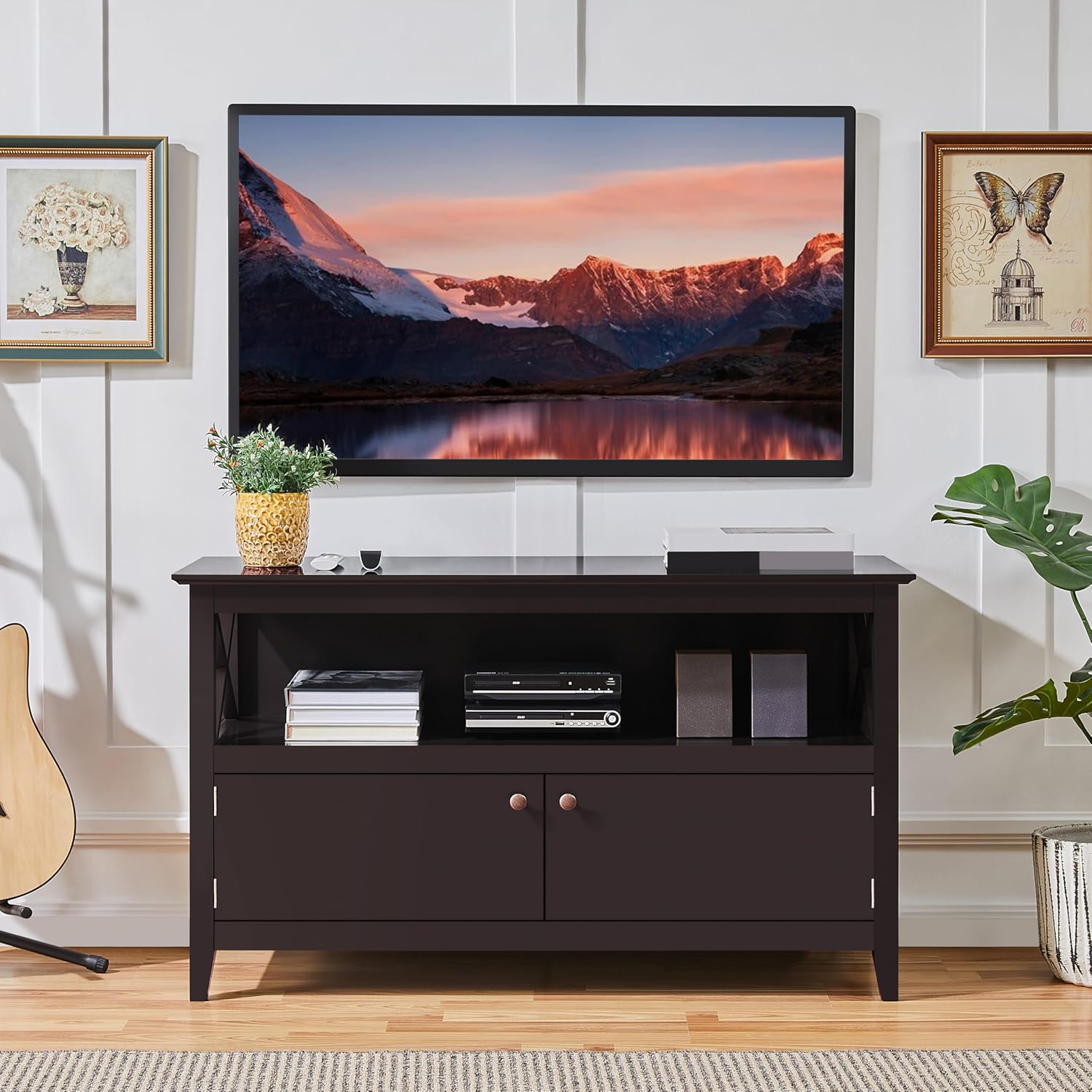
Figure 4: TV Stand in a living room setup.

Figure 5: Magnetic Door Design for secure closure.
Maintenance
- Cleaning: Wipe the surfaces with a dry cloth to remove dust and light smudges. Avoid using harsh chemicals or abrasive cleaners, which can damage the finish.
- Spills: In case of spills, immediately wipe with a soft, dry cloth to prevent water damage or staining, especially since the surface is described as waterproof.
- Hardware Check: Periodically check all screws and fasteners to ensure they remain tight. Re-tighten if necessary to maintain stability.
- Avoid Direct Sunlight: Prolonged exposure to direct sunlight can cause fading or discoloration of the wood finish.
- Temperature and Humidity: Maintain a stable room temperature and humidity level to prevent warping or cracking of the wood.
Figure 6: High-Quality Material and Surface
Troubleshooting
| Problem | Possible Cause | Solution |
|---|---|---|
| Stand is wobbly/unstable. | Loose fasteners or uneven floor. | Ensure all screws are tightened. Adjust non-scratch footpads if applicable, or place shims under legs on uneven surfaces. |
| Doors do not close properly. | Misaligned hinges or obstruction. | Check hinge alignment and adjust if necessary. Ensure nothing is blocking the door's path inside the cabinet. |
| Scratches on surface. | Abrasion from objects. | Use coasters or protective pads under items placed on the stand. For minor scratches, consider a wood repair kit matching the espresso finish. |
| Discoloration of finish. | Prolonged exposure to direct sunlight or harsh chemicals. | Relocate the stand away from direct sunlight. Avoid using abrasive or chemical cleaners. |
Warranty and Support
For any questions regarding assembly, missing parts, or product defects, please contact Yaheetech customer support. While specific warranty details are not provided in this manual, protection plans may be available for purchase separately to extend coverage for your product.
For further assistance, please visit the official Yaheetech store or contact their customer service department.
Yaheetech Official Store: Visit Store
Ask a question about this manual
Ask about setup, troubleshooting, compatibility, parts, safety, or missing instructions. Manuals+ will review the question and use this page’s manual context to help answer it.