
CCCEI Q021
Furniture Recessed Power Strip
User Manual
Brand: CCCEI | Model: Q021 | 6FT White-A
1. Introduction
This manual provides essential information for the safe and effective installation and operation of your CCCEI Furniture Recessed Power Strip. This product is designed to integrate power and USB charging capabilities seamlessly into various furniture pieces such as desks, conference tables, sofas, and kitchen islands. Please read this manual thoroughly before installation and retain it for future reference.

Image: The recessed power strip integrated into a furniture surface, providing convenient access to power outlets and USB ports.
2. Safety Information
Your safety is paramount. This product is ETL Listed (CSA STD. C22.2 No.308), ensuring it meets recognized safety standards. It features a fire-resistant outer shell and a built-in safety system to protect against electrical hazards.
- Indoor Use Only: This device is intended for indoor use in dry locations. Do not expose to moisture or liquids.
- Proper Installation: Ensure the product is installed correctly according to the instructions to prevent electrical shock or fire.
- Overload Protection: Do not exceed the maximum rated power of 1440W (120V/12A). Overloading can cause damage or fire.
- Do Not Open: The unit is not user-serviceable. Do not attempt to open or modify the product.
- Children and Pets: Keep out of reach of children and pets.

Image: Overview of the integrated safety protections: Over-Current, Short-Circuit, Overload Protection, and ABS flame-retardant materials.

Image: The product unit with its integrated 6-foot power cord, highlighting the ETL Listed certification for safety.
3. Product Features
The CCCEI Recessed Power Strip is designed for convenience and safety, offering the following features:
- Dual AC Outlets: Provides two standard 3-prong AC outlets (120V/12A, 1440W total output) for powering electronic devices.
- Dual USB Charging Ports: Includes two USB-A ports with a combined output of 5V/2.1A for charging smartphones, tablets, and other USB-powered devices.
- Recessed Design: Sits flush with your furniture surface for a clean, integrated look.
- 6-Foot Power Cord: A generous 6-foot power cord provides flexibility in placement and connection to a wall outlet.
- Safety Certifications: ETL Listed for peace of mind.
- Built-in Protections: Features over-current, short-circuit, and overload protection, along with a fire-resistant outer shell.
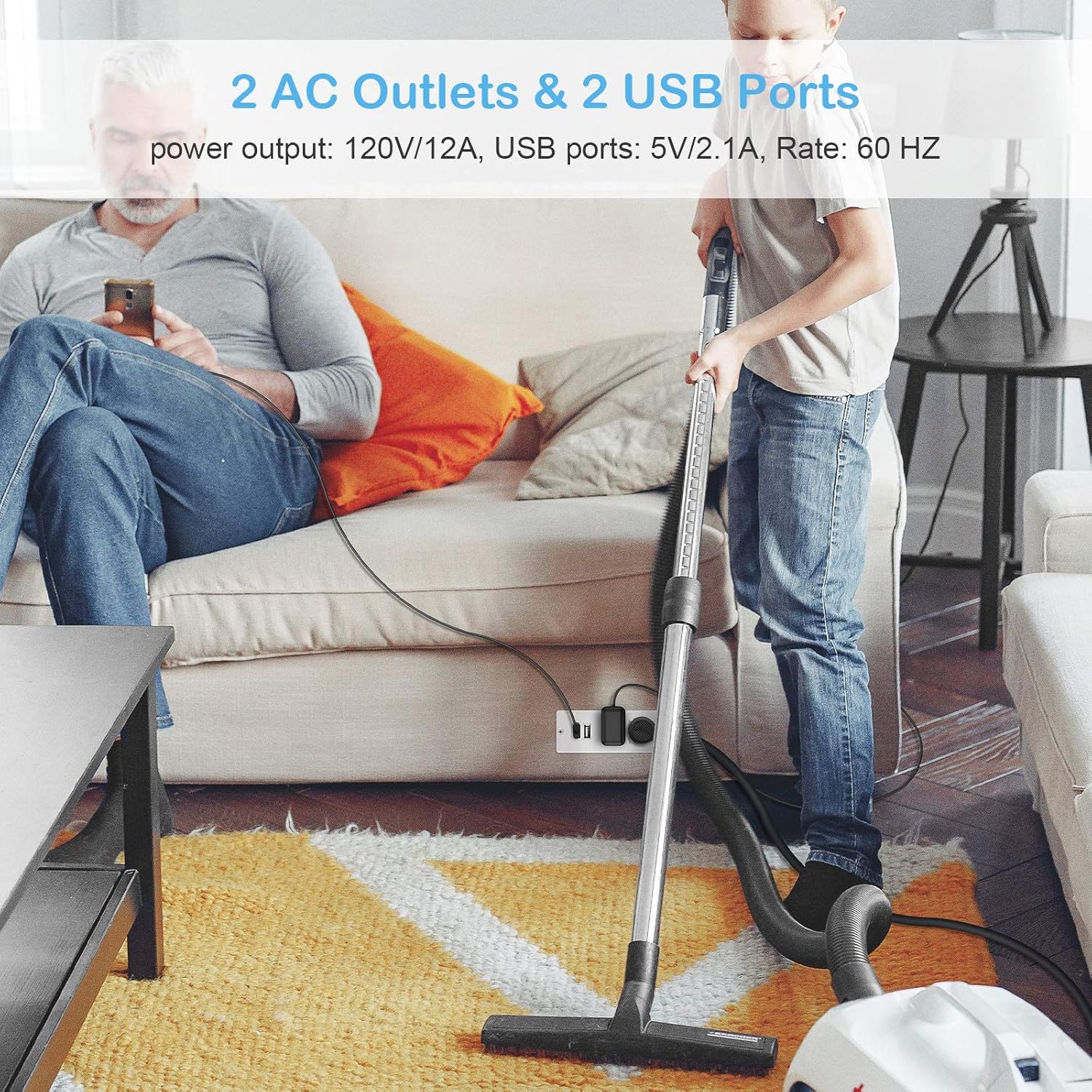
Image: The power strip in use, demonstrating its two AC outlets and two USB ports providing power for various devices.
4. Package Contents
Upon opening your package, please ensure all items are present and in good condition:
- 1 x CCCEI Furniture Recessed Power Strip (Model Q021, White-A)
- 1 x Integrated 6-foot Power Cord
5. Setup and Installation
Installation of the recessed power strip requires cutting a precise opening in your furniture. Follow these steps carefully:
- Measure and Mark: Determine the desired location for the power strip on your furniture. Using a pencil, carefully mark the outline for the cut-out. The required hole cut size is approximately L 3.72 inches (94mm) x W 1.67 inches (42mm).
- Cut the Opening: Using appropriate tools (e.g., a jigsaw or router), carefully cut the marked opening in your furniture. Ensure the cut is clean and precise to allow for a snug fit. It is recommended to practice on a scrap piece of material first.
- Insert the Power Strip: Gently insert the recessed power strip into the cut-out opening. The main body of the unit will sit below the surface, with the faceplate flush with the furniture. The product's under-desk depth is approximately 1.57 inches (40mm).
- Secure the Unit: The unit typically includes mounting holes on the faceplate. Use appropriate screws (not included, but commonly available) to secure the power strip firmly to the furniture surface.
- Connect to Power: Plug the integrated 6-foot power cord into a standard 120V AC wall outlet.
Important Note: The fit is precise. There is only about 1/16 of an inch tolerance on the sides. Measure twice, cut once.

Image: Detailed diagram illustrating the required cut-out dimensions for proper installation into furniture.
6. Operating Instructions
Once installed and connected to a power source, the recessed power strip is ready for use:
- Using AC Outlets: Plug your electronic devices directly into the two standard AC outlets. Ensure the device's power requirements do not exceed the strip's maximum output of 1440W (120V/12A).
- Using USB Ports: Connect your USB charging cables to the two USB-A ports to charge compatible devices. The USB output is 5V/2.1A.
7. Maintenance
To ensure the longevity and proper functioning of your power strip, follow these simple maintenance guidelines:
- Cleaning: Disconnect the power strip from the wall outlet before cleaning. Use a dry, soft cloth to wipe the surface. Do not use liquid cleaners or abrasive materials.
- Inspection: Periodically inspect the power cord and the unit for any signs of damage. If damage is found, discontinue use immediately.
- Avoid Obstruction: Ensure the outlets and USB ports are free from dust and debris.
8. Troubleshooting
If you encounter any issues with your recessed power strip, consider the following:
- No Power: Check if the power cord is securely plugged into a working wall outlet. Test the wall outlet with another device.
- Device Not Charging: Ensure your device and charging cable are functioning correctly. Verify that the power strip is receiving power.
- Overload: If the power strip stops working, it might be due to an overload. Unplug some devices and reset the power by unplugging and re-plugging the unit.
If the product has quality problems, regardless of whether the return window is closed, we will provide service for you. Please contact our customer support for assistance.
9. Specifications
| Feature | Specification |
|---|---|
| Model Number | Q021 |
| Color | White-A |
| Product Dimensions | 4.9 x 1.82 x 1.57 inches (124 x 46 x 40 mm) |
| Item Weight | 10.4 ounces (295 g) |
| Total AC Outlets | 2 |
| AC Output | 120V / 12A / 1440W |
| Total USB Ports | 2 |
| USB Output | 5V / 2.1A |
| Power Cord Length | 6 feet (1.8 meters) |
| Recommended Hole Cut Size | L 3.72 inches (94mm) x W 1.67 inches (42mm) |
| Under Desk Depth | 1.57 inches (40mm) |
| Certifications | ETL Listed (CSA STD. C22.2 No.308) |
| Material | Fire-resistant outer shell |

Image: Illustration of the 6-foot power cord, highlighting its thickened conductive copper wire and standard 3-power plug.
10. Warranty and Support
CCCEI is committed to providing high-quality products. If you experience any quality problems with your Furniture Recessed Power Strip, please contact our customer service team. We are dedicated to providing support and service, even if the standard return window has closed.
For assistance, please visit the CCCEI store on Amazon or contact us through the platform where you purchased the product.
Ask a question about this manual
Ask about setup, troubleshooting, compatibility, parts, safety, or missing instructions. Manuals+ will review the question and use this page’s manual context to help answer it.