1. Product Overview
The SOBO WP-4000 is a submersible pump designed for use in both fresh and marine water aquariums. It features a fully submersible motor, a long-lasting waterproof design, and a rust-free ceramic shaft, ensuring reliable and quiet operation.
Key Features:
- Suitable for fresh and marine water environments.
- Fully submersible design.
- Long-lasting waterproof motor.
- Equipped with a rust-free ceramic shaft for durability.

Image: The SOBO WP-4000 submersible aquarium pump packaging, displaying the product and key features.
2. Safety Instructions
Please read and understand all safety instructions before operating this pump to prevent injury or damage.
- Always disconnect the power supply before handling, installing, or performing any maintenance on the pump.
- Ensure the voltage and frequency of your power supply match the specifications listed on the pump's label.
- Do not operate the pump if the power cord or plug is damaged. Contact a qualified electrician for repair or replacement.
- This pump is designed for indoor use only and must be fully submerged in water during operation. Never run the pump dry.
- Keep the pump and its power cord out of reach of children and pets.
- Avoid pulling the pump by its power cord. Always grasp the plug when disconnecting from the outlet.
- Do not use the pump in water temperatures exceeding 35°C (95°F).
3. Package Contents
The SOBO WP-4000 package typically includes the following items:
- 1 x SOBO WP-4000 Submersible Pump with attached power cord
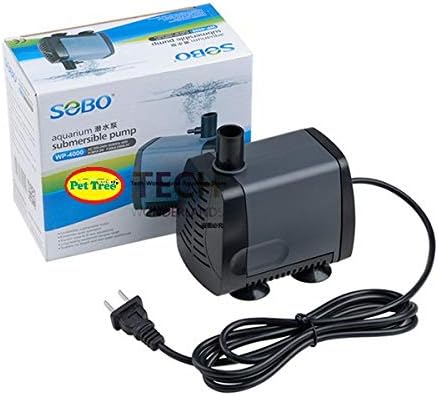
Image: The SOBO WP-4000 submersible pump shown with its attached power cord and plug.
4. Setup
Follow these steps to properly set up your SOBO WP-4000 submersible pump:
- Placement: Position the pump securely at the bottom of your aquarium. Ensure the pump is placed on a stable, flat surface. The integrated suction cups on the base can be used to firmly attach the pump to the aquarium glass, preventing movement during operation.
- Output Connection: If you intend to direct the water flow (e.g., to a filter, fountain, or specific area of the tank), connect appropriate tubing (not included) to the pump's outlet nozzle. Ensure the connection is secure to prevent leaks.
- Submersion: Ensure the pump is completely submerged in water before connecting it to power. Running the pump dry can cause damage and void the warranty.
- Electrical Connection: With dry hands, plug the pump's power cord into a suitable and grounded electrical outlet. Avoid using extension cords if possible; if necessary, ensure it is rated for outdoor use and has a ground fault circuit interrupter (GFCI).
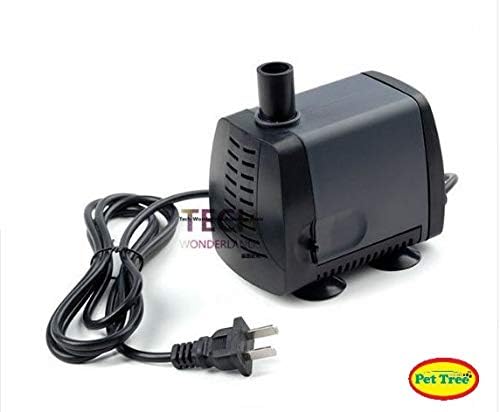
Image: Side view of the SOBO WP-4000 submersible pump, illustrating its compact design and suction cups for secure placement.
5. Operating Instructions
Operating your SOBO WP-4000 pump is straightforward once it is properly set up.
- Power On: After ensuring the pump is fully submerged and securely placed, turn on the power at the electrical outlet. The pump will immediately begin to circulate water.
- Continuous Operation: This pump is designed for continuous operation. Regularly monitor the water level in your aquarium to ensure the pump remains fully submerged at all times.
- Flow Adjustment: The SOBO WP-4000 typically operates at a fixed flow rate. If your specific model includes a flow adjustment switch or lever, refer to the markings on the pump body for instructions on how to adjust the water flow.
6. Maintenance
Regular cleaning and maintenance are crucial for the optimal performance and extended lifespan of your SOBO WP-4000 pump.
- Disconnect Power: Always unplug the pump from the power source before attempting any cleaning or maintenance.
- Disassembly: Carefully remove the pump from the water. Detach any connected tubing. Locate and remove the front cover and impeller housing.
- Clean the Impeller: Gently remove the impeller assembly. Clean the impeller, its shaft, and the impeller chamber thoroughly with a soft brush or cloth under running water. Remove any accumulated debris, algae, or mineral deposits. Inspect the ceramic shaft for any signs of wear or damage.
- Clean the Intake: Clean the intake screen to ensure unrestricted water flow. Blockages can significantly reduce pump efficiency.
- Reassembly: Reassemble the impeller and cover securely. Ensure all parts are correctly seated before placing the pump back into the aquarium.
- Frequency: Perform cleaning every 2 to 4 weeks, or more frequently if you notice reduced flow or increased noise, depending on the water conditions in your aquarium.
7. Troubleshooting
Refer to the table below for common issues and their solutions.
| Problem | Possible Cause | Solution |
|---|---|---|
| Pump does not start | No power supply | Check power connection, electrical outlet, and circuit breaker. |
| Pump does not start | Impeller jammed or blocked | Disconnect power, remove impeller cover, and clean the impeller and chamber. |
| Low water flow | Clogged intake screen or impeller | Disconnect power, clean the intake screen and impeller thoroughly. |
| Low water flow | Kinked or blocked output tubing | Check and clear any obstructions in the tubing connected to the pump's outlet. |
| Excessive noise or vibration | Impeller dirty, damaged, or worn | Disconnect power, clean or replace the impeller if damaged. |
| Excessive noise or vibration | Pump not securely placed | Ensure the pump is firmly seated at the bottom of the aquarium using its suction cups. |
If the problem persists after attempting these solutions, please contact customer support or your retailer for further assistance.
8. Specifications
Technical specifications for the SOBO WP-4000 submersible pump:
| Feature | Detail |
|---|---|
| Manufacturer | SOBO |
| Item Weight | 830 g |
| Product Dimensions | 15 x 15 x 10 cm |
| Color | Black |
| Style | Submersible |
| Material | Plastic |
| Power Source Type | Corded Electric |
| Number of Units | 1 |
| Batteries Included | No |
| Batteries Required | No |
| ASIN | B07G5D6XM1 |
| First Available Date | April 17, 2021 |
| Discontinued by Manufacturer | No |
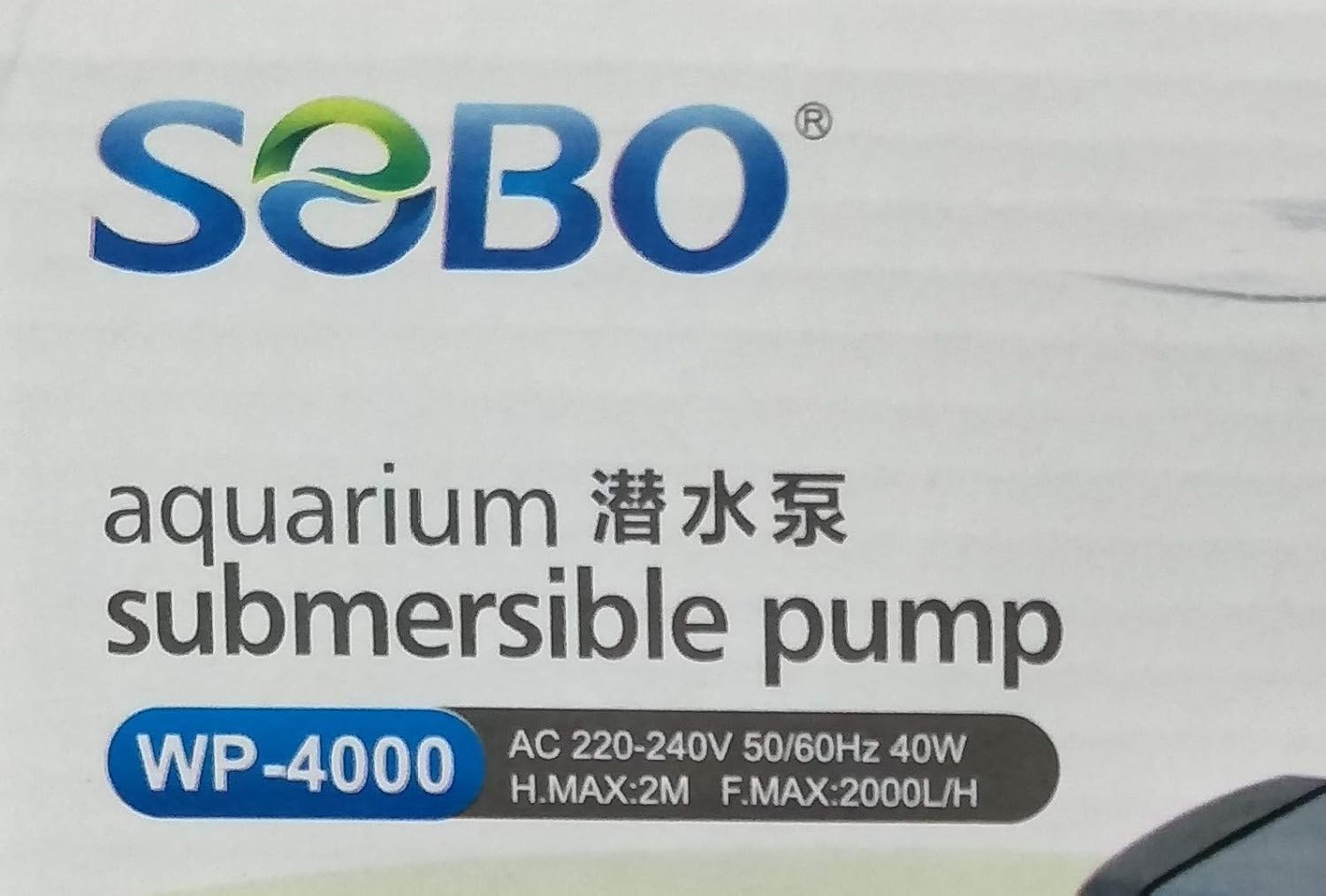
Image: Close-up view of the SOBO WP-4000 submersible pump's label, detailing technical specifications such as voltage, wattage, and flow rate.
9. Warranty and Support
For warranty information, technical support, or service inquiries regarding your SOBO WP-4000 submersible pump, please refer to the specific warranty policy provided by your retailer or contact SOBO customer service directly. It is recommended to retain your purchase receipt as proof of purchase for any warranty claims.


