
Introduction
This manual provides detailed instructions for the setup, operation, and maintenance of your GGMM D6 Power+Cordless Portable Speaker. This device is specifically designed to integrate with and enhance the portability and audio experience of your Amazon Echo Dot (2nd Generation).

Image: The GGMM D6 Portable Speaker, designed for the Echo Dot 2nd Generation.
Package Contents
- GGMM D6 Power+Cordless Portable Speaker
- User Manual
- Note: The Amazon Echo Dot (2nd Generation) is not included and must be purchased separately.
Setup
1. Inserting the Echo Dot (2nd Generation)
- Ensure your Echo Dot (2nd Generation) is powered off and unplugged.
- Carefully open the top cover of the GGMM D6 speaker.
- Connect the integrated power and audio cable from the GGMM D6 speaker to the corresponding ports on your Echo Dot.
- Place the Echo Dot securely into the designated compartment within the GGMM D6 speaker.
- Close the top cover of the GGMM D6 speaker.
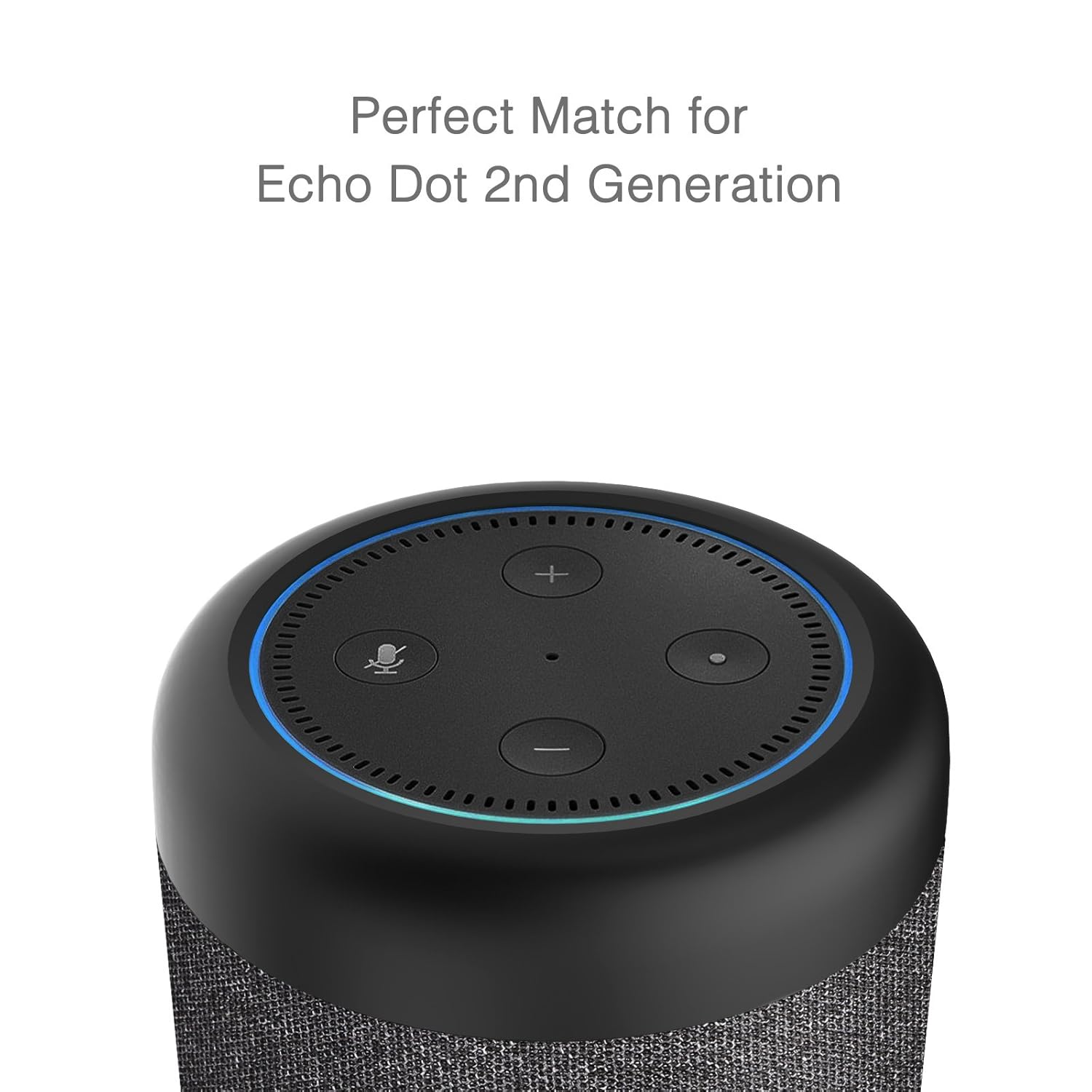
Image: Close-up view of the Echo Dot 2nd Generation being connected and placed into the GGMM D6 speaker.
2. Powering On and Charging
- To power on the GGMM D6 speaker, press and hold the power button located on the speaker's base.
- The speaker has an internal 5200mAh battery. To charge, connect the speaker to a power outlet using a compatible power adapter (not included, typically uses the Echo Dot's adapter).
- A blue LED indicator will illuminate when the speaker is in DOT mode, indicating it is powered on and connected to the Echo Dot.
Operating Instructions
LED Indicators and Modes
The GGMM D6 speaker features an LED indicator on its front to display the current operating mode:
- Blue LED: Indicates DOT mode. The speaker is powered on and providing audio output for the integrated Echo Dot.
- Green LED: Indicates AUX mode. The speaker is receiving audio input via the 3.5mm AUX port.
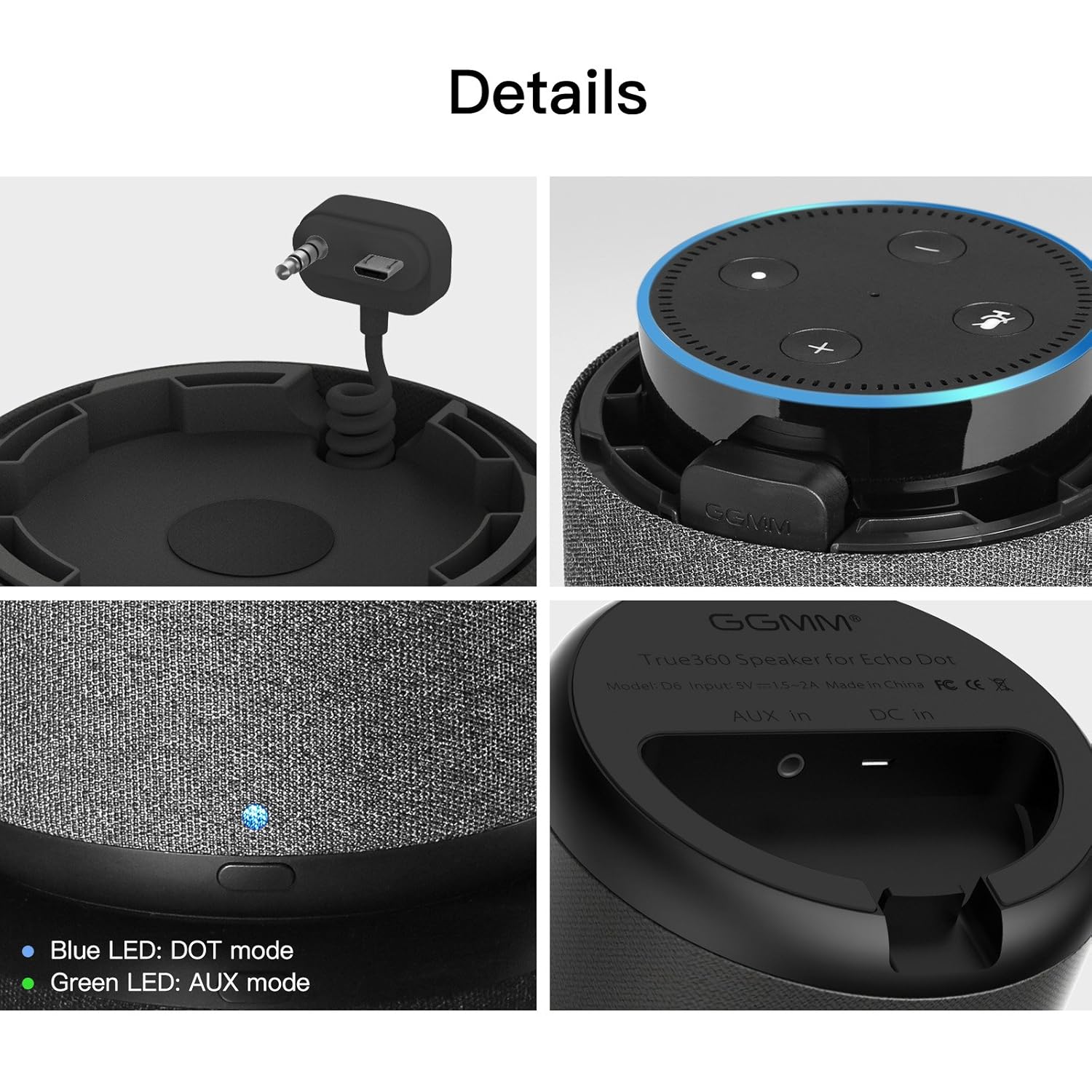
Image: Detailed views of the GGMM D6 speaker, showing the integrated connector, top panel with Echo Dot, and the LED indicator for DOT (blue) and AUX (green) modes.
Connecting via AUX Input
The GGMM D6 speaker can also function as a standalone speaker for other devices:
- Locate the AUX IN port on the bottom of the GGMM D6 speaker.
- Connect one end of a 3.5mm audio cable (not included) to the AUX IN port on the speaker.
- Connect the other end of the 3.5mm audio cable to the headphone jack or audio output of your external device (e.g., smartphone, tablet, laptop).
- The LED indicator on the speaker will turn green, indicating it is in AUX mode.

Image: The GGMM D6 speaker connected to a smartphone via AUX input, illustrating its compatibility and extended battery life in AUX mode.
Sound Features
The GGMM D6 speaker delivers a powerful 20W audio output with 360-degree sound distribution, enhancing your listening experience.

Image: Exploded view of the GGMM D6 speaker, highlighting its internal components including the 10W middle-low frequency driver, 10W tweeter, and passive radiators for powerful sound.

Image: Diagram illustrating the 360-degree all-dimensional sound output capability of the GGMM D6 speaker.
Maintenance
- Clean the speaker's exterior with a soft, dry cloth. Avoid using abrasive cleaners or solvents.
- Do not expose the speaker to extreme temperatures, humidity, or direct sunlight.
- Store the speaker in a cool, dry place when not in use for extended periods.
- Ensure all ports are free from dust and debris.
Troubleshooting
- No Power: Ensure the speaker is charged. Connect it to a power source and check the LED indicator.
- No Sound from Echo Dot: Verify the Echo Dot is correctly seated and its power/audio cable is securely connected within the GGMM D6 speaker. Ensure the speaker is in DOT mode (blue LED).
- No Sound from AUX Input: Check the 3.5mm audio cable connection at both ends. Ensure the speaker is in AUX mode (green LED). Verify the volume on the connected external device.
- Charging Issues: Use a compatible power adapter. Ensure the charging cable is securely connected to the speaker's DC IN port.
- Important Note: The GGMM D6 speaker does not support the Indian version of Amazon Alexa. Functionality with other regional versions of Alexa may vary.
Specifications
| Feature | Detail |
|---|---|
| Brand | GGMM |
| Model | D6 |
| Speaker Maximum Output Power | 20 Watts |
| Battery Capacity | 5200mAh |
| Power Source | Battery Powered |
| Wireless Communication Technology | Bluetooth |
| Control Method | Voice (via Echo Dot) |
| Special Features | Built-in Microphone (via Echo Dot) |
| Compatible Devices | Amazon Echo Dot (2nd Generation), Smartphone, Tablet |
| Item Weight | 794 g |
| Package Dimensions | 21.84 x 14.99 x 14.73 cm |
| UPC | 889086012462 |
Warranty Information
The GGMM D6 Power+Cordless Portable Speaker comes with a 1 Year Warranty from the date of purchase. Please retain your proof of purchase for warranty claims. For specific terms and conditions, refer to the warranty card included with your product or contact GGMM customer support.
Customer Support
For further assistance, technical support, or inquiries regarding your GGMM D6 speaker, please visit the official GGMM website or contact their customer service department. Contact details are typically available on the product packaging or the official brand website.