Introduction
This instruction manual provides essential information for the safe and effective use of your Sony PXW-Z280 4K 3-CMOS 1/2-inch Sensor XDCAM Camcorder. Please read this manual thoroughly before operating the camcorder and retain it for future reference. Understanding the features and functions will ensure optimal performance and longevity of your device.
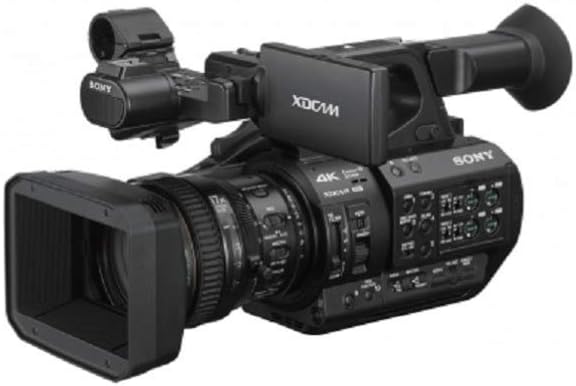
Figure 1: Sony PXW-Z280 4K XDCAM Camcorder. This image displays the camcorder from a front-side angle, showing the lens, handle, and main body.
Setup and Initial Preparation
Before first use, ensure all components are present and properly installed.
Unpacking and Included Accessories
Verify that the following items are included with your camcorder:
- Sony PXW-Z280 Camcorder
- Lens Hood (pre-installed)
- EVF Eyecup
- BP-U30 Battery Pack
- BC-U1A AC Adapter/Charger
- Power Cord
- USB Cable
- Shoulder Strap
- CDROM "Operating Instructions" (for detailed software/driver information)
Battery and Power Connection
- Charge the Battery: Connect the BP-U30 Battery Pack to the BC-U1A AC Adapter/Charger using the provided power cord. Charge the battery fully before initial use.
- Install the Battery: Slide the charged BP-U30 battery into the battery slot on the rear of the camcorder until it clicks into place.
- AC Power (Optional): For extended operation or charging while in use, connect the AC adapter directly to the camcorder's DC input.
Memory Card Installation
The PXW-Z280 supports SxS cards and SD cards (with an optional adapter) for recording media.
- Locate the memory card slots on the camcorder.
- Insert the SxS card or SD card (in its adapter) into the appropriate slot until it is securely seated. Ensure the card is inserted in the correct orientation.
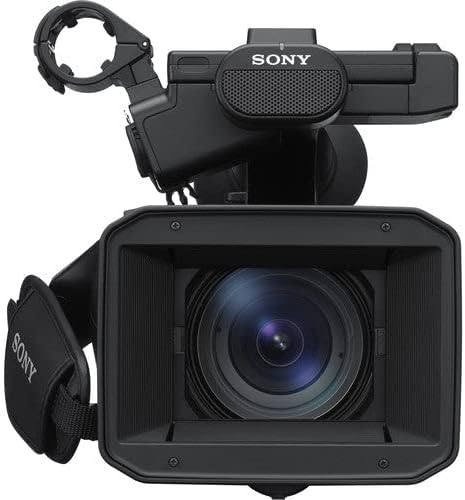
Figure 2: Front view of the Sony PXW-Z280 camcorder. This image highlights the lens and the pre-installed lens hood, crucial for protecting the lens and reducing glare.
Operating Instructions
This section covers the basic operation of the camcorder.
Powering On and Off
- To power on, slide the POWER switch to the ON position.
- To power off, slide the POWER switch to the OFF position.
Recording
The PXW-Z280 supports 4K 60p recording with various formats including XAVC Intra/Long, MPEG HD, and DVCAM.
- Select Recording Format: Navigate through the menu to select your desired recording format (e.g., 4K QFHD, HD) and codec (XAVC, MPEG HD, DVCAM).
- Start/Stop Recording: Press the REC START/STOP button, typically located on the handle and the front of the camcorder body, to begin and end recording.
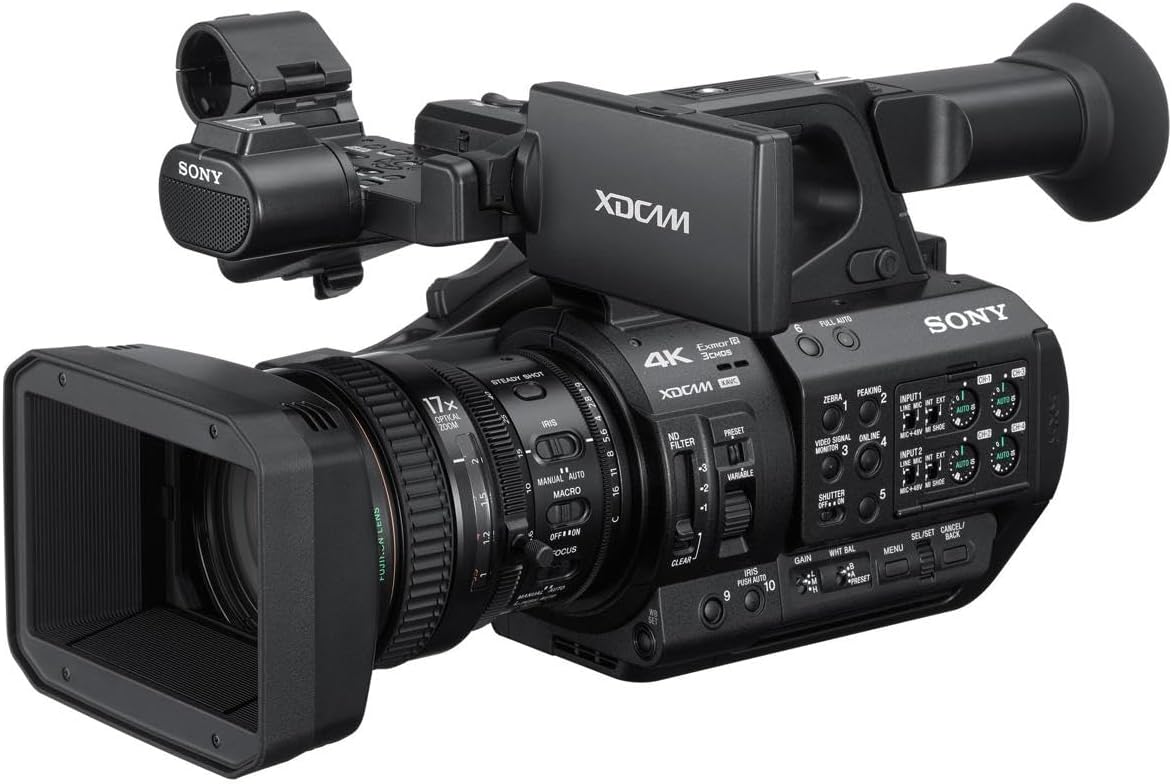
Figure 3: Detailed view of the Sony PXW-Z280 camcorder lens and control panel. This image shows the 17x optical zoom lens, iris ring, focus ring, and various buttons for filter, gain, and white balance settings.
Zoom and Focus
- Optical Zoom: Utilize the 17x optical zoom lens for magnification. The zoom rocker on the handle controls the zoom speed.
- Focus: The camcorder features Face Detection AF for automatic subject tracking. Manual focus is also available via the lens ring.
- Note on Zoom Control: Some users may find the zoom control sensitivity requires practice for smooth operation, particularly for slow, precise movements. Adjusting zoom speed settings in the menu may assist.
Exposure Control
- Electronic Variable ND Filter: Use the built-in electronic variable ND filter to adjust exposure in varying light conditions without changing aperture or shutter speed.
- HDR Workflow: The camcorder supports Instant HDR Workflow (HLG) for quick HDR production and S-Log3 for maximum grading flexibility. Select the appropriate gamma setting in the menu.
Audio Recording
The PXW-Z280 offers four-channel audio recording with independent volume dials for precise control of external input audio.
- Connect external microphones to the XLR inputs.
- Adjust input levels using the dedicated volume dials.
- Dual MI shoes provide cable-less connection with Sony UWP-D series wireless microphone receivers.
Connectivity
- 12G-SDI: For 4K 60p transfer over long distances using a single BNC cable.
- USB: For data transfer and connection to computers.
- Dual Link Cellular: For enhanced uplink performance and reliability (requires compatible cellular modules).
Maintenance
Proper maintenance ensures the longevity and optimal performance of your camcorder.
- Cleaning the Body: Use a soft, dry cloth to wipe the camcorder body. For stubborn dirt, slightly dampen the cloth with water. Avoid harsh chemicals.
- Lens Cleaning: Use a lens brush or blower to remove dust. For smudges, use a specialized lens cleaning solution and a microfiber cloth. Do not touch the lens surface with bare hands.
- Battery Care: Store batteries in a cool, dry place. Avoid fully discharging batteries for extended periods.
- Storage: When not in use, store the camcorder in a protective case, away from dust, moisture, and extreme temperatures.
Troubleshooting
This section addresses common issues you might encounter.
- Camcorder does not power on:
- Ensure the battery is charged and correctly installed.
- Verify the AC adapter is properly connected if using external power.
- Recording issues:
- Check if a memory card is inserted and has sufficient free space.
- Ensure the recording format is correctly selected.
- Zoom control is difficult to operate smoothly:
- Practice using the zoom rocker to achieve desired speeds.
- Explore menu settings for zoom speed adjustments if available.
- No audio recording:
- Check microphone connections and ensure they are powered if required.
- Verify audio input levels are correctly set using the independent volume dials.
For issues not covered here, refer to the detailed "Operating Instructions" CDROM or contact Sony customer support.
Specifications
| Feature | Detail |
|---|---|
| Model Number | PXW-Z280 |
| Product Dimensions | 10 x 20.5 x 11 inches |
| Item Weight | 8.75 pounds |
| Photo Sensor Technology | 3-CMOS (1/2-inch type) |
| Video Capture Resolution | 4K |
| Optical Zoom | 17x |
| Maximum Aperture | 1.9 Millimeters |
| Flash Memory Type | SxS, SD (with optional adapter) |
| Video Capture Format | XAVC Intra/Long, MPEG HD, DVCAM, AVCHD |
| Supported Audio Format | AAC, MP3, PCM, FLAC, Dolby Digital/AC-3 |
| Screen Size | 5 Inches |
| Connectivity Technology | USB, 12G-SDI |
| Manufacturer | Sony |
| Date First Available | August 2, 2018 |
Warranty and Support
Your Sony PXW-Z280 Camcorder comes with a Sony 1 Year Warranty. Please retain your proof of purchase for warranty claims.
For technical support, service, or further inquiries, please contact Sony customer service. Refer to the official Sony website or the "Operating Instructions" CDROM for contact details specific to your region.
Note: Unauthorized repairs or modifications may void your warranty.