Introduction
This manual provides instructions for the proper use and application of OfficeSmartLabels QC Pass Stickers. These stickers are designed for quality control, inventory management, and inspection processes in various environments.

Image: A roll of bright fluorescent green QC Pass stickers, ready for use.
Product Specifications
| Feature | Detail |
|---|---|
| Dimensions | 2 x 2 inches (50.8mm x 50.8mm) |
| Color | Fluorescent Green with Black Text |
| Quantity | 300 Labels per Roll, 4 Rolls (Total 1200 Labels) |
| Material | Semi-Gloss Coated Paper |
| Adhesive Type | Pressure Sensitive Strong Adhesive |
| Model Number | A-OFSSPS762-GRN-004 |
| Manufacturer | SOJITEK |

Image: A single QC Pass sticker illustrating its 2x2 inch square dimensions.
Setup and Preparation
These stickers are designed for immediate use. No complex setup is required.
- Unpack: Carefully remove the rolls of QC Pass stickers from their packaging.
- Inspect: Verify that the stickers are in good condition and the correct color and size.
- Surface Preparation: Ensure the surface where the sticker will be applied is clean, dry, and free from dust, grease, or other contaminants. A clean surface ensures optimal adhesion.
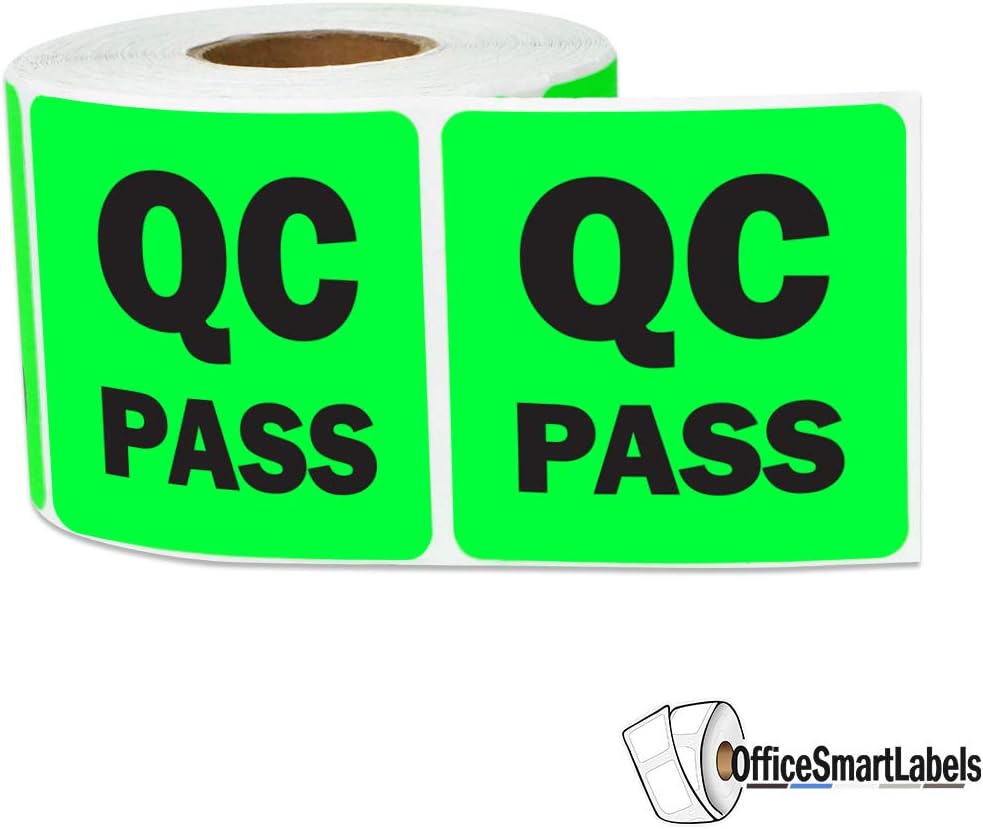
Image: Two rolls of QC Pass stickers, showing the continuous roll format.
Operating Instructions
Follow these steps for effective application of the QC Pass stickers:
- Peel: Gently peel a single QC Pass sticker from the roll. Avoid touching the adhesive side excessively to maintain its stickiness.
- Apply: Position the sticker firmly onto the designated item or surface. Apply even pressure across the entire sticker to ensure full contact with the surface.
- Placement: For best visibility and consistency, apply stickers in a standardized location on all items.
- Purpose: Use these stickers to clearly indicate that an item has successfully passed a quality control inspection, is approved for the next stage of production, or is ready for shipment.

Image: A QC Pass sticker applied to the side of a brown cardboard box, indicating quality approval.

Image: A QC Pass sticker on a box, with clear packing tape being applied over it, demonstrating durability.

Image: A person carrying two cardboard boxes, each clearly marked with a QC Pass sticker, ready for transport.
Maintenance and Storage
Proper maintenance and storage will ensure the longevity and effectiveness of your QC Pass stickers.
- Storage: Store sticker rolls in a cool, dry place away from direct sunlight and extreme temperatures. High humidity or heat can affect the adhesive quality.
- Protection: Keep rolls in their original packaging or a sealed container to protect them from dust and physical damage.
- Handling: Handle rolls by the edges to avoid transferring oils or dirt from hands to the adhesive or printed surface.
Troubleshooting
If you encounter issues with your QC Pass stickers, consider the following common solutions:
- Sticker Not Sticking:
- Ensure the application surface is clean and dry. Residue or moisture will prevent proper adhesion.
- Apply firm, even pressure across the entire sticker during application.
- Check if the adhesive side has been contaminated by dust or oils.
- Stickers Peeling Off:
- Verify that the surface material is compatible. While designed for versatility, extremely textured or porous surfaces may reduce adhesion.
- Ensure stickers are stored correctly to prevent adhesive degradation.
- Fading Color:
- Avoid prolonged exposure to direct sunlight or harsh UV light, which can cause colors to fade over time.
Support and Contact
OfficeSmartLabels is committed to providing exceptional customer service. If you have any questions, concerns, or require assistance with your QC Pass Stickers, please do not hesitate to contact us.
For support, please visit the official OfficeSmartLabels store on Amazon or refer to your purchase documentation for direct contact information.
OfficeSmartLabels Store: Visit Store